# A 2x cheaper BannerBear Alternative with 10x more features
> Switch from BannerBear to Orshot. Save 40-60% on image generation. Multi-page Videos, PDFs, Canva/Figma import, 10+ integrations. 60 free renders to start.
- **Author**: Rishi Mohan
- **Published**: 2025-08-21
- **Updated**: 2026-05-13
- **Tags**: Alternative
- **Read time**: 6 min read
- **URL**: https://orshot.com/blog/bannerbear-api-alternative
---
BannerBear has been around for a while and it's solid. They basically pioneered automated image generation APIs, and that deserves respect. But here's the thing - if you're using it right now, you've probably noticed the pricing adds up fast, and there are some features you wish it had.
I built Orshot because I ran into these exact limitations. Started as a side project, turned into something that actual teams use daily. Same core idea as BannerBear (turn templates into API endpoints), but with the stuff I wish BannerBear had when I was looking for a solution.
[**Try Orshot Free**](https://orshot.com/pricing "target=_blank") **(60 renders, no card needed)**
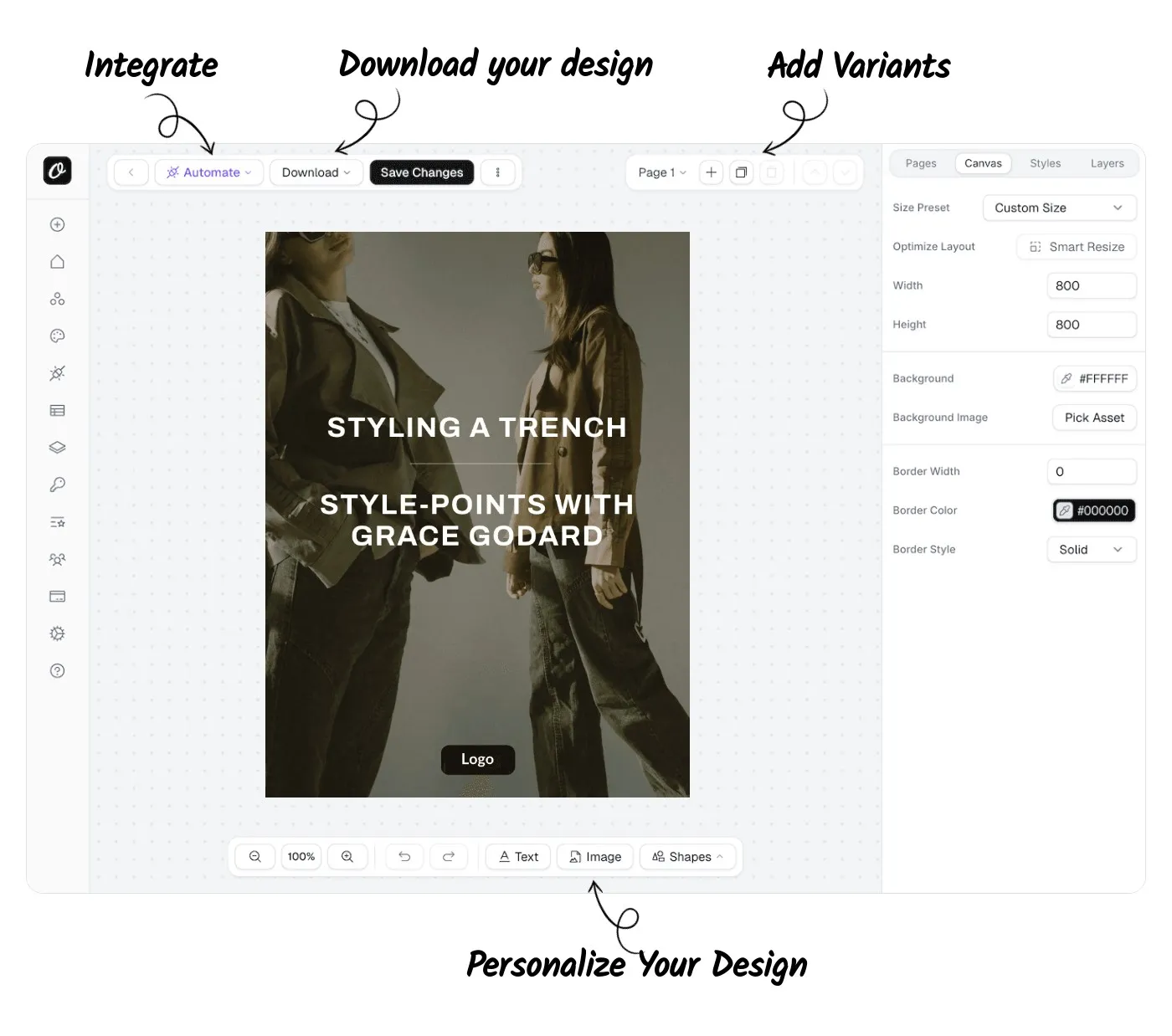
## What's Different
If you're already on BannerBear, here's what changes when you switch:
| Feature | Orshot | BannerBear |
| :-------------------------------- | :------------------------------------------------------------------------------------------------------------------------------------------------------------------------------------------------------ | :---------------------------------- |
| **Free Tier** | 60 renders, all features | 30 renders, limited features |
| **Starting Price** | \$30/month for 3,000 renders | \$49/month for 1,000 renders |
| **10k renders/month** | \$75/month | \$149/month |
| **Template Designing** | Canva/Figma like editor called [Orshot Studio](https://orshot.com/studio) with features like [Smart Stacking](https://orshot.com/blog/smart-stacking), Smart Layouts and AI features | Template Editor |
| **Template Creation** | [Clone from Canva](https://orshot.com/solutions/canva-template-to-api), [Import from Figma](https://orshot.com/solutions/figma-automation-via-rest-api) using Orshot Figma Plugin, [AI Template Generator](https://orshot.com/features/ai-template-generator) | Manual, standard templates |
| **Carousel/Multi-page Templates** | Yes, [view demo](https://orshot.com/blog/introducing-carousel-templates) | No |
| **White-labeled Design Editor** | Yes via [Orshot Embed](https://orshot.com/blog/image-editor-sdk) | No |
| **AI Features** | AI template generator, Background removal | No advanced AI integration |
| **Video Generation** | Full video timeline with per-layer animations, audio tracks, auto-subtitles, trim/mute/loop — MP4/WebM/GIF | Basic Video Generation |
| **Image Generation from URLs** | Yes, [via Dynamic URLs](https://orshot.com/docs/integrations/dynamic-urls) | Yes, via Simple URLs |
| **Integrations** | n8n, Make, MCP Server, Dynamic URLs and more | Major platforms(No n8n, MCP though) |
| **Bulk Image Generation** | Yes, with fast parallel processing | Yes |
| **Developer Tools** | SDKs, CLI, detailed API docs | SDKs, Docs |
| **Own Storage** | Bring your own (AWS S3, Cloudflare R2) | Same |
| **Collaboration Feature** | Workspaces, team with permission controls | Basic team features |
| **Social Publishing** | [Built-in — 13+ platforms](https://orshot.com/docs/publish/introduction) | No |
## What You Get Extra
Beyond the basics that BannerBear covers, here's what else you get:
**Better value** - More renders for less money. Check the [pricing page](https://orshot.com/pricing) - at 3,000 renders/month you're paying \$30 instead of \$49.
**Multi-page templates** - Create carousels and multi-page PDFs. BannerBear doesn't do this. We do. [See how it works](https://orshot.com/blog/introducing-carousel-templates).
**More integrations** - n8n, MCP Server, Orshot CLI - we connect with stuff BannerBear doesn't. [Full list here](https://orshot.com/integrations).
**Import from anywhere** - Canva, Figma, or use AI to generate templates. Way faster than starting from scratch.
**Better editor** - [Orshot Studio](https://orshot.com/studio) has smart stacking, smart layouts, and just feels more intuitive. Less clicking, more designing.
**Full video editing and generation** - A visual video timeline with per-layer animations, page-level audio tracks, and auto-generated subtitles. Export to MP4, WebM, or GIF. Control trim, mute, loop, and every animation property via API. Create multi-page video templates. BannerBear's video support is basic in comparison.
**Social publishing** - Render and [publish to 13+ social platforms](https://orshot.com/docs/publish/introduction) directly from Orshot. Post instantly, schedule, or save as draft — no Buffer or third-party tool needed.
**Actual support** - I respond to chat messages. Usually within an hour. Sometimes I'll just hop on a call if something's complicated.
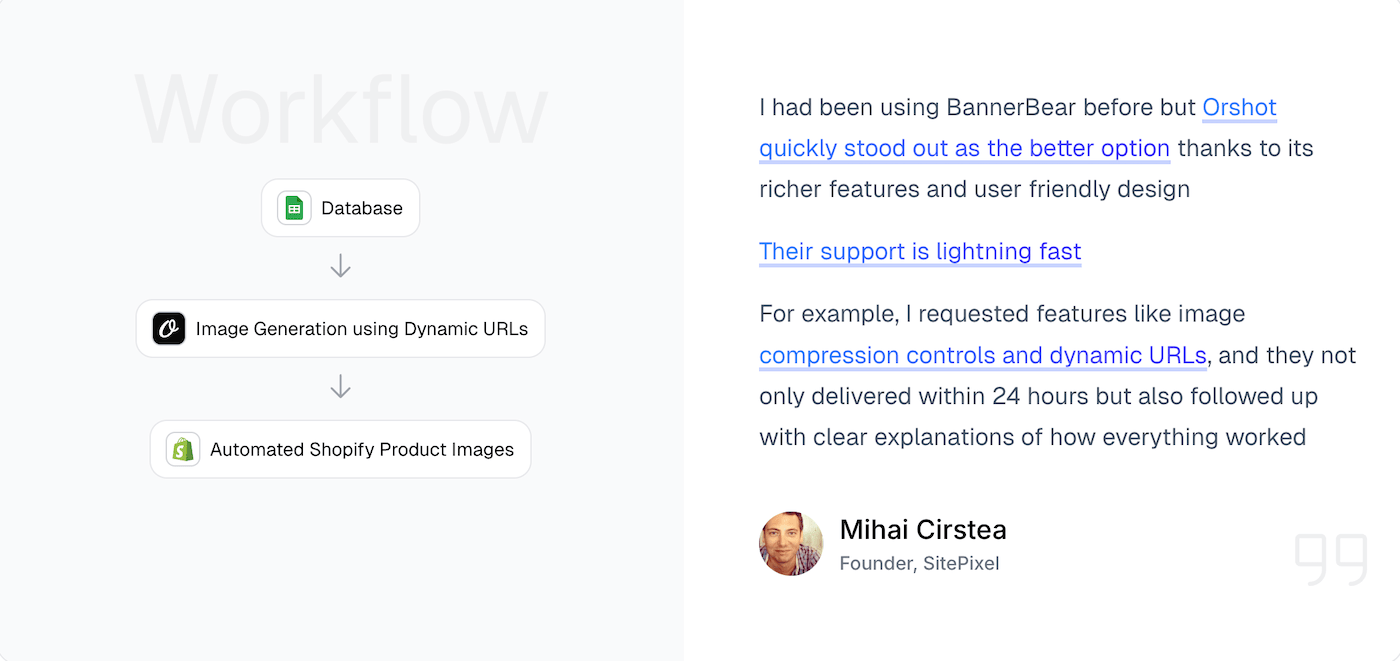
I built custom features for users when they needed something specific. Like when Ivan needed to automate cross-posting Twitter threads - we made it happen. That's how we roll.
## Utility Templates (The Handy Extras)
We've got pre-built API templates that solve common problems:
- [Twitter Screenshot API](https://orshot.com/templates/tweet-image) - Clean tweet screenshots with customization
- [Website Screenshot API](https://orshot.com/templates/website-screenshot) - Full page captures, any viewport
- [Dynamic Image Resizer API](https://orshot.com/templates/dynamic-image-resizer) - Resize on the fly
These work great on their own or combined with your custom templates. BannerBear doesn't really have equivalents for these.
## Switching from BannerBear
Honestly, it's not that hard. Here's how most people do it:
### Step 1: Recreate Your Templates (15-30 min)
You have a few options:
**Just rebuild it** - Open your BannerBear template, rebuild it in [Orshot Studio](https://orshot.com/studio). The editor's actually easier to use, so it usually goes faster than you think.
**Use AI** - Screenshot your BannerBear output, drop it into the [AI Template Generator](https://orshot.com/features/ai-template-generator). It'll recreate it, you fine-tune.
**Import existing designs** - If you have the original in Canva or Figma, import directly:
- [Clone from Canva](https://orshot.com/solutions/canva-template-to-api)
- [Import from Figma](https://orshot.com/solutions/figma-automation-via-rest-api)
You can create multi-page templates, [share through public links or embeds](https://orshot.com/blog/sharing-orshot-templates) like the one below with different view modes. You can also [invite your team to collaborate](https://orshot.com/features/team-collaboration) on design + template integration.
### Step 2: Update Your API Calls (10 min)
The APIs are pretty similar. Or use [dynamic urls for instant generation](https://orshot.com/blog/programmatic-seo-tools). Here's what changes.
**BannerBear API Call:**```javascript
const response = await fetch("https://api.bannerbear.com/v2/images", {
method: "POST",
headers: {
Authorization: "Bearer YOUR_BB_API_KEY",
"Content-Type": "application/json",
},
body: JSON.stringify({
template: "bb_template_uid",
modifications: [
{
name: "title",
text: "Hello World",
},
{
name: "image",
image_url: "https://example.com/photo.jpg",
},
],
}),
});
```**Orshot API Call (Nearly Identical):**```javascript
const response = await fetch("https://api.orshot.com/v1/studio/render", {
method: "POST",
headers: {
Authorization: "Bearer YOUR_ORSHOT_API_KEY",
"Content-Type": "application/json",
},
body: JSON.stringify({
templateId: "orshot_template_id",
modifications: {
title: "Hello World",
image: "https://example.com/photo.jpg",
// Dynamic parameters - override any style property
// Docs: https://orshot.com/docs/dynamic-parameters
"title.fontFamily": "Space Mono",
"image.borderRadius": "32px",
},
response: {
type: "url", // url, base64, binary
format: "png", // png, jpg, webp, avif, pdf, mp4, webm, gif
},
}),
});
```**Main differences:**
- Modifications are an object instead of an array (cleaner IMO)
- You specify response format explicitly
- Auth is the same Bearer token pattern
**Helpful docs:**
- [API Reference](https://orshot.com/docs/api-reference) - Complete API documentation
- [Render from Template](https://orshot.com/docs/api-reference/render-from-studio-template) - Main endpoint you'll use
- [SDKs](https://orshot.com/docs/sdks) - Node, Python, Ruby, PHP libraries
- [Setting Parameters](https://orshot.com/docs/orshot-studio/setting-parameters) - How to make templates dynamic
- [Style Parameters](https://orshot.com/docs/orshot-studio/style-parameters) - Override Styles you set in Studio in your API requests using custom parameters like `elementID.fontFamily: "Instrument Serif"`
### Step 3: Test It (5 min)
1. Make a few test calls
2. Compare the output
3. Tweak styling if needed in Studio
4. Deploy
You can also use Template playground to play with your template, try different content, styles etc.
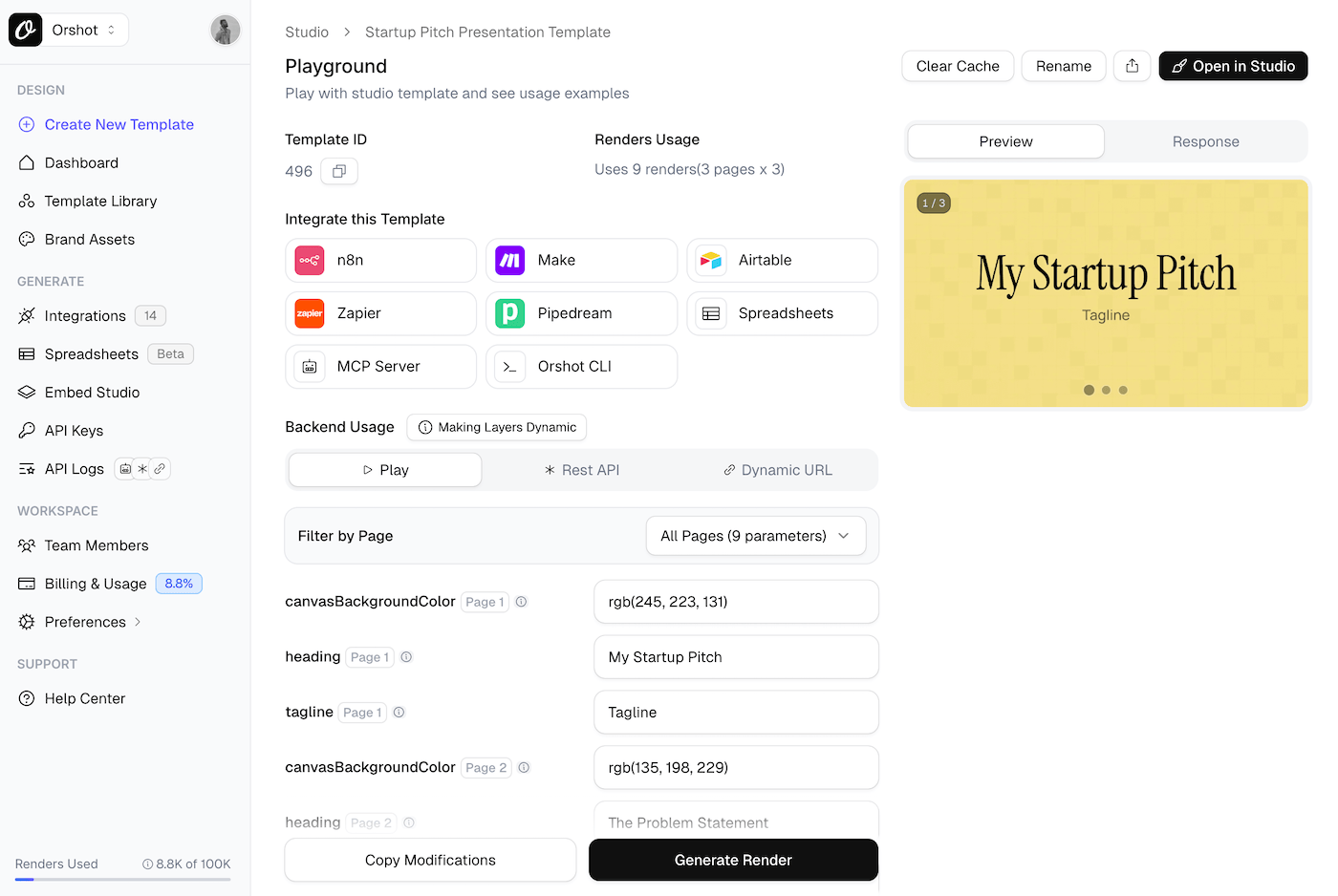
You can run both BannerBear and Orshot in parallel if you want. Most people are comfortable switching fully within a day or two.
### Need Help?
Just hit the chat button on bottom right. I or someone from the team will help you migrate templates, check your API calls, whatever you need. Usually takes about 2 hours total for a complete workflow.
## Common Questions
**Q: How much cheaper is Orshot compared to Bannerbear?**
Typically 40-60% cheaper. You get 3,000 renders for $30/mo vs Bannerbear's 1,000 renders for $49/mo. Plus you get more features included. Check out our [pricing page](https://orshot.com/pricing).
**Q: Can I import my designs from Canva or Figma to Orshot?**
Yes. Instead of rebuilding from scratch, you can use our [Figma plugin](https://orshot.com/solutions/figma-automation-via-rest-api) or [Canva import tool](https://orshot.com/solutions/canva-template-to-api) to bring your existing templates directly into Orshot.
**Q: Does Orshot support multi-page PDFs and carousels?**
Yes, Orshot has native support for [multi-page templates](https://orshot.com/blog/introducing-carousel-templates), making it easy to generate Instagram carousels and multi-page PDF documents. Bannerbear does not support this.
**Q: Does Orshot support video generation?**
Yes. Orshot supports advanced video generation (MP4/WebM/GIF) with per-layer controls like trim, loop, mute, and [animations](https://orshot.com/blog/introducing-animations-in-studio) (fade, slide, scale with staggered choreography). Bannerbear has basic video support but Orshot offers more flexibility.
**Q: Does Orshot integrate with Zapier, Make and n8n?**
Yes, Orshot works with major automation platforms including [Zapier](https://orshot.com/docs/integrations/zapier), [Make](https://orshot.com/docs/integrations/make), and [n8n](https://orshot.com/docs/integrations/n8n). We also support MCP Server and Dynamic URLs.
**Q: How do I migrate templates from Bannerbear to Orshot?**
You can recreate them using our improved editor, or use our [AI Template Generator](https://orshot.com/features/ai-template-generator) to recreate them automatically from an image.
**Q: Is there an agency partner program?**
Yes. Our [Agency Partner Program](https://orshot.com/partner-program) is free to join and includes unlimited sandbox workspaces, pooled renders up to 200k/month, and client handoff tools for agencies managing multiple clients.
**Q: Does Orshot support webhooks?**
Yes, Orshot supports webhooks to notify your application when renders are complete. Read our [Webhooks documentation](https://orshot.com/docs/integrations/webhooks) for setup details.
## Pricing (The Real Comparison)
Here's what you're actually paying:
| Monthly Volume | BannerBear | Orshot | Yearly Savings |
| --------------- | ----------- | ----------- | -------------- |
| 3,000 renders | ~\$49/month | \$30/month | \$228 |
| 10,000 renders | \$149/month | \$75/month | \$888 |
| 25,000 renders | \$299/month | \$150/month | \$1,788 |
| 100,000 renders | \$999/month | \$280/month | \$8,628 |
Also worth noting:
- 60 free renders to test (vs 30 on BannerBear)
- No feature restrictions on any plan
- Can scale to 200k/month if needed
[Full pricing details here](https://orshot.com/pricing)
## The Editor
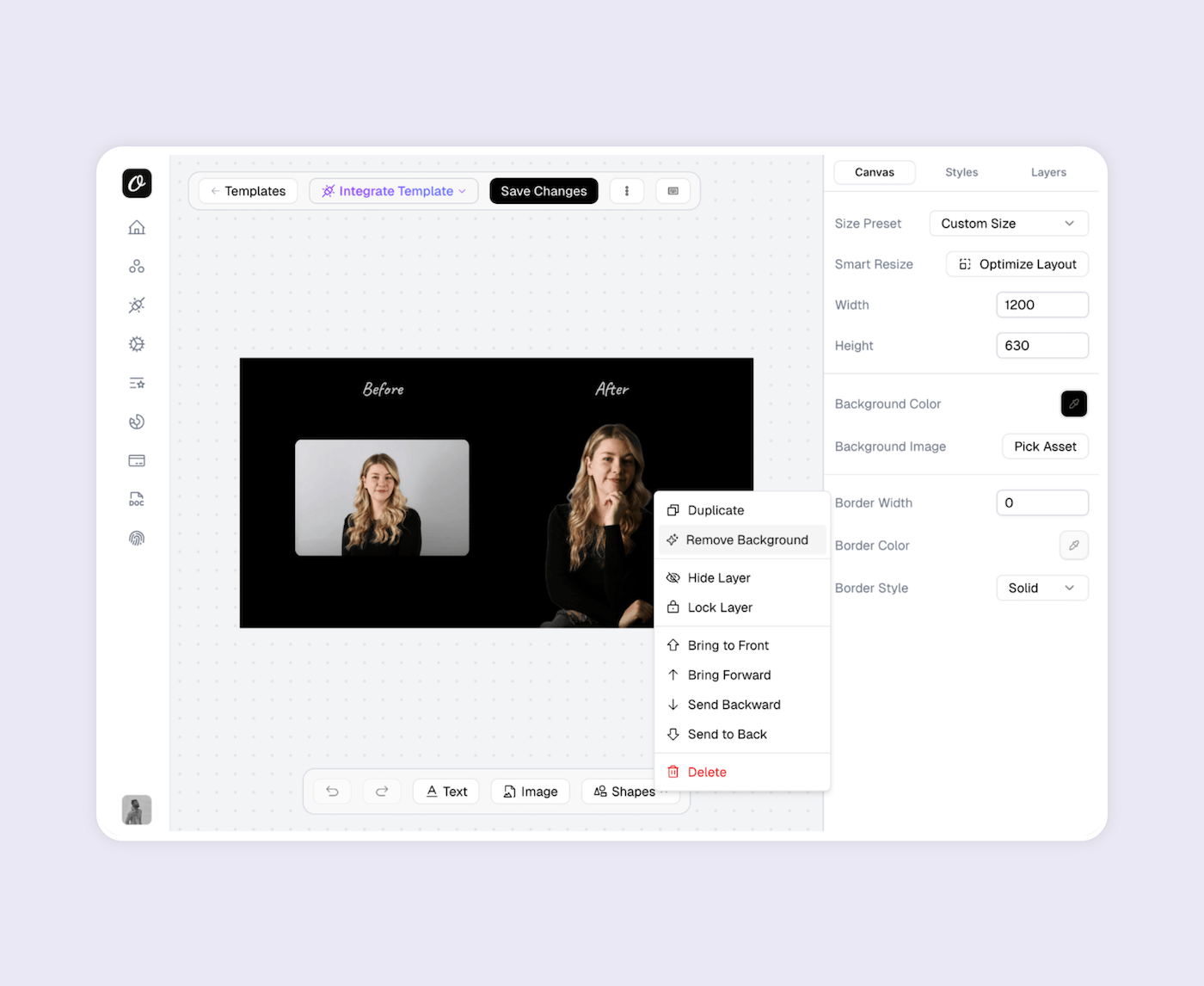
[Orshot Studio](https://orshot.com/studio) is just nicer to use. Clean interface, less clicking around, more visual. If you've used BannerBear's editor, you'll immediately notice the difference.
**Key features:**
- **[Smart Stacking](https://orshot.com/blog/smart-stacking)** - Position elements relative to each other. They auto-adjust when content changes
- **Brand Assets** - Save your logos, colors, and fonts. Use across all templates for consistency
- **Custom Fonts** - Upload any font. No limits on typography
- **Personalization** - Make any element dynamic - text, images, colors, styling
- **[Studio Embed](https://orshot.com/blog/orshot-studio-embed)** - Integrate the editor into your own app with custom branding
- **Multi-page Support** - Create carousels and PDF templates with different pages
## How It Works
Every template becomes an API endpoint. You can:
- Generate templates with AI or import from Canva/Figma
- Automate with REST API, SDKs, Zapier, Make, n8n, or [Dynamic URLs](https://orshot.com/docs/integrations/dynamic-urls)
- Bulk generate with parallel processing
- Generate multi-page PDFs and carousels (BannerBear can't do this)
If there's an integration missing, just ask. We'll probably add it.
## Examples and Tutorials
### Video Generation using Orshot
Demo of Orshot's Video Generation API:
### Carousel Templates
How to create multi-page templates and automate them:
### Import from Canva
Clone your existing Canva designs and [turn them into API endpoints](https://orshot.com/solutions/canva-template-to-api):
### Import from Figma
[Use the Figma plugin](https://orshot.com/solutions/figma-automation-via-rest-api) to import your designs directly:
### eCommerce Automation
Example workflow - [automating product images](https://orshot.com/blog/automate-ecommerce-product-images) from your data sources:
### Dynamic URLs
Generate images just by changing URL parameters - no API calls needed:
## Bottom Line
BannerBear works, but it's expensive and missing some stuff. Orshot does the same core thing (turn templates into API endpoints) but costs less and has the features people keep asking for - multi-page templates, better integrations, easier editor.
If you're also comparing [Placid](https://orshot.com/blog/placid-api-alternative), [Abyssale](https://orshot.com/blog/abyssale-api-alternative), [Contentdrips](https://orshot.com/blog/contentdrips-api-alternative), or other image generation APIs, the same advantages apply - simpler pricing, no feature gating, and multi-page support that most competitors lack.
The switch takes a couple hours. You can test everything free with 100 renders.
## For Agencies
Building visual content automation for multiple clients? Check out the [Agency Partner Program](https://orshot.com/partner-program) — free to join, unlimited sandbox workspaces, pooled renders up to 200k/month, and client handoff tools.
## Try It
1. [Sign up](https://orshot.com) - no card needed
2. Recreate one of your templates (or use AI to do it)
3. Test with your actual data
4. See if it works for you
If you get stuck, hit the chat button. I'll help you out