# Introducing Embed for Orshot Studio
> With Orshot Studio Embed, you can integrate a Canva like design editor in your own app with just single line of code. Allowing your users to create, design and manage your workspace templates
- **Author**: Rishi Mohan
- **Published**: 2025-09-12
- **Tags**: Updates
- **Read time**: 5 min read
- **URL**: https://orshot.com/blog/orshot-studio-embed
---
I'm excited to launch Orshot Studio Embed - a powerful feature that lets you integrate Orshot Studio directly into your applications. It removes the need to build a complex [image editor SDK](https://orshot.com/blog/image-editor-sdk), letting your users create and manage your Orshot workspace templates without ever leaving your platform
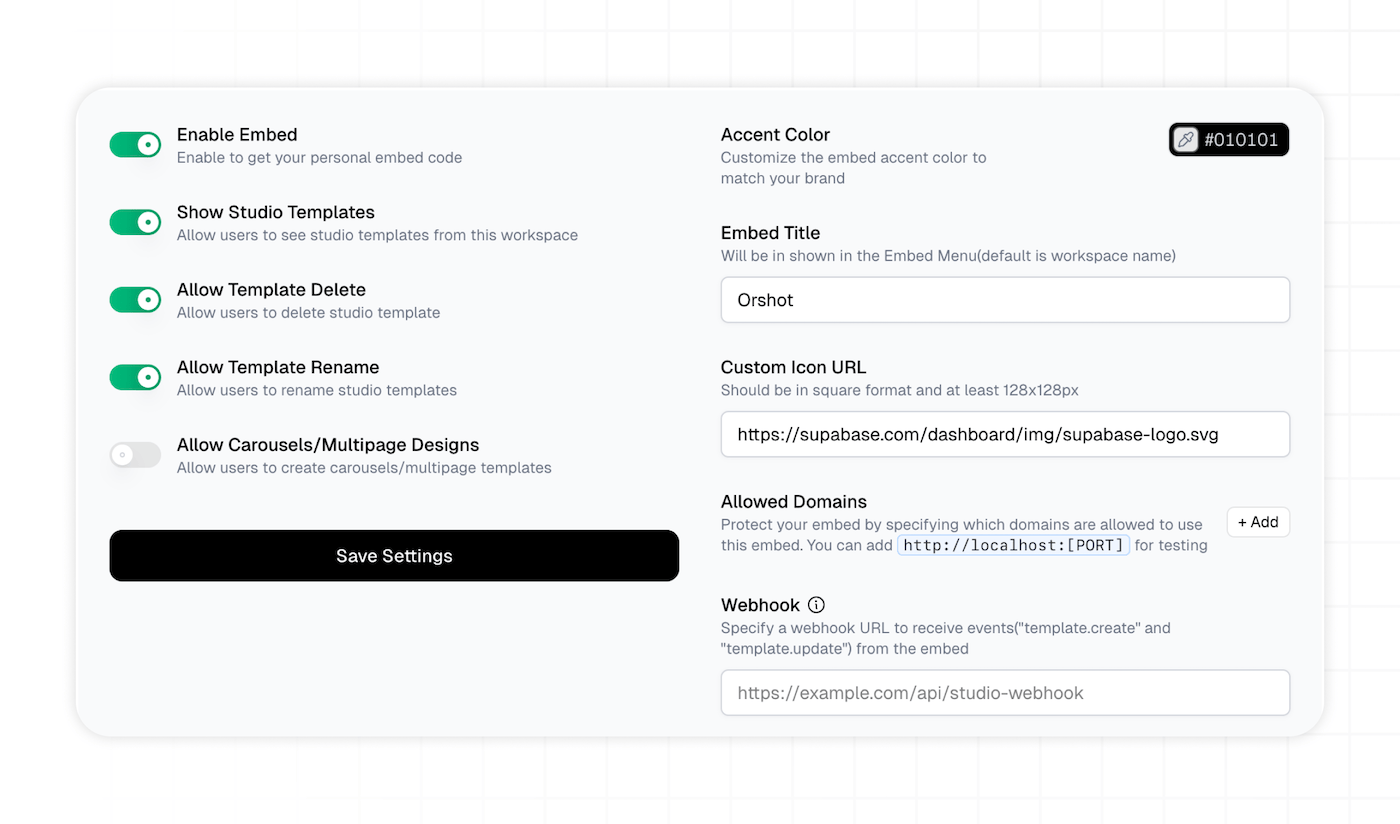
### Key Features
- **Custom Branding** - Match the embed to your brand with custom accent colors, titles, and icons
- **Domain Protection** - Secure your embed by specifying allowed domains, including localhost for testing
- **Template Controls** - Choose how users interact with templates:
- Show/hide workspace templates
- Enable/disable template deletion and renaming
- Allow [Carousels/multi-page templates](https://orshot.com/blog/introducing-carousel-templates)
### Easy Implementation
Adding Orshot Studio to your application couldn't be simpler:```html
// Basic embed
// Open with a specific template
```### Webhook Integration
You can add a Webhook URL in your Embed settings. Once added, you'll get template creation and change updates on your webhook
### Try It Today
Orshot Studio Embed is currently free while it's in beta. Enable it from your workspace settings and start bringing powerful design capabilities to your users right away