# Turn any Orshot template into a Template Form
> Turn any Orshot Studio template into a Template Form you can share or embed. Anyone with the link can tweak parameters and download images, PDFs, or videos — no Orshot account needed.
- **Author**: Rishi Mohan
- **Published**: 2026-04-21
- **Tags**: Updates, Product
- **Read time**: 2 min read
- **URL**: https://orshot.com/blog/template-forms
---
You can now share any Orshot Studio template as a live form through [**Template Forms**](https://orshot.com/docs/orshot-studio/template-forms).
Share a link or embed it on your site for any of your Orshot templates — anyone can tweak parameters, pick a format be it image, PDF or any video format, and download the result from the Template Form. No Orshot account required.
## How it works
Open a template in Studio, click **Share**, and create a new Template Form. You get a unique link and an embed snippet you can paste anywhere.
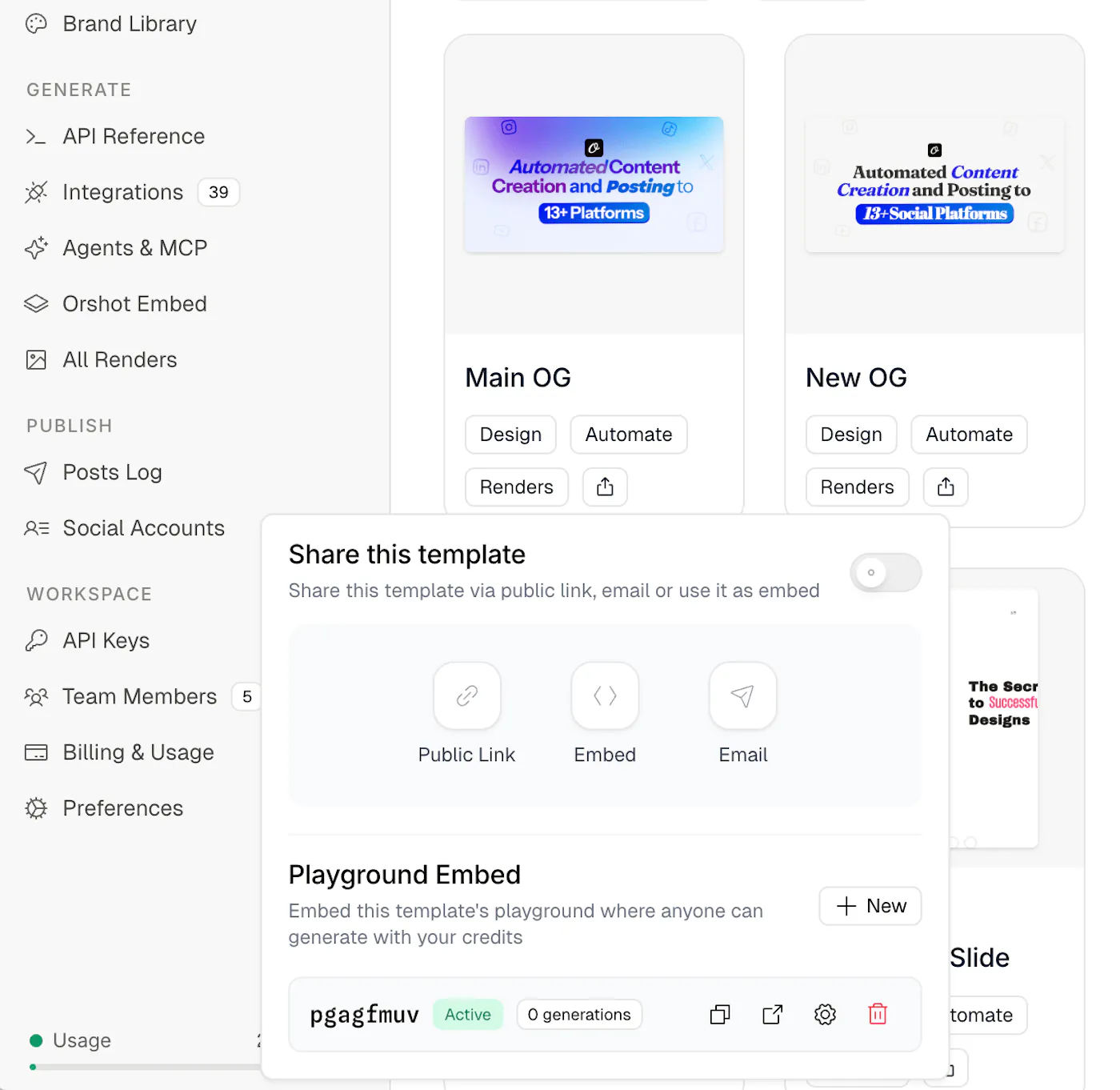
Each form has its own controls:
- **Formats** — choose which outputs are available (PNG, JPEG, WebP, AVIF, PDF, MP4, WebM, GIF)
- **Daily and lifetime limits** — cap how many times the Generate button can be clicked
- **Expiration** — auto-disable after a set period
- **Scale** — limit resolution up to 4x
- **Enable / Disable** — toggle anytime without losing the URL
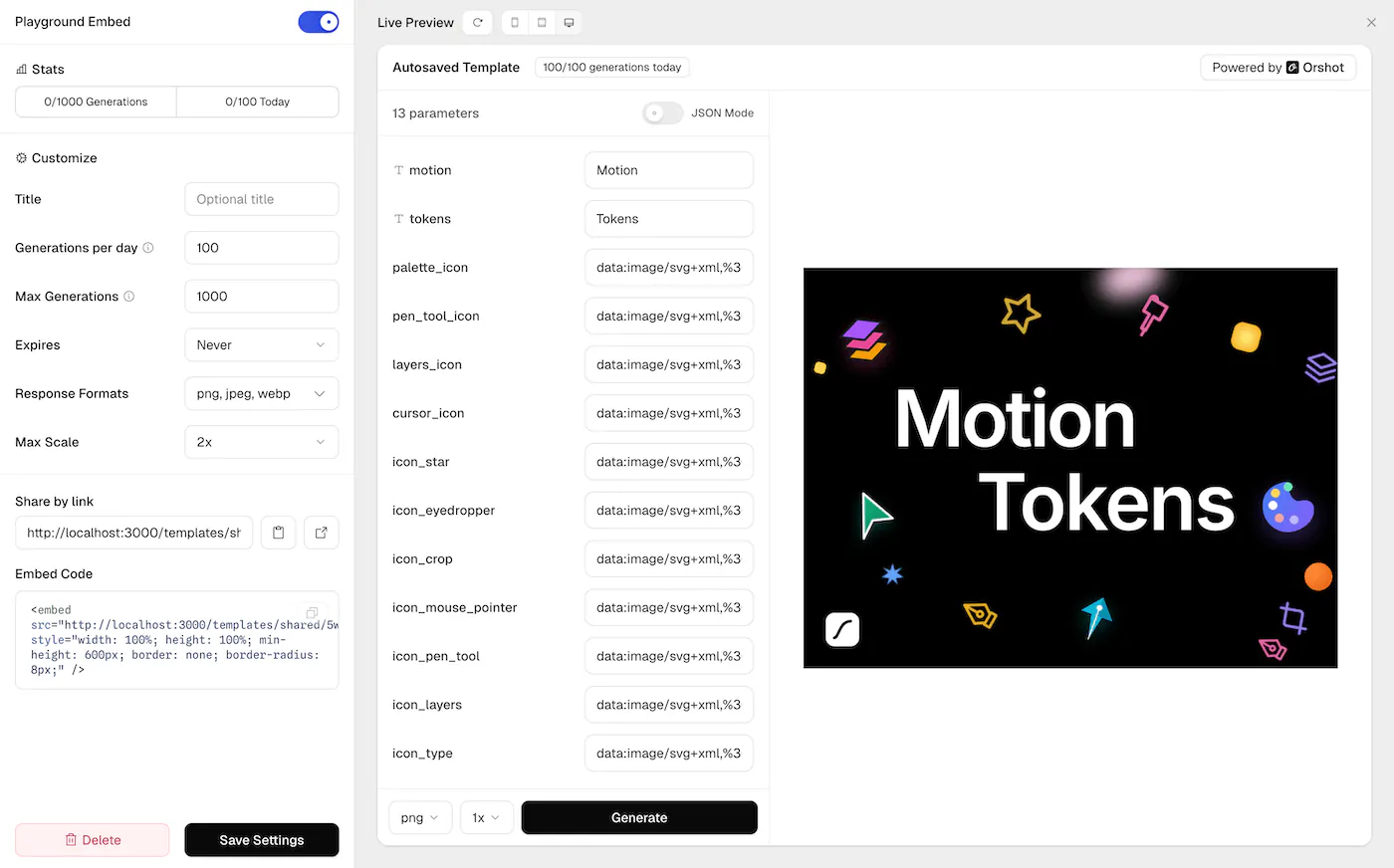
You can create multiple forms per template with different settings — one for a client with tight limits, another for your team with more room.
## Demo
Here's a demo of the Template Form in real-time:
## Who it's for
- **Agencies** — send clients a link to generate their own assets from approved templates, instead of going back and forth over email
- **SaaS teams** — embed a Template Form inside your app or internal tool so your team or users can produce visuals on demand
- **Course creators** — let students generate and download their own certificates
- **Event organizers** — share a badge form link with attendees
## Secure by default
Your API key is never exposed. Generations are proxied through Orshot's servers, every request uses a single-use token, and IP-based rate limiting runs automatically.
## Get started
Open any template in [Orshot Studio](https://orshot.com/studio), click **Share**, and create your first Template Form. Full docs at [Template Forms](https://orshot.com/docs/orshot-studio/template-forms).