# Embedding Playground
> Let anyone generate images, PDFs, and videos from your template — embedded on your site or shared via link
- **URL**: https://orshot.com/docs/orshot-studio/embedding-playground
---
Playground Embeds turn your Orshot Studio template into a self-serve generator that anyone can use. Visitors pick parameters, hit **Generate**, and download the result — all without needing an Orshot account. You control formats, scale, rate limits, and expiration.
## Creating a Playground Embed
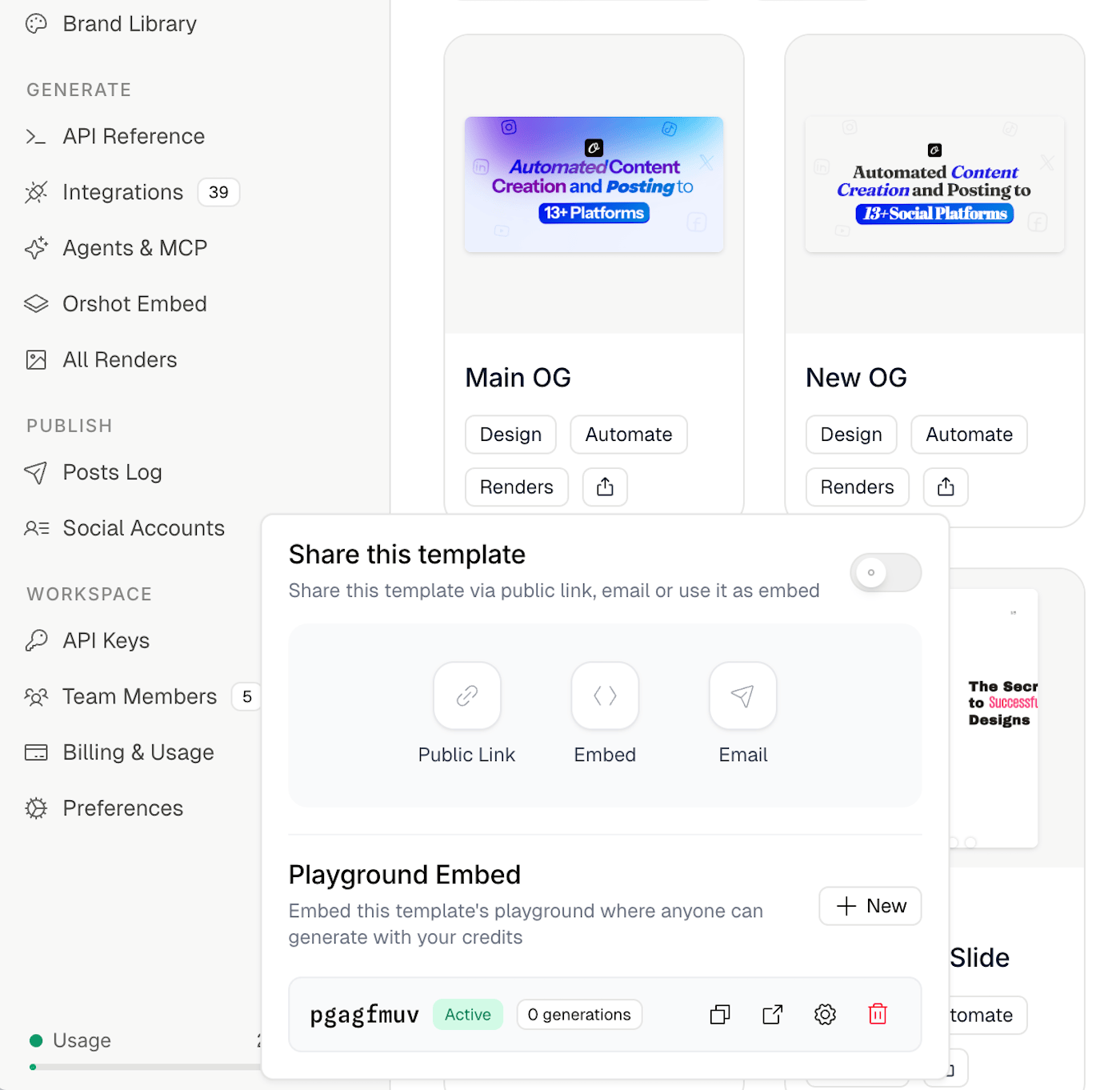
1. Open your template in Orshot Studio
2. Click the **Share** button in the toolbar
3. Scroll to the **Playground Embed** section
4. Click **New** to create an embed
Each embed gets a unique URL and its own settings. You can create multiple embeds per template with different configurations.
## How It Works
When someone opens a Playground Embed — either via direct link or embedded on your site — they see:
- A **preview** of the template
- **Parameter inputs** for every editable field (text, images, etc.)
- **Format and scale** selectors
- A **Generate** button that generates the output and returns a downloadable result
Generations use your workspace's API credits. Each click of the Generate button counts as one generation against the embed's limits.
## Settings
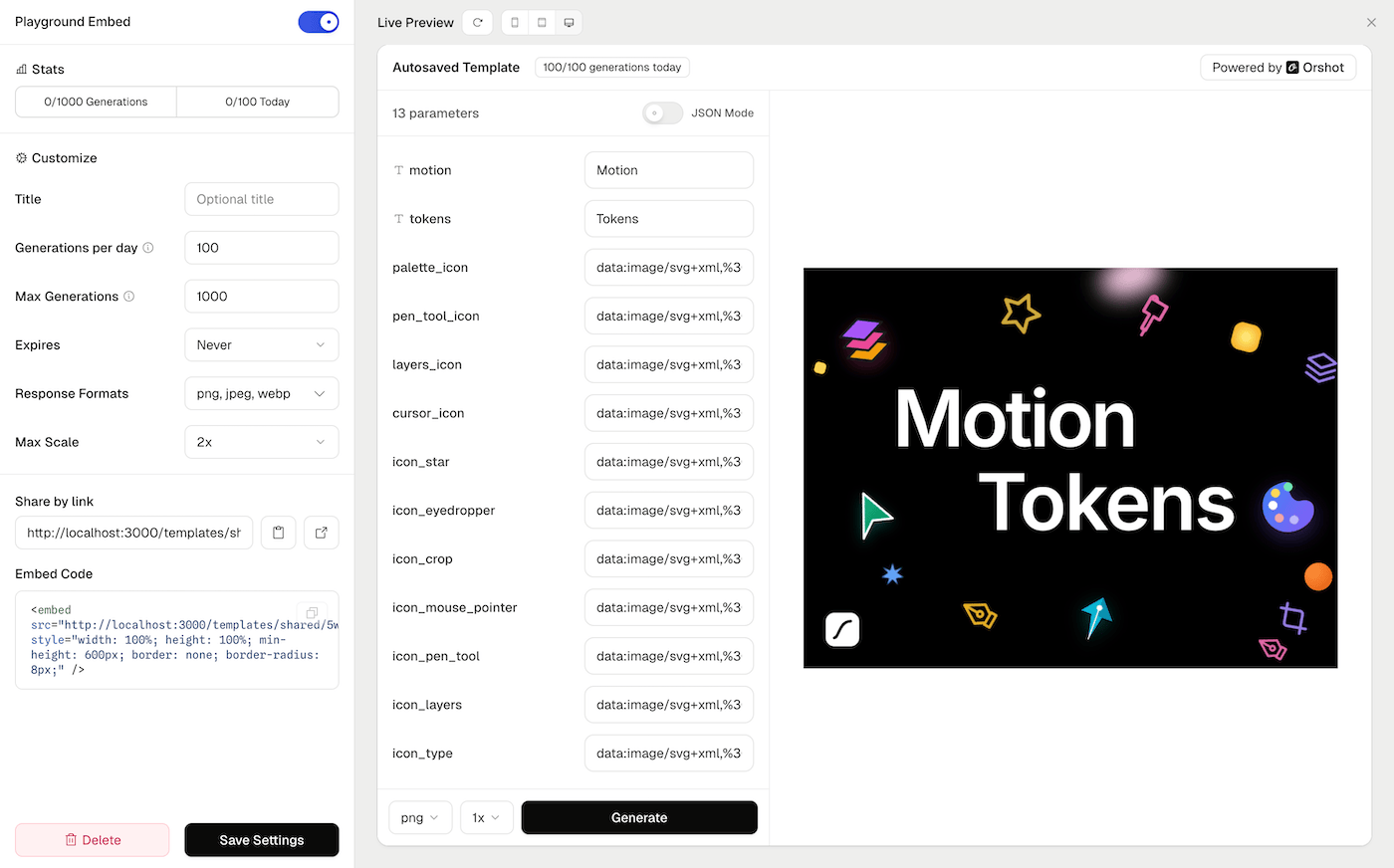
### Title
Optional display name shown in the embed header. Falls back to the template name if left empty.
### Generations per day
Maximum number of times the Generate button can be clicked per day, across all visitors. Resets daily. Use this to prevent unexpected credit usage spikes.
### Max Generations
Total lifetime generation limit. Once reached, the embed stops accepting new generations. Useful for time-limited campaigns or trials.
### Expires
Set an expiration date after which the embed becomes inaccessible. Options range from 1 day to 1 year, or never.
### Response Formats
Choose which output formats visitors can select. Available formats: PNG, JPEG, WebP, AVIF, PDF, MP4, WebM, GIF. At least one format must be enabled.
### Max Scale
Maximum resolution multiplier visitors can choose (1x to 4x). Higher scales produce larger, higher-resolution output.
### Enabled / Disabled
Toggle the embed on or off. Disabled embeds return a "not available" message. The URL is preserved so you can re-enable later.
## Sharing an Embed
### Direct Link
Copy the embed URL and share it directly. The link opens a full-page playground where visitors can generate outputs.
### Embed Code
Paste the provided HTML snippet into your website:```html
```The embed is responsive and works in any container that provides width and height.
## Security
- **Nonce-based tokens**: Each generation request uses a single-use token to prevent replay attacks
- **Rate limiting**: IP-based rate limiting protects against abuse
- **No authentication required**: Visitors don't need an Orshot account
- **Your API key is never exposed**: Generations are proxied through Orshot's servers using your workspace credentials server-side
## Managing Embeds
From the **Share** dialog, you can:
- **View stats**: See total and daily generation counts
- **Edit settings**: Update limits, formats, or expiration
- **Copy link**: Share the embed URL
- **Preview**: Open the embed in a new tab
- **Delete**: Permanently remove the embed