How do I list my app on Orshot?
Submit your app for review to appear in the Orshot integrations directory.
Published ·Updated
Once your app is working and ready for users, you can submit it for review. Approved apps get listed in Orshot's integrations directory, making them discoverable to all Orshot users.
Distribution Statuses#
Your app goes through these stages:
| Status | Meaning |
|---|---|
| Private | Default. Only you and your test users can authorize and use the app |
| Pending Review | You've submitted for review. Still restricted to owner + test users |
| Published | Approved and verified. Any Orshot user can authorize your app |
| Distributing | Approved AND listed on Orshot's integrations page for discovery |
| Rejected | Review didn't pass. See feedback, fix issues, and resubmit |
Both Published and Distributing apps are verified and can be used by any Orshot user. The difference is that Distributing apps are also listed in the integrations directory for users to discover.
If you switch a published or distributing app back to private, existing
tokens from non-owner, non-test-user accounts will immediately stop working.
API calls with those tokens will return a sandbox_restricted error.
Before You Submit#
Make sure your app meets these requirements:
- Working OAuth flow — Users can connect and disconnect their Orshot accounts
- Proper error handling — Graceful handling of denied access, expired tokens, and API errors
- Minimal scopes — Only request permissions your app actually needs
- Clear purpose — The app solves a real use case for Orshot users
- Privacy policy — A URL explaining how you handle user data
What to Include#
When submitting your app for review, provide:
| Field | Description |
|---|---|
| App Name | The name shown in the integrations directory |
| Short Description | One-liner explaining what the app does (max 100 chars) |
| Full Description | Detailed explanation with features and use cases |
| Logo | Square logo, at least 256×256px, PNG or SVG |
| Screenshots | 2–4 screenshots showing the app in action |
| Category | e.g., "Design Tools", "Marketing", "Developer Tools", "Automation" |
| Website URL | Public landing page or documentation for your app |
| Privacy Policy URL | How you handle data from Orshot users |
| Support URL / Email | Where users can get help |
Submit for Review#
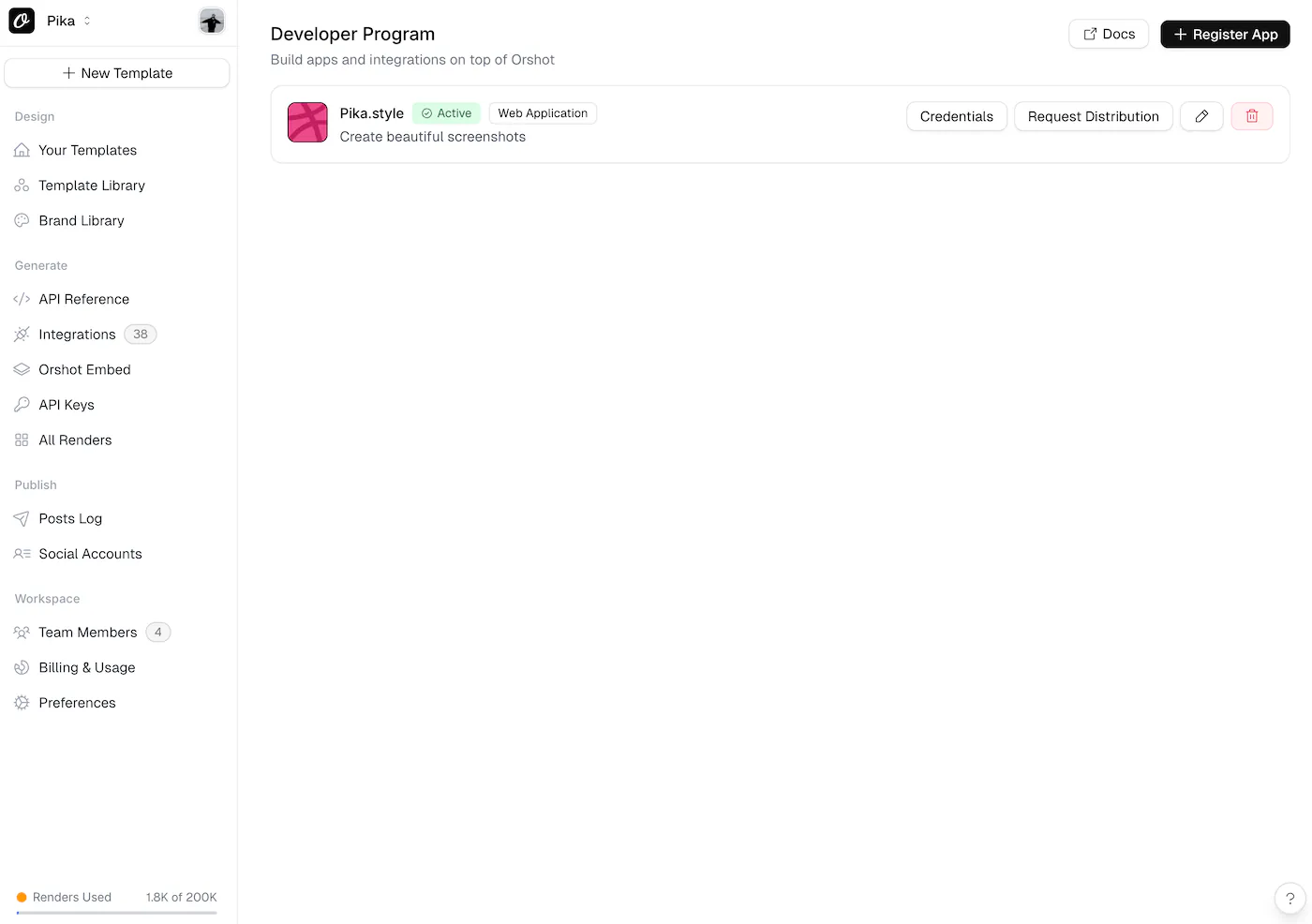
Ready to list your app? Submit it through the Developer Program:
Submit App for Review →Review Process#
- Submit — Fill out the form with your app details, logo, and screenshots
- Review — We test the OAuth flow, check scopes, and evaluate the user experience
- Feedback — We may request changes or ask clarifying questions
- Approval — Your app is approved (Published) or approved and listed (Distributing)
- Live — Orshot users can authorize and use your app
The review process typically takes 3–5 business days. We'll keep you updated by email.
After Approval#
Once approved, your app can be in one of two states:
Published#
- All Orshot users can authorize your app — sandbox restrictions are removed
- Your app is verified but not listed in the integrations directory
- Users need a direct link to connect your app
- Good for apps distributed through your own channels
Distributing#
- Everything in Published, plus:
- Your app appears in the Orshot integrations directory
- Users can find and connect it directly from their workspace
- Maximum discoverability for your integration
For both states:
- You can push updates to your app at any time — no re-review needed for minor changes
- Scope changes or significant functionality changes require a new review
Guidelines#
- Don't abuse tokens — Only access data your app needs for its stated purpose
- Handle disconnections — If a user revokes access, stop making API calls
- Rate limits — OAuth endpoints are rate-limited at 60 requests/minute per client
- Keep secrets secret — Never expose your
client_secretin client-side code or public repos - Be transparent — Clearly explain to users what data you access and why
Ready to automate?
Start rendering images, PDFs and videos from your templates in under 2 minutes. Free plan, no credit card.
Get your API key- Image, PDF and video generation via API
- Visual editor with AI and smart layouts
- Zapier, Make, MCP and 50+ integrations
- White-label embed for your own app
- 100 free credits a month, no credit card required