How do I register an OAuth app?
Request client credentials from developer settings. Your redirect URI identifies the app.
Published ·Updated
To build an app that connects to Orshot on behalf of users, you need a client ID and client secret. Register your app through our Developer Program and we'll review it.
What You'll Need to Provide#
When registering your app, include the following details:
| Field | Description | Example |
|---|---|---|
| App Name | The name users will see on the consent screen | "Acme Image Generator" |
| Description | A short description of what your app does | "Generates social media images from Orshot templates" |
| Logo | A square logo (at least 128×128px) | Upload via the form |
| Redirect URIs | Where Orshot redirects after authorization | https://acme.com/callback |
| Scopes Needed | The permissions your app requires | workspace:read, render:generate |
| App Type | Web app, CLI tool, desktop app, or IDE extension | "Web app" |
| Website URL | Your app's website or landing page | https://acme.com |
| Privacy Policy | URL to your privacy policy | https://acme.com/privacy |
| Test Users | Email addresses allowed to test during development | alice@example.com, bob@example.com |
Register Your App#
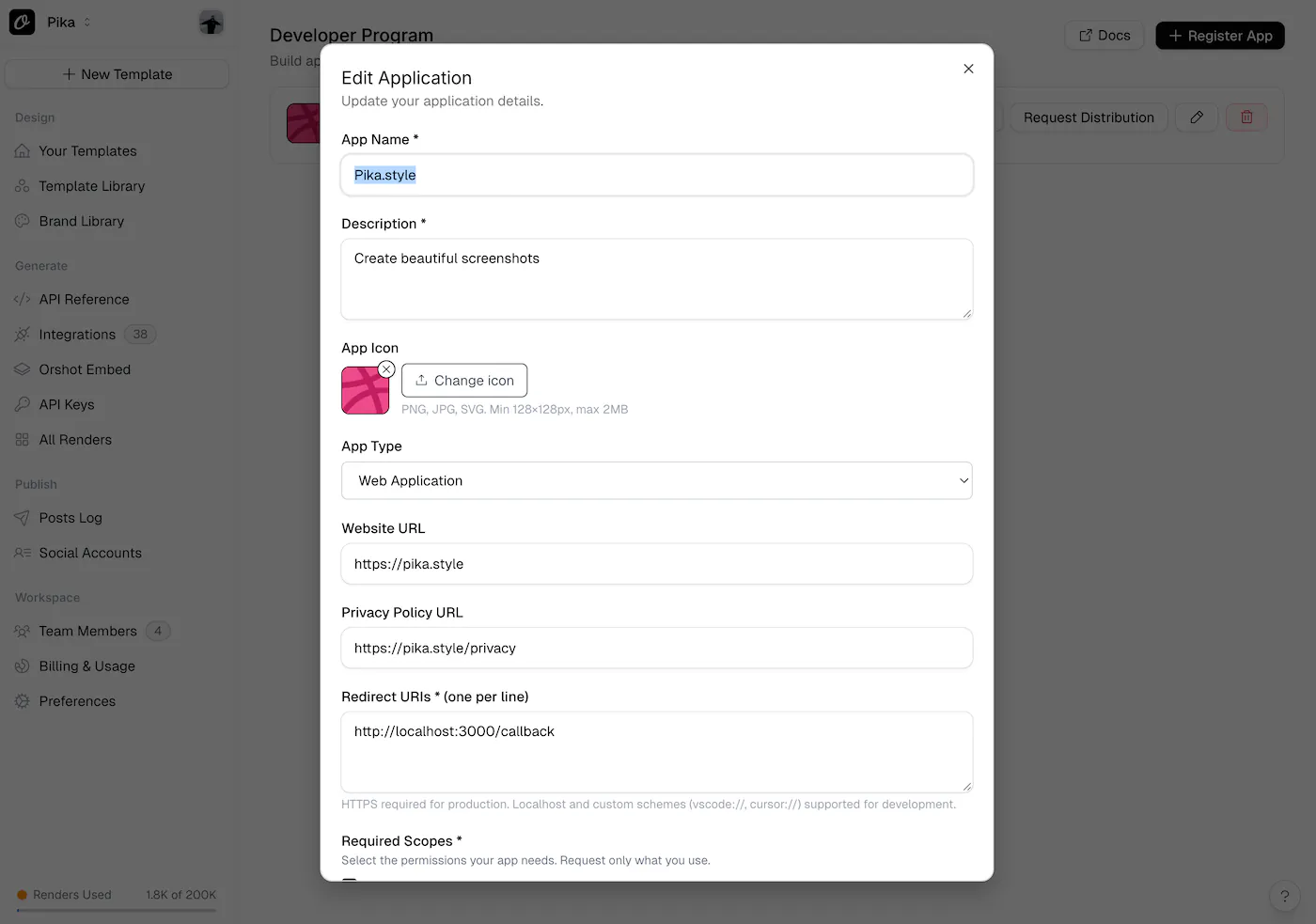
Sign in to your Orshot account and submit your app through the Developer Program:
Register Your App →What Happens Next#
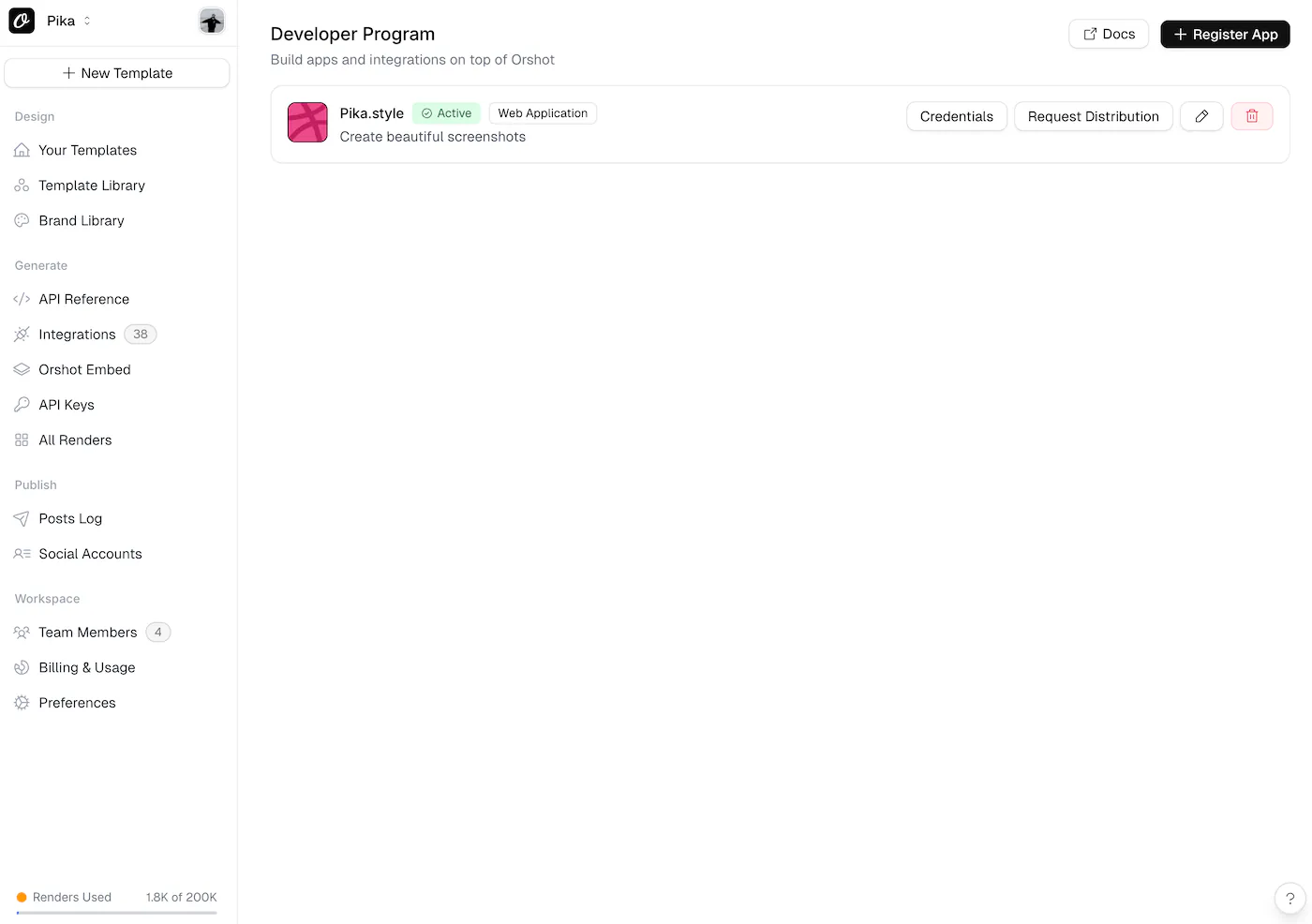
- Submit your app — Fill out the registration form with your app details
- Start building — Your
client_idandclient_secretare available immediately in the Developer Program dashboard - Test in development mode — Only you (and any test users you added) can authorize the app
- Submit for review — When ready, submit your app for publishing to make it available to all users
Development Mode#
All new apps start in development mode (private). While in development mode:
- Only the app owner and explicitly added test users can authorize the app
- Other users who attempt to authorize will see an
access_deniederror - API calls made with tokens from unauthorized users will return a
sandbox_restrictederror - The consent screen shows an "unverified app" warning to test users
This mirrors how platforms like Google and Shopify handle app development — you can build and test safely before going live.
Add test users during registration or update them anytime from the Developer Program dashboard. Test users are identified by their email address.
Redirect URI Rules#
Orshot validates redirect URIs strictly. Here's what's supported:
- HTTPS URLs —
https://your-app.com/callback(required for production) - Localhost —
http://localhost:3000/callback(any port, for development) - Custom schemes —
vscode://your-extension/callback,cursor://,claude://(for IDE extensions and desktop apps)
You can register multiple redirect URIs. The redirect_uri parameter in the authorization request must exactly match one of the registered URIs (localhost ports are flexible).
Keep Your Secret Safe#
- Never expose your
client_secretin client-side code (browser JavaScript, mobile apps) - Store it in environment variables or a secrets manager
- If your secret is compromised, email us immediately for rotation
- For public clients (SPAs, mobile apps), use PKCE without a client secret
Ready to automate?
Start rendering images, PDFs and videos from your templates in under 2 minutes. Free plan, no credit card.
Get your API key- Image, PDF and video generation via API
- Visual editor with AI and smart layouts
- Zapier, Make, MCP and 50+ integrations
- White-label embed for your own app
- 100 free credits a month, no credit card required