What is Orshot?
Orshot turns a template into an API: generate images, PDFs and videos, auto-publish them to 15+ social platforms, and track how each post performs.
Updated
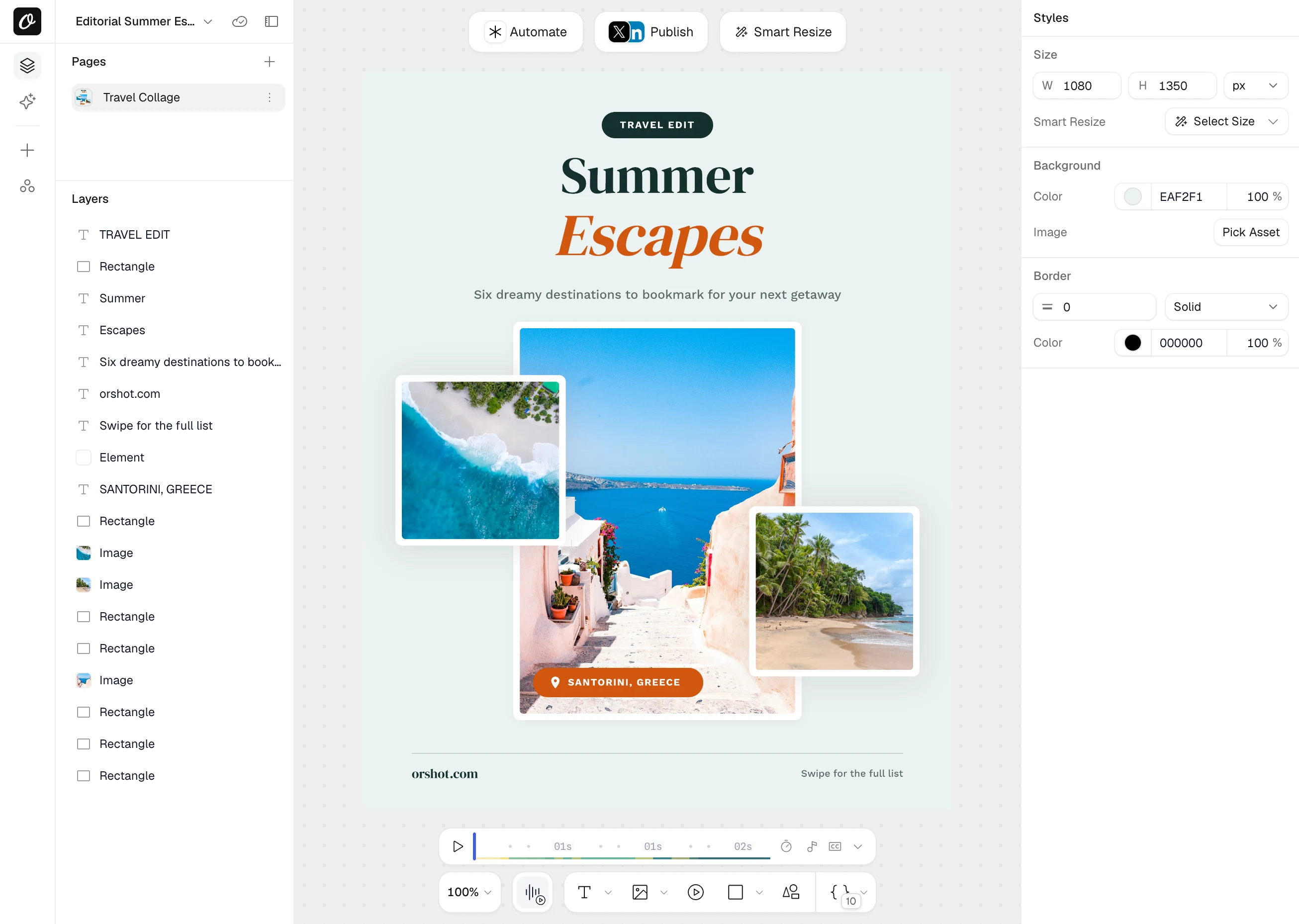
Orshot is an API for automated image, PDF and video generation. Design a template once, generate thousands of image, PDF, and video variations from it through the API, SDKs, or no-code tools like Zapier and Make, then publish straight to 15+ social platforms and track how every post performs.
Get started in three steps#
- 1
Get your API key
Create an account and grab your key in under a minute — get your API key. The free plan includes 100 credits every month, no card required.
- 2
Create a template
Design from scratch in Orshot Studio, start from a library template, or import from Canva or Figma. Mark the parts that change — text, images, colors — as dynamic parameters.
- 3
Generate your first render
Call the API with your template ID and modifications, and Orshot returns the finished file. Every API reference page has a Test this endpoint panel, so you can run it right from the docs.
Choose your path#
I'm a developer
Use the REST API or an SDK (Node.js, Python, PHP, Ruby) to generate renders from code
I use no-code tools
Connect Orshot to Zapier, Make, n8n, Airtable, or Google Sheets — no coding required
I want to embed a design editor
Add the full Orshot Studio editor directly into your own app for your users
I want to auto-post to social media
Render and publish directly to Instagram, LinkedIn, Twitter, TikTok, and more
Popular integration guides#
Zapier
Automate visuals with 7000+ Zapier apps

Make (Integromat)
Automate image generation in Make scenarios

n8n
Generate images in self-hosted n8n workflows

Airtable
Create images from Airtable records automatically

Dynamic URLs
Generate images from URL parameters — no API call needed

View All Integrations →
Spreadsheets, Slack, S3, Webhooks, CLI, MCP Server, and more

Explore the docs#
REST API Reference
Endpoints, request/response examples, and authentication
SDKs
Official libraries for Node.js, Python, PHP, and Ruby
Orshot Studio
Learn the template editor — elements, parameters, fonts, animations
Dynamic Parameters
Override styles, fonts, colors, and content at render time
Generate Images
PNG, JPEG, WebP, AVIF — single or multi-page carousels
Generate PDFs
Certificates, invoices, reports with print-quality output
Generate Videos
MP4, WebM, MOV, MKV, GIF — with subtitles and video elements
Credit Usage & Billing
How credits are counted for images, PDFs, and videos
What people build with Orshot#
- Social media at scale — Auto-generate Instagram, LinkedIn, and TikTok posts from a spreadsheet or CMS
- Certificates & reports — Produce personalized PDFs for courses, events, or academic programs
- E-commerce banners — Create product images, sale announcements, and promo cards dynamically
- Personalized outreach — Generate custom images for email campaigns, each with the recipient's name and photo
- Client portals — Embed the Orshot editor so your users can customize templates themselves
Need help?#
- Key Concepts → — Understand renders, templates, modifications, and response types
- Error Reference → — Troubleshoot common API errors
- Team Collaboration → — Invite teammates to your workspace
- Contact Support — Get help from our team
Ready to automate?
Start rendering images, PDFs and videos from your templates in under 2 minutes. Free plan, no credit card.
Get your API key- Image, PDF and video generation via API
- Visual editor with AI and smart layouts
- Zapier, Make, MCP and 40+ integrations
- White-label embed for your own app
- 100 free credits a month, no credit card required