What is Orshot Embed?
Embed the full Orshot Studio editor inside your own product so your users design and render without leaving it.
Updated
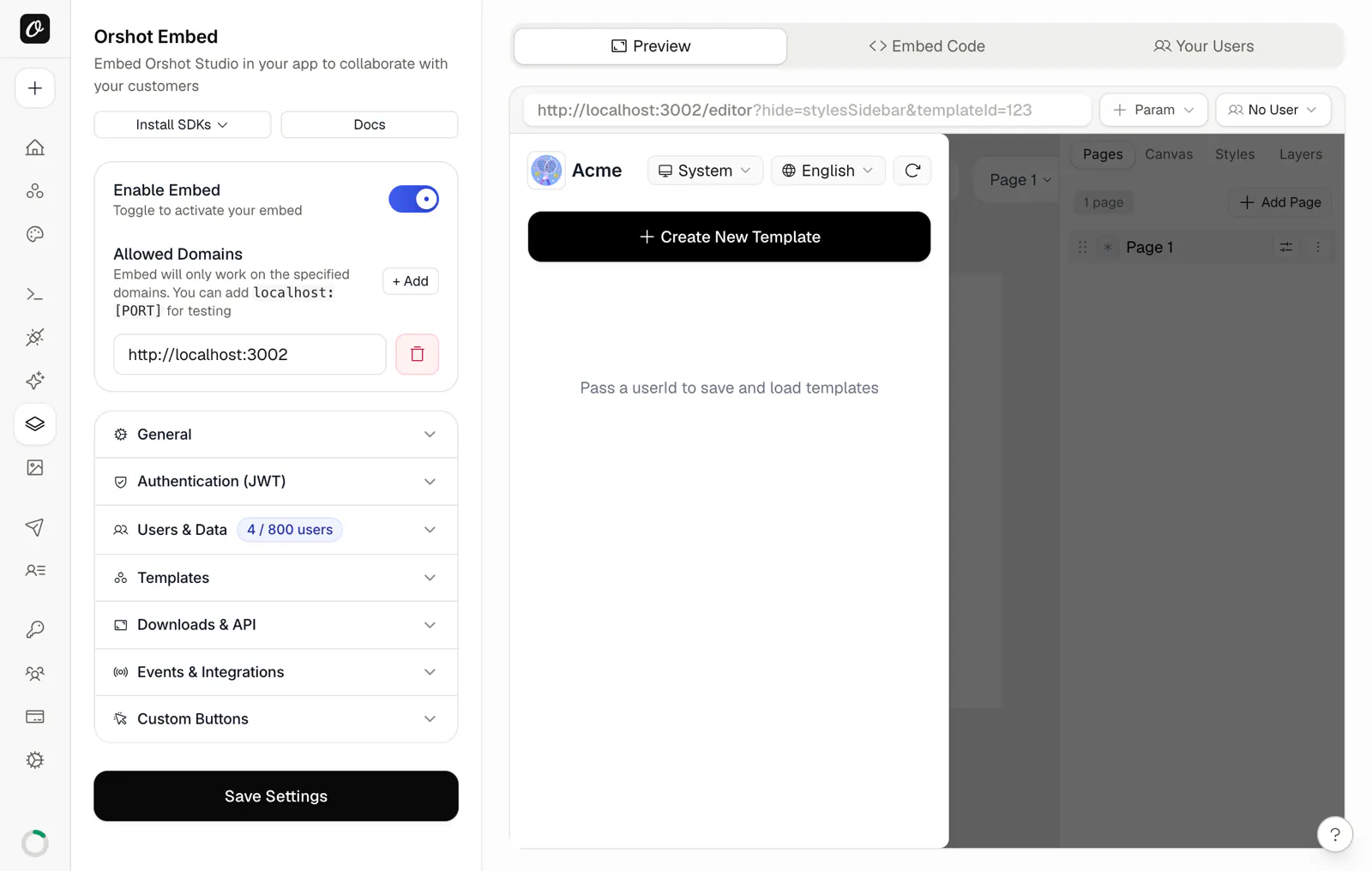
Orshot Embed lets you integrate the full Studio experience directly into your application. Your users can create, edit, and customize designs without leaving your platform.
What is Orshot Embed?#
Think of it as Studio-as-a-Service. Instead of redirecting users to a separate design tool, you embed the entire Orshot Studio interface right in your app. Users get the complete design experience - templates, editing tools, customization options - all seamlessly integrated.
Video Walkthrough#
Getting Started#
- Enable Embed in your workspace settings
- Configure permissions for what users can do
- Copy the embed code and paste it in your app
- Customize the experience with your branding
Basic Setup#
The simplest embed looks like this:
<iframe
  src="https://orshot.com/embeds/your-embed-id"
  title="Orshot Embed"
  allow="clipboard-write"
  style="width: 100%; height: 100%; min-height: 500px; border: none; border-radius: 8px;"
></iframe>
Open with a specific template:
<iframe
  src="https://orshot.com/embeds/your-embed-id?templateId=123"
  title="Orshot Embed"
  allow="clipboard-write"
  style="width: 100%; height: 100%; min-height: 500px; border: none; border-radius: 8px;"
></iframe>
With a specific language:
<iframe
  src="https://orshot.com/embeds/your-embed-id?templateId=123&lang=spanish"
  title="Orshot Embed"
  allow="clipboard-write"
  style="width: 100%; height: 100%; min-height: 500px; border: none; border-radius: 8px;"
></iframe>
Key Features#
- White-label Integration: Match your app's branding
- Permission Controls: Decide what users can and can't do
- Per-User Data: Each user gets their own templates, images, videos, audio, fonts and colors, seedable from your backend
- Custom Asset Picker: Replace upload dialogs with your own asset library
- Multi-language Support: Choose from available languages
- Webhook Events: Get notified when users create, update, or delete templates
- Usage Analytics: See who uses your embed, what they create and what they download
- Domain Security: Restrict usage to your domains only
Use Cases#
- Marketing Platforms: Let customers create their own graphics
- E-commerce: Product image customization
- Content Management: Built-in design tools
- Client Portals: Collaborative design workflows
- SaaS Applications: Add design capabilities to any product
What's Next?#
Integration Guide
Step-by-step setup for embedding in your app
Configuration
Customize permissions, branding, and behavior
React SDK
React component for embedding Orshot Studio
Vue SDK
Vue component for embedding Orshot Studio
JWT Authentication
Secure user sessions with JWT tokens
Webhooks
Get notified when users create or update templates
Analytics
See who uses your embed and what they create
Orshot Embed vs Polotno
Hosted editor vs an SDK you run, with real costs
Orshot Embed vs img.ly
Hosted editor vs CE.SDK, with setup and pricing
Ready to automate?
Start rendering images, PDFs and videos from your templates in under 2 minutes. Free plan, no credit card.
Get your API key- Image, PDF and video generation via API
- Visual editor with AI and smart layouts
- Zapier, Make, MCP and 40+ integrations
- White-label embed for your own app
- 100 free credits a month, no credit card required