If you're looking for an img.ly alternative, you want one thing: a real design editor inside your own product.
Their CreativeEditor SDK (CE.SDK) is the editor itself, running in the browser or natively on mobile.
The bill comes due around the editor. img.ly's SDK is just the editor, and the rest is yours to build and run:
- Host the rendering engine yourself
- Build the backend it needs: template storage, per-user data, uploads, auth
- Ship a heavy editor bundle to every user
- Get the commercial price on a sales call
I built Orshot Embed for teams who want the editor without running all of that. Same editor we use in Orshot, hosted by us, dropped into your app with an iframe or a React/Vue component. Your users, your branding, your domain. Our storage, accounts, and rendering.
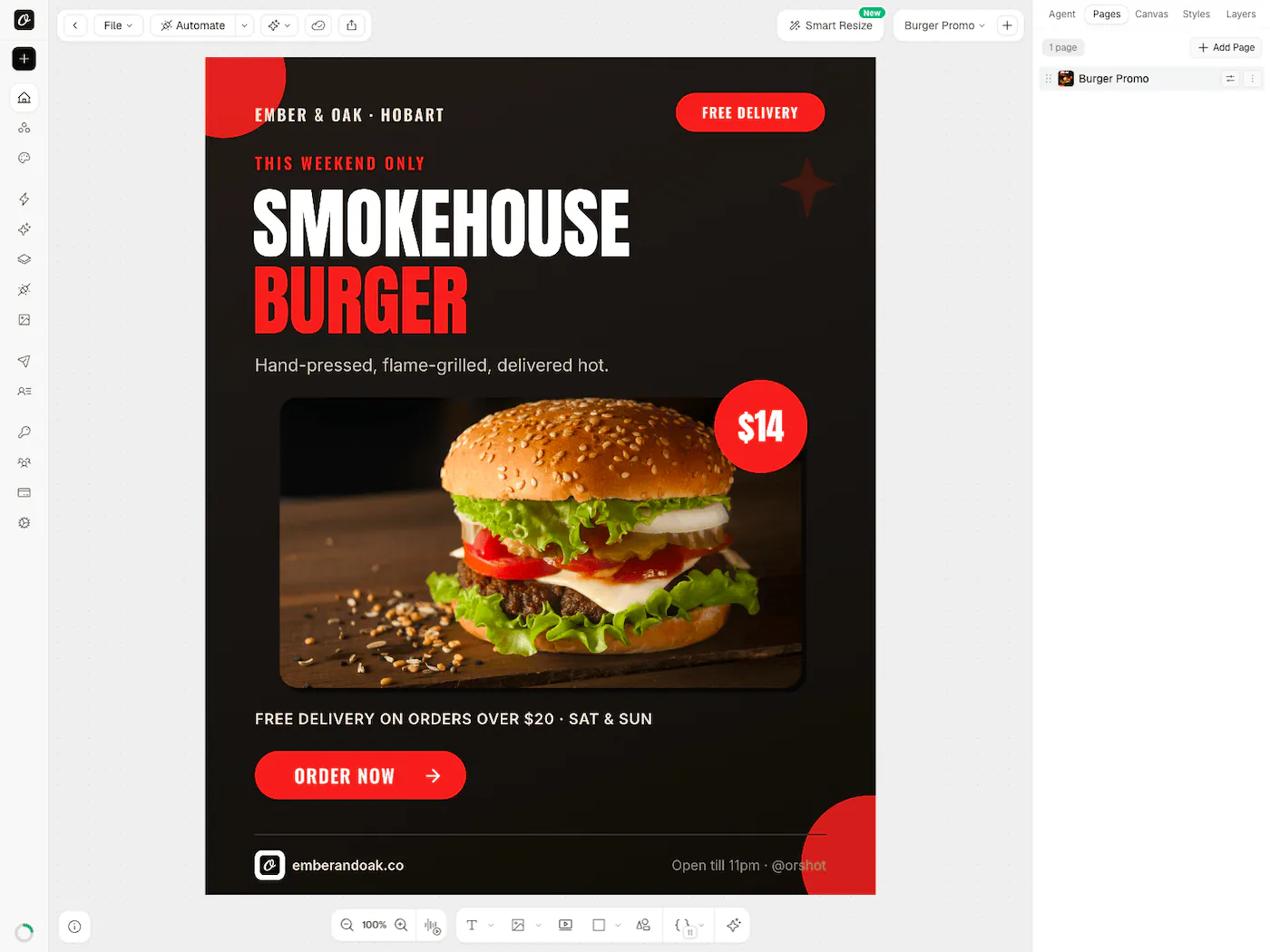
This is the editor your users would get: "Acme Studio" is a made-up brand running a real Orshot embed. Open the video or the invoice, edit anything, then press "Add to App" to send the design to this page the way your app would receive it. Nothing you change is saved.
Press “Add to App” in the editor and this page receives the PNG, the way your app would.
- until everything has loaded
- 3.9 s
- Orshot3.9 sCE.SDK5.1 s
- downloaded on first load
- 2.6 MB
- Orshot2.6 MBCE.SDK9.8 MB
- of WASM engine to download
- 0 MB
- Orshot0 MBCE.SDK6.2 MB


What actually changes
Same job: your users editing designs in your app. The difference is who runs the editor and everything around it.
| Feature | Orshot Embed | img.ly CE.SDK |
|---|---|---|
| Integration | One iframe, or the React/Vue component | An npm package plus a WASM engine |
| First load | 2.6 MB, no WASM engine | 9.8 MB, about 6 MB of it WASM |
| Hosting and storage | Fully managed | You host the editor, designs and uploads |
| Templates and brand library per user | Built in, private to each userId* | You build it |
| Lock actions per user | From the dashboard or a signed token | Scopes set in your code |
| Master templates | Open as copies, originals stay safe | Roles, with storage yours |
| Embed analytics | Returning vs one-time users* | Not included |
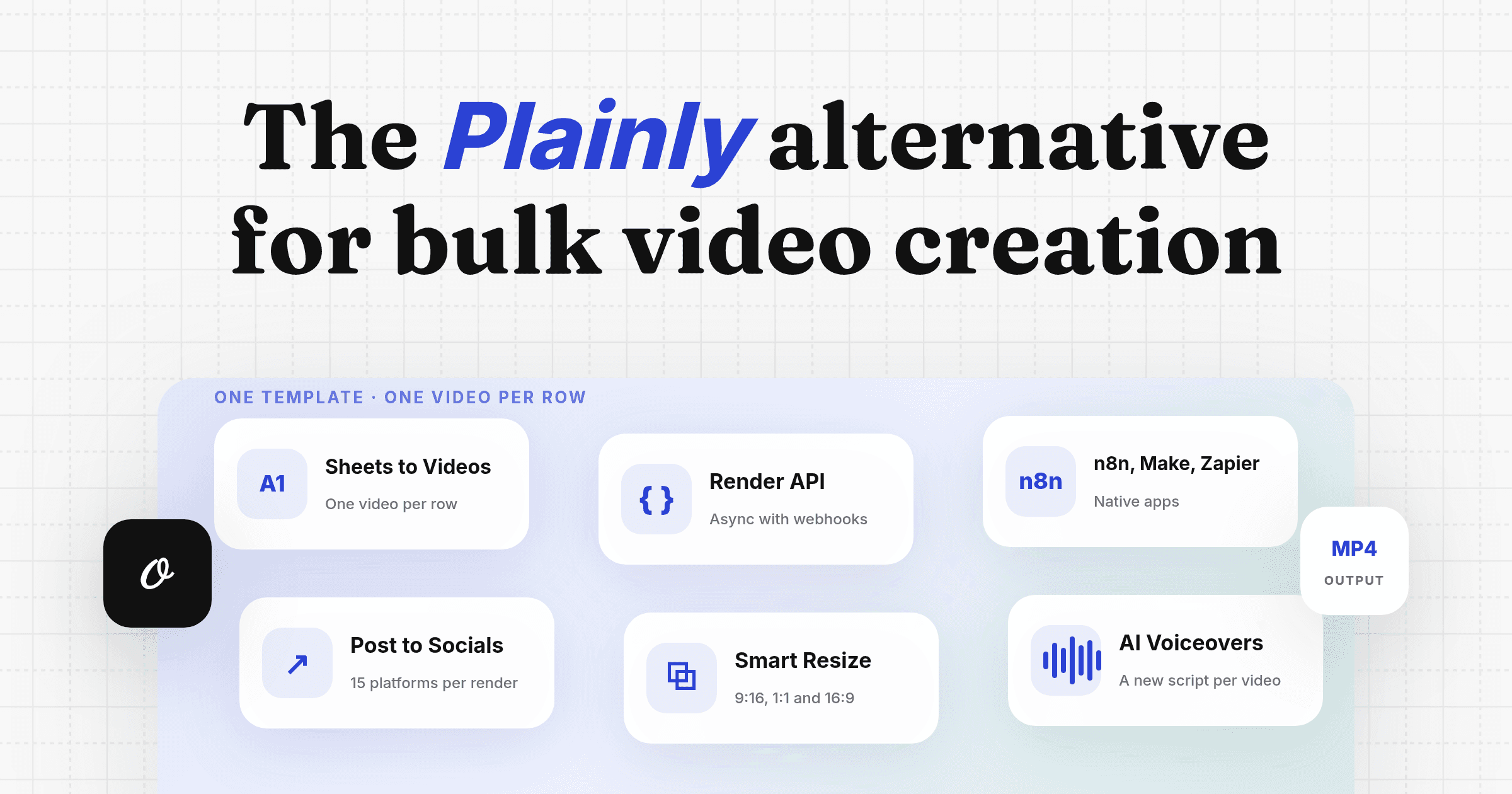
| Render API | PNG, JPG, WebP, AVIF, PDF, MP4, WebM, GIF from one POST | Run the headless engine yourself |
| Async renders with webhooks | Built in | Your own queue |
| Zapier, Make, n8n, Airtable | Native | Not included |
| Hosted MCP for AI agents | Claude, ChatGPT, Cursor | CoDesign, a local MCP |
| Social publishing | Post and schedule to 15 networks | Not included |
| Template import | Canva, Figma, Polotno, HTML | PSD, InDesign, PDF and PPTX importers |
| Price | Public, from $39/mo, renders included | Quote from sales, per platform and feature |
* Available on specific plans. See pricing for what each plan includes.
The real work around an editor SDK
CE.SDK gives you the editor. Shipping it to your users takes the rest of a product around it.
1. The platform is yours to build
CE.SDK runs in your app, so the pieces around it are yours: template storage, per-user libraries, uploads, user accounts and who can do what. That's the backend most teams underestimate. With Orshot Embed, you pass a userId and each user already has private templates, uploads and brand assets, while your workspace templates stay shared.
2. The license is only the start
There's no public price. CE.SDK is licensed through sales, priced on the platforms, components and AI features you ship. The servers, storage and render infrastructure are separate costs on top of the license.
3. A heavy first load
The editor ships with a WASM engine, so your users download about 9.8 MB before they can edit, about 6 MB of it the engine. Orshot's editor loads 2.6 MB with no engine to download, because the rendering happens on Orshot's servers.
4. Templates don't become an API on their own
A design your users make in CE.SDK is a scene file. Turning it into images or video at scale means running the headless engine in your own queue. In Orshot, every template your users save is already an API endpoint: send the template ID and your data, and get back a PNG, PDF or MP4.
5. Automation and distribution are extra work
No-code tools like Zapier, Make and n8n, scheduled workflows, social publishing and a hosted MCP for AI agents come with Orshot. With an SDK, each of those is another project.
What img.ly costs, and what Orshot costs
img.ly doesn't publish prices. CE.SDK is licensed through sales, priced on the platforms and features you ship. Buyer data on Vendr puts the median at $17,500 a year, with most deals between about $11,400 and $27,025. That's the license alone, before the servers, storage and user accounts you build around it.
Orshot Embed has public pricing:
| Price | What it adds |
|---|---|
| $39/mo ($468/yr) | The embed with Orshot branding, 1,500 credits and the render API |
| $160/mo ($1,920/yr) | White-label, per-user data, webhooks, events, downloads, 50 users |
| from $349/mo | Custom buttons, more embed users and credits |
Hosting, storage, uploads and rendering are included on every plan. Prices checked September 2026.
A real scenario
5,000 API images a month, plus your users designing and downloading in a white-label editor:
| Cost component | Orshot ($160/mo) | img.ly CE.SDK |
|---|---|---|
| Plan or license | $160/month | Quote; median about $1,460/month ($17,500/yr) |
| 5,000 image renders | Included (20,000 credits) | Your headless engine and servers |
| White-label editor | Included | Included in the license |
| Hosting, storage, database | Included | Your cost |
| Per-user libraries & permissions | 50 embed users | You build it |
| Monthly total | $160 | About $1,460 plus your infrastructure |
When a self-hosted SDK fits better
An SDK you run yourself is the better route if you need:
- Offline editing, fully client-side with no network
- A native mobile editor for iOS, Android or Flutter
- Engine-level control, driving the engine from code and building your own UI on it
If none of those are on your list, a hosted editor saves you the platform work. And if you're tempted to skip SDKs and build on an open-source library, Konva vs Fabric.js shows what that takes, feature by feature.
What you get with Orshot Embed
If it's not your list, here's what's actually included:
- White-label it with your own title, icon and accent color. Orshot branding comes off on some plans*.
- Webhooks ping your backend on
template.create,template.updateandtemplate.delete, andpostMessageevents fire on save and export so your UI can react. - Per-user permissions lock actions like delete, upload or download for each user, from the dashboard or per session in a signed token (dashboard locks need per-user data*).
- The same render API underneath: PNG, JPG, WebP, AVIF, PDF, and MP4/WebM/GIF from one template, any size via Smart Resize.
- A brand library and 2,000+ templates so nobody starts on a blank canvas.
- Me on the other end of the chat, usually within the hour.
The embed starts at $39/mo with Orshot branding.
* Available on specific plans. See pricing for what each plan includes.
The editor your users get
Like how that feels? Signing up is free, and the embed starts at $39/mo. Build your own →
Dropping it into your app
Setup lives in your Orshot workspace: switch the embed on, add your allowed domains, set your branding, and decide what each user can do.
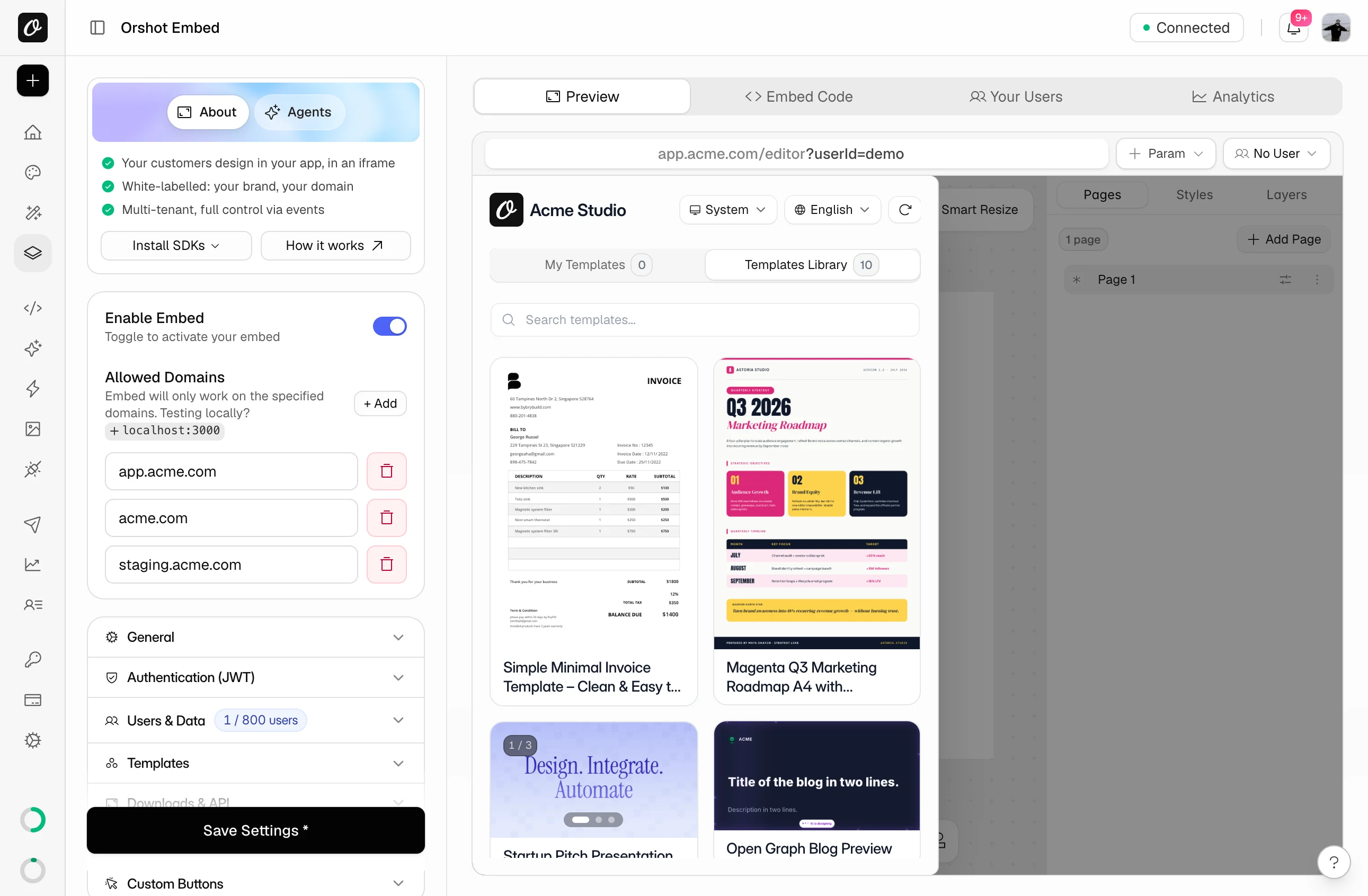
Then wire it into your product. These are the pieces embed customers set up most:
One iframe, with a userId so each of your users gets their own templates and uploads (per-user data*).
<iframe
  src="https://orshot.com/embeds/YOUR_EMBED_ID?userId=user_123"
  title="Orshot Embed"
  style="width: 100%; height: 700px; border: none; border-radius: 8px;"
  allow="clipboard-write"
></iframe>
@orshot/embed-react mounts the same editor as a component, with callbacks for its events. There's a Vue package too.
import { OrshotEmbed } from "@orshot/embed-react";

export default function Editor() {
  return (
    <div style={{ height: "700px" }}>
      <OrshotEmbed
        embedId="YOUR_EMBED_ID"
        templateId="YOUR_TEMPLATE_ID"
        onTemplateCreate={(data) => console.log("Created:", data)}
        onError={(err) => console.error(err)}
      />
    </div>
  );
}
Listen for saves and downloads in your page to sync your database or track usage (with events on)*.
window.addEventListener("message", (event) => {
  if (event.origin !== "https://orshot.com") return;
  const { type, data } = event.data;

  if (type === "orshot:template:update") saveToYourDb(data);
  if (type === "orshot:download:png") trackDownload(data);
});
Fill layers from your own UI or data without reloading the editor. Needs events on*.
document.querySelector("iframe").contentWindow.postMessage(
  {
    type: "orshot:embed:control",
    modifications: {
      headline: "Hello from Acme",
      logo: "https://example.com/acme-logo.png",
    },
  },
  "*",
);
Add a webhook URL and your server gets a POST whenever a user creates, updates or deletes a template*. Trimmed:
{
  "event_type": "template.create",
  "template": {
    "id": "abc123",
    "name": "Launch banner",
    "canvas_width": 1200,
    "canvas_height": 628,
    "thumbnail_url": "https://..."
  },
  "workspace_id": "workspace_789",
  "user_id": "user_123",
  "timestamp": "2026-09-22T10:30:00Z"
}
Turn on Require signed token and your server signs a short-lived JWT for each session. sub is the user, and permissions can lock actions for that session.
import jwt from "jsonwebtoken";

const token = jwt.sign(
  { sub: "user_123", permissions: { "template/delete": true } },
  EMBED_SIGNING_SECRET,
  { expiresIn: "15m" },
);

const src = `https://orshot.com/embeds/YOUR_EMBED_ID?token=${token}`;
Need an image without anyone opening the editor? The same template is one POST away.
curl -X POST https://api.orshot.com/v1/studio/render \
  -H "Authorization: Bearer $ORSHOT_API_KEY" \
  -H "Content-Type: application/json" \
  -d '{
    "templateId": "YOUR_TEMPLATE_ID",
    "modifications": { "title": "Hello World", "image": "https://example.com/photo.jpg" },
    "response": { "type": "url", "format": "png" }
  }'
Full references: events, controlling the embed, webhooks and JWT authentication. New to the embed? Start with the introduction or this walkthrough.
* Available on specific plans. See pricing for what each plan includes.
Embed features at a glance
| Feature | What it does |
|---|---|
| Branding | Your accent color, title and icon. Orshot branding can be removed* |
| Domain restrictions | The embed only works on your specified domains |
| Template controls | Show or hide templates, allow delete and rename, enable carousels |
| Download permissions | Turn user downloads on or off: PNG, PDF, HTML, plus MP4 on video pages* |
| Per-user permissions | Lock actions per user from the dashboard*, or per session in your JWT (any embed plan) |
| Multi-language | 6 languages, with optional user switching |
| Webhooks | Server-side notifications for template events* |
| Browser events | Real-time postMessage events for your frontend* |
| Custom buttons | Your own actions inside the editor, like "Add to App"* |
* Available on specific plans. See pricing for what each plan includes.
Moving your templates over
There's no CE.SDK scene importer, so templates come over one of two ways:
- Import the source design from Canva, Figma or Polotno, then rename its parameters to your variable names
- Send us the scene files and we rebuild them with your names kept, up to 5 for free
The full move, from editor to renders, is in the img.ly migration guide.
Common questions
Is Orshot Embed self-hosted like img.ly's SDK?
Can I white-label it and lock it to my domain?
Does it work on native mobile?
Where do my users' templates live?
How much does img.ly cost?
What is a good CE.SDK alternative for a web app?
Can I bring my img.ly templates to Orshot?
What does it cost?
Bottom line
If you need a self-hosted, client-side editor you own down to the engine, offline and native, an SDK you host is the route.
If you just want your users editing on-brand templates inside your product, without building the platform behind it, that's the gap Orshot fills.
Comparing other embeddable editors? It's the same hosted-vs-SDK question with Polotno and Templated. I went deeper here, and the step-by-step move is in the img.ly migration guide. Embed starts at $39/mo. Get stuck wiring it up? Hit the chat. I'll help you out.