Orshot is the best Documint alternative for bulk PDF generation: $39 a month for 1,500 PDF pages against Documint's $49 for 200 documents. You pay $10 less for 7.5 times the one-page documents.
The file URL comes back in the API response with no 24-hour expiry to work around, and the same template renders as a PNG or an MP4.
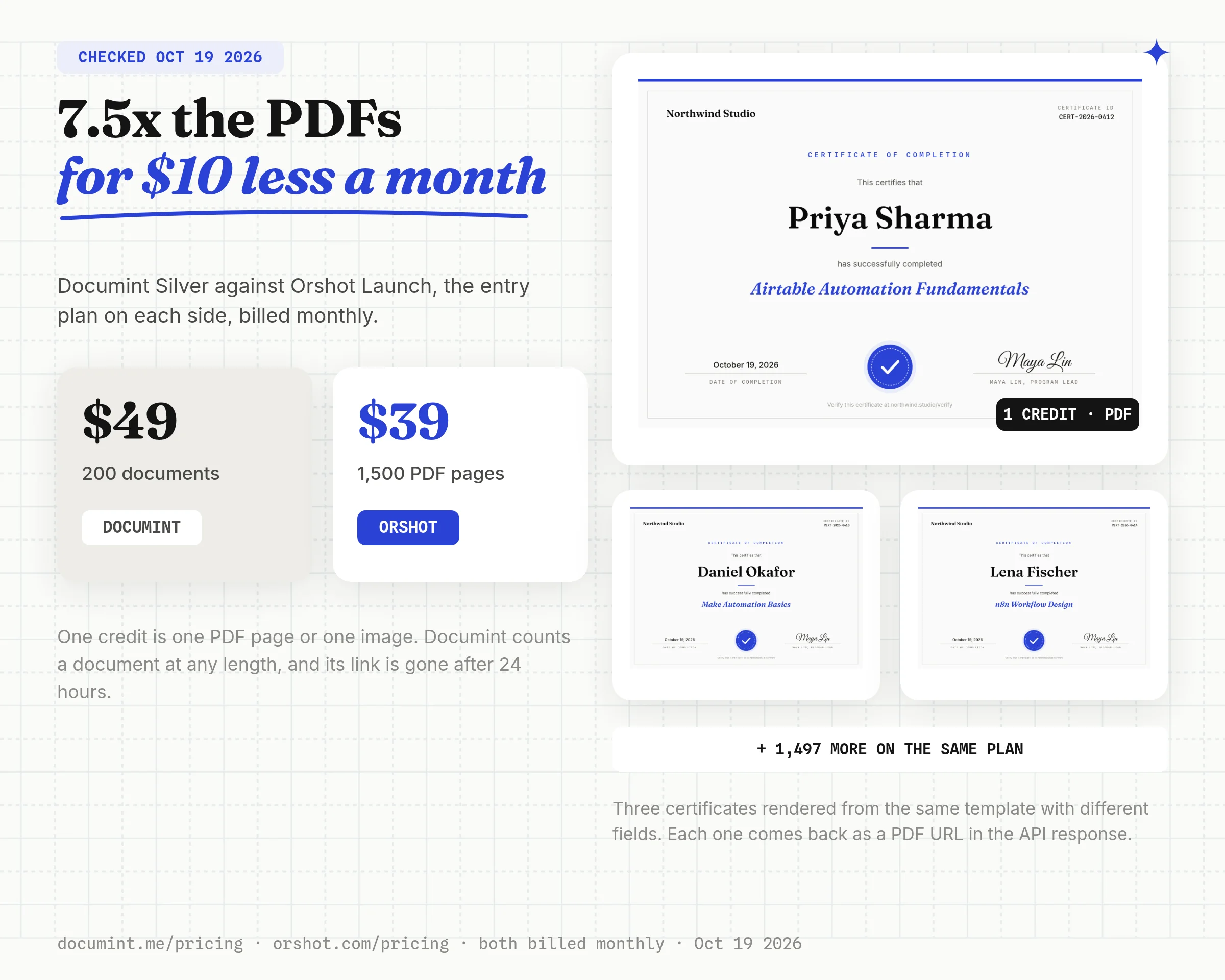
The gap holds as volume grows. At 1,000 one-page documents a month Documint Gold is $149 and Orshot is still $39. Documint only pulls ahead on long documents, because it bills per document and Orshot bills per page.
If you need e-signatures or line-item tables that total themselves, Documint still fits better.
Documint vs Orshot at a Glance
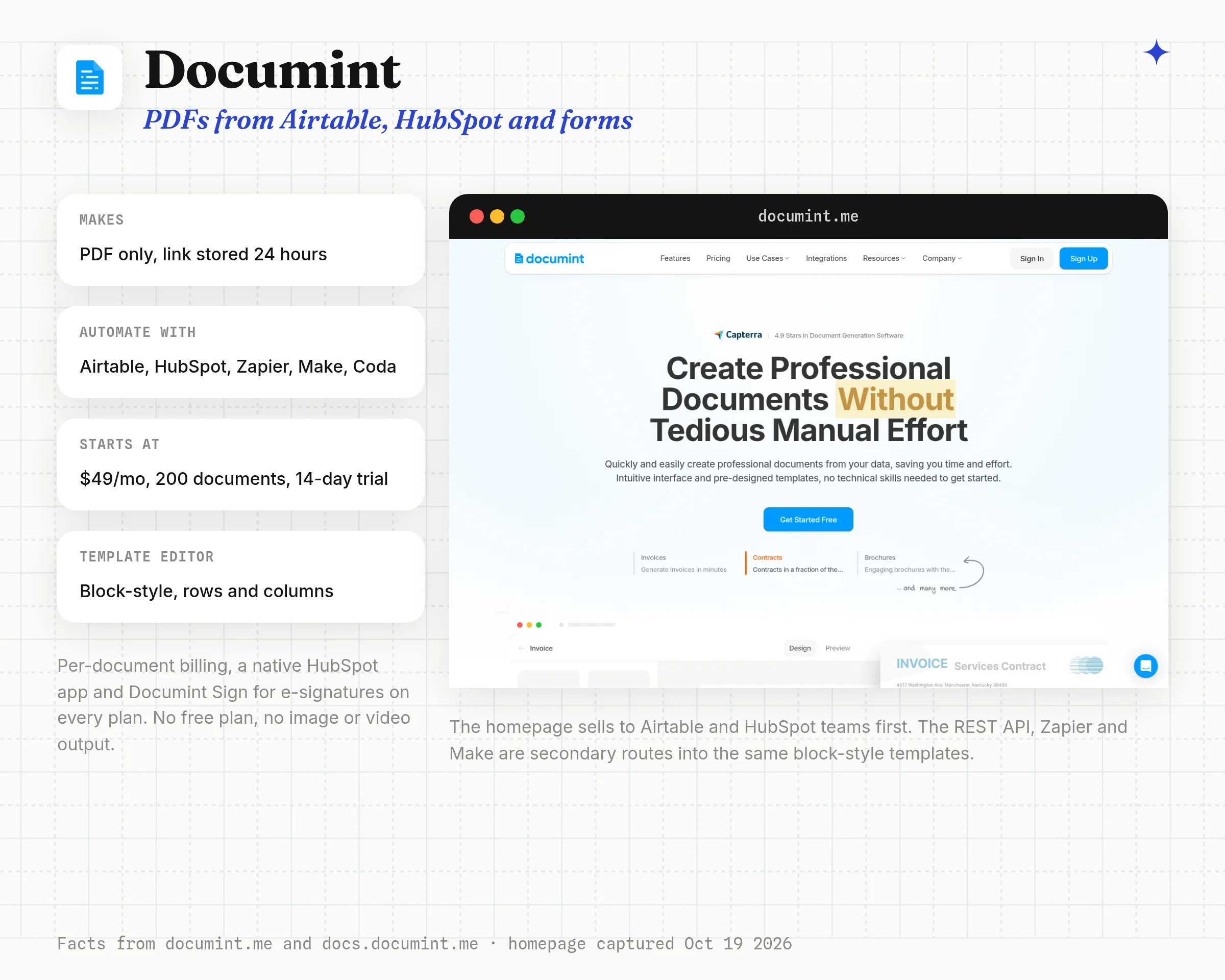
Documint is a no-code document generator. You build a PDF template in its block-style editor, connect Airtable, HubSpot, Zapier, Make or its REST API, and each record becomes a PDF.
Orshot builds the template in a visual design editor where every layer you mark as dynamic becomes an API field.
| Feature | Orshot | Documint |
|---|---|---|
| Output formats | PDF, PNG, JPG, WebP, AVIF, MP4, WebM, MOV, MKV and GIF from the same template | PDF only |
| Editor | Orshot Studio, a Figma-like canvas where any layer goes anywhere | Block-style drag and drop editor built from rows and columns |
| Generated files | A file URL in the API response, or pushed to your Drive, Dropbox or S3 | The PDF link is stored for 24 hours. Airtable and HubSpot keep a copy in the record |
| Billing unit | 1 credit per PDF page, image or video second, refilled every month | 1 document at any page count. Annual plans grant the whole year's quota upfront |
| Free option | 100 credits every month, no card | 14-day trial on Silver. Inactive templates make Documint-branded test PDFs that don't count |
| E-signatures | Not built in | Documint Sign, 5 to 50 envelopes a month |
| Tables and logic | No table element or show/hide rules. Long text flows onto new pages | Repeat/loop rows, display rules and $calc math functions |
| n8n | Node built by Orshot and verified by n8n, plus Make, Zapier and an Airtable extension | Community node (v0.1.2, August 2025), plus Make, Zapier, Airtable, HubSpot, Coda and Softr |
| Template import | Canva, Figma, HTML, Polotno, Placid and Abyssale | Templates are built in the editor or cloned from its gallery. No PDF or Word import |
| AI agents | Orshot for agents, a hosted MCP server that lists, renders and designs templates | Through third-party MCP servers (Zapier, Pipedream, Composio) |
Documint details checked against documint.me/pricing, its documentation and the npm registry on October 19, 2026.
Orshot vs Documint in Numbers
- Output formats from the same template
- Orshot10DocumintPDF
- One-page PDFs a month on the entry plan
- Orshot1,500Documint200
- Entry plan, billed monthly
- Orshot$39Documint$49
Which Jobs Fit Documint and Which Fit Orshot
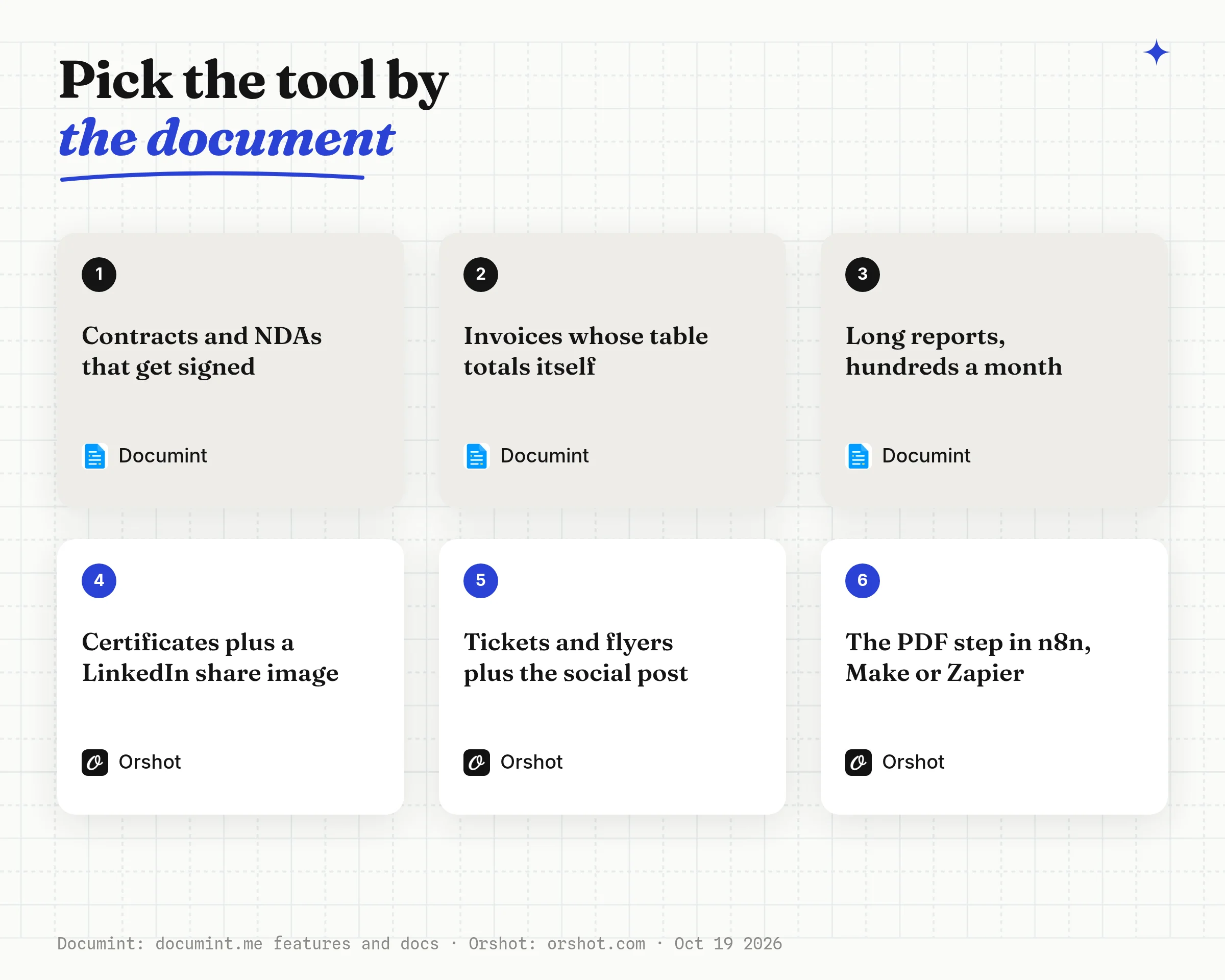
Documint and Orshot overlap on certificates and simple invoices, and split apart everywhere else. Most "Documint alternative" lists skip this part, so here it is first.
| The job | Better fit | Why |
|---|---|---|
| Contract or NDA that has to be signed | Documint | Documint Sign sends it for signature. Orshot doesn't collect signatures |
| Invoice with a line-item table that totals itself | Documint | Repeat/loop rows plus $sum and $calc. Orshot needs the totals sent in |
| 20-page report, 1,000 a month | Documint | Billed per document, so page count doesn't change the price |
| Course certificate plus a LinkedIn share image | Orshot | Same template, change format from pdf to png |
| Event ticket or badge plus a social post | Orshot | One render for the PDF, another for the post, with optional publishing to 15+ platforms |
| Real estate flyer plus an Instagram post and a short video | Orshot | Documint can't render images or video |
| Branded one-pager or proposal cover with free layout | Orshot | Layers sit anywhere on a canvas, not in rows and columns |
| PDF link that goes straight into an email or CRM field | Orshot | The file URL is in the API response. Documint stores its link for 24 hours |
| PDF step inside an n8n workflow | Orshot | Verified node on n8n.io. Documint has a community node |
If your list is mostly the top three rows, Documint covers them and Orshot doesn't. If it's mostly the bottom six, keep reading.
Where Documint Setups Get Stuck
The friction shows up in the steps around the PDF, and most of it is written in Documint's own docs.
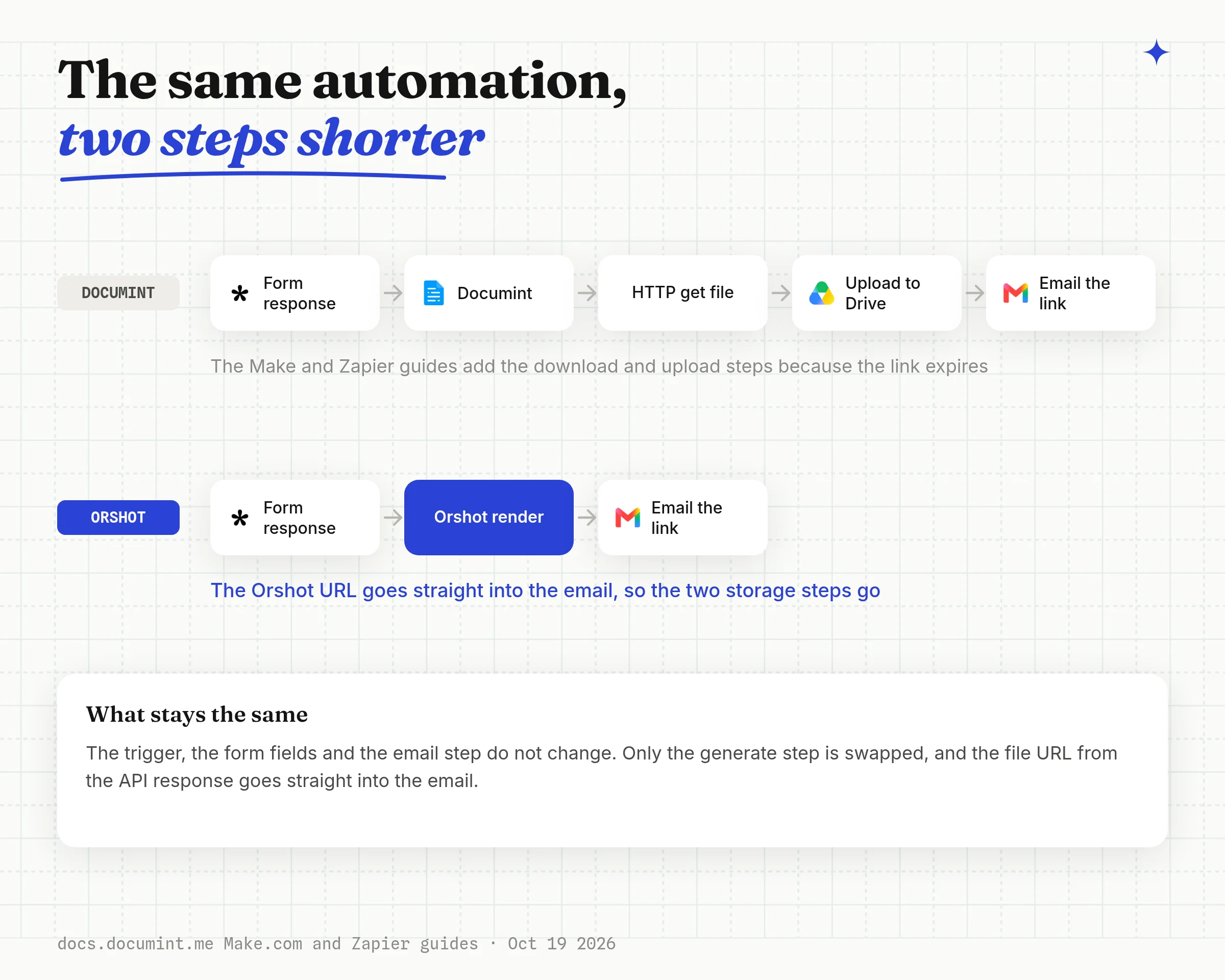
- Links that expire. The API reference says Documint stores the PDF link for 24 hours and suggests uploading the PDF to a cloud. The Make and Zapier guides say the URL "is only available for a few hours" and add a cloud storage step after every generation.
- Branded PDFs while you test. Inactive templates make test documents with Documint branding at the bottom. Activating a template removes it, and from then on every test counts against your quota.
- No import. Templates are built in the block editor or cloned from Documint's gallery. An existing PDF or Word design gets rebuilt by hand.
- PDF only. Documint's features page and docs describe one output: PDF. Images, carousels and video need another product.
- Airtable automation needs a script. A button or link generates a PDF on every plan. Generating on a trigger means pasting Documint's script into an Airtable automation.
How I Tested
Disclosure: I built Orshot. I didn't open a Documint account for this post. Everything about Documint comes from its pricing page, its documentation at docs.documint.me, its features page and its n8n package on npm, read on October 19, 2026.
On the Orshot side I built and rendered each example end to end:
- Rendered an A4 course certificate as a PDF, opened it with
pdfinfo, then rendered the same template as a PNG and as a square and a story through Smart Resize - Rendered an A4 invoice with three line items and a stacked total
- Priced 100, 200, 1,000 and 5,000 documents a month on both pricing pages, at 1, 3 and 10 pages a document
1. Generate Certificates and Tickets from Airtable or a Form
Pick this if a form response or an Airtable record should turn into a designed one-page PDF, which is the most common Documint job after invoices.
A certificate has very little data: who, what, when and an ID. Everything else is design, and that's where a canvas editor beats a block editor.
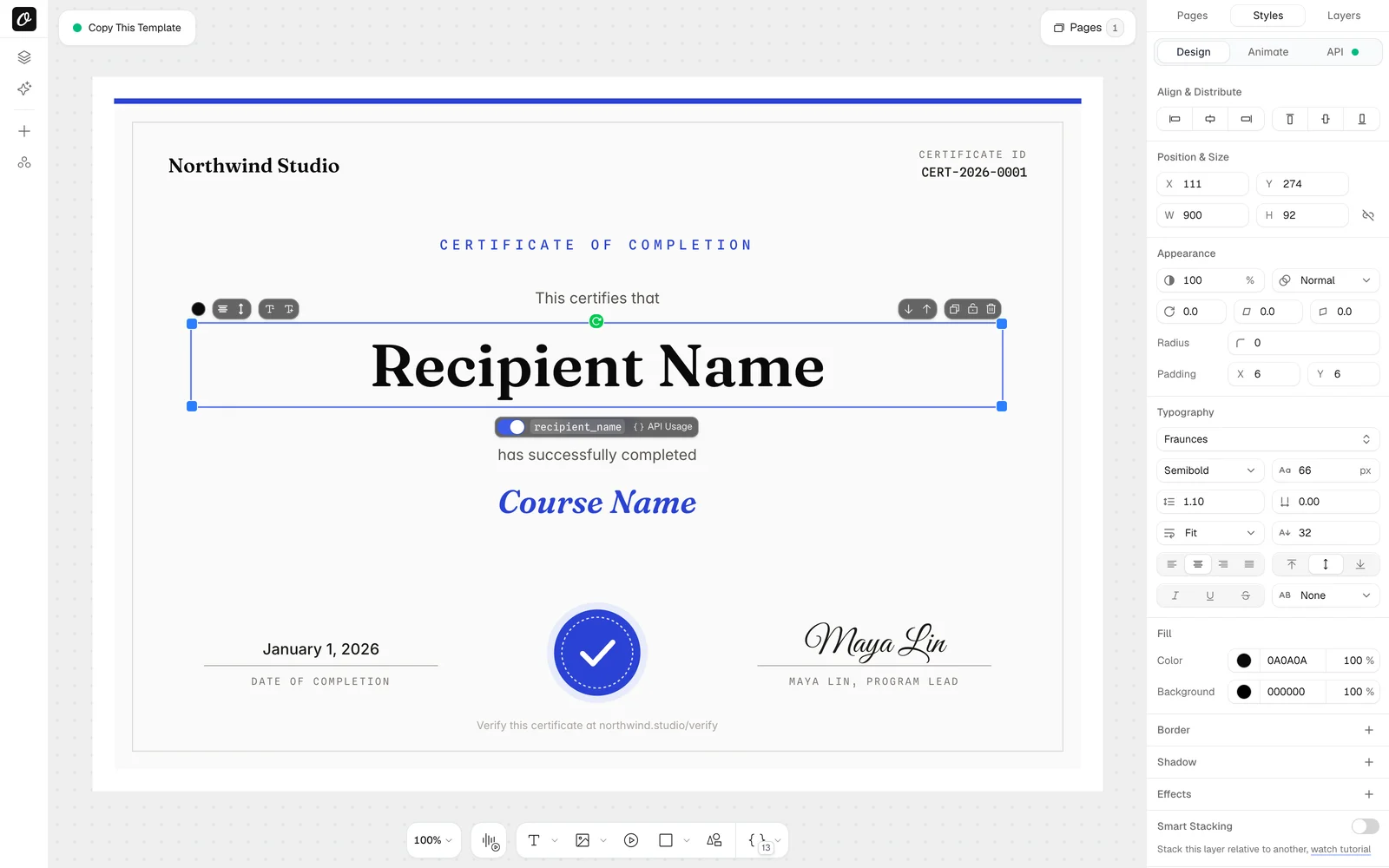
Step 1: Mark the four fields that change
In Orshot Studio you design on a canvas the way you would in Figma or Canva: text, images, shapes, your brand fonts and colors.
Mark a layer as dynamic and it becomes an API field with the name you give it.
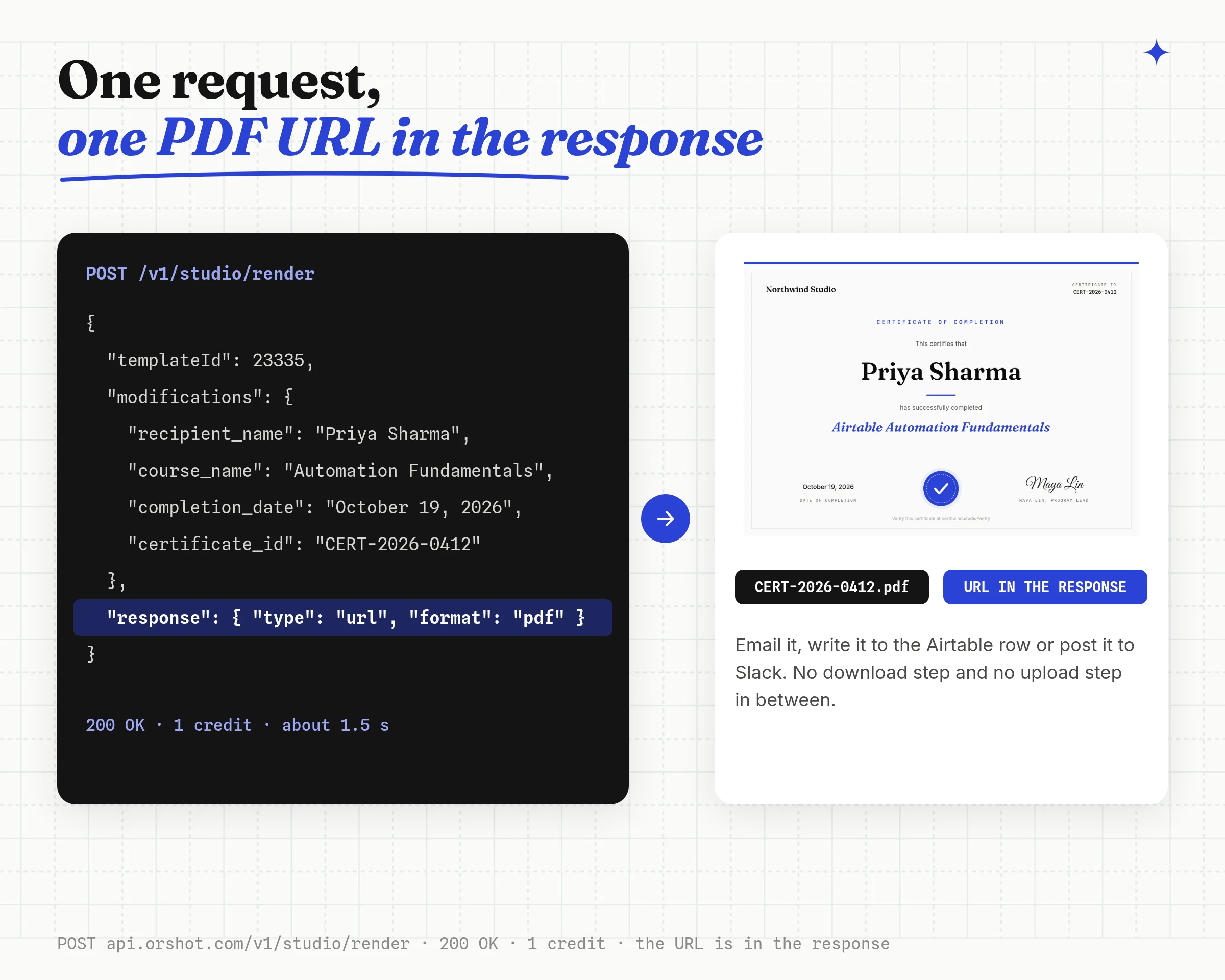
For the certificate below I marked four layers: recipient_name, course_name, completion_date and certificate_id. The border, the logo and the signature stay fixed in the design.
Step 2: Render it from the record or the form
Point your form tool's webhook, a Zapier step or a small function at the render endpoint. This is the exact call I used for the certificate below.
const res = await fetch("https://api.orshot.com/v1/studio/render", {
  method: "POST",
  headers: {
    Authorization: `Bearer ${process.env.ORSHOT_API_KEY}`,
    "Content-Type": "application/json",
  },
  body: JSON.stringify({
    templateId: "YOUR_CERTIFICATE_TEMPLATE_ID",
    modifications: {
      recipient_name: "Priya Sharma",
      course_name: "Airtable Automation Fundamentals",
      completion_date: "October 19, 2026",
      certificate_id: "CERT-2026-0412",
    },
    response: { type: "url", format: "pdf", fileName: "CERT-2026-0412" },
  }),
});

const { data } = await res.json();
console.log(data.content); // the PDF URL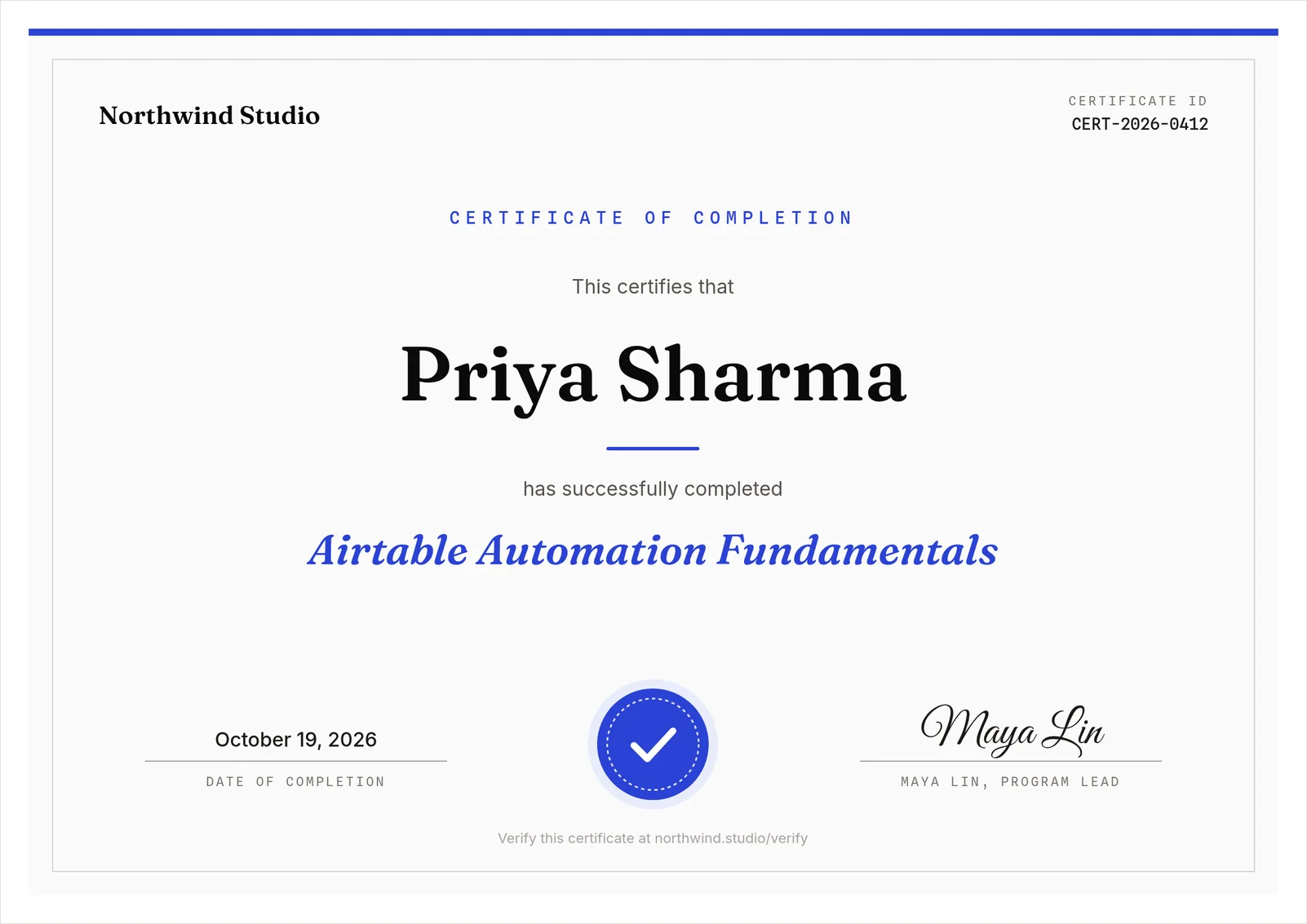
In Airtable you can skip the code. The Orshot extension maps fields to template layers, renders one record or a whole view, and writes the file into an attachment field. The Airtable attachment automation guide covers the script route too.
Step 3: Or use the sheet workflow
If recipients live in a Google Sheet, this built-in workflow renders one certificate PDF per row and saves it to Google Drive. Hit "Use this workflow" to copy it, then swap in your own certificate template.
Forms work the same way. The Tally form to PDF tutorial shows the webhook setup, and the free certificate generator makes a handful of certificates by hand with no sign-up.
Things that bit me
- Test with your longest real name. A 30-character name still fit on one line because this template's name layer has its text mode set to "fit", which shrinks the font instead of wrapping. Set that on any layer that takes names.
- The PDF was titled "about:blank". Passing
fileNamefixed it, because it also becomes the PDF's title. Margins, CMYK and DPI go inpdfOptionson the same call.
Best for: certificates, tickets, badges and letters where the design matters and the data is a few fields. One page is 1 credit, so 100 a month are free.
Orshot solved every challenge with clarity and precision, and the entire PDF automation came together flawlessly.
I've never felt more confident in a technical build. Highly recommend Orshot.
 David FurlongFounder, Return to Centre
2. Generate Invoices and Quotes with Line Items
Pick this if you send invoices, quotes or purchase orders with line items from Airtable, Stripe, Shopify or a sheet, and today a Documint repeat/loop block lays them out.
This is the part where Documint has a real edge, so here's exactly how the two differ.
Step 1: Send line items as columns
Documint loops over an array and runs $sum or $calc in the template. Orshot has no table element and no math, so the loop and the total move into the step that calls the API.
The layout is one text layer per column with one line per item. The total sits under the list with Smart Stacking, so it moves with the item count.
const items = [
  { product: "Brand kit setup", qty: 1, price: 450 },
  { product: "Social templates", qty: 12, price: 35 },
  { product: "Monthly report design", qty: 1, price: 300 },
];
const money = (n) =>
  "$" + n.toLocaleString("en-US", { minimumFractionDigits: 2 });

const modifications = {
  "title:invoiceNumber": "INV-2026-0142",
  invoice_date: "October 19, 2026",
  client_name: "Northwind Traders",
  items_product: items.map((i) => i.product).join("\n"),
  items_qty: items.map((i) => String(i.qty)).join("\n"),
  items_total: items.map((i) => money(i.price * i.qty)).join("\n"),
  total: money(items.reduce((sum, i) => sum + i.price * i.qty, 0)),
};

// Same POST /v1/studio/render call as the certificate, with
// response: { type: "url", format: "pdf", fileName: "INV-2026-0142" }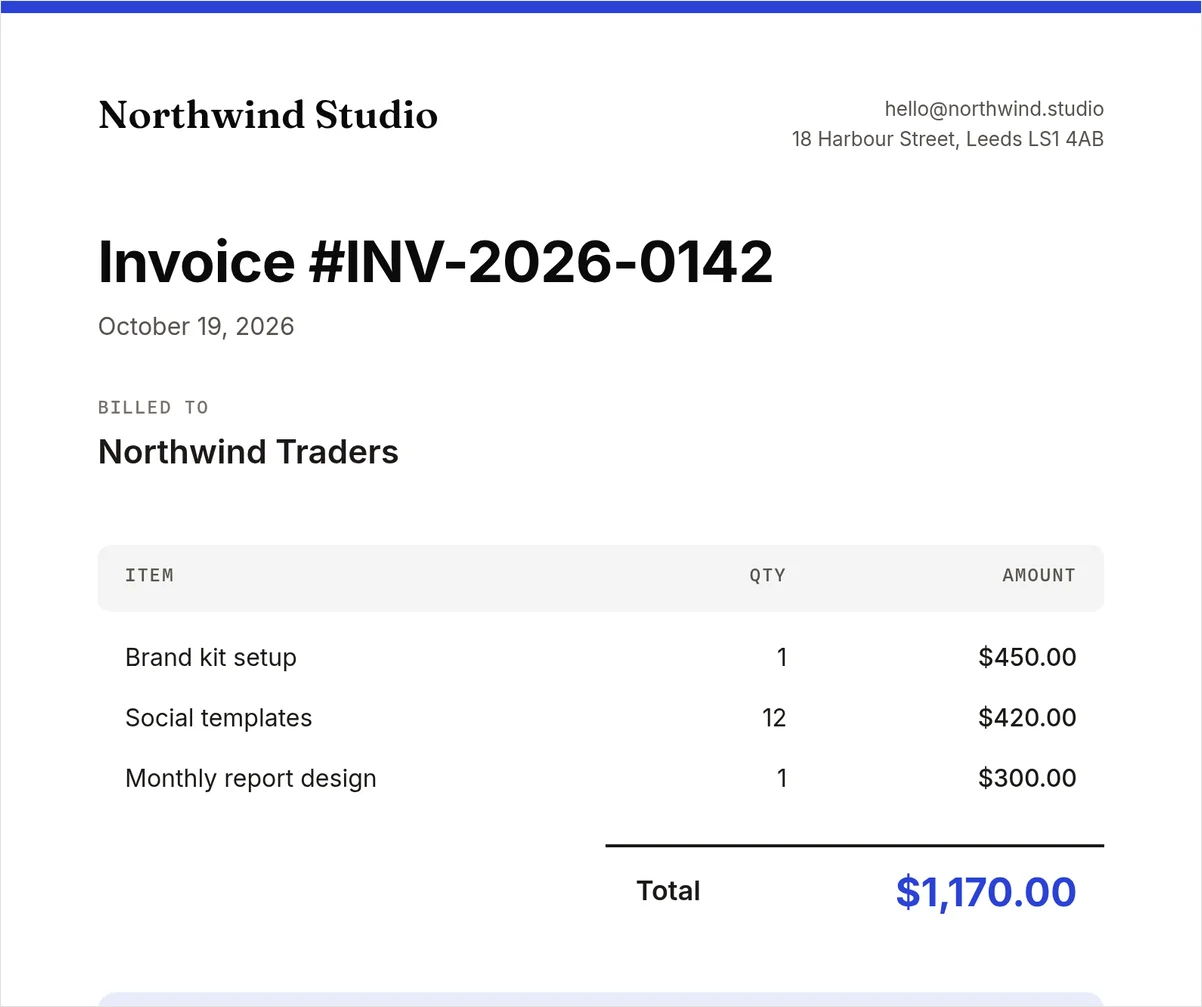
Step 2: Try the invoice template live
This is the same invoice template. Click a layer to see its field name, change the line items, or hit "Copy This Template" to save it to your workspace and render it with the code above.
Orders in Airtable? The Airtable invoice workflow renders one invoice per new record and files it in Google Drive, no code.
Things that bit me
- Keep each item on one line. The three columns line up because every item is one line. A product name long enough to wrap pushes its qty and amount out of line, so size the column for your longest name.
- Totals are your job. Documint works out
$sumin the template. On Orshot the number arrives finished, which also means it's the same number your accounting system already has. - Two pages cost two credits. A quote with a terms page is 2 credits on Orshot and 1 document on Documint. The pricing section below shows where that flips the bill.
Verdict: Documint is better for invoices whose rows change shape every time (grouping, filtering, tax lines). Orshot is better when the invoice is a designed document with a short list of items, or when the same order also needs a receipt image or a shipping label.
3. Skip the Download and Upload Steps
Pick this if the PDF link goes into an email, a CRM note or a Slack message, and your automation currently has an HTTP step and a storage step after the PDF.
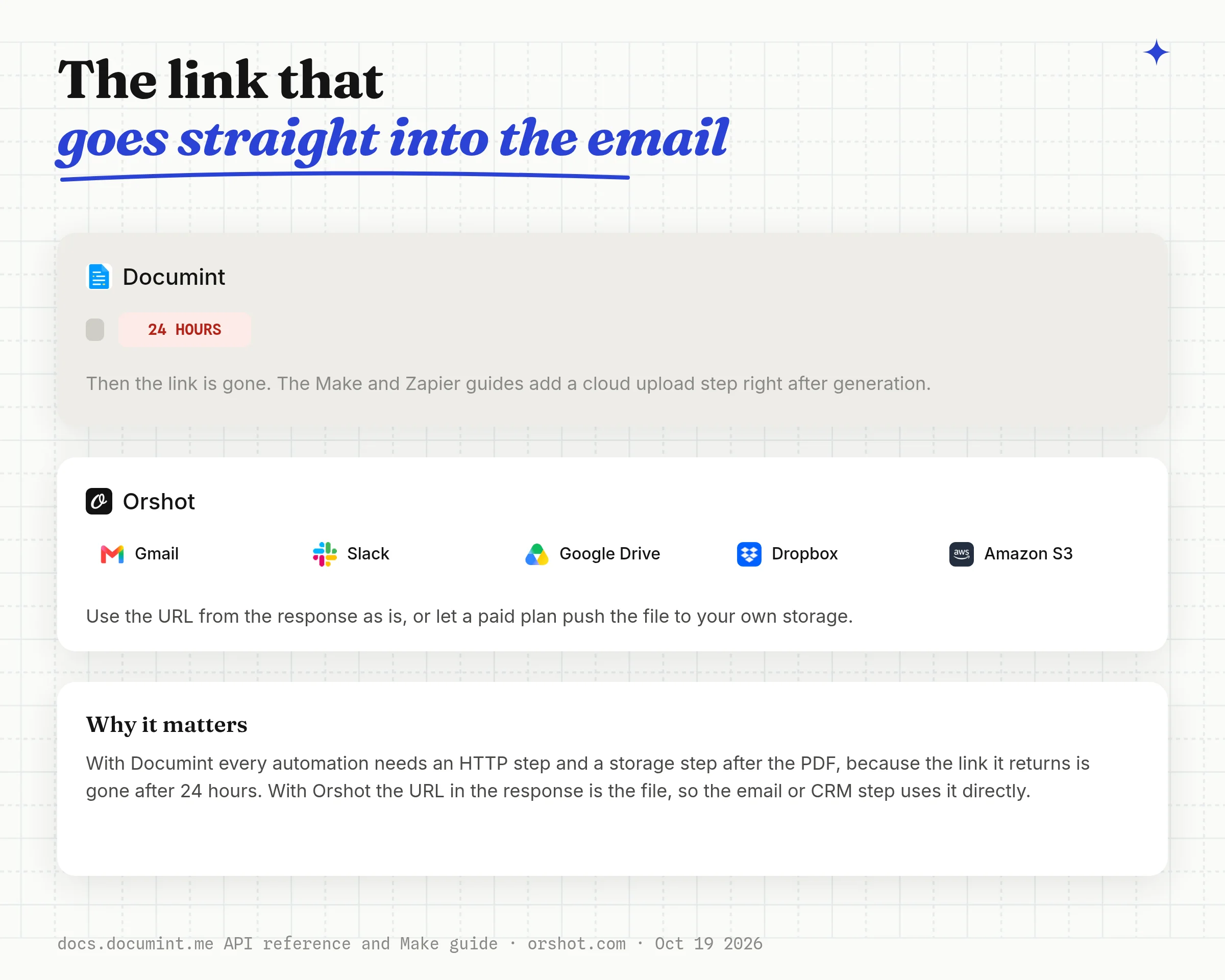
Documint's API docs say the PDF link is stored for 24 hours. Its Make and Zapier guides say the URL "is only available for a few hours", which is why both guides add a cloud storage step after every generation.
Airtable and HubSpot keep a copy in the record, so those two setups don't notice.
Step 1: Use the URL as is
Every Orshot render returns the file URL in the API response. Put it in the email, the CRM field or the Slack message and delete the download-and-reupload steps.
Step 2: Or send it to your own storage
Paid plans push every render to your Google Drive, Dropbox or S3 bucket, so the file lives in your own account from the start.
Step 3: Batch a few hundred with a webhook
For a batch of certificates or statements, run each render in the background. Pass your Airtable record ID as metadata and it comes back in the webhook, so each PDF lands on the right row.
body: JSON.stringify({
  templateId: "YOUR_TEMPLATE_ID",
  modifications: { recipient_name: "Priya Sharma", course_name: "Data Analysis" },
  response: { mode: "async", type: "url", format: "pdf" },
  webhook_url: "https://acme.com/hooks/orshot",
  metadata: "rec8412XyZ",
}),

// Your webhook receives:
// {
//   "event": "render_job.finished",
//   "job": { "id": 1204, "status": "succeeded", "result": { ... }, "metadata": "rec8412XyZ" }
// }
Page ranges, CMYK, DPI and compression per render are in the PDF generation reference.
Best for: statements, confirmations and certificates that go out by email or land in a CRM, where the extra storage steps were only there because of the expiry.
4. Render the Same Template as an Image or Video
Pick this if the PDF is rarely the last file the job needs: the certificate also wants a LinkedIn image, the listing wants an Instagram post, the event ticket wants a story.
Documint's features page and docs describe one output, PDF. On Orshot the image comes from the template that makes the PDF. You change response.format from pdf to png and keep the same data.
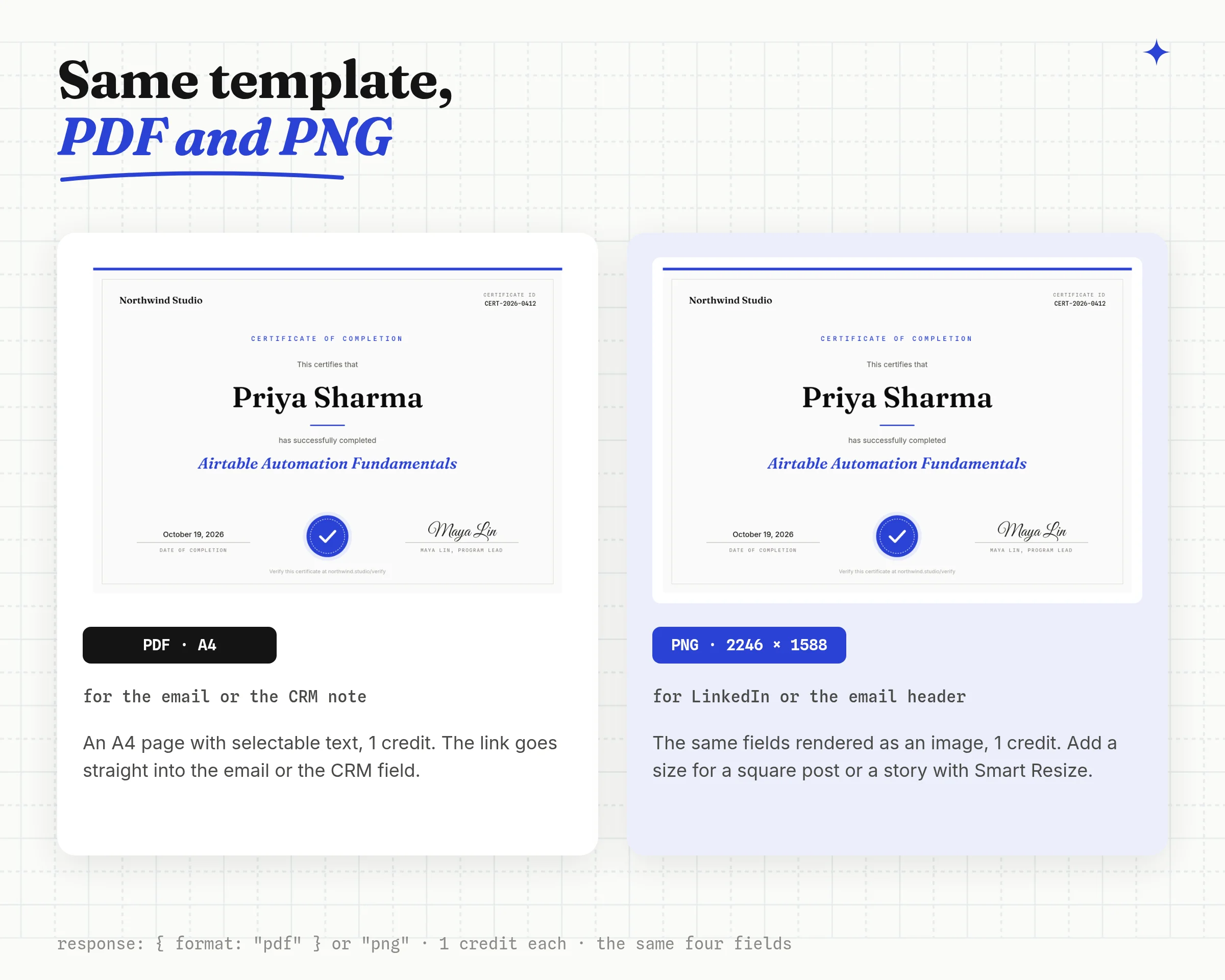
Step 1: Change the format
The call is the certificate call from part 1 with one line changed:
response: { type: "url", format: "png" },Step 2: Resize for each platform in the same call
Smart Resize renders the design at another size, like a square post or a vertical story, from the same call. Pass size: "instagram-story" for one size, or extraSizes for several copies from one render.
Things that bit me
- A plain resize pads. My first square and story renders kept the certificate's A4 proportions and padded the rest, because the template had no sizes set up. Add the size in the Smart Resize panel and adjust it once, and every render after that uses the adjusted layout.
- Video needs a paid plan. The free plan renders PDFs and images. MP4 output starts on Launch.
Step 3: Post it
Add a publish object and Orshot posts the render to your connected accounts on 15+ platforms, or saves it as a draft, for $12 a month per account.
Best for: certificates, tickets, listings and announcements where the PDF and the social image should match without a designer touching both.
5. Swap the Documint Step in Airtable, Make, Zapier and n8n
Pick this if you keep your current automation and replace one step. The trigger and the field mapping stay the same. The download step after it usually goes away, because the Orshot URL goes straight into the next step.
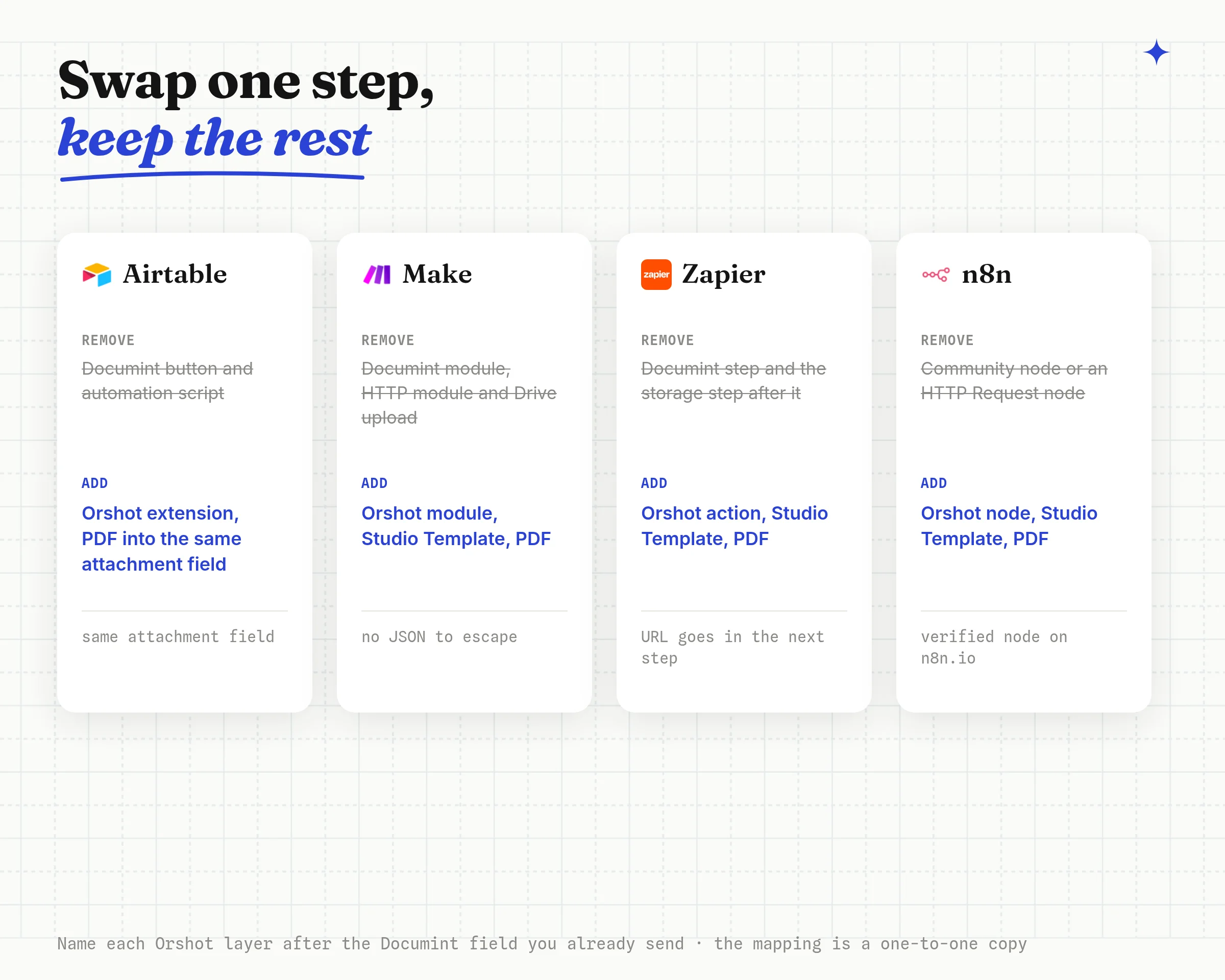
What changes in each tool once the new step is in:
- Airtable. Install the Orshot extension, pick the template, map fields to layers and point it at the same attachment field. For automatic generation on a trigger, use the Orshot Airtable workflow instead of Documint's automation script.
- Make. Each value maps to its own field, so there's no JSON to escape. Keep a download step only if the next module needs the file itself, like an email attachment.
- Zapier. Set the format to PDF and map each column to its layer. The file URL goes straight into the email or CRM step.
- n8n. Pick the template in the Orshot node, map each field, and set Response Format to PDF and Response Type to URL. Documint's n8n option is a community package you install yourself.
- Bubble, Glide and Softr. Call the API from an API connector, or use a signed dynamic URL that renders a PDF or PNG when the link is opened, with no API call at all.
Name each Orshot layer after the Documint field you already send (client_name stays client_name) and the mapping is a one-to-one copy. The apps for all of these are listed on the integrations page.
Rather not run a separate automation tool? Orshot's built-in workflows trigger from Google Sheets, Airtable, Google Forms, HubSpot or a webhook, render the template, and send the file to Slack or Drive or back to the row.

Documint Pricing
Documint costs $49 to $299 a month billed monthly, or $39 to $249 a month billed annually, for 200 to 5,000 documents a month. Checked on documint.me/pricing on October 19, 2026.
Each document counts once whatever its page count, so a 40-page report and a 1-page certificate cost the same.
| Documint plan | Billed monthly | Billed annually | E-sign envelopes |
|---|---|---|---|
| Silver | $49 for 200 a month | $39 a month for 2,400 a year | 5 a month |
| Gold | $149 for 1,000 a month | $124 a month for 12,000 a year | 25 a month |
| Platinum | $299 for 5,000 a month | $249 a month for 60,000 a year | 50 a month |
A few details from the same page and its FAQ:
- Annual billing is 20% off and "includes all your merges and envelopes upfront", so the yearly quota can be spent in any month
- Extra documents and envelopes come as add-on packs per plan
- Every new account gets a 14-day trial on Silver. There's no free plan
- Enterprise pricing is on request, and Documint says it is not currently SOC 2 compliant
Orshot Pricing
Orshot uses 1 credit for 1 PDF page, 1 image or 1 second of video. Credits refill every month, every plan includes unlimited templates, and annual billing gives 2 months free. Prices from orshot.com/pricing on October 19, 2026.
| Orshot plan | Per month | Credits a month | Team members |
|---|---|---|---|
| Free | $0 | 100 | 1 |
| Launch | $39 | 1,500 | 2 |
| Launch | $99 | 5,000 | 4 |
| Grow | $160 | 20,000 | 6 |
| Grow | $280 | 40,000 | 8 |
| Scale | $349 | 75,000 | 14 |
Paid plans add video, your own storage and team members. Rendering pauses at your limit, so the bill is the plan price.
Per one-page document, the gap is widest at the volumes most Documint customers run. Each bar below is the cheapest plan that covers the volume, divided by the documents it buys.
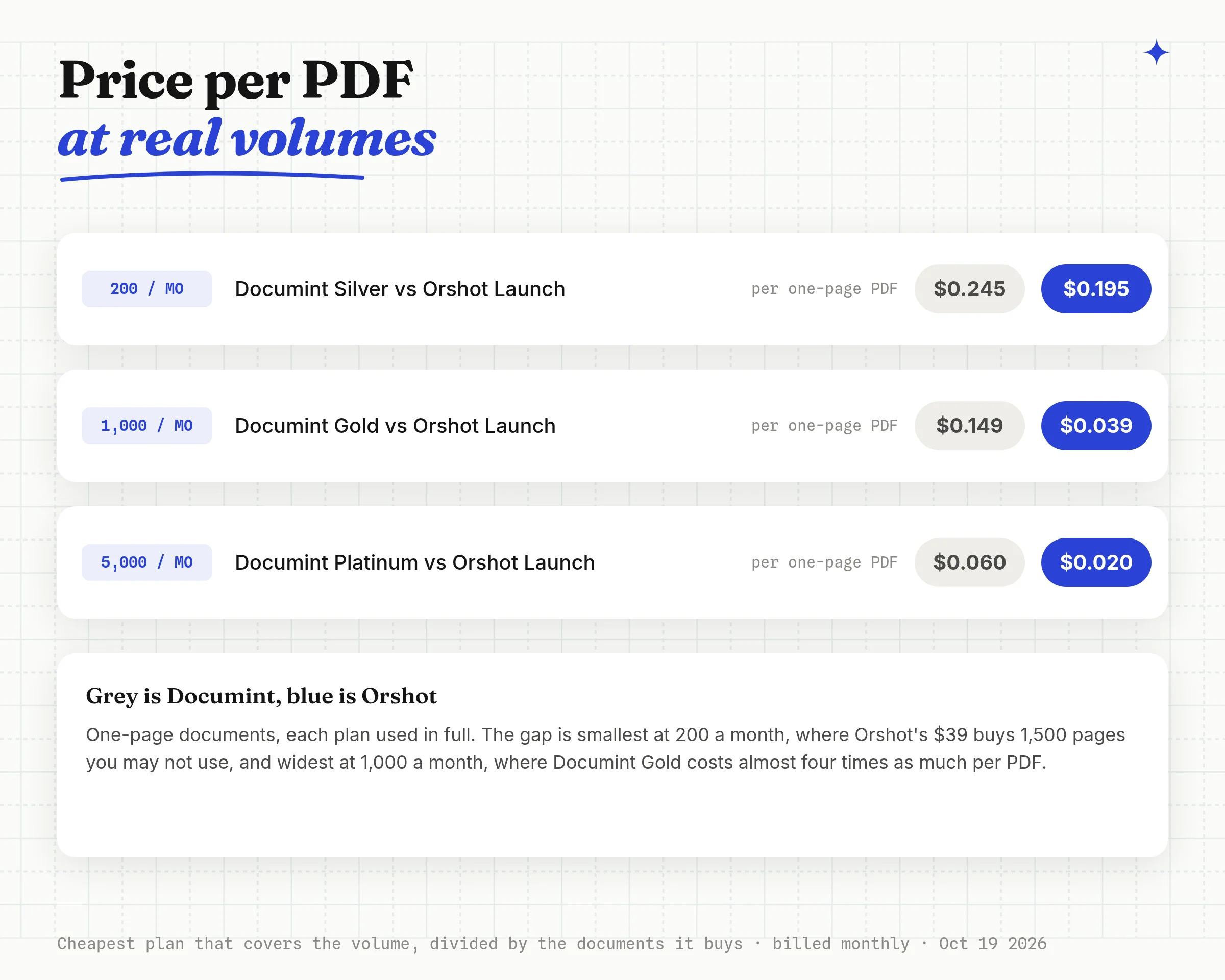
Cost per Month by Document Length
Documint's price depends on how many documents you make, and Orshot's on how many pages, which is the comparison that decides it. Each cell is the cheapest plan, billed monthly, that covers the volume.
| Documents a month | Documint | Orshot, 1 page | Orshot, 3 pages | Orshot, 10 pages |
|---|---|---|---|---|
| 100 | $49 Silver | $0 Free | $39 | $39 |
| 200 | $49 Silver | $39 | $39 | $99 |
| 1,000 | $149 Gold | $39 | $99 | $160 |
| 5,000 | $299 Platinum | $99 | $160 | $349 |
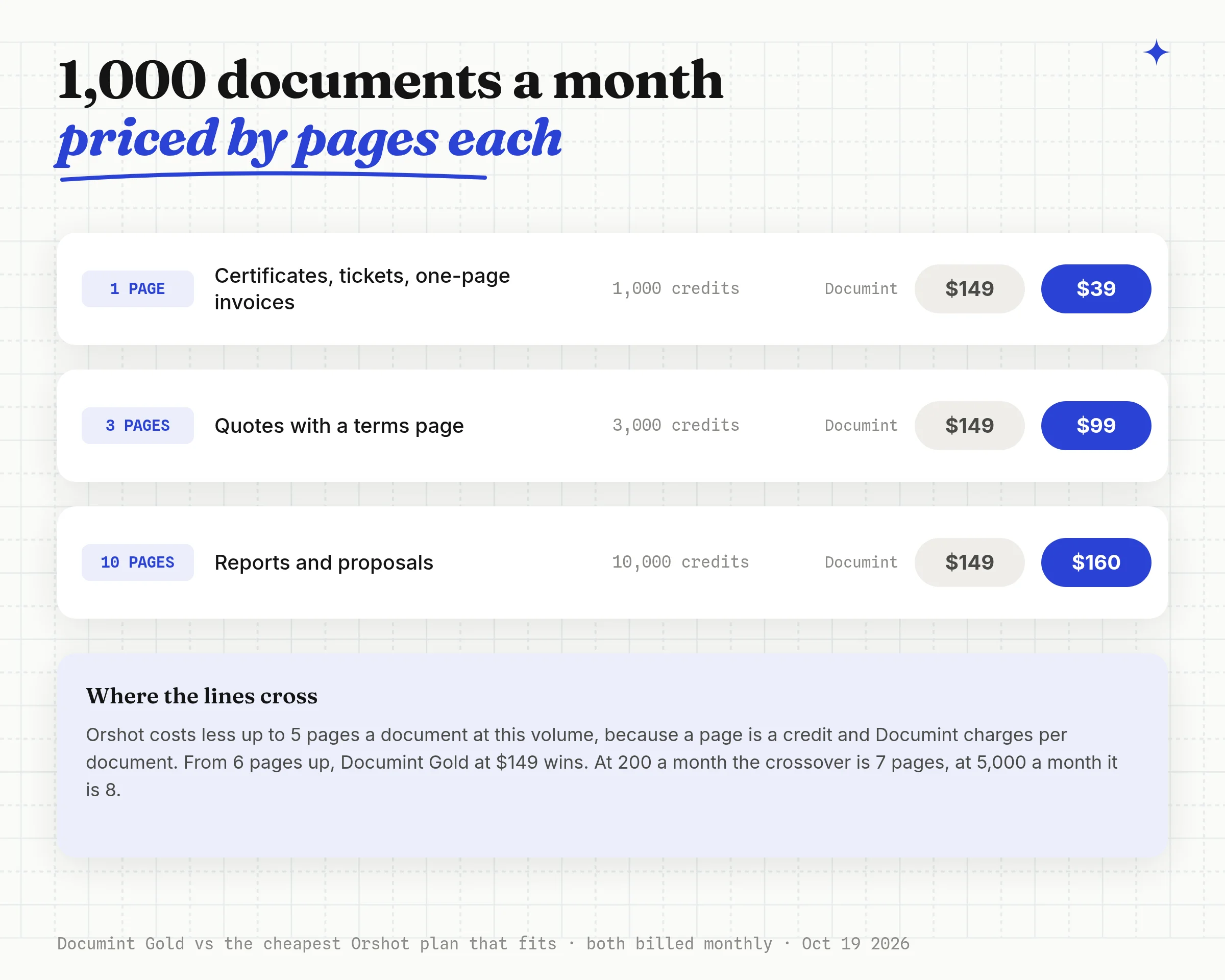
The pattern is simple:
- Short documents (certificates, tickets, one-page invoices, badges): Orshot costs less at every volume, and the first 100 a month are free.
- Long documents: Documint costs less once a document passes about 7 pages at 200 a month, 5 pages at 1,000 a month, or 8 pages at 5,000 a month.
- In between, a 3-page quote at 1,000 a month is $99 on Orshot and $149 on Documint.
A Year of Documents: Yearly Quota vs Monthly Credits
Documint's annual plans hand you the year's documents on day one, while Orshot's credits come monthly and you can change plans month to month. That decides when you're allowed to use what you paid for.
Here's what that does to a year of real jobs:
| A year of documents | Documint, monthly | Documint, annual | Orshot, monthly |
|---|---|---|---|
| 150 one-page invoices every month | $588 Silver | $468 Silver | $468 Launch |
| 2,000 one-page certificates in June, nothing else | $299 Platinum | $468 Silver | $99 Launch |
| 1,000 ten-page reports every month | $1,788 Gold | $1,488 Gold | $1,920 Grow |
| 4,000 one-page tickets and badges every month | $3,588 Platinum | $2,988 Platinum | $1,188 Launch |
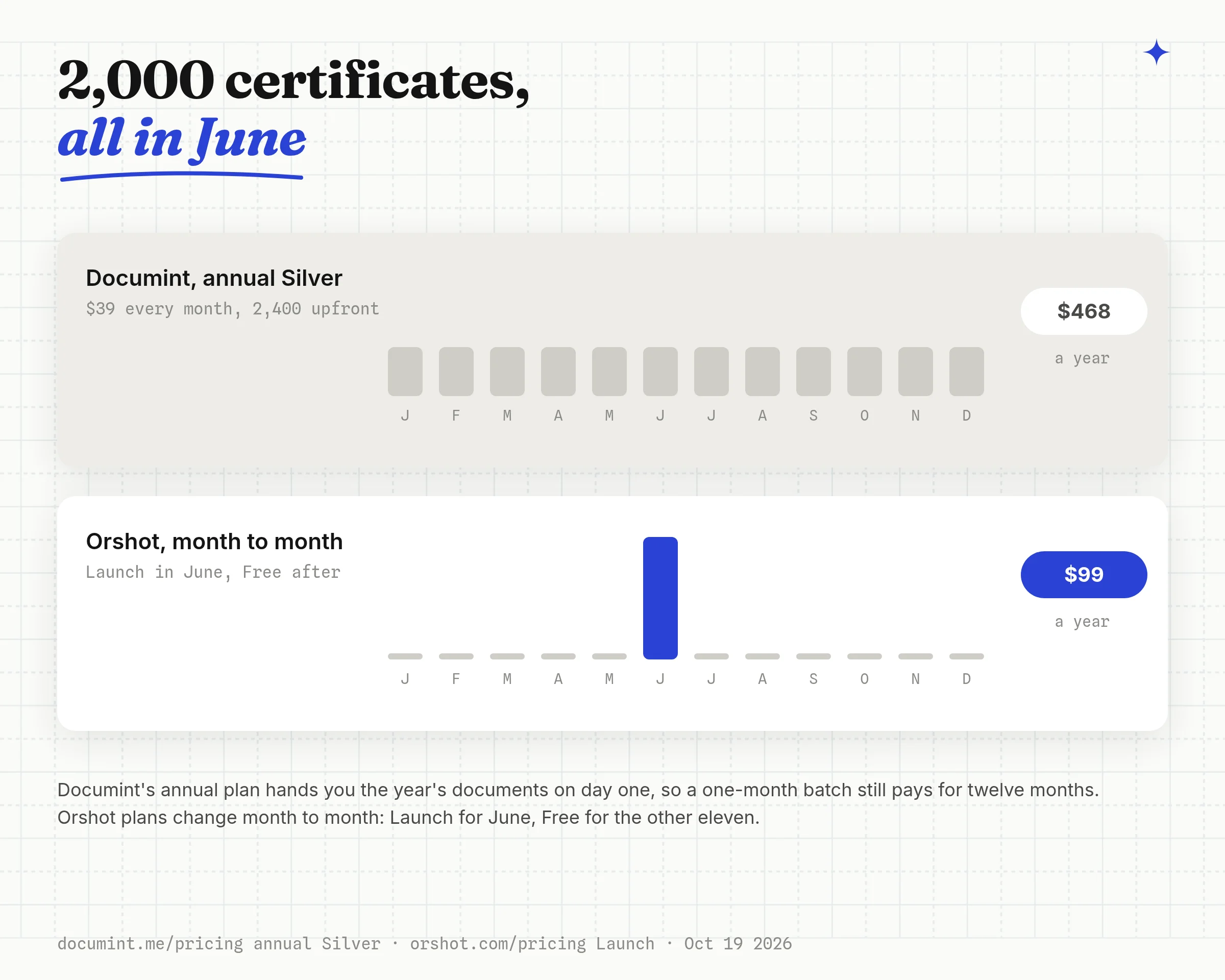
Two things stand out. A seasonal batch on Orshot costs one month of a bigger plan, because you upgrade for the busy month and drop back to Free after.
For steady long reports, Documint's annual Gold plan costs $432 a year less than Orshot billed monthly, or $112 less than Orshot billed annually.
When Documint Fits Better
Documint is a document tool, and it has things Orshot doesn't:
- Documint Sign sends the PDF for e-signature, 5 to 50 envelopes a month by plan
- Repeat/loop rows, grouping and filtering, plus $sum and $calc for totals
- Display rules show or hide any element from the data, like an Overdue stamp
- A native HubSpot app that generates from a contact, company, deal or ticket
- Per-document billing, so a 30-page report costs the same as a 1-page one
- The PDF link is stored for 24 hours, so every automation needs a storage step
- PDF only, so images and video need a second tool and a second template
- Templates are rebuilt in the block editor, with no PDF or Word import
- No free plan, and test PDFs from inactive templates carry Documint branding
- Not SOC 2 compliant as of October 2026, by its own FAQ
Orshot fits when the document is designed, when the file URL should go straight into the next step, or when the same data also becomes an image or a video.
The PDF generation API page has the full picture.
Other Documint Alternatives
Orshot isn't the only option. Which one fits depends on where your template starts and whether you need signatures. Prices are from each vendor's own Documint comparison page, read on October 19, 2026.
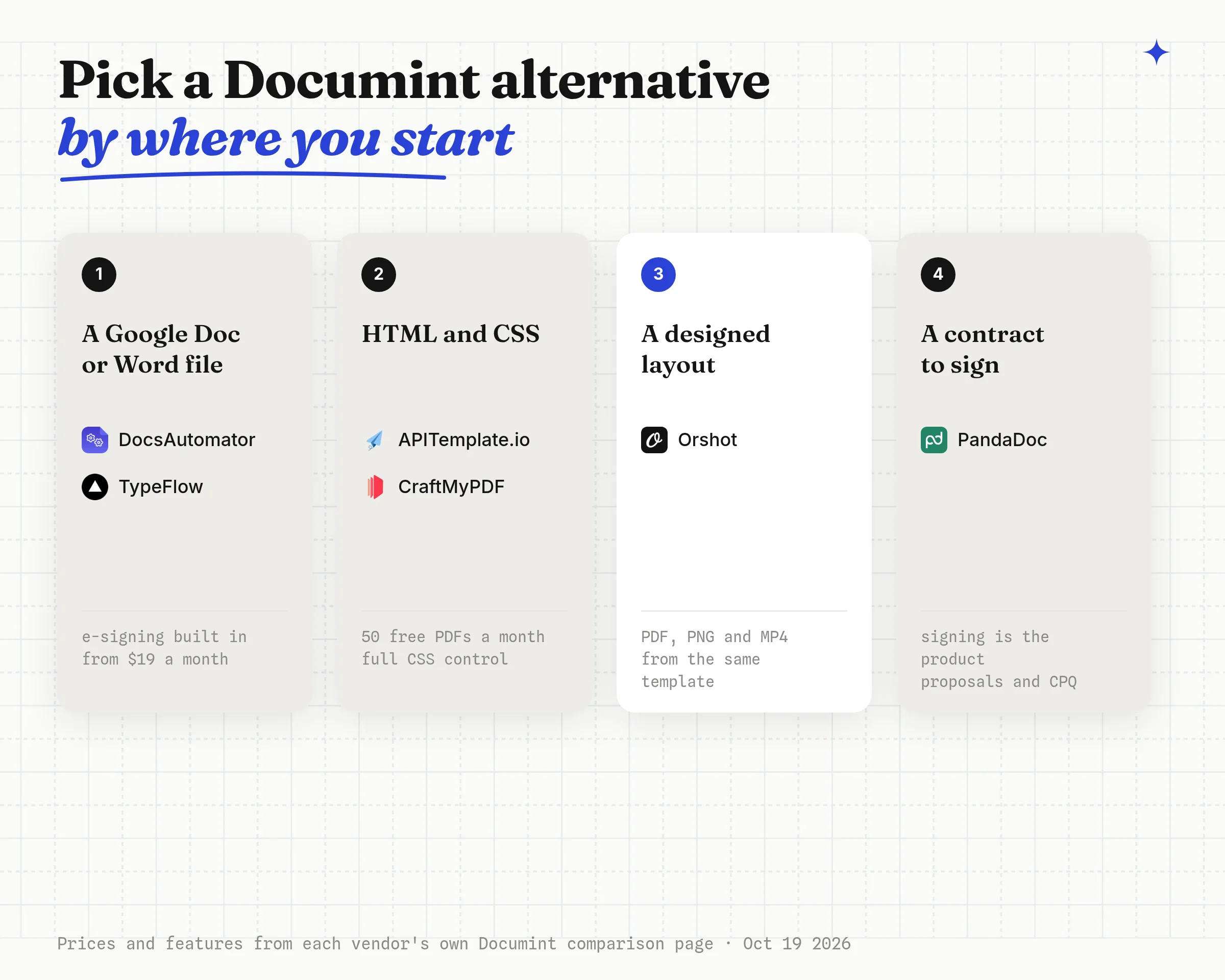
- DocsAutomator fills Google Docs, Word or PDF templates from Airtable, Glide or Notion, with e-signing on every plan. From $19 a month billed yearly for 100 documents.
- TypeFlow is built for Airtable: Google Docs or HTML templates, linked records and a Documint import tool. From $29 a month for 200 documents.
- CraftMyPDF is a PDF and image API with a drag and drop editor, 50 free PDFs a month and $29 for 1,200. I compared it in the CraftMyPDF alternative post.
- APITemplate.io generates PDFs and images from visual or HTML templates, with 50 free a month. More in the APITemplate.io alternative post.
- PandaDoc is the pick when the document is a proposal or contract and signing is the whole point.
The PDF generator API comparison prices eight tools at 1,000, 10,000 and 100,000 documents a month.
Switch from Documint in Three Steps
Moving a Documint template to Orshot takes an afternoon per template. You rebuild or import the layout, swap one automation step, and compare a few real records side by side before you cut over.
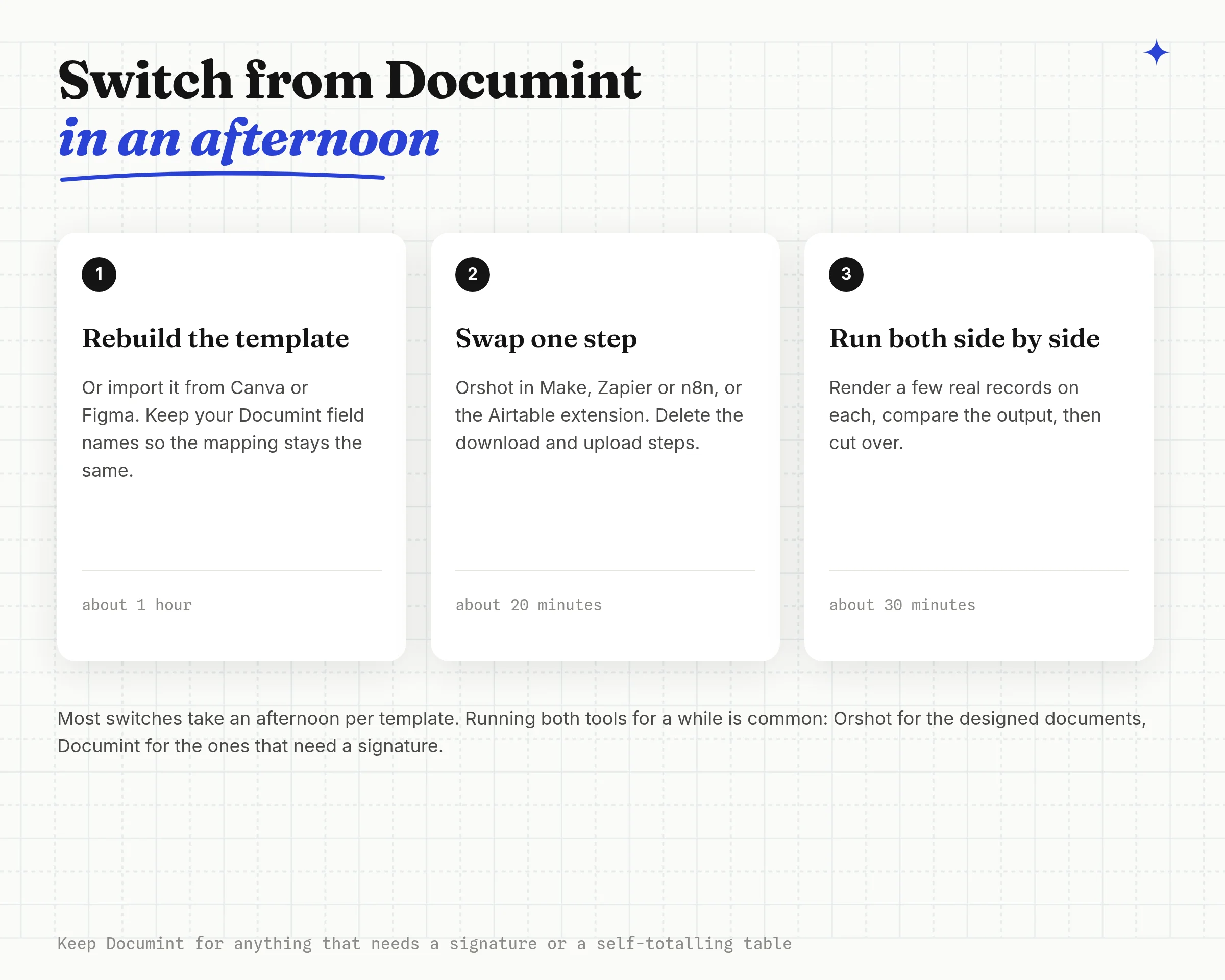
- Rebuild the template in Studio. Recreate the layout, or import it from Canva or Figma if that's where it started. Name each dynamic layer after your Documint field so your mapping doesn't change.
- Swap the step. In Make, Zapier or n8n, replace the Documint step with Orshot's. In Airtable, install the Orshot extension and point it at the same attachment field. Delete the steps that only existed to copy the file before the link expired.
- Run both side by side. Render a few real records on each, compare, and cut over.
Keep Documint for anything that needs a signature or a self-totalling table. Running both is common.
Stuck on a template? Hit the chat button and send it over. I'll help you move it.
Documint FAQ
What is Documint?
How much does Documint cost?
Does Documint have a free plan?
How long does Documint keep generated PDFs?
Is the Documint document limit per month or per year?
Does Documint have e-signatures?
Can Documint create images or Word files?
Does Documint work with n8n?
What is the best Documint alternative for Airtable?
Is there a free Documint alternative?
Is Documint SOC 2 compliant?
What is Orshot?
Generate Your First PDF from a Documint Template
Sign up, rebuild one Documint template in Studio, and render it as a PDF and a PNG from the same call. The free plan's 100 credits a month cover 100 PDF pages or images, and there's no card to enter.
If something doesn't work the way you expect, hit the chat button. I'm usually the one on the other end.