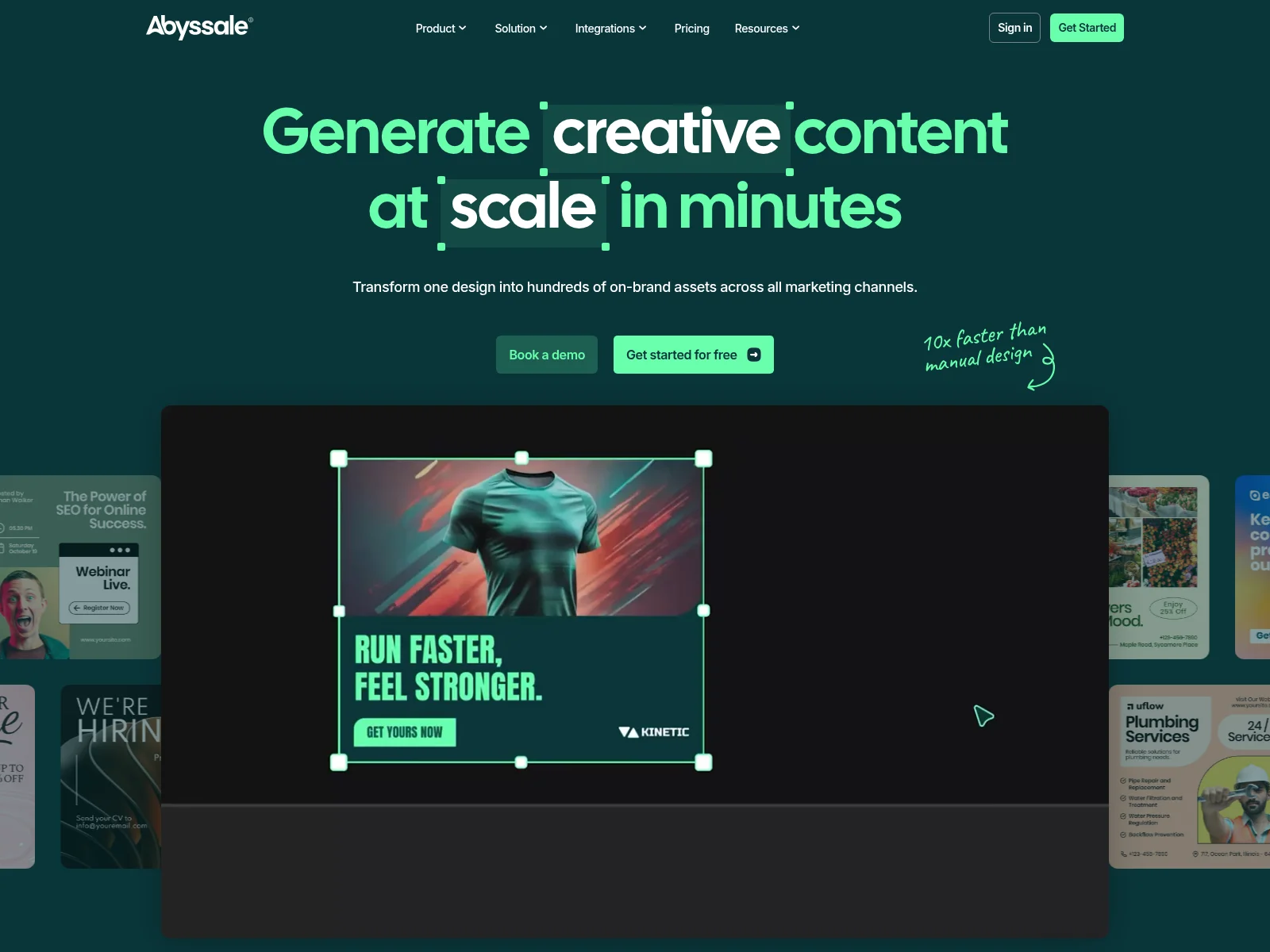
Abyssale is a creative automation platform for banners, videos and HTML5 ads, sold per seat to marketing teams.
But if you've been using Abyssale, you've probably noticed some things. The per-seat pricing that multiplies with every teammate. Print PDFs and approvals kept for the higher tier. A lot of platform to learn when you just need to generate images via API.
I built Orshot because I needed something simpler. Same core concept (turn templates into API endpoints), but without the enterprise overhead. Team members included in the plan, no seat math, straightforward pricing.
Here's a preview of Orshot Studio for you to try:
What's Different
If you're on Abyssale, here's what changes when you switch:
| Feature | Orshot | Abyssale |
|---|---|---|
| Free Tier | 100 free credits a month, no card | 14-day free trial |
| Pricing Model | Monthly plans from $39 to $600, team members included | Per seat on every plan |
| Starter Plan | $39/month for 1,500 credits and 2 team members | Pro: $36/seat/month, 450 credits per seat |
| Mid Plan | $99/month for 5,000 credits and 4 team members | Suite: $60/seat/month, 750 credits per seat |
| Video Generation | All paid plans: full timeline, audio tracks, auto-subtitles (MP4/WebM/GIF) | MP4 and GIF on Pro, HTML5 on Suite |
| API Access | All plans, including free | Paid plans |
| PDF Generation | All plans, including free | Print PDF on Suite and above |
| Embed Editor in App | White-label Studio Embed | Not offered (Abyssale Bridge is a simplified view for outside users) |
| Dynamic URLs | All plans, including free | Paid plans |
| Template Editor | Orshot Studio with Smart Stacking | Abyssale Editor |
| Template Import | Abyssale (API key), Canva, Figma, AI | Figma plugin, Photoshop plugin |
| Social Publishing | Built-in, 15+ platforms | No |
The Real Problems with Abyssale
Based on what I've seen from users switching over, here are the main pain points:
1. Per-Seat Pricing Gets Expensive Fast
Abyssale prices every plan per seat. Pro is $36 per seat per month and Suite is $60, both billed annually. Five people on Pro is $180 a month before a single extra credit.
Orshot plans include the team: 2 members on the $39 plan, 4 on the $99 plan, 6 on Grow and 14 on Scale. Adding a teammate within your plan costs nothing.
2. Print PDFs and Approvals Sit on the Higher Tier
Print-ready PDF, the approval workflow, HTML5 ads and loginless public forms all need Suite, at $60 per seat.
On Orshot, PDF generation, the API and Dynamic URLs are on every plan, the free one included. Paid plans add video, and larger plans add workspaces, team members and embed options.
3. A Lot of Platform When You Just Need an API
Abyssale covers a wide surface: projects, approvals, a creative hub, HTML5 ad networks and print. Even a customer quote on Abyssale's own pricing page says the UI "can be a bit quirky sometimes."
If your job is generating images, PDFs or videos from templates through an API or an automation, Orshot keeps to that: a template, its parameters and one endpoint.
What You Get Extra with Orshot
Beyond solving Abyssale's pain points:
-
Simpler pricing - One monthly price per plan, team members included. No seat math.
-
Multi-page templates - Create carousels, multi-page PDFs, and multi-page videos for social media. Each page can have multiple video layers. See how it works.
-
Integrations - Zapier, Make, n8n, Pipedream and Airtable apps, an MCP server, the Orshot CLI and built-in Workflows. Full list here.
-
Import from anywhere - Bring designs from Abyssale, clone from Canva, import from Figma, or generate templates with AI.
-
Better editor - Orshot Studio has smart stacking and smart layouts. Less clicking, more designing.
-
Full video editor with API control - Visual video timeline with per-layer animations, page-level audio tracks, and auto-generated subtitles. Export to MP4, WebM, or GIF. Control trim, mute, loop, and every animation property via API. Multiple videos per page, multiple pages per template. One API call generates everything.
-
Social Publishing - Render and publish to 15+ social platforms in one API call. Post instantly, schedule, or save as draft. No third-party scheduler needed.
-
Actual support - I respond to chat messages. Usually within an hour. Sometimes I'll hop on a call if something's complicated.
Switching from Abyssale
Most of the work is the templates, and those now come across on their own. The steps below are the quick version; the migration guide has every screen.


Step 1: Import Your Designs (5 min)
Pull them straight from Abyssale - Copy your API key from Workspace settings, then API key in Abyssale. In Orshot, open New Template, pick the Abyssale tab and paste it. Your designs show up as a list; pick one to open in Studio, or up to 10 at once on a paid plan. Every format becomes a page, and each layer name becomes an API parameter with the same name.
Rebuild with AI - For a design that lives somewhere else, screenshot the output and drop it into the AI Template Generator. It recreates the layout, you fine-tune.
Start from the source file - Originals in Canva or Figma import directly too.
Try it now: paste a public Canva share link and see it as an Orshot template:
In Canva: Share → “Public View Link” → copy the link.
You can create multi-page templates, share through public links or embeds with different view modes. You can also invite your team to collaborate on design + template integration.
Step 2: Update Your API Calls (10 min)
The request keeps the same shape. The wrapper objects go, the header changes, and formats become pages. Every example below is the JSON body of one call:
POST https://api.orshot.com/v1/studio/render
Authorization: Bearer YOUR_ORSHOT_API_KEY
Content-Type: application/jsonLayer names stay the same after import, so each value goes straight into modifications. includePages picks one format, because every Abyssale format is a page of the imported template, in the same order.
{
  "templateId": "YOUR_TEMPLATE_ID",
  "modifications": {
    "title": "Autumn drop is live",
    "hero": "https://example.com/coat.jpg"
  },
  "response": {
    "type": "url",
    "format": "png",
    "includePages": [2]
  }
}
Leave out includePages and one synchronous call renders every format. No batch to poll.
{
  "templateId": "YOUR_TEMPLATE_ID",
  "modifications": {
    "title": "Autumn drop is live"
  },
  "response": {
    "type": "url",
    "format": "png"
  }
}
The response lists one file per format, in page order:
{
  "data": [
    { "page": 1, "content": "https://storage.orshot.com/…/page_1.png" },
    { "page": 2, "content": "https://storage.orshot.com/…/page_2.png" },
    { "page": 3, "content": "https://storage.orshot.com/…/page_3.png" }
  ],
  "totalPages": 3,
  "renderedPages": 3
}
Colours, sizes and visibility are dot keys on the parameter. Abyssale's hidden: true becomes opacity 0, and root.background_color becomes canvasBackgroundColor.
{
  "templateId": "YOUR_TEMPLATE_ID",
  "modifications": {
    "title": "Sale",
    "title.color": "#E4002B",
    "title.fontSize": 72,
    "badge.opacity": 0,
    "canvasBackgroundColor": "#111111"
  },
  "response": {
    "type": "url",
    "format": "png"
  }
}
Replacing an async batch with a callback_url? Set async mode and pass your own record ID as metadata. It comes back with the finished job.
{
  "templateId": "YOUR_TEMPLATE_ID",
  "modifications": {
    "title": "Autumn drop is live"
  },
  "response": {
    "mode": "async",
    "format": "png"
  },
  "webhook_url": "https://yourapp.com/hooks/orshot",
  "metadata": "campaign-8412"
}
Your webhook receives:
{
  "event": "render_job.finished",
  "job": {
    "status": "succeeded",
    "metadata": "campaign-8412"
  }
}
The same template renders as a PDF by changing the format. A multi-page template becomes one document.
{
  "templateId": "YOUR_TEMPLATE_ID",
  "modifications": {
    "name": "Sarah Chen"
  },
  "response": {
    "type": "url",
    "format": "pdf"
  },
  "pdfOptions": {
    "dpi": 300
  }
}
For comparison, the same one-format call on Abyssale. It goes to POST https://api.abyssale.com/banner-builder/YOUR_DESIGN_ID/generate with an x-api-key header, and every value is wrapped in an object.
{
  "template_format_name": "facebook-feed",
  "elements": {
    "title": { "payload": "Autumn drop is live" },
    "hero": { "image_url": "https://example.com/coat.jpg" }
  }
}
The migration guide above has a converter that rewrites your own Abyssale request body.
Helpful docs:
- API Reference - Complete API documentation
- Render from Template - Main endpoint you'll use
- SDKs - Node, Python, Ruby, PHP libraries
- Setting Parameters - How to make templates dynamic
- Style Parameters - Override styles via API
Step 3: Test It (5 min)
- Make a few test calls
- Compare the output
- Tweak styling if needed in Studio
- Deploy
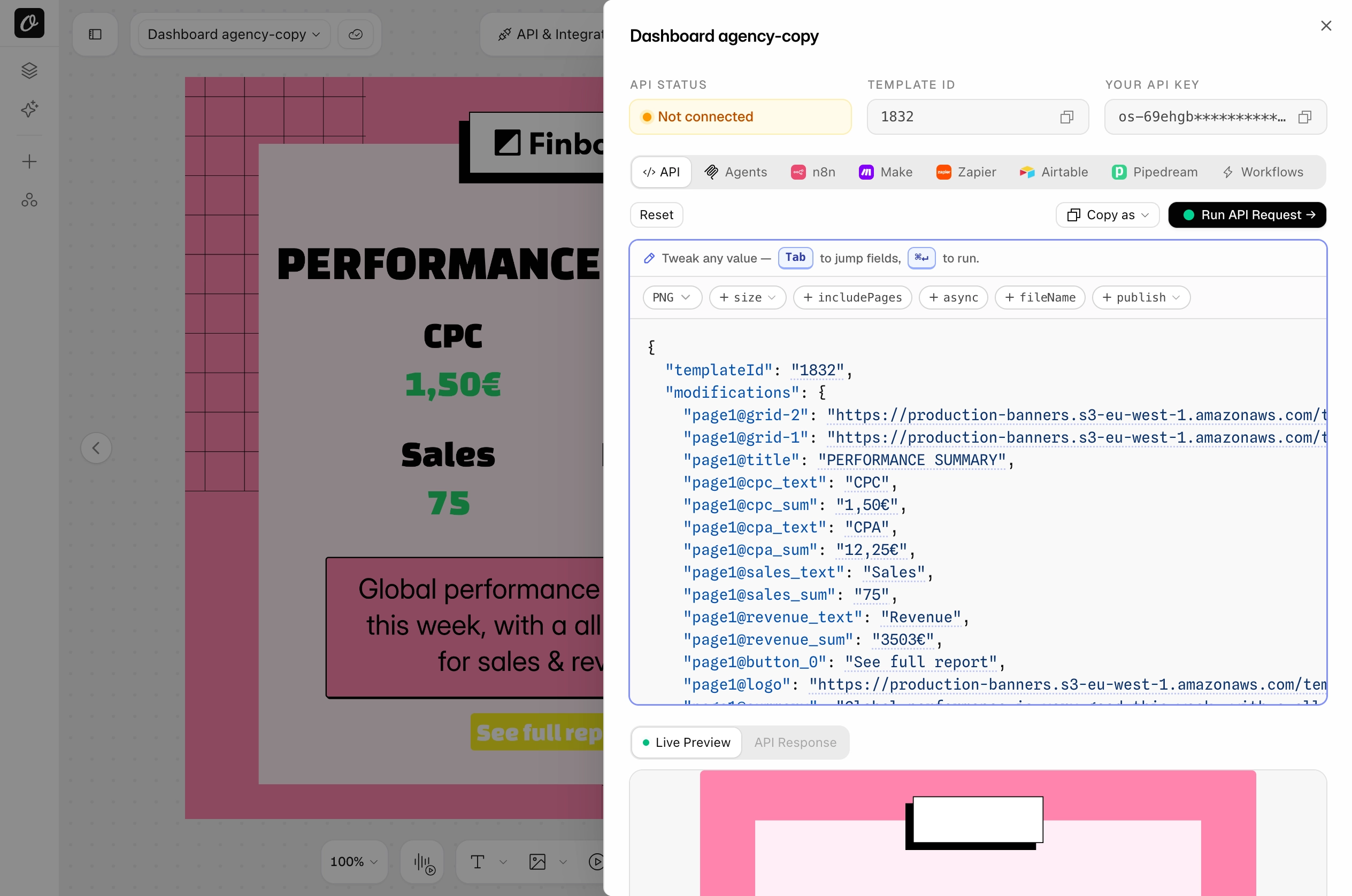
Test from the template's API & Integrations sheet. Each tab (API, n8n, Make, Zapier and more) has the request ready with your parameter names, and Run API Request shows the result live.
You can run both Abyssale and Orshot in parallel during transition. Most people switch fully within a day or two.
Need Help?
Hit the chat button on bottom right. I or someone from the team will help you migrate templates, check your API calls, whatever you need. Usually takes about 2 hours total for a complete migration.
Common Questions
Can I move my Abyssale templates to Orshot without rebuilding them?
Why choose Orshot over Abyssale for teams?
Does Orshot support multi-page PDFs and carousels?
How does Orshot's video generation compare to Abyssale?
Can I use my existing Zapier or Make automations?
Can I import my Figma or Canva designs to Orshot?
Does Orshot support HTML5 Banner Ads?
Is there a partner program for agencies?
What integrations does Orshot support?
Pricing Comparison
Per-seat pricing depends on team size, so here is the monthly cost for a few real setups. Abyssale figures use Pro at $36 per seat (annual billing) plus top-up credits at $0.01 each; Orshot figures are monthly list prices.
| Team and volume | Abyssale (Pro) | Orshot |
|---|---|---|
| 1 person, 1,500 images | ~$46.50 (1 seat + 1,050 top-up credits) | $39 (1,500 credits) |
| 4 people, 5,000 images | ~$176 (4 seats + 3,200 top-up credits) | $99 (5,000 credits, 4 team members) |
| 6 people, 20,000 images | ~$389 (6 seats + 17,300 top-up credits) | $160 (20,000 credits, 6 team members) |
Also worth noting:
- 100 free credits every month to test with, no card needed (Abyssale offers a 14-day trial)
- Team members are part of the plan, not a line item
- The API, PDFs and Dynamic URLs work on the free plan too
The Editor
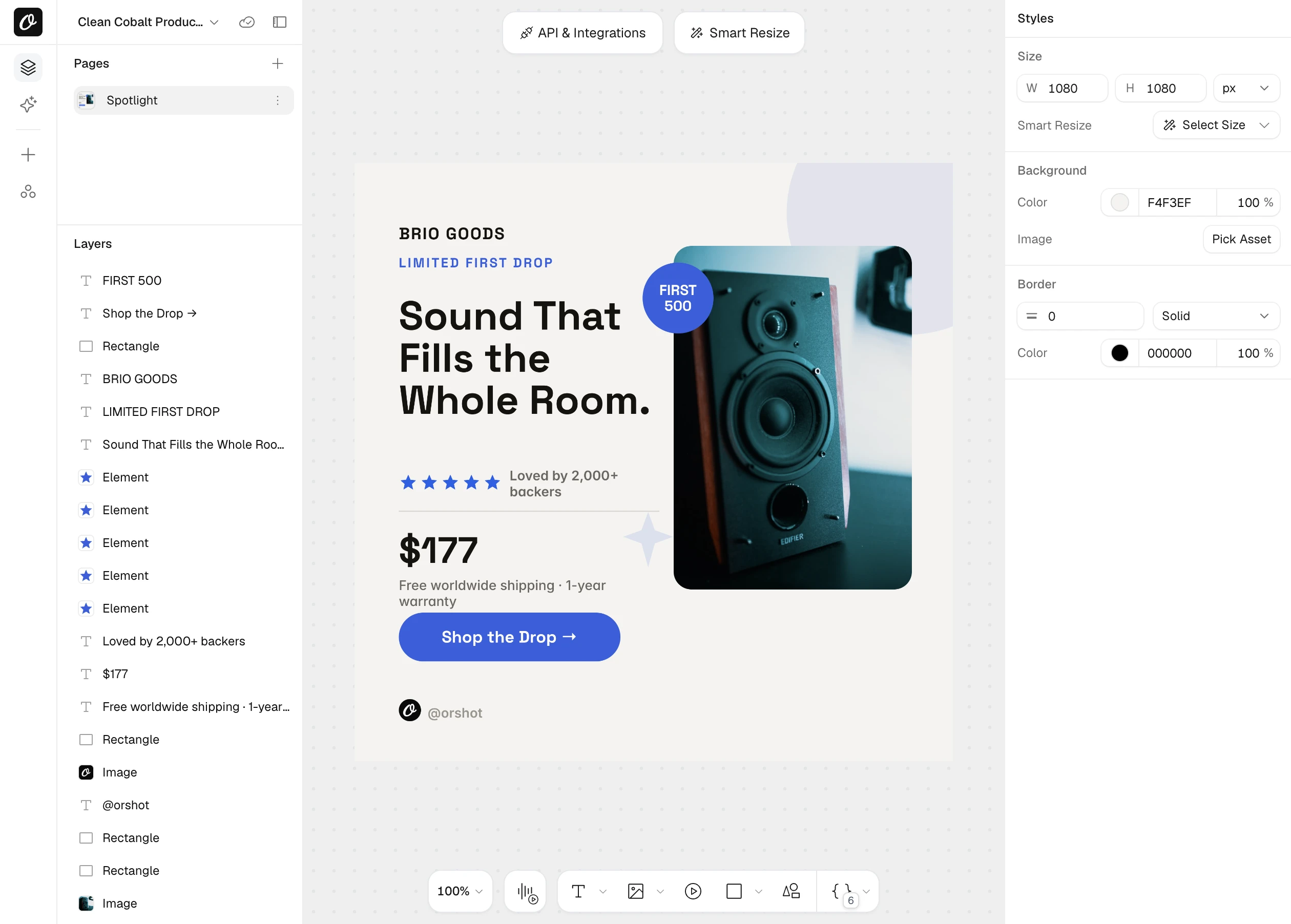
Orshot Studio is designed for simplicity. Clean interface, minimal clicking, visual results.
Key features:
- Smart Stacking - Position elements relative to each other. They auto-adjust when content changes
- Brand Assets - Save your logos, colors, and fonts. Use across all templates
- Custom Fonts - Upload any font. No limits
- Personalization - Make any element dynamic - text, images, colors, styling
- Studio Embed - Integrate the editor into your own app with custom branding
- Multi-page Support - Create carousels and PDF templates with different pages
How It Works
Every template becomes an API endpoint. You can:
- Generate templates with AI or import from Canva/Figma
- Automate with REST API, SDKs, Zapier, Make, n8n, or Dynamic URLs
- Bulk generate with parallel processing
- Generate multi-page PDFs and carousels
If there's an integration missing, just ask. We'll probably add it.
Examples and Tutorials
Generating Videos
Adding videos in your templates and automating via Orshot's Video Generation API:
Carousel Templates
How to create multi-page templates and automate them:
Import from Canva
Clone your existing Canva designs and turn them into API endpoints:
Import from Figma
Use the Figma plugin to import your designs directly:
eCommerce Automation
Example workflow - automating product images from your data sources:
Dynamic URLs
Generate images just by changing URL parameters - no API calls needed:
Bottom Line
Abyssale is built around seats, approval steps and HTML5 ad bundles. For most use cases, generating images and videos via API, that's a lot of product to pay for.
Orshot does the same core thing (turn templates into API endpoints) with simpler pricing and the team included.
If you're also comparing Bannerbear, Placid, or Contentdrips, the same points apply: simpler pricing, team members included, and multi-page templates.
The switch takes a couple hours. You can test everything free with 100 credits a month.
For Agencies
Building visual automation for multiple clients? Check out the Agency Partner Program: free to join, unlimited sandbox workspaces, pooled credits up to 100k/month, and client handoff tools.
Try It
- Sign up with the button at the top: 100 free credits every month, no card needed
- Import one of your Abyssale designs with your API key
- Test with your actual data
- See if it works for you
If you get stuck, hit the chat button. I'll help you out.