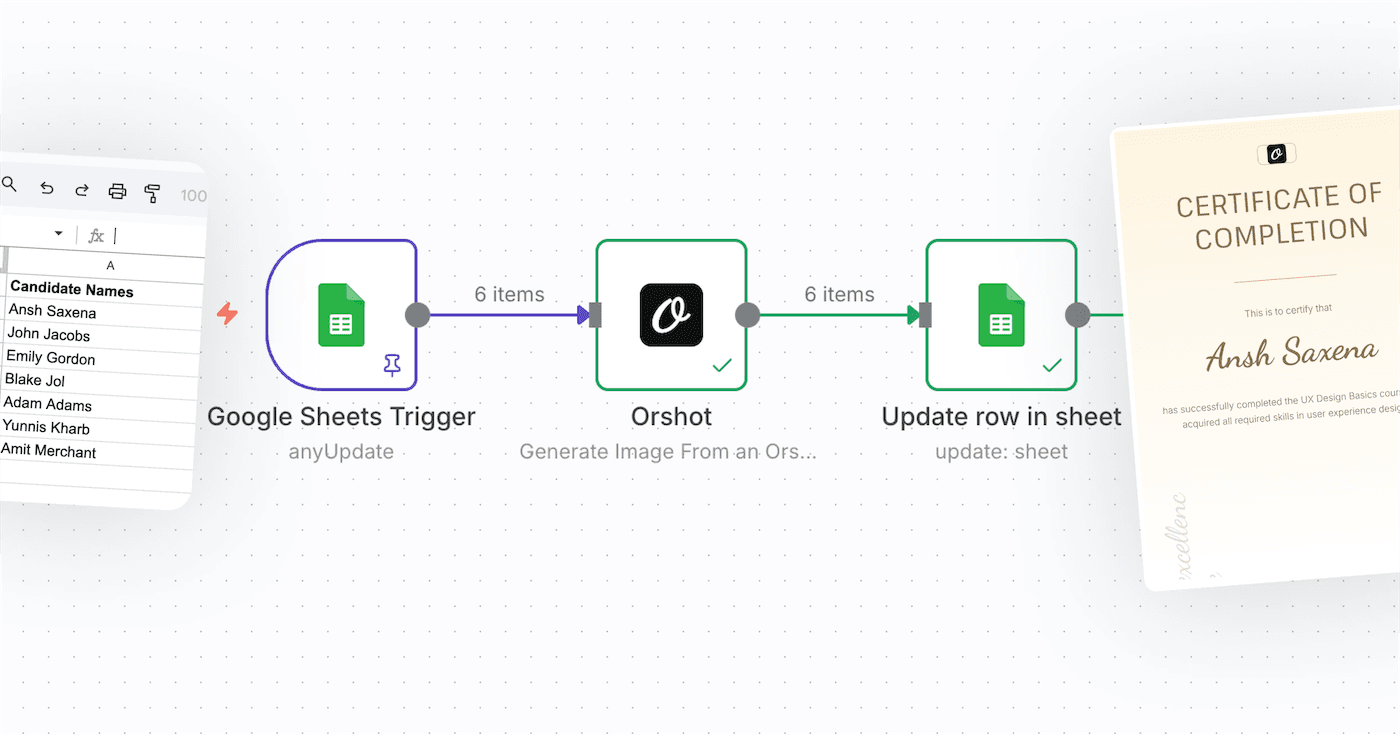
Tally is one of the simplest and most elegant form builders available. While it's great for collecting data, sometimes you need to give something back to your users immediately after they submit—like a personalized certificate, a PDF invoice, a ticket, or a social sharing card.
With Orshot webhooks, you can connect your Tally.so form directly to a design template and generate these assets automatically. No code required.
In this tutorial, we'll demonstrate this by building an automated event badge generator, but the same principles apply whether you're generating invoices, certificates, or social media graphics.
What We're Building
We'll set up a workflow where:
- Someone fills out a Tally registration form
- Tally sends the form data to Orshot via webhook
- Orshot uses an Event Badge template to generate a personalized image or PDF
- You receive a link to the generated asset instantly
The whole setup takes about 10 minutes.
What You'll Need
- An Orshot account (free tier works)
- A Tally form
Step 1: Design Your Template
First, decide what you want to generate. In Orshot Studio, you can:
- Start from scratch
- Use an existing template from our library
- Import a design from Figma
Since we're building a badge generator for this example, let's look at a simple event badge design containing:
- Attendee name
- Attendee photo
In Orshot Studio, make these elements dynamic by adding parameter IDs:
attendeeNamefor the name textattendeePhotoUrlfor the attendee photo
Save your template.
For this tutorial, we'll be using below template.
Step 2: Create a Webhook
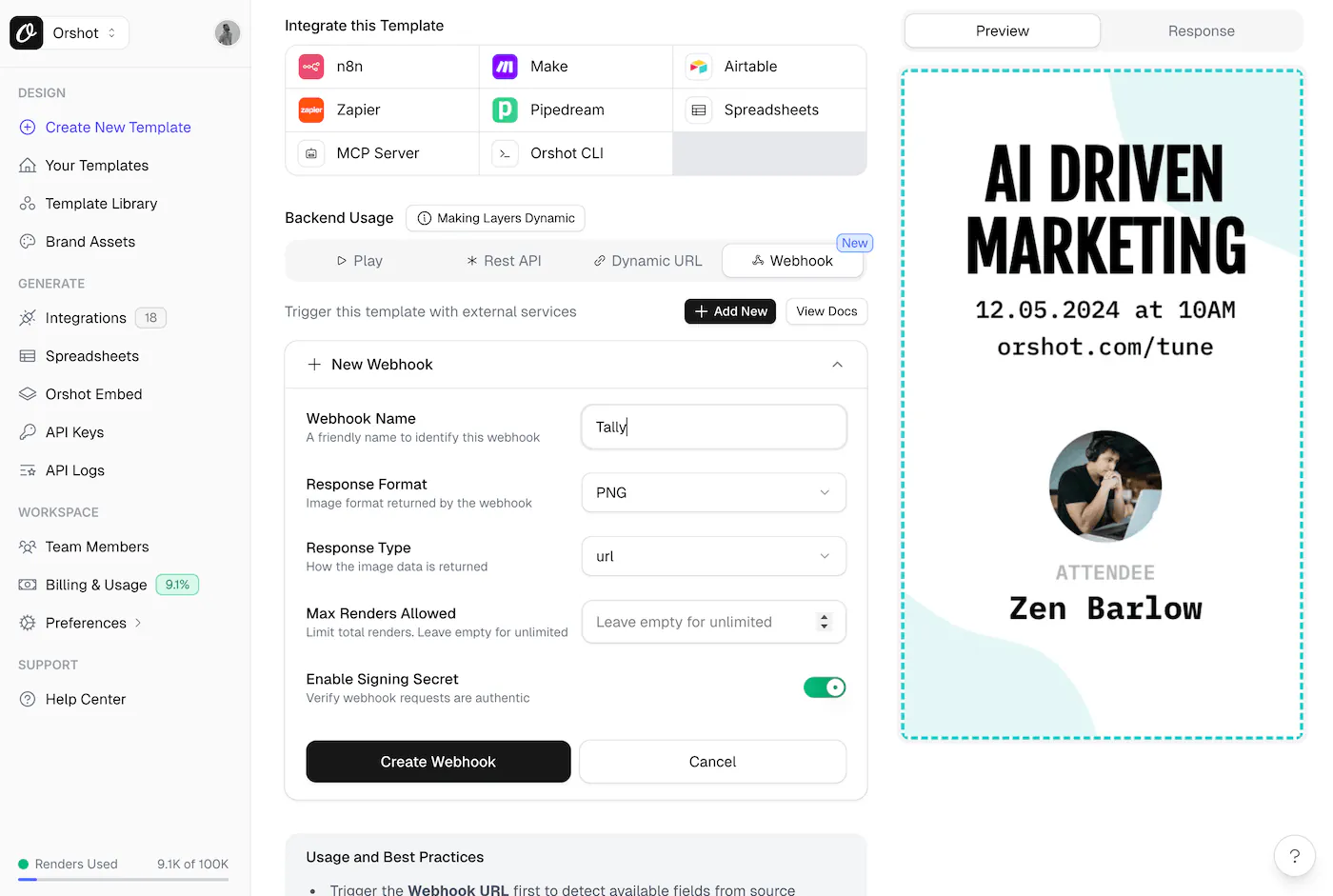
Go to your Template's Playground and click the Webhook tab.
Click Add New to create a webhook. Configure it:
| Setting | Value |
|---|---|
| Name | Tally Registration |
| Response Format | PNG (or PDF if you want printable badges) |
| Response Type | URL (easiest to work with) |
| Max Renders | Leave empty for unlimited, or set a limit |
Copy the Webhook URL. It looks like:
https://api.orshot.com/v1/studio/webhook/wh_abc123xyzKeep this tab open—we'll come back to map the fields.
Step 3: Set Up Your Tally Form
Create your registration form in Tally with fields that match your badge:
- Attendee Name (short text)
- Attendee Photo (file upload)

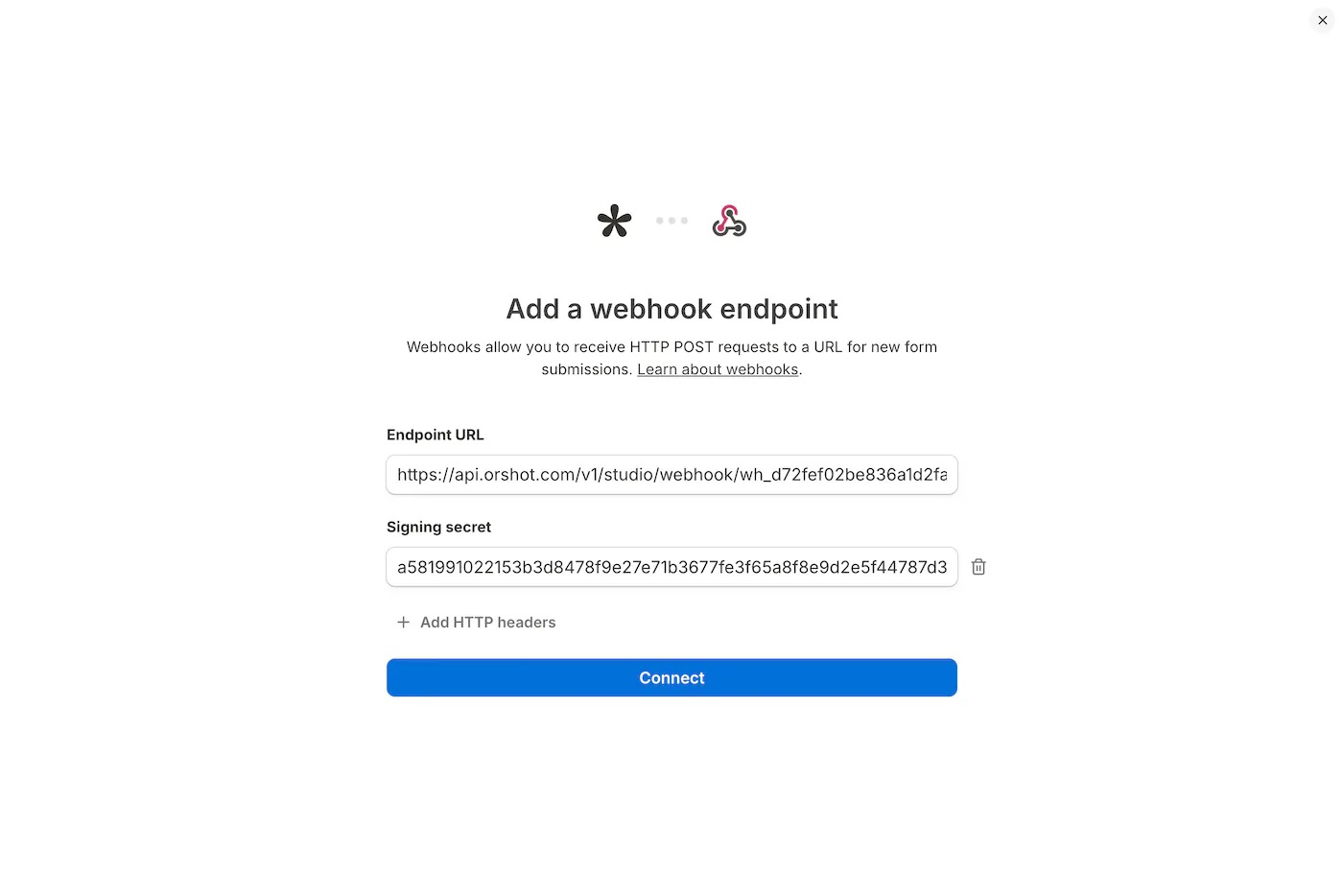
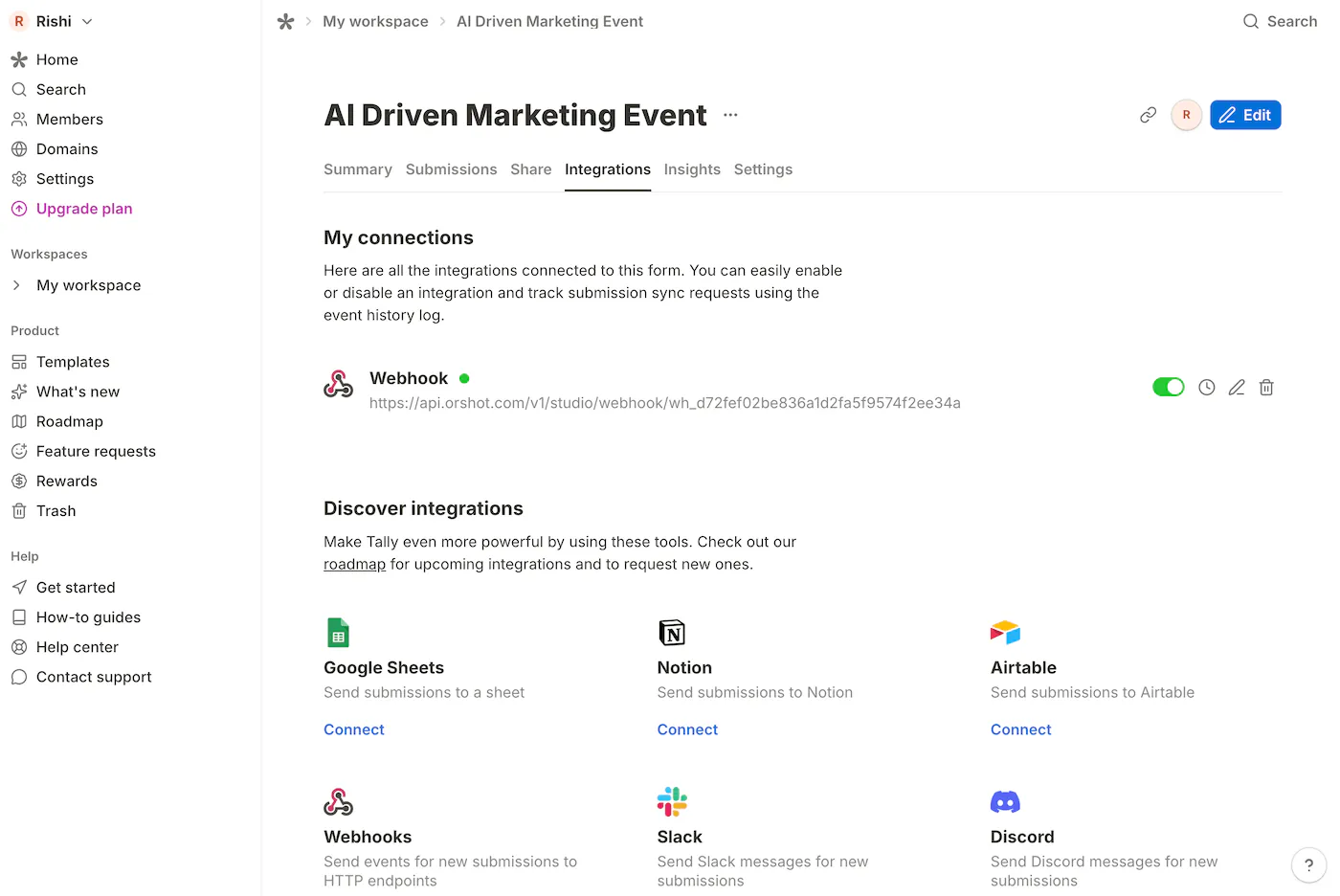
Once your form is ready, go to Integrations → Webhooks.
Paste your Orshot webhook URL and save.
Step 4: Map Form Fields to Template
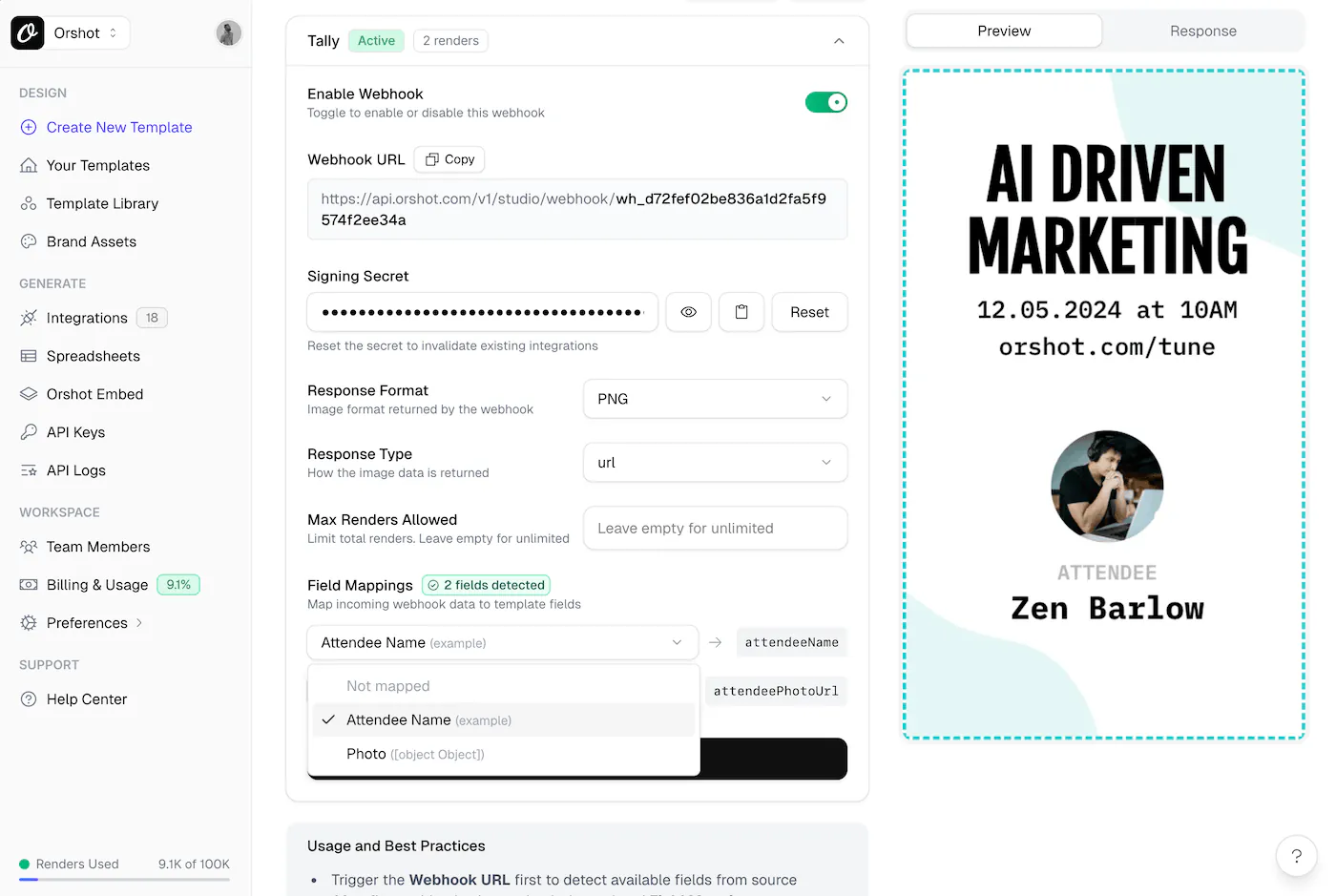
Here's where the magic happens.
Submit a test response to your Tally form. This sends sample data to Orshot, which automatically detects the available fields.
Go back to your webhook settings in Orshot. You'll now see the Field Mappings section populated with your Tally form fields.
Map each field:
| Tally Field | Template Parameter |
|---|---|
Name | attendeeName |
Attendee Photo | attendeePhotoUrl |
Save the mappings.
Step 5: Test It
Submit another response to your Tally form. Check the webhook response—you should get back a generated badge URL:
{
  "data": {
    "content": "https://storage.orshot.com/cloud/.../badge.png",
    "type": "url",
    "format": "png",
    "responseTime": "1234.56ms"
  }
}
Open that URL. Your personalized badge is ready.
Step 6: Automatically Save to Dropbox, Google Drive or S3-Storage (Optional)
Want to keep a permanent archive of every generated badge? You can automatically upload them to your own storage bucket or drive.
Go to the Integrations page in Orshot to connect your Dropbox, Google Drive, or Amazon S3 account.
You can specify a folder path, and Orshot will silently upload every generated PDF or image to your connected account.
Taking It Further
Send badges via email
Use Tally's email notifications or connect to Zapier/Make to automatically email the badge URL to attendees after submission.
Generate PDF badges for printing
Change the webhook response format to PDF. You'll get a print-ready badge that attendees can download.
Post to social media
Use Social Publish to automatically share generated badges or certificates to LinkedIn, Twitter/X, Instagram, and 10+ other platforms — great for attendee social proof and event promotion.
Add QR codes
Include a QR code element in your badge template. Pass a unique ID or URL through the form to generate scannable badges for check-in.
Multi-page badges
If your badge has a front and back, use a carousel template in Orshot. The webhook will return URLs for both pages.
Troubleshooting
Webhook not triggering? Make sure the webhook is enabled in Orshot and the URL is correct in Tally.
Fields not detected? Submit a test response first. Orshot needs at least one payload to detect available fields.
Wrong data mapping? Check the Field Mappings section. You can clear and re-detect fields if needed.
Wrap Up
That's it—automatic image or PDF generation from Tally forms in about 10 minutes. No code, no complex automation tools. Just connect your form to Orshot and let webhooks handle the rest.
This same approach works for certificates, tickets, name cards, social cards, or any personalized image you need to generate from form responses.
Questions? Hit the chat button or email us at hi@orshot.com.