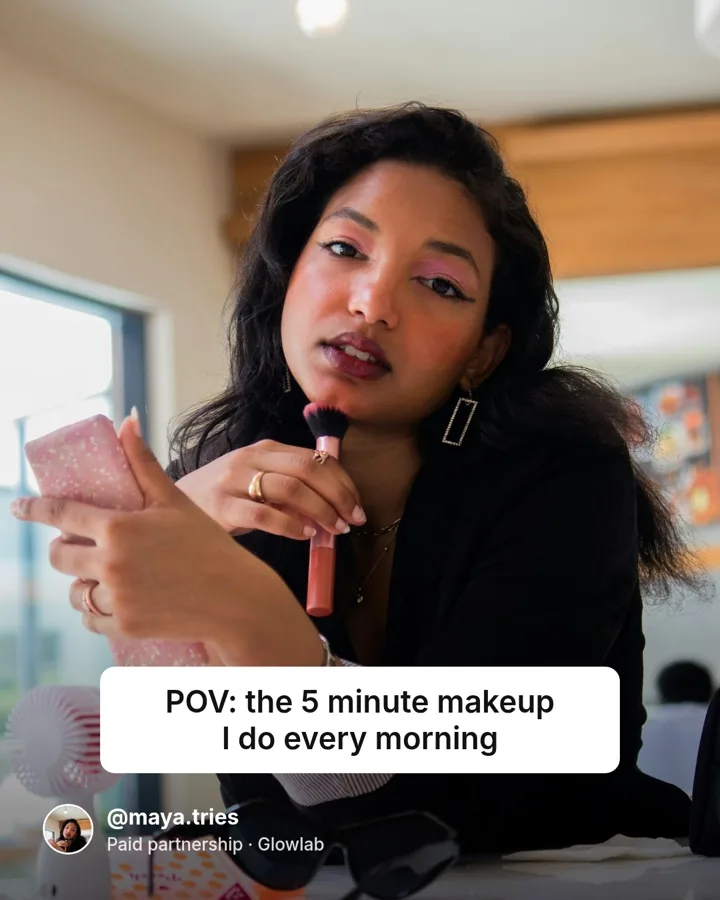
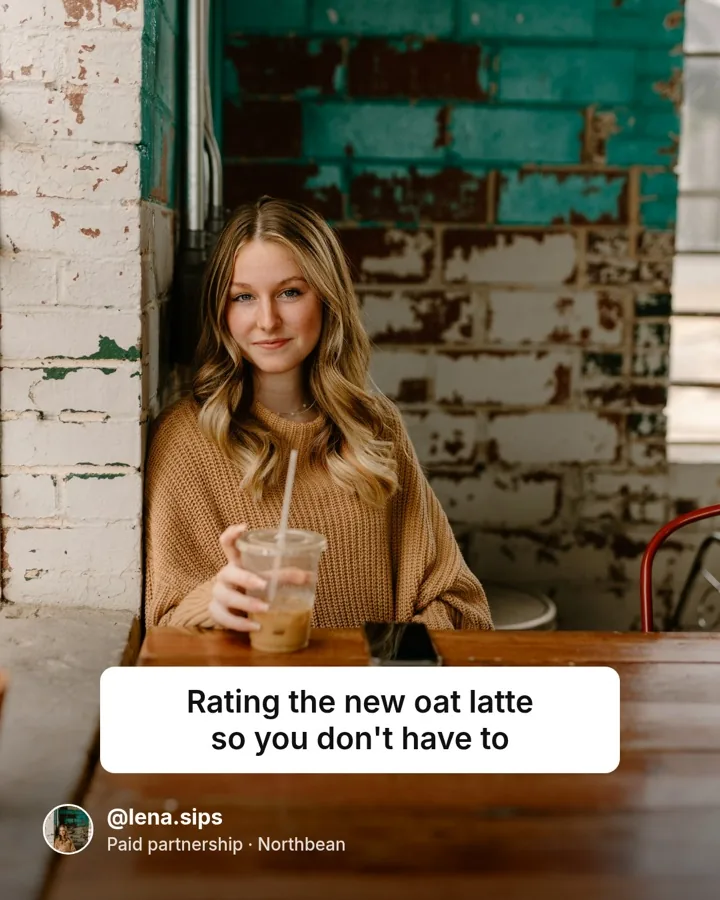
Automate Video Creation via API or AI Agents
Build one video template, then send your text, photos and clips to get a finished video with voiceover, captions and music.
100 free credits every month · no credit card · 1 credit per second
No FFmpeg to run
No encoding flags or queues to manage. One HTTP call returns a video URL.
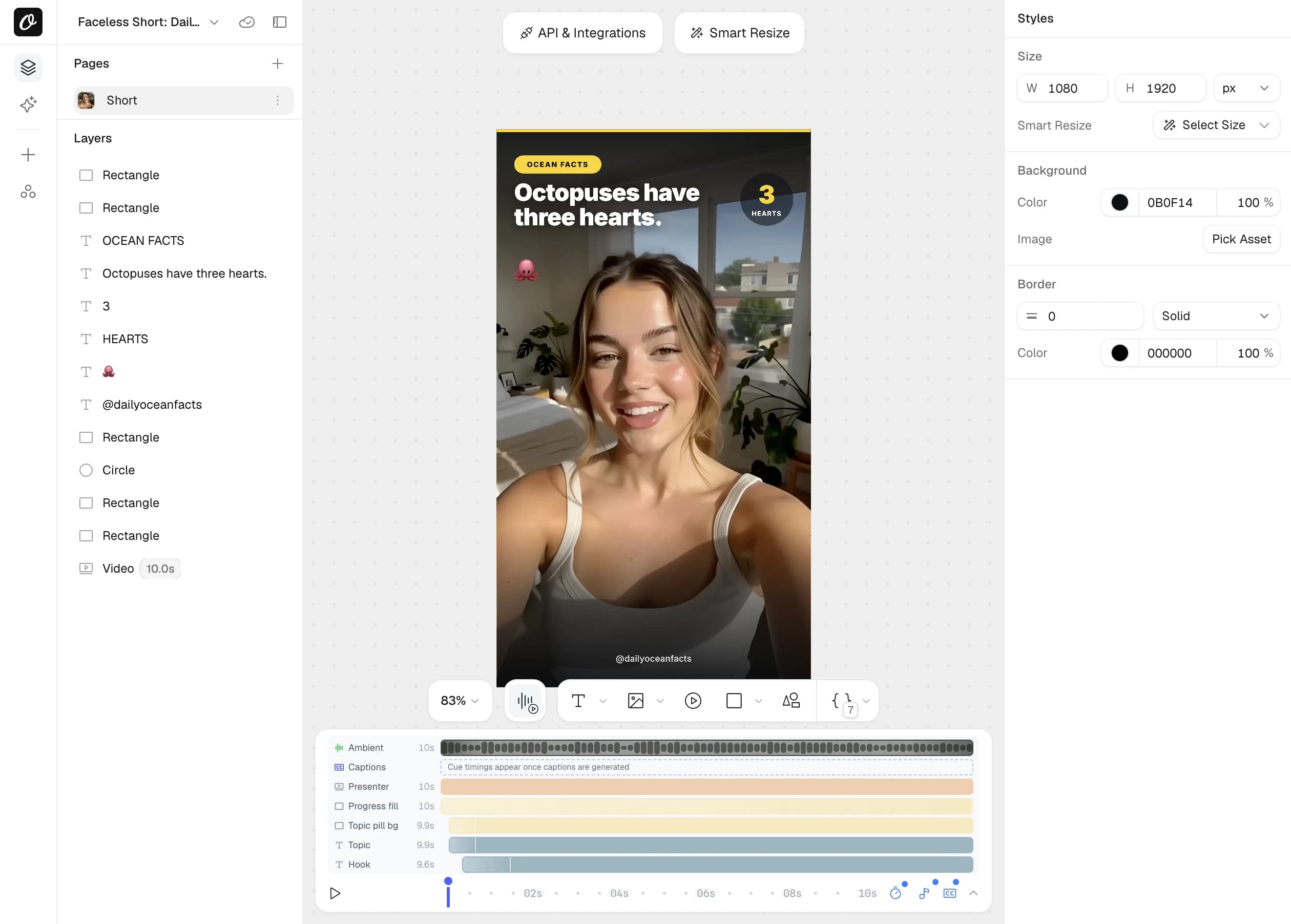
Animate once in the editor
Set the motion in Orshot Studio and every video plays it the same way.
Captions made from the audio
Pass an audio or video source and captions are generated and styled.
Pages become scenes
Multi-page templates become scenes with transitions.
Turn your data into a finished video with one API call
Send a template ID and your values, and the animations you set in the editor play in the video. Ask for MP4, WebM, MOV, MKV or GIF.
npm install orshotcurl -X POST https://api.orshot.com/v1/studio/render \
-H "Authorization: Bearer $ORSHOT_API_KEY" \
-H "Content-Type: application/json" \
-d '{
"templateId": 1234,
"modifications": {
"title": "Five Things Worth Your Time",
"photo_main": "https://example.com/photo.jpg"
},
"response": { "type": "url", "format": "mp4" },
"videoOptions": { "subtitleSource": "auto" }
}'Node.js install: npm install orshot
import { Orshot } from 'orshot';
const orshot = new Orshot(process.env.ORSHOT_API_KEY);

const { data } = await orshot.renderFromStudioTemplate({
  templateId: 1234,
  modifications: {
    title: 'Five Things Worth Your Time',
    photo_main: 'https://example.com/photo.jpg',
  },
  response: { type: 'url', format: 'mp4' },
  videoOptions: { subtitleSource: 'auto' },
});

// data.content → the rendered video URL
Python install: pip install orshot
import orshot
client = orshot.Orshot("<ORSHOT_API_KEY>")

response = client.render_from_studio_template({
  "template_id": 1234,
  "modifications": {
    "title": "Five Things Worth Your Time",
    "photo_main": "https://example.com/photo.jpg",
  },
  "response": { "type": "url", "format": "mp4" },
  "video_options": { "subtitle_source": "auto" },
})
Ruby install: gem install orshot
require 'orshot'
client = Orshot::Client.new("<ORSHOT_API_KEY>")

response = client.render_from_studio_template({
  'template_id' => 1234,
  'modifications' => {
    'title' => 'Five Things Worth Your Time',
    'photo_main' => 'https://example.com/photo.jpg',
  },
  'response' => { 'type' => 'url', 'format' => 'mp4' },
  'videoOptions' => { 'subtitleSource' => 'auto' },
})
PHP install: composer require rishimohan/orshot
<?php require 'vendor/autoload.php';

use Orshot\Client;
$client = new Client("<ORSHOT_API_KEY>");

$response = $client->renderFromStudioTemplate([
  'templateId' => 1234,
  'modifications' => [
    'title' => 'Five Things Worth Your Time',
    'photo_main' => 'https://example.com/photo.jpg',
  ],
  'response' => [ 'type' => 'url', 'format' => 'mp4' ],
  'videoOptions' => [ 'subtitleSource' => 'auto' ],
]);





One template can be an image, a PDF or a video
The template, the parameters and the SDKs are the same for all three. Set response.format and you get an image, a PDF or a video.
Images
Social posts, OG images, ads and carousels from one template.
- Every layer changeable per request
- AI text and AI images from a prompt
- Any size from one design with Smart Resize
PDFs
Invoices, certificates, reports and tickets, ready to print.
- Multi-page documents in one file
- Clickable links and page ranges
- Text that flows onto new pages
Videos
This pageReels, product clips and slideshows with sound and captions.
- Voiceover, music and captions per video
- AI footage from a prompt or a photo
- Pages become scenes with transitions
Animate it once and every video moves the same way
In Orshot Studio, our visual editor, give each layer an enter, exit and ambient animation, set when it shows and hides, and preview it on the timeline.
- Fade, slide, scale, flip, text reveal and typewriter
- Stagger layers and copy animations between them
- Voiceover, music and captions on the same timeline
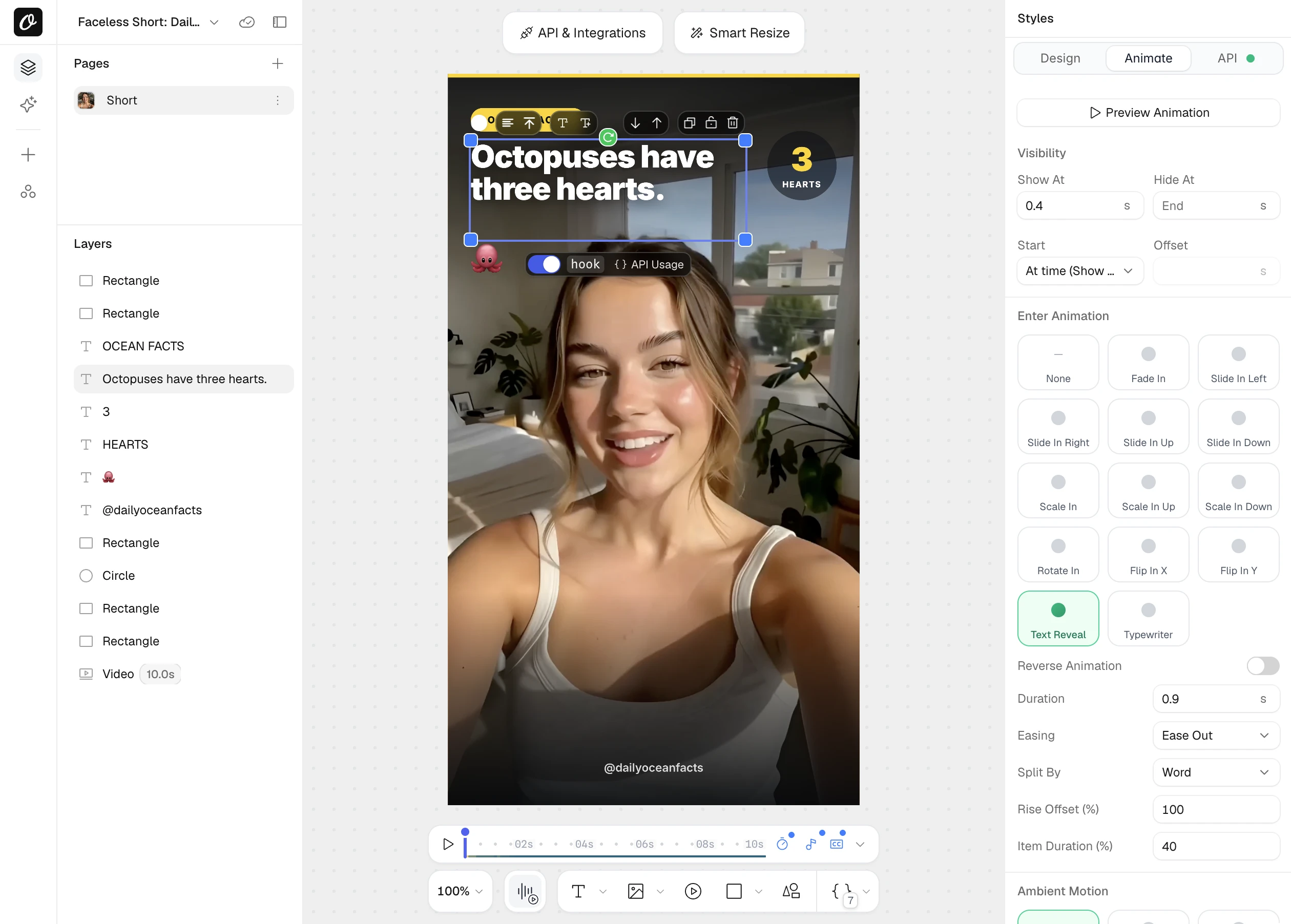
Run a real video request before you code
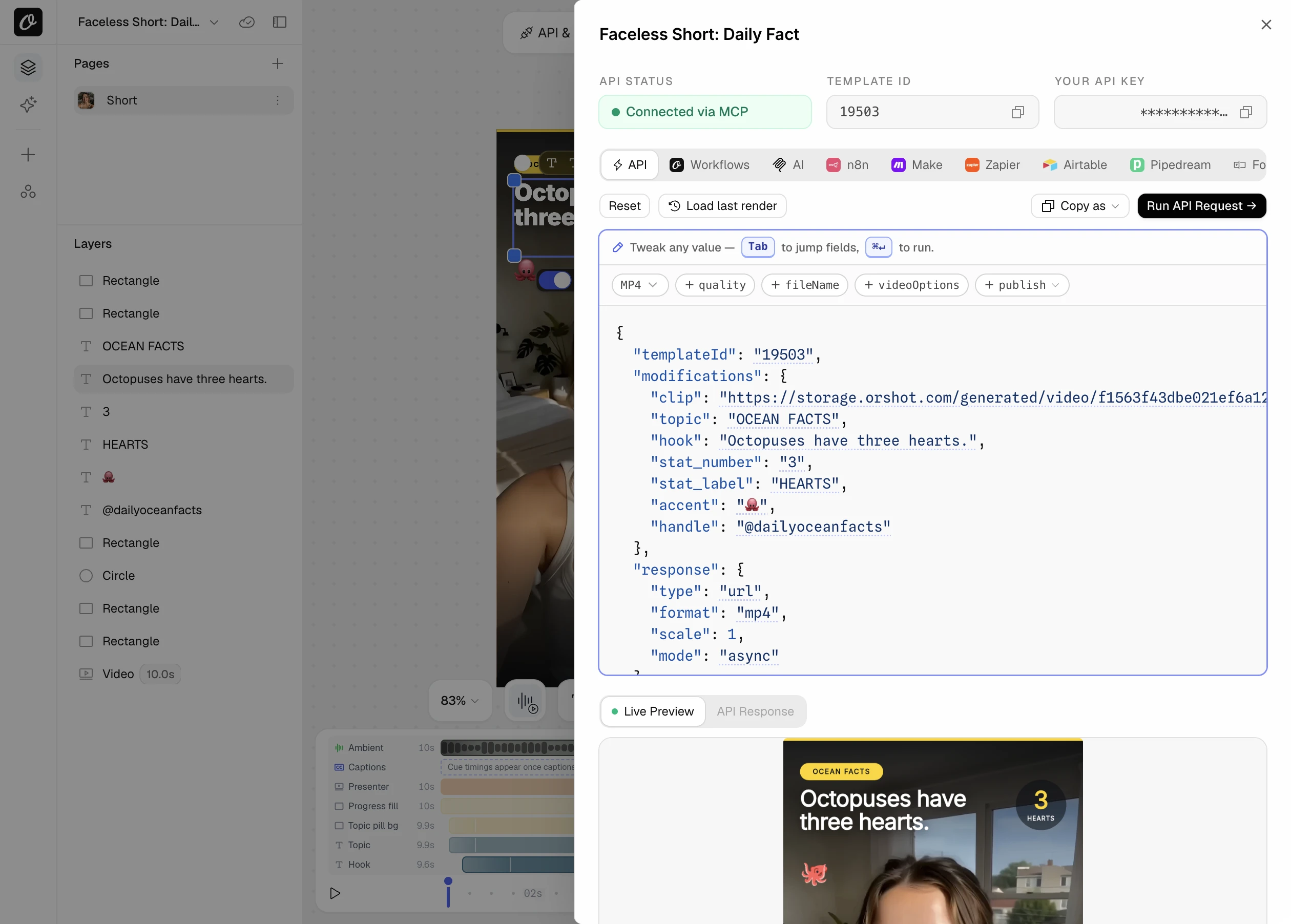
Every template comes with its request filled in, with your template ID, fields and key. Switch the format to MP4 and test it on the page.
- Copy as cURL or an SDK snippet
- Tabs for Workflows, n8n, Make, Zapier and agents
- Test a request before you write any code
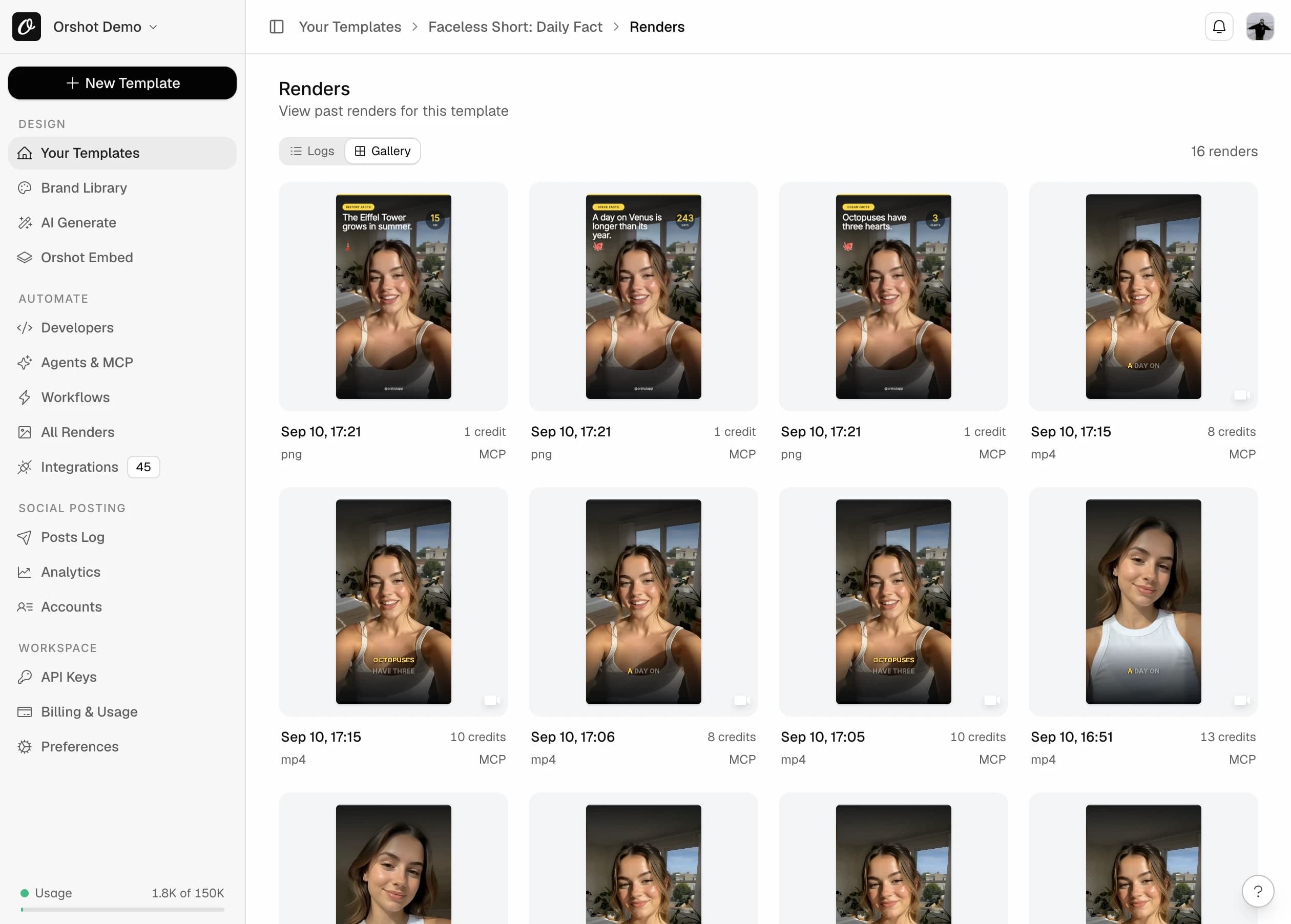
One template makes a video for every customer
Send your rows through one template and each video is saved with a preview, its format and the values you sent.
- Every file in a searchable log
- Background jobs for long videos
- Deliver to your own S3, R2, Dropbox or Drive
Videos people automate, with the code
Each example is a complete request body for POST /v1/studio/render.
One template, a video for every row
Send a name, a photo and a background clip. The animations you set in Studio play in every video.
- 1Design the template once and mark layers as dynamic
- 2Loop your rows and send each one in a request
- 3Get a hosted MP4 URL back for every row
{
  "templateId": 1234,
  "modifications": {
    "name": "Sam",
    "headline": "Your 2026 in numbers",
    "avatar": "https://example.com/sam.jpg",
    "bgVideo": "https://example.com/confetti.mp4",
    "bgVideo.trimEnd": 8,
    "bgVideo.muted": true
  },
  "response": { "format": "mp4", "type": "url" }
}The same video, a different script each time
Generate a voiceover in Studio, turn on Set per render, and the script becomes a parameter. Captions can reuse the word timings.
- 1Add a Voiceover track in Studio and pick a voice
- 2Turn on Set per render to expose the script
- 3Send the new script as a plain string
{
  "templateId": 1234,
  "modifications": {
    "name": "Sam",
    "voiceover": "Hi Sam, here is what changed in your account this week."
  },
  "response": { "format": "mp4", "type": "url" }
}Captions written from the audio
Point subtitleSource at an audio file, a video or an SRT. Pick a caption preset or style every detail yourself.
- 1Pass an mp3, a video URL or an .srt as subtitleSource
- 2Pick a preset: pill, minimal, karaoke, bold, outline or neon
- 3Override any single style on top of the preset
{
  "templateId": 1234,
  "response": { "format": "mp4", "type": "url" },
  "videoOptions": {
    "subtitleSource": "https://example.com/voiceover.mp3",
    "captionPreset": "karaoke",
    "subtitlePosition": "center",
    "subtitleActiveColor": "#FFE14D"
  }
}Slideshows from your pages
Each page of a multi-page template is a scene. Combine them into one video with a transition between pages.
- 1Build one page per scene in Studio
- 2Prefix values with page1@, page2@ and so on
- 3Set combinePages and pick a transition
{
  "templateId": 1234,
  "modifications": {
    "page1@title": "12 Oak Street",
    "page1@photo": "https://example.com/front.jpg",
    "page2@title": "Three bedrooms",
    "page2@photo": "https://example.com/living.jpg",
    "page3@title": "Book a viewing"
  },
  "response": { "format": "mp4", "type": "url" },
  "videoOptions": {
    "combinePages": true,
    "pageTransition": "smoothleft",
    "pageTransitionDuration": 0.5
  }
}Footage from a prompt, inside your template
Any video layer accepts a prompt. The clip is generated, cached and placed into the design in one call. The same prompt is only generated once.
- 1Give a video layer a parameter id in Studio
- 2Send a prompt, or a photo to animate, on the layer id
- 3Use async mode, generation can take a couple of minutes
{
  "templateId": 1234,
  "modifications": {
    "headline": "Brewed slow",
    "hero_clip.prompt": "a ceramic coffee cup by a window, morning light",
    "hero_clip.preset": "product-hero",
    "hero_clip.look": "clean-studio",
    "hero_clip.duration": 5
  },
  "response": { "format": "mp4", "mode": "async" }
}A talking UGC clip from one photo and a script
Send a clear portrait and what the person should say. Orshot turns the script into speech and the photo into a speaking clip, then places it inside your ad template with captions.
- 1Put a video layer in your ad template and give it an id
- 2Send the portrait, the script and consent: true
- 3Add a caption preset so the words show on screen
{
  "templateId": 1234,
  "modifications": {
    "headline": "I switched 3 weeks ago",
    "creator.imageRef": "https://example.com/portrait.jpg",
    "creator.script": "Three reasons I switched, and why I'm not going back.",
    "creator.preset": "ugc-selfie-talk",
    "creator.consent": true
  },
  "response": { "format": "mp4", "mode": "async" },
  "videoOptions": { "captionPreset": "bold" }
}Generated, then posted, in one request
Add a publish block and the finished video goes to TikTok, Instagram, YouTube, LinkedIn and more. Post now, schedule it or save a draft.
- 1Connect your social accounts in Orshot
- 2Add publish with the account ids and a caption
- 3Read each account's status from the response
{
  "templateId": 1234,
  "modifications": { "quote": "Ship it, then fix it." },
  "response": { "format": "mp4", "mode": "async" },
  "publish": {
    "accounts": [1, 2],
    "content": "Quote of the day"
  }
}Long videos without timeouts
Async mode returns a job straight away. Poll it, or pass a webhook and Orshot calls you when the video is ready.
- 1Add mode async to the response object
- 2Poll the job, or pass webhook_url
- 3The result is the same body a normal request returns
{
  "templateId": 1234,
  "modifications": { "title": "Weekly recap" },
  "response": { "format": "mp4", "mode": "async" },
  "webhook_url": "https://acme.com/hooks/orshot"
}

// then: GET /v1/studio/render-jobs/{id}Ask for the video in plain words
Connect Orshot to Claude, ChatGPT or Cursor. The agent can design the template, find stock footage, add a voiceover and captions, make the video and post it.
- 1Connect Orshot to Claude, ChatGPT, Cursor or another AI agent
- 2Describe the video you want
- 3The agent makes it and hands you the link
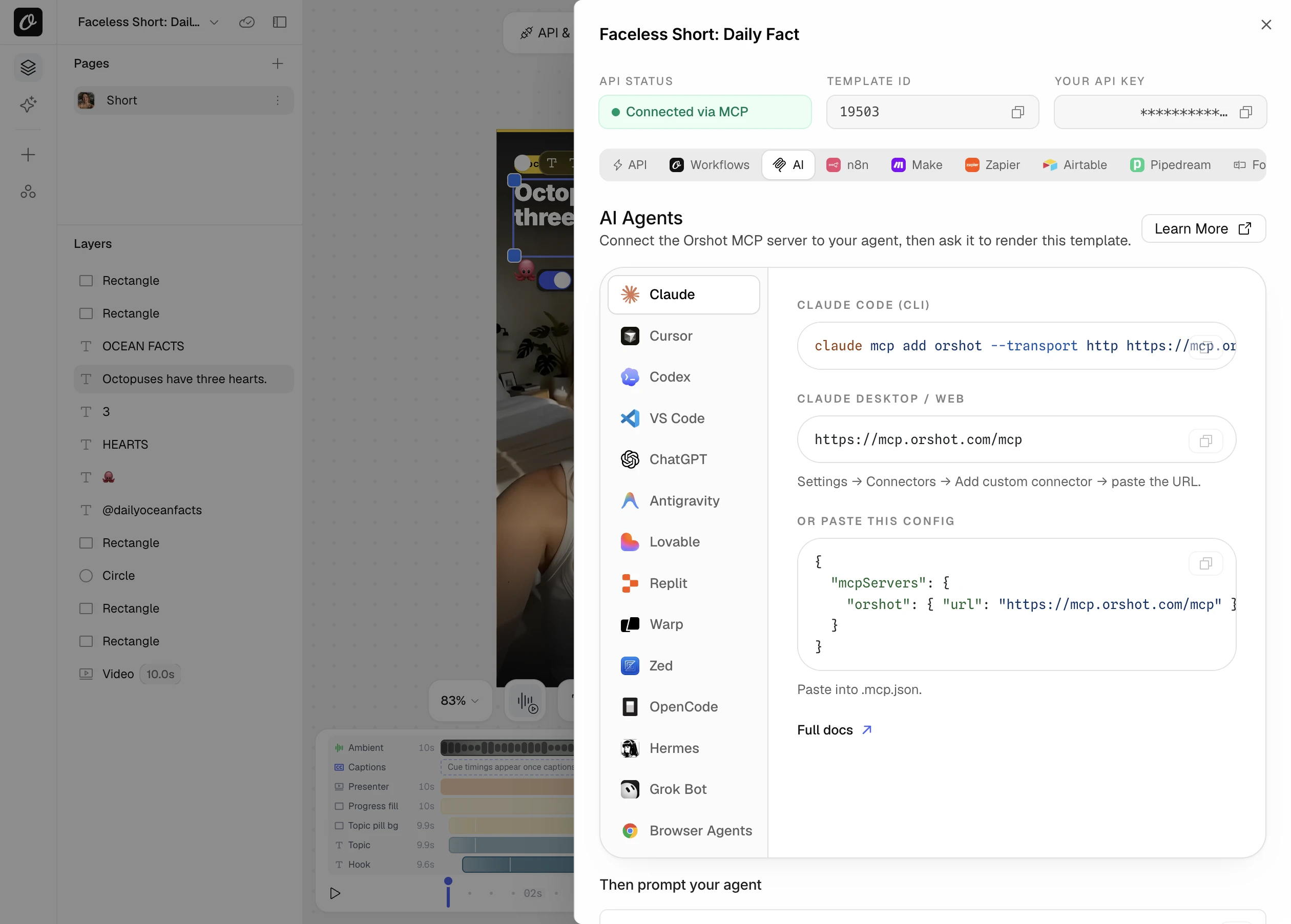
Make a 10 second vertical video for our spring sale using the promo template. Add an upbeat voiceover, karaoke captions, and post it to TikTok.
Change the script, clips and captions per video
The template sets the defaults. Anything below can be set for a single video, from the API, in Studio or by an agent.
Text, images and clips
Every dynamic layer takes a new value. Video layers also take playback options.
{id}- New text, image URL or video URL for a layer
{id}.trimStart / .trimEnd- Use part of a clip, in seconds
{id}.muted- Keep or drop the clip's own audio
{id}.loop- Loop a short clip to fill the scene
page2@{id}- Target a layer on a specific page
{
  "modifications": {
    "headline": "5 tips for better focus",
    "logo": "https://example.com/logo.png",
    "bgVideo": "https://example.com/office.mp4",
    "bgVideo.trimStart": 2,
    "bgVideo.trimEnd": 12,
    "bgVideo.muted": true,
    "bgVideo.loop": true
  }
}Restyle a layer without a new template
Position, size, color, fonts and effects are set by adding a key to the layer id.
.x .y .width .height- Move or resize any layer
.color .fontSize .fontFamily- Text color, size and any Google or custom font
.backgroundColor .textStrokeWidth- Text highlight and outline
.opacity .filter- Fade or blur a layer
.borderRadius .objectFit- Crop and round images
{
  "modifications": {
    "headline.color": "#FFE14D",
    "headline.fontFamily": "Archivo Black",
    "headline.fontSize": "72px",
    "badge.opacity": "0.8",
    "photo.borderRadius": "24px",
    "photo.objectFit": "cover"
  }
}Generate the clip inside the same request
What you send decides what you get: a prompt makes footage, a prompt with a photo animates it, a photo with a script makes the person speak.
.prompt- Footage from text
.imageRef / .lastImageRef- Animate a photo, or move between two frames
.script .voice .consent- Make the person in a photo speak
.preset / .look- 11 roles and 35+ visual looks
.duration / .fullHd- 3 to 15 seconds, optional 1080p
{
  "modifications": {
    "hero_clip.prompt": "slow aerial shot over a pine forest at dawn",
    "hero_clip.preset": "b-roll",
    "hero_clip.look": "travel-drone",
    "hero_clip.duration": 6,
    "page2@bg.prompt": "soft gradient waves in brand colours",
    "page2@bg.preset": "background-loop"
  },
  "response": { "format": "mp4", "mode": "async" }
}Narration, music and sound per video
Pages can hold several tracks: music, a generated voiceover, ambient sound. Swap any of them for a single video.
{voiceoverId}- New narration script, spoken in the voice you picked
videoOptions.audioSource- Replace audio with one URL, or per page and track
videoOptions.muted- Mute everything, including page audio
{
  "modifications": {
    "voiceover": "Three reasons to try the new plan."
  },
  "videoOptions": {
    "audioSource": [
      { "page": 1, "url": "https://example.com/music.mp3" },
      { "page": 1, "track": 1, "url": "https://example.com/vo.mp3" }
    ]
  }
}Captions from audio, video or SRT
Six presets, word by word mode, and more than twenty style options when you want full control.
subtitleSource- An mp3, a video or an .srt, one or per page
captionPreset- pill, minimal, karaoke, bold, outline, neon
subtitleMode- phrase or word-by-word
subtitleWordReveal- appear, highlight or align
subtitlePosition / subtitleOffset- bottom, top or center, and the gap from the edge
subtitleActiveColor- Color of the word being spoken
{
  "videoOptions": {
    "subtitleSource": "https://example.com/song.mp3",
    "subtitleMode": "word-by-word",
    "subtitleWordReveal": "highlight",
    "subtitlePosition": "center",
    "subtitleFontFamily": "Poppins",
    "subtitleFontSize": "34px",
    "subtitleBackground": "transparent",
    "subtitleActiveColor": "#FFE14D",
    "subtitleStrokeWidth": 2
  }
}Tune the animation per video
Animations are set in Studio. Any motion value can still be changed, added or removed for a single video.
{id}.motion.<path>- Override or add motion on a layer
motion.<path>- Page level motion, such as camera moves and grain
null- Removes a behavior for that video
"stat": "742"- A count up layer counts to the number you send
{
  "modifications": {
    "weekly_stat": "742",
    "cta.motion.press.at": 3.2,
    "badge.motion.pulse": null,
    "motion.look.grain": 0.1,
    "motion.camera.moves": [
      { "at": 2, "duration": 1.5, "zoom": 1.06 }
    ]
  }
}Length, quality and which pages
Trim the output, set the frame rate, include only some pages or stitch them together.
videoOptions.trimStart / trimEnd- Cut the final video, in seconds
videoOptions.duration- Length when no trim range is given
videoOptions.fps- 1 to 30. Picked for you when left out
videoOptions.quality- 1 to 100
response.includePages- Include only these pages
combinePages / pageTransition- One video with fades, wipes, slides and more
{
  "response": {
    "format": "mp4",
    "type": "url",
    "includePages": [1, 2, 3]
  },
  "videoOptions": {
    "fps": 30,
    "quality": 85,
    "trimStart": 0,
    "trimEnd": 20,
    "combinePages": true,
    "pageTransition": "fade",
    "pageTransitionDuration": 0.5
  }
}Format, delivery and posting
Pick the container, run it in the background, name the file and post it.
response.format- mp4, webm, mov, mkv or gif
response.mode- async returns a job at once
webhook_url- Called when the job finishes
response.fileName- Your own file name
publish- Post to connected social accounts, now, later or as a draft
{
  "templateId": 1234,
  "response": {
    "format": "webm",
    "mode": "async",
    "fileName": "spring-sale-story"
  },
  "webhook_url": "https://acme.com/hooks/orshot",
  "publish": {
    "accounts": [1],
    "content": "Spring sale starts today"
  }
}Turn spreadsheet rows into Reels without code
Ready-made workflows take a trigger and your template, then deliver or post the finished video.



Turn spreadsheet rows into short videos
Render a short video from a template for each row in a Google Sheet, then post to TikTok, Reels, or YouTube Shorts.


Make product videos from your Shopify store
Turn each new Shopify product into a short promo video and post it to Instagram and TikTok, no editing.
Auto-post daily quote videos to TikTok
Pick a quote from a Google Sheet each day, render a short video, and post it to TikTok automatically.
Everything the video API does
Every video feature, grouped by where you use it. Weighing your options? See video generation APIs compared.
Design it once, visually
- Enter and exit animations per layer
- Text reveal and typewriter for headlines
- Ambient motion: Ken Burns, float, pulse, drift
- Count up numbers and press effects
- Stagger, and copy and paste animations
- Film grain and vignette
- Timeline with show and hide times
- Several audio tracks per page
- Volume, fade, trim, offset and loop
- AI voiceover and ambient sound
- Animated audio waveforms
- Auto captions or your own SRT
- Caption presets you can preview
- Multi-page templates as scenes
- Custom fonts and brand assets
- Import from Canva and Figma
One endpoint, every option
- MP4, WebM, MOV, MKV and GIF
- Multi-page slideshows with 30+ transitions
- Include only selected pages
- Async jobs with polling or webhooks
- Hosted URL for every video
- Swap text, images and clips
- Trim, mute and loop any clip
- Change color, size and font per request
- Per video motion and camera moves
- Frame rate, quality and output trim
- Narration script as a parameter
- Replace audio per page and per track
- Captions from mp3, video or SRT
- Six caption presets, word by word mode
- Footage from a prompt
- Animate a photo, or go from frame to frame
- Talking portraits from a script
- Cost estimate before you generate
Claude, ChatGPT, Cursor and other AI agents
- Design a video template from a brief
- Search free stock photos and videos
- Generate AI footage, voiceovers and ambient audio
- Add captions and waveforms
- Generate one video or a whole batch
- Wait on long videos without timing out
- Post to connected social accounts
- Build scheduled workflows
Comparing video generation APIs
A Designer Friendly Creatomate Alternative with Better Pricing
A Creatomate alternative with a visual editor, flat credits with zero resolution math, and a white-label embed on every plan. Get 100 free credits a month to start.
Shotstack API Alternative for Video and PDFs
A Shotstack alternative where you design video templates visually and generate MP4 and PDF files from one API that works with n8n and Make
The 9 best AI video generation APIs
A developer guide to video generation APIs and AI video models: Veo, Runway, Orshot, Shotstack and more. Which lane you need, and what each costs.
Make your first video in five minutes
The free plan includes 100 credits every month. Video costs 1 credit per second of output.