Most people who look for a Shotstack alternative aren't unhappy with the render. They're stuck on everything around it.
- The template is a JSON timeline. Their Studio edits it, but layout, positioning and merge fields still work in timeline terms.
- Video is only half the campaign. The static ad or the PDF needs a second tool.
- The n8n workflow grows. What was meant to take an afternoon runs to 16 nodes across four services.
I built Orshot around the other end of that problem. You design the template in a Figma-like editor with your brand fonts and colors, and every layer becomes an API parameter.
Then n8n, Make, Zapier, an AI agent or your own code renders it as a video, an image or a PDF.
Shotstack vs Orshot: What's Different
| Feature | Orshot | Shotstack |
|---|---|---|
| How templates are built | Designed visually in Orshot Studio, a Figma-like editor | A JSON timeline of tracks and clips, with {{ MERGE }} fields |
| Output formats | MP4, WebM, MOV, MKV, GIF, PNG, JPG, WebP, AVIF and PDF from the same template | Video, images and audio. No PDF |
| Multi-page templates | Carousels, slideshows and multi-page PDFs in one call | One timeline per render |
| Voiceover and captions | Generate a voiceover in Studio, captions from its word timings | Text-to-speech and caption assets added to the JSON timeline |
| Built-in workflows | Trigger, render and publish on a schedule | Via n8n, Make or Zapier |
| Social publishing | Post to 15 platforms from the render call | Storage and Vimeo destinations, no social posting |
| Template import | Canva, Figma, HTML and more | Build in JSON or their editor |
Shotstack details checked against shotstack.io in September 2026.
Orshot vs Shotstack in Numbers
Three numbers you can check yourself, from public pricing pages, docs and n8n templates.
- n8n nodes for a faceless Short
- Orshot4Shotstack16
- Services to sign up for
- Orshot1Shotstack4
- Social platforms to post to
- Orshot15Shotstack0
Where Shotstack Setups Get Stuck
I read through what people building on Shotstack actually post in the n8n and Make communities. The render itself rarely comes up. These do:
- Positioning in timeline terms. A Shotstack template is a JSON edit with merge fields, and their Studio edits that JSON. Capterra reviewers call the positioning and anchor system clunky, and the JSON format tough to start with.
- A long chain of nodes. A public n8n template for AI news Shorts on Shotstack (template 16201) runs 16 nodes across Groq, VoiceRSS, Pexels and Shotstack.
- Four of those nodes only start the render, wait 30 seconds, fetch the render URL and download the MP4.
- Each service is another key, another bill and another place for the run to fail.
- Matching the callback to the record. One Make user spent two full days matching Shotstack callbacks back to the right Airtable rows. The render is fine; wiring it back into your data is where the time goes.
- Video only. The same campaign usually needs a static ad, a carousel or a PDF too, and that means a second tool with a second template.
Design the Template, Not the JSON
This is the biggest change when you move from Shotstack to Orshot. Nobody writes a timeline.
You design in Orshot Studio, a Figma-like editor with a video timeline, layers, animations and your brand kit.
- Mark a layer as dynamic and it becomes an API parameter with a name you choose, like
headlineorproduct_image. - The API tab then writes the request for you.
Here's a video template open in Orshot Studio, with a voiceover and captions. Press play on the timeline at the bottom.
A few things that live in extra nodes or extra JSON on a Shotstack setup are part of the template:
- Voiceover. Write the script in Studio, pick a voice and generate it. Turn on Set per render and each render speaks its own copy, with no separate voice step.
- Captions. Generate them from the voiceover or any audio track, or pass an
.srtor.vttper render.- One option,
captionPreset, sets the whole look: pill, minimal, karaoke, bold, outline or neon. - Or set font, color and position yourself.
- One option,
- Audio. Music beds and ambient tracks with volume, fade, trim and loop, swappable per render with
audioSource. - Clips. Replace any video layer's source and set its
trimStart,trimEnd,mutedandloopper render. - Brand. Fonts, colors and logos come from your brand kit, so every render stays on brand.
Already have designs in Canva or Figma? Import them instead of starting from a blank canvas.
One API Call for Video, Images and PDFs
Here's what the render looks like. The tabs show the same template rendered three ways, the webhook that comes back, and the Shotstack call it replaces.
Swap the text, the background clip and the soundtrack, and get an MP4 back with karaoke captions generated from the audio.
const res = await fetch("https://api.orshot.com/v1/studio/render", {
  method: "POST",
  headers: {
    Authorization: "Bearer YOUR_ORSHOT_API_KEY",
    "Content-Type": "application/json",
  },
  body: JSON.stringify({
    templateId: "YOUR_TEMPLATE_ID",
    modifications: {
      headline: "5 habits of calm founders",
      bgVideo: "https://cdn.example.com/clips/desk.mp4",
      "bgVideo.trimStart": 2,
      "bgVideo.trimEnd": 12,
    },
    response: { type: "url", format: "mp4" },
    videoOptions: {
      audioSource: "https://cdn.example.com/voiceover.mp3",
      subtitleSource: "https://cdn.example.com/voiceover.mp3",
      captionPreset: "karaoke",
    },
  }),
});
The same template and the same parameters, rendered as a static ad. Only the format changes.
body: JSON.stringify({
  templateId: "YOUR_TEMPLATE_ID",
  modifications: {
    headline: "5 habits of calm founders",
  },
  response: { type: "url", format: "png" },
}),
Multi-page templates render every page in one call. Prefix a parameter with the page number to fill each one.
body: JSON.stringify({
  templateId: "YOUR_TEMPLATE_ID",
  modifications: {
    "page1@headline": "Q3 creative report",
    "page2@headline": "Top performing ads",
    "page2@chart": "https://cdn.example.com/chart.png",
  },
  response: { type: "url", format: "pdf" },
}),
Longer videos can run in the background. Pass metadata with your own record ID and it comes back in the webhook, so matching the file to the row is one lookup.
body: JSON.stringify({
  templateId: "YOUR_TEMPLATE_ID",
  modifications: { headline: "5 habits of calm founders" },
  response: { mode: "async", format: "mp4" },
  webhook_url: "https://acme.com/hooks/orshot",
  metadata: "airtable-rec8412",
}),

// Your webhook receives:
// {
//   "event": "render_job.finished",
//   "job": { "id": 1204, "status": "succeeded", "result": { ... }, "metadata": "airtable-rec8412" }
// }
For comparison, rendering a saved Shotstack template with merge fields.
const res = await fetch("https://api.shotstack.io/edit/v1/templates/render", {
  method: "POST",
  headers: {
    "x-api-key": "YOUR_SHOTSTACK_API_KEY",
    "Content-Type": "application/json",
  },
  body: JSON.stringify({
    id: "YOUR_SHOTSTACK_TEMPLATE_ID",
    merge: [
      { find: "HEADLINE", replace: "5 habits of calm founders" },
      { find: "BG_VIDEO", replace: "https://cdn.example.com/clips/desk.mp4" },
    ],
  }),
});
// Then poll GET /edit/v1/render/{id} or wait for the callback
Full references: video generation, video options, async renders and dynamic parameters.
Faceless Videos in n8n, With Fewer Steps
Shotstack has a verified n8n node, and so does Orshot. The difference is how many other nodes the workflow needs.
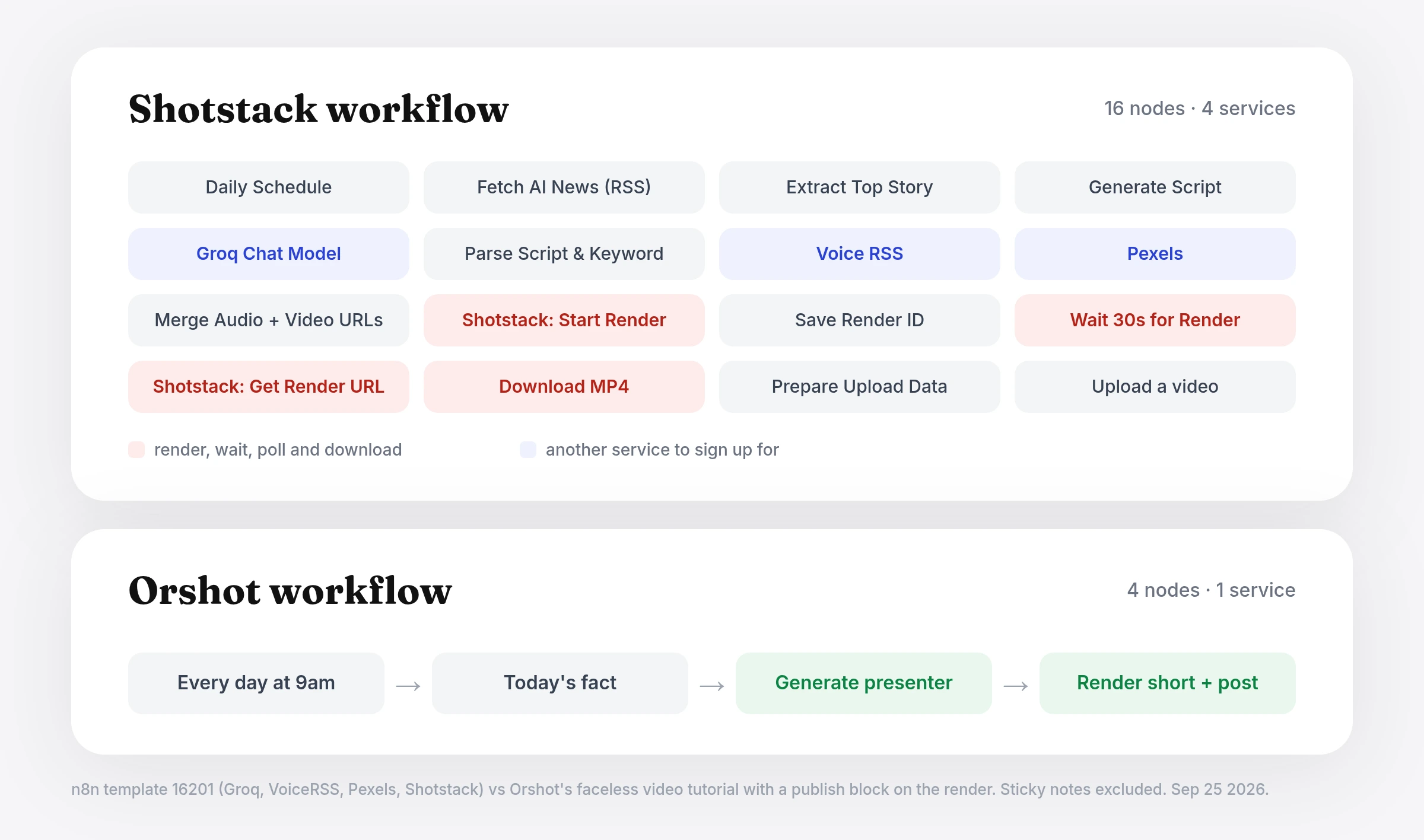
On Orshot, the voiceover, captions, brand and layout live in the template, and posting happens in the render call.
- Our faceless Shorts workflow in n8n is 4 nodes: a schedule, one set node and two Orshot calls.
- The Shotstack template above needs 16.
- The same approach works in Make and Zapier.
The full build, with an AI presenter, voiceover and captions from two API calls and posting to Instagram and TikTok, is in How to Automate Faceless Videos with n8n.
Rather not run a separate automation tool at all? Orshot Workflows do the trigger, render and publish inside the same product. This one picks a quote from a Google Sheet each day, renders a short video and posts it to TikTok:
Want an AI agent to do it instead? With Orshot for agents, Claude, ChatGPT or Cursor can render a template and post the result from a plain prompt.
Static Ads and Video From One Template
A common question in n8n and marketing communities: which tool can make both the static ads and the video ads for the same campaign? People end up comparing a video API and an image API side by side, then running both.
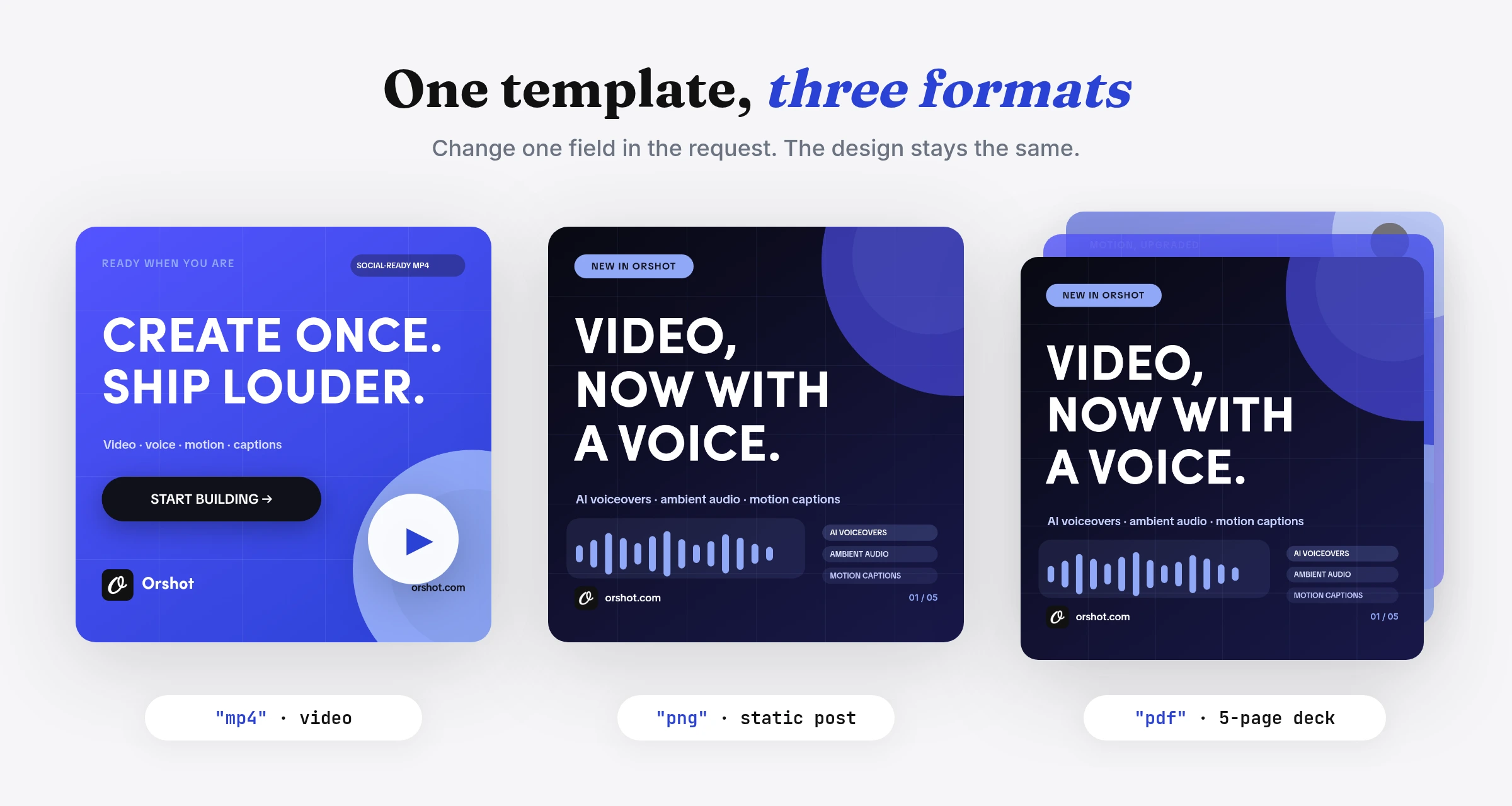
On Orshot that's one template. Design the job ad once, with the role, salary and location as parameters, then render it from the same data as:
- a PNG for LinkedIn
- a carousel for Instagram
- an MP4 for TikTok
- a PDF for the job pack
Smart Resize re-fits the layout for each social size in the same call.
Add a publish object to the render and Orshot posts it to 15 platforms, including TikTok, Instagram, YouTube and LinkedIn. It can also save a draft or schedule the post. Social publishing is $12 a month per connected account.
Shotstack Pricing, and How Orshot Bills
Shotstack bills by rendered minute at any resolution, counted to the second:
- Pay as you go: $0.30 a minute, from $75 one-time. Credits last a year.
- Subscription: from $39 a month for 200 minutes ($0.20 a minute), up to 25,000 minutes. Unused minutes roll over up to 3x your monthly amount, and overage is charged at a 30% premium.
- Free: 10 credits valid for 30 days. Sandbox renders carry a watermark.
Prices checked against shotstack.io/pricing in September 2026.
Orshot uses one credit for everything: 1 image, 1 PDF page or 1 second of video.
- Free: 100 credits every month for images and PDFs.
- Paid: video starts at $39 a month for 1,500 credits, with the editor, unlimited templates and workflows included.
- Social publishing: $12 a month per connected account.
Shotstack vs Creatomate, Remotion and JSON2Video
If you're comparing Shotstack, these are the other names that usually come up. Here's how they differ, and where Orshot sits.
Shotstack vs Creatomate
Both are video APIs built on JSON.
- Shotstack bills by the minute at any resolution.
- Creatomate bills credits that scale with resolution and frame rate, from $54 a month for 2,000 credits, and deletes rendered files after 30 days.
Read the full Creatomate comparison →
Shotstack vs Remotion
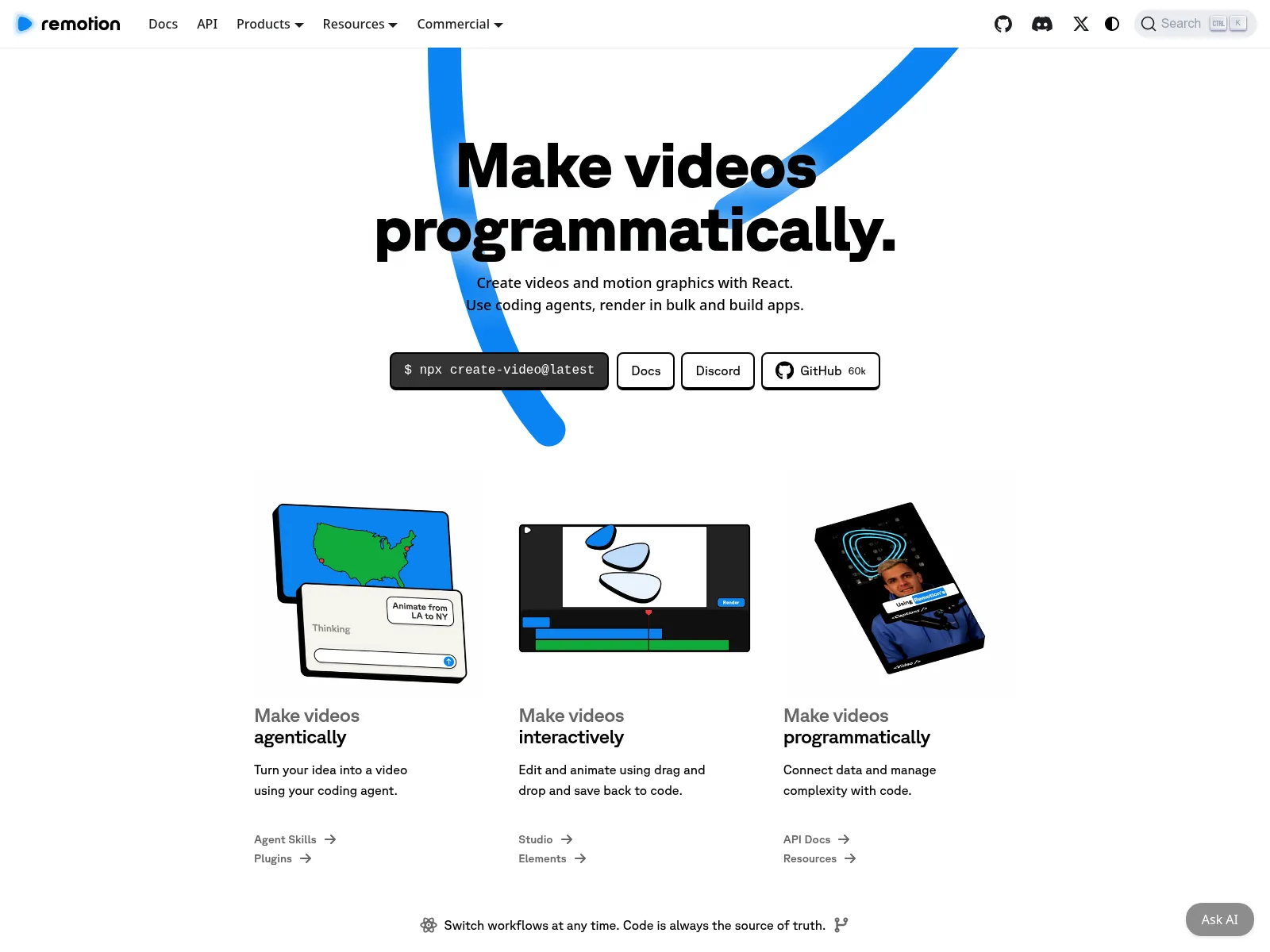
Remotion is a React library, not a hosted API. You write each video as React components and render it on your own servers or on AWS Lambda.
- Free for individuals and companies of up to 3 people.
- Larger companies need a license: $0.01 a render for automated rendering, with a $100 monthly minimum.
It fits teams who want to write video in code and run the rendering themselves.
Shotstack vs JSON2Video
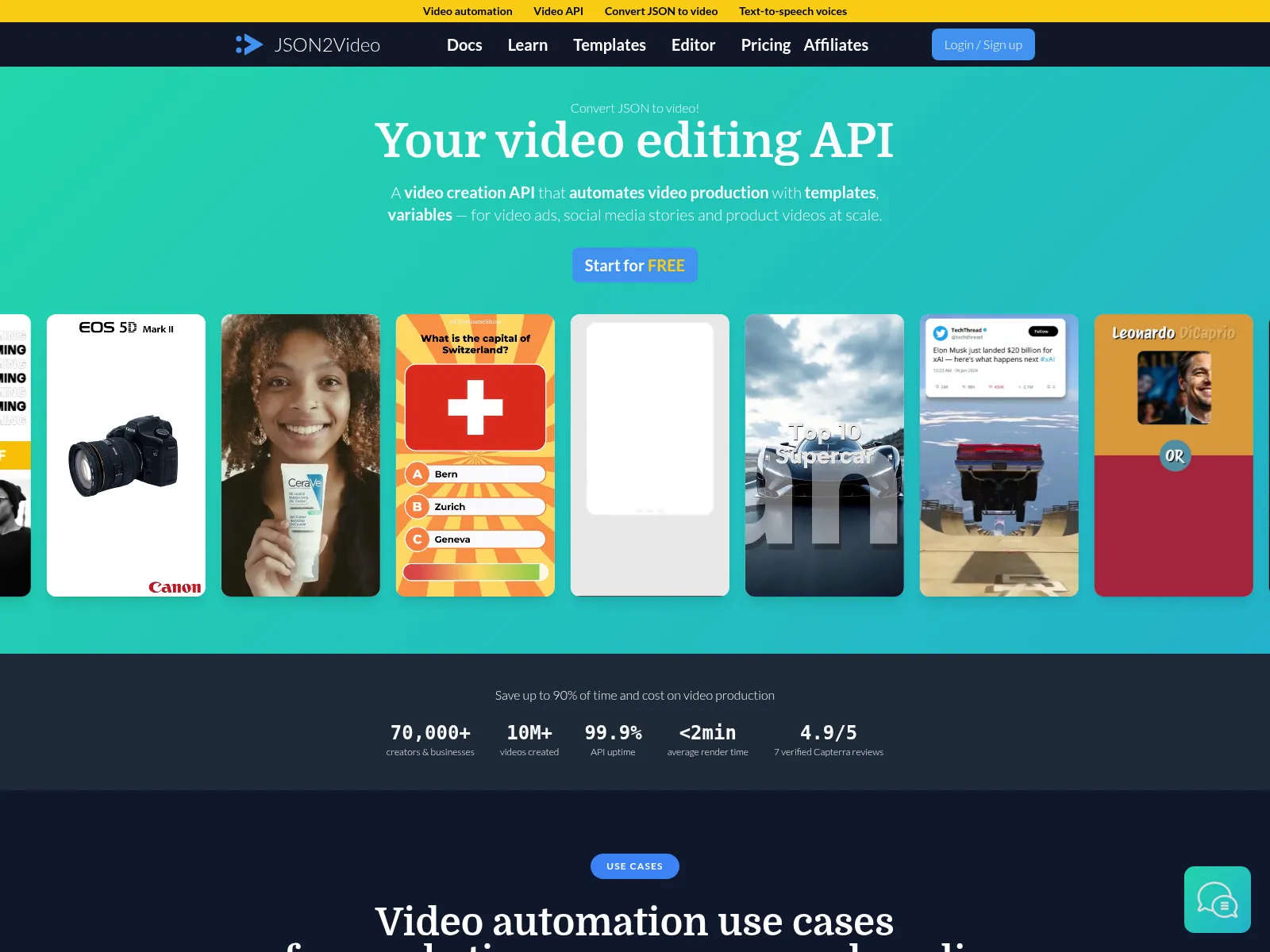
JSON2Video is another JSON video API, often used in n8n and Make workflows.
- It bills 1 credit per second of video, from $16.95 a month on annual billing, with a free plan of 600 watermarked credits.
- Like Shotstack, it doesn't output PDFs, and templates are built in JSON or its editor.
Verified pricing for more tools is in our video generation API comparison.
When Shotstack Fits Better
If your team builds long-form video entirely in code and never needs a static or PDF version, a JSON timeline API matches how you already work. Shotstack also has a high-volume plan with 4K output.
Orshot fits when:
- designers own the templates
- video is one format among several
- you want the voiceover, captions, workflow and publishing in the same place as the render
Switching From Shotstack
Most switches come down to three steps.
- Rebuild the template visually. Recreate it in Studio, import it from Canva or Figma, or describe it to the AI Design Agent.
- Name each dynamic layer after your old merge field (
HEADLINEbecomesheadline) so your data mapping stays the same.
- Name each dynamic layer after your old merge field (
- Swap the API call. Replace the
mergearray with amodificationsobject, as in the code tabs above. In n8n, Make or Zapier, swap the Shotstack step for the Orshot one. - Run both side by side for a day. Compare the outputs, tweak spacing in Studio, and cut over when they match.
Stuck on a template? Hit the chat button and I'll help you move it over.
Common Questions
What is Shotstack?
How much does Shotstack cost?
Can Shotstack generate PDFs?
Do I need to write JSON to use Orshot?
Can I use Orshot in n8n like Shotstack?
Can I add a voiceover and captions without other tools?
What is the difference between Shotstack and Creatomate?
What is the difference between Shotstack and Remotion?
Can Orshot post videos to TikTok, Instagram and YouTube?
How long does Orshot keep rendered files?
How do I move my Shotstack templates to Orshot?
Try It
Sign up, rebuild one Shotstack template in Studio, and render it as an image or a PDF on the free plan's 100 credits a month. Video renders start on paid plans from $39.
If something doesn't work the way you expect, hit the chat button. I'm usually the one on the other end.