TL;DR: Most faceless video guides stitch together five services: a script writer, ElevenLabs for voice, Whisper for captions, a stock or AI-footage provider, and Shotstack or ffmpeg to render. Five signups, five API keys, five bills. This tutorial uses two tools: n8n to move the data, and Orshot to make the video. Two calls to one Orshot API generate a lip-synced presenter from your script and render it into a finished short with karaoke captions. Change the fact, get a new video. Run it on a schedule and the channel posts itself.

What you're building
Faceless videos are short clips you publish without filming yourself. This tutorial shows how to automate faceless videos with n8n and Orshot: n8n sends a fact, Orshot generates the video, and the finished short comes back ready to post.
The output is a daily "one fact" short: a hook on screen, a presenter who speaks the fact, a stat badge, and captions that light up word by word. Here is a real render straight from the workflow, nothing edited after:
The presenter, her voice, the "OCEAN FACTS" pill, the hook, the "3 HEARTS" badge and the captions all came from Orshot. No ElevenLabs, no caption service, no video editor.
Why faceless videos are usually a pain
If you read the r/n8n and r/automation threads on faceless pipelines, the same complaints come up again and again. This tutorial is built to answer them.
- Too many services and signups. The typical build wires GPT for the script, ElevenLabs for the voice, Whisper for captions, Pexels or an AI model for footage, and Shotstack or ffmpeg to stitch it together. That is five accounts, five API keys and five things that break.
- Credentials eat your first day. People spend more time wiring OAuth and hunting voice IDs than making videos.
- Captions never line up. Getting word-synced captions to match the voice is the step that kills most builds.
- Cost creep and pricing surprises. Stacking paid tools per video adds up, and AI-generated footage can cost far more than people expect, sometimes 15 to 25 times a stock pipeline.
- "Connecting nodes" is not shipping. Plenty of builds are a canvas of nodes that never render a real video. This one renders on the first run.
How Orshot changes the setup
The fix is to collapse the whole "make the video" half into one service. n8n stays great at what it is good at: triggers, data, HTTP and hundreds of app nodes. Orshot handles everything visual and audible:
- You do not sign up for ElevenLabs, fal, Runway, HeyGen, Whisper or Shotstack. Orshot generates the talking presenter, the voice and the captions itself. One Orshot account, one API key.
- You generate from a script. Pass the words and a reference photo, and Orshot produces a lip-synced presenter speaking them. No voice service, no avatar tool.
- Captions come from that same audio, so they are always in sync. And the render composes the on-brand text and badges on top.
It is two quick calls to one API: one to generate the presenter, one to render the short. No extra tools in between.
What you'll need
- An Orshot account and an API key.
- n8n (cloud or self-hosted).
- Five minutes.
Step 1: The template
You design the video once in Orshot Studio and mark the parts that change as parameters. Everything else stays locked, so your look never drifts.
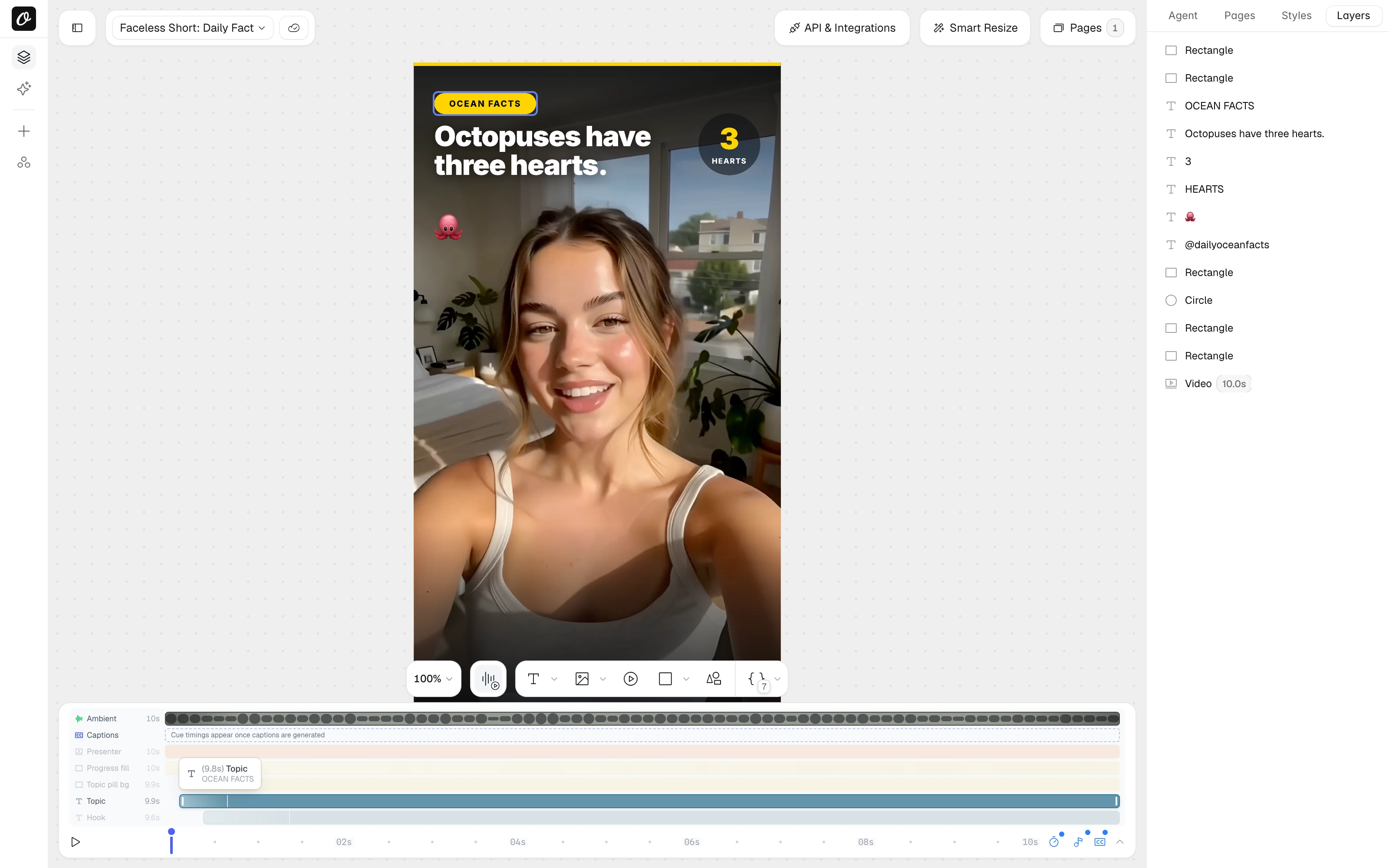
Copy this template into your workspace and change the words to your niche. It already includes:
- A presenter video layer. The workflow drops in a lip-synced clip generated from your script.
- A topic pill, a big hook line, a stat badge and a handle, all editable per render.
- Captions set to transcribe the presenter's audio, karaoke style, centered at the bottom. No Whisper account.
The parameters this template exposes: clip, topic, hook, stat_number, stat_label, handle. The workflow fills them in.
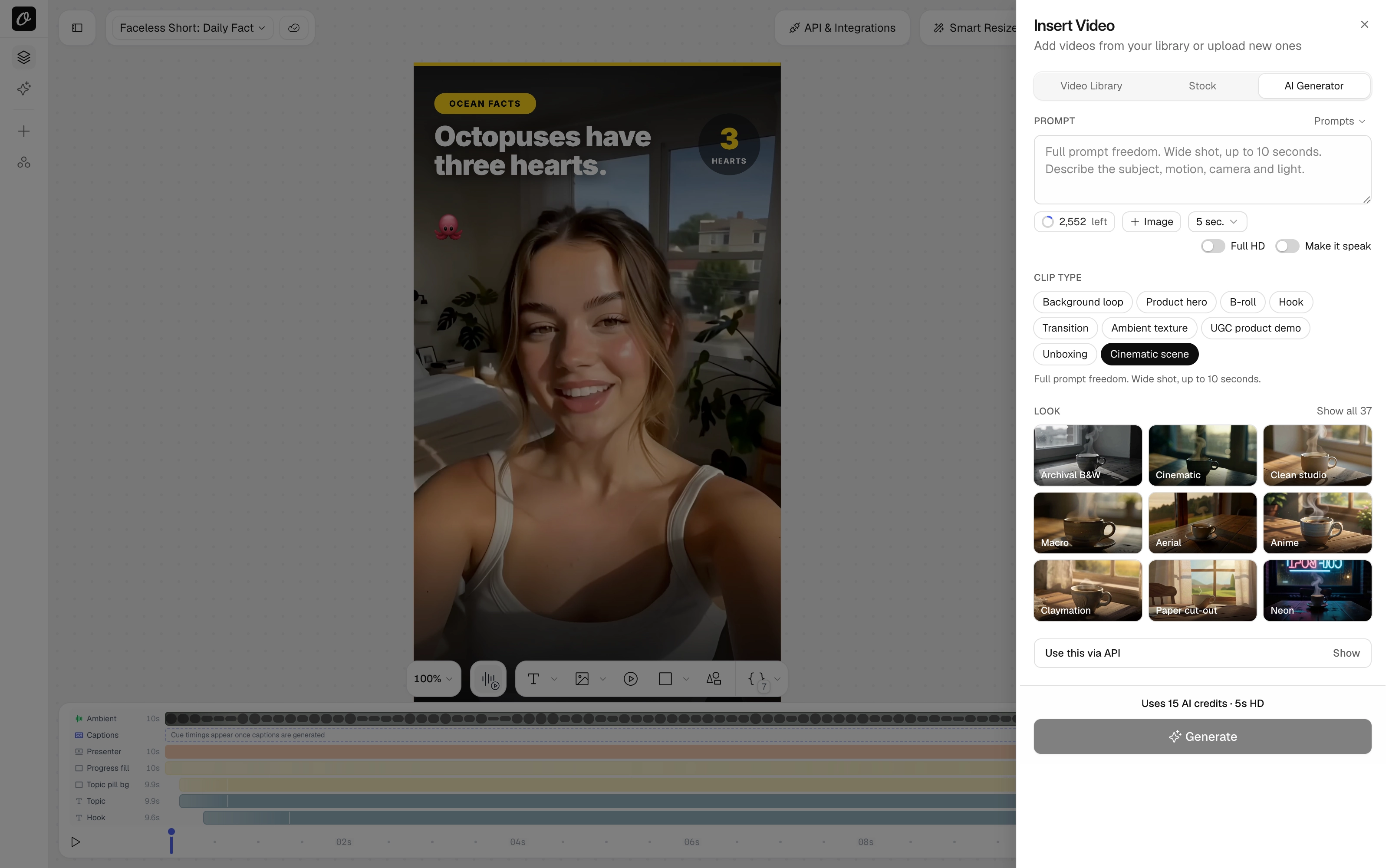
Want a different presenter, or b-roll instead of a talking head? You can generate any clip right in Studio. Open the Video picker, switch to the AI Generator tab, describe the clip, and toggle Make it speak for a talking presenter. Same thing the workflow does, just by hand.
Step 2: Get your API key
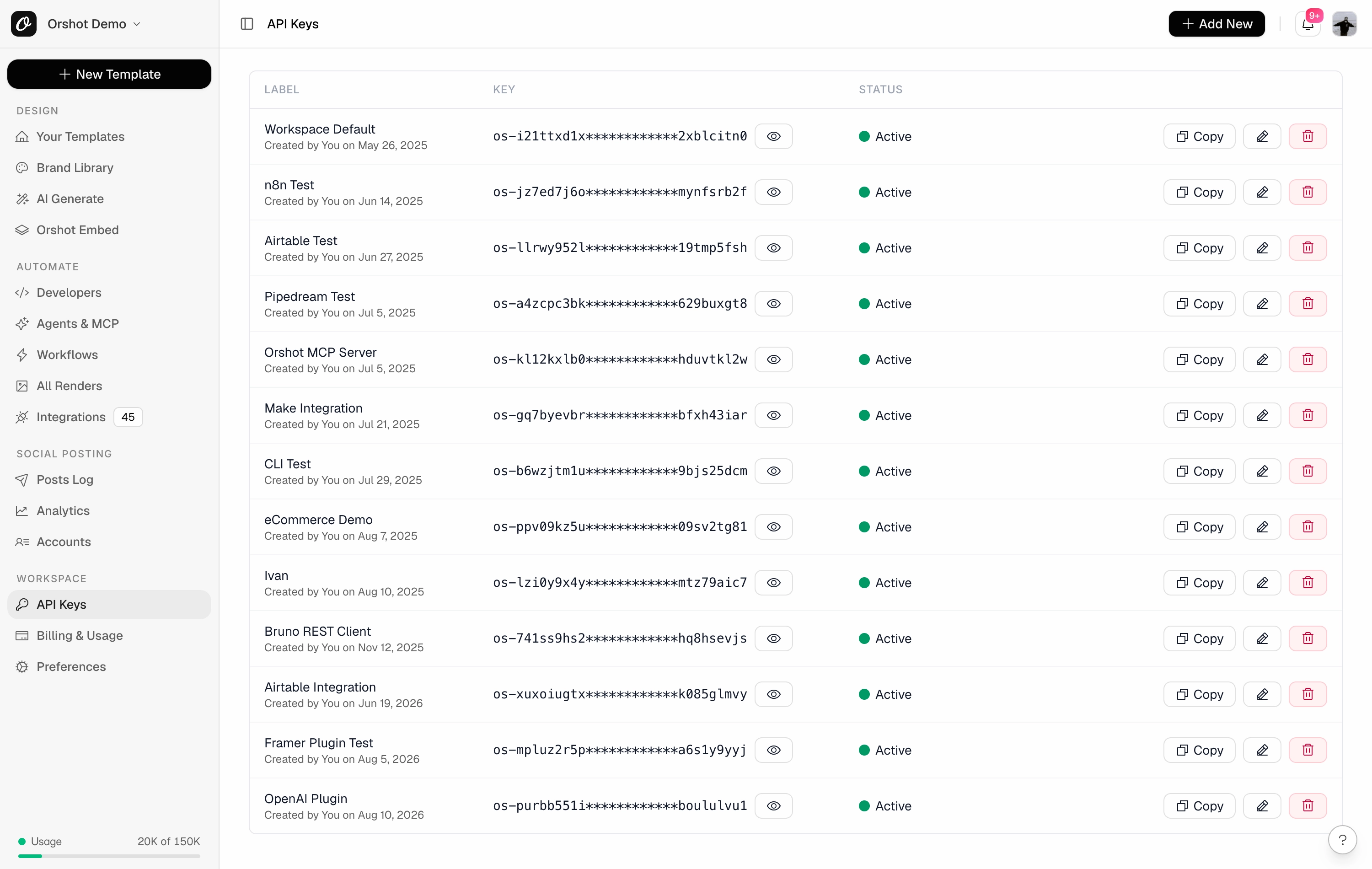
In the Orshot dashboard, open API Keys and copy one (or create a new one). You will paste it into n8n in the next step. This is the only key the whole pipeline needs.
Step 3: The workflow
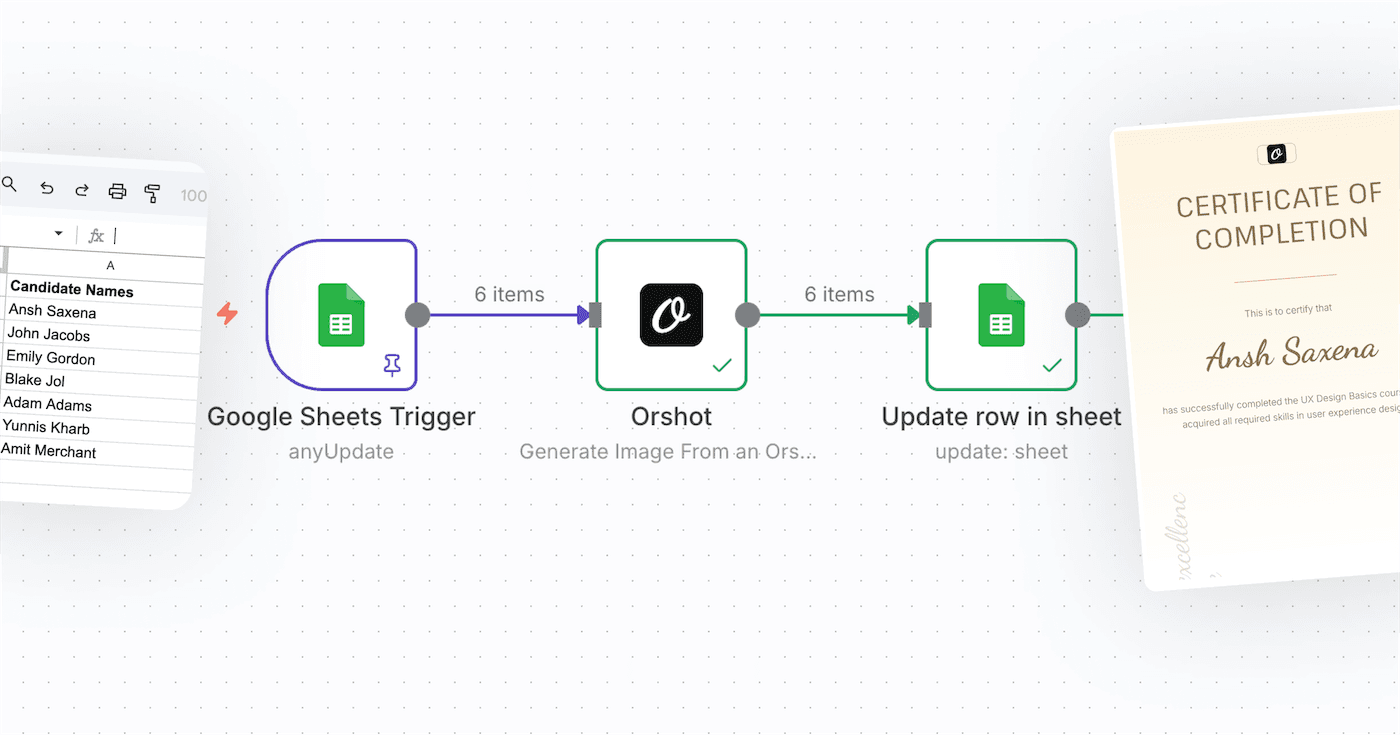
Import the workflow JSON into n8n. It is four nodes.
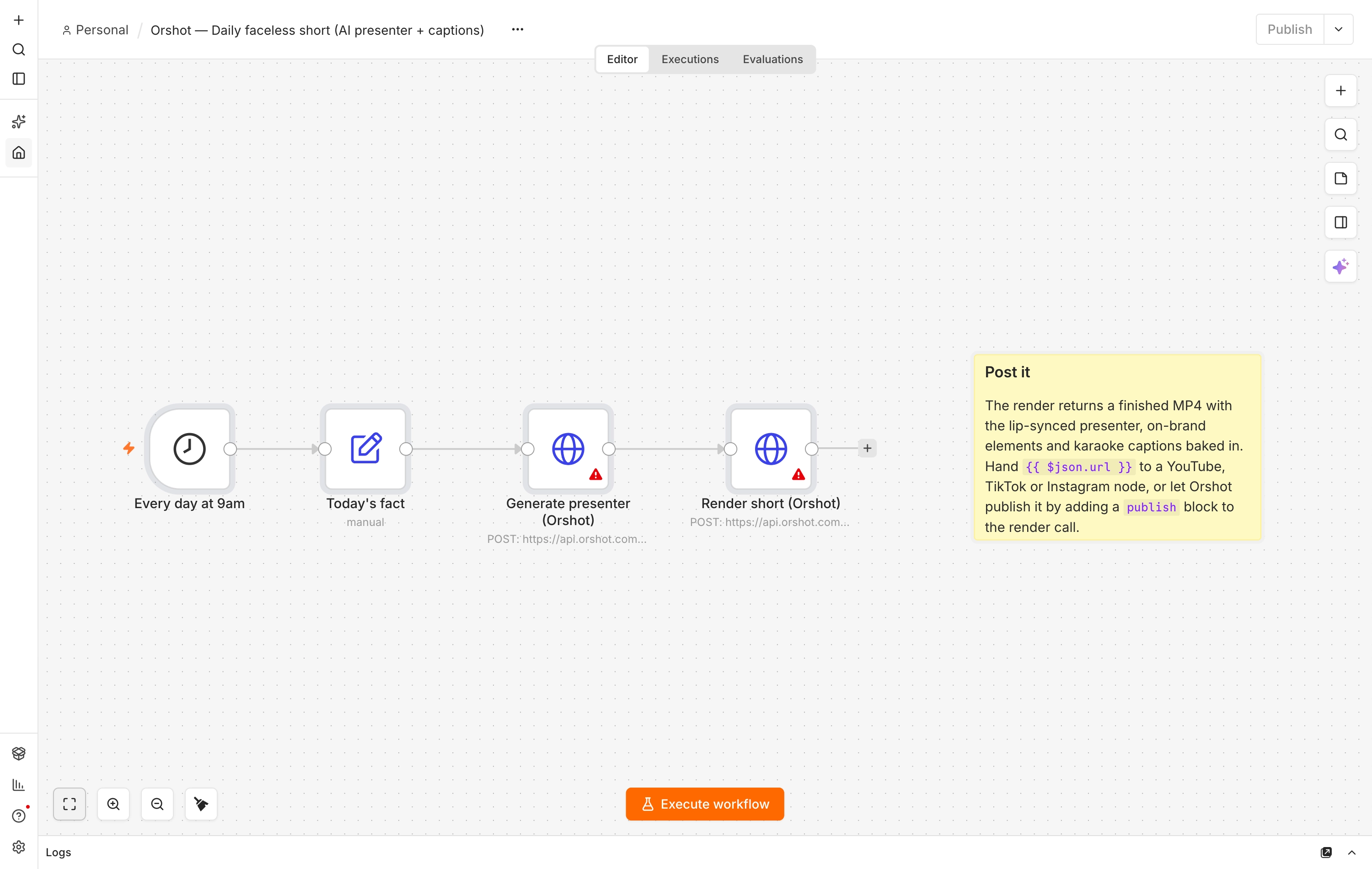
Every day at 9am is a Schedule trigger. Swap it for a Google Sheets trigger, a webhook, or an RSS node. Anything that sends data works.
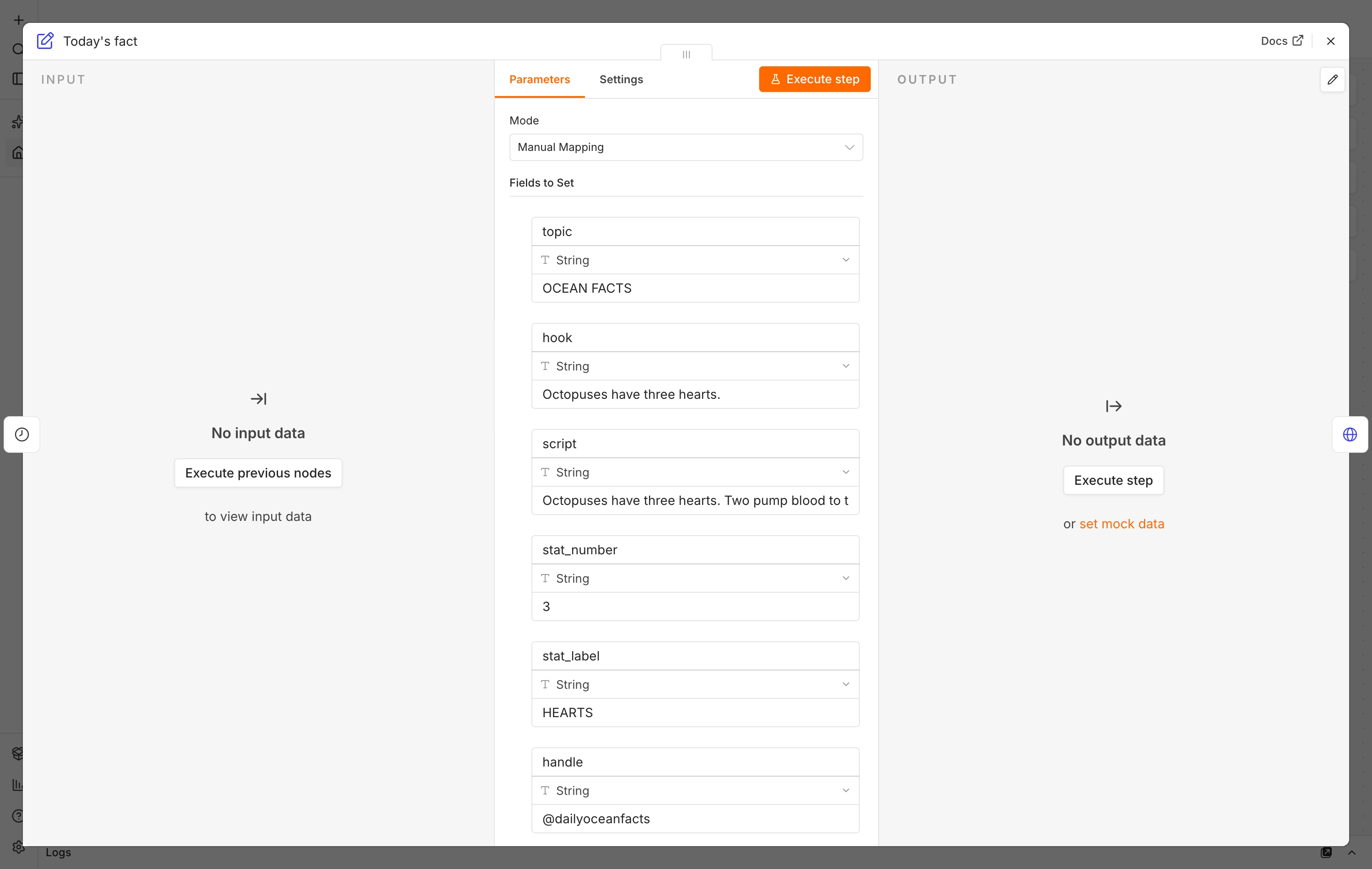
Today's fact is an Edit Fields node holding one fact: topic, hook, script, stat_number, stat_label, handle.
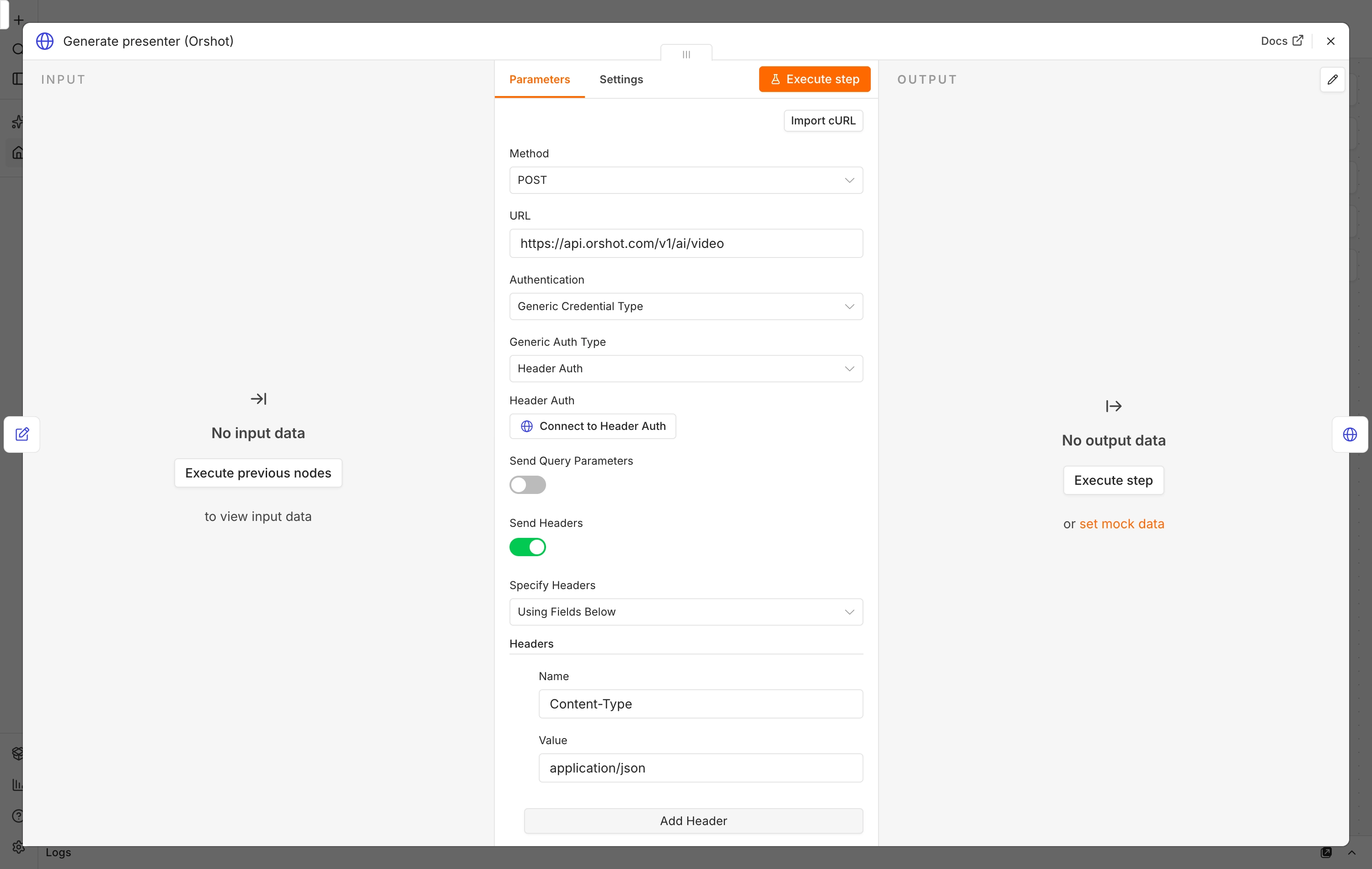
Generate presenter (Orshot) turns the script into a lip-synced clip. POST to the AI video endpoint with a reference photo and the script. This is what replaces ElevenLabs plus an avatar tool.
{
  "imageRef": "https://your-cdn.com/presenter.jpg",
  "script": "{{ $json.script }}",
  "voice": "hpp4J3VqNfWAUOO0d1Us",
  "consent": true,
  "aspect": "9:16",
  "sync": true
}
imageRef is the face that speaks (use the same photo every day for a consistent creator). sync: true waits for the clip and returns its url. For longer clips, drop sync and poll the job or pass a webhook_url.
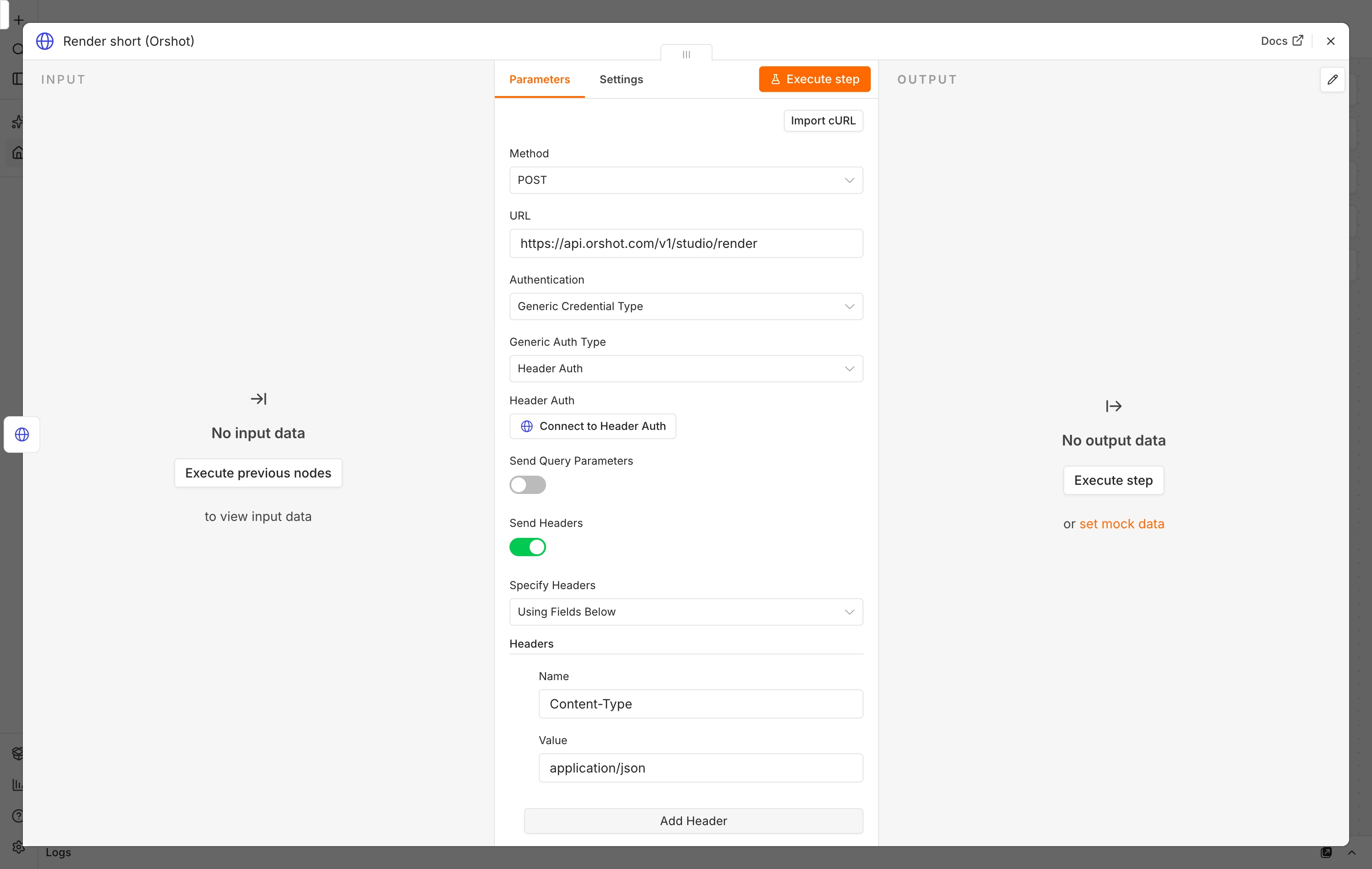
Render short (Orshot) drops that clip into the template and burns in the captions and on-brand elements.
{
  "templateId": 19503,
  "response": { "type": "url", "format": "mp4" },
  "modifications": {
    "clip": "{{ $json.url }}",
    "topic": "{{ $('Today\\'s fact').item.json.topic }}",
    "hook": "{{ $('Today\\'s fact').item.json.hook }}",
    "stat_number": "{{ $('Today\\'s fact').item.json.stat_number }}",
    "stat_label": "{{ $('Today\\'s fact').item.json.stat_label }}",
    "handle": "{{ $('Today\\'s fact').item.json.handle }}"
  },
  "videoOptions": {
    "fps": 30,
    "subtitleSource": [{ "page": 1, "url": "{{ $json.url }}" }]
  }
}
clip is the generated presenter. subtitleSource is Orshot's built-in auto-subtitle: give it a media URL and it transcribes the audio into karaoke captions automatically, no separate caption service. You point it at the presenter clip because that clip changes every run, so the captions always match the new voice. You get back one MP4 URL with everything baked in.
Prefer not to hand-roll the HTTP nodes? Orshot ships a verified n8n node. Search "Orshot", connect your key, and the fields fill in automatically.
Step 4: A new video from new data
Change the fields and you get a different video. Same presenter, new topic, new script, new stat:
Point the trigger at a Google Sheet of facts and the workflow makes one video per row. That is a whole content calendar, rendered in one run.
Step 5: Post it
The render gives you a finished MP4, so the last step is publishing. Hand the URL to a YouTube, TikTok or Instagram node, or let Orshot publish it for you.
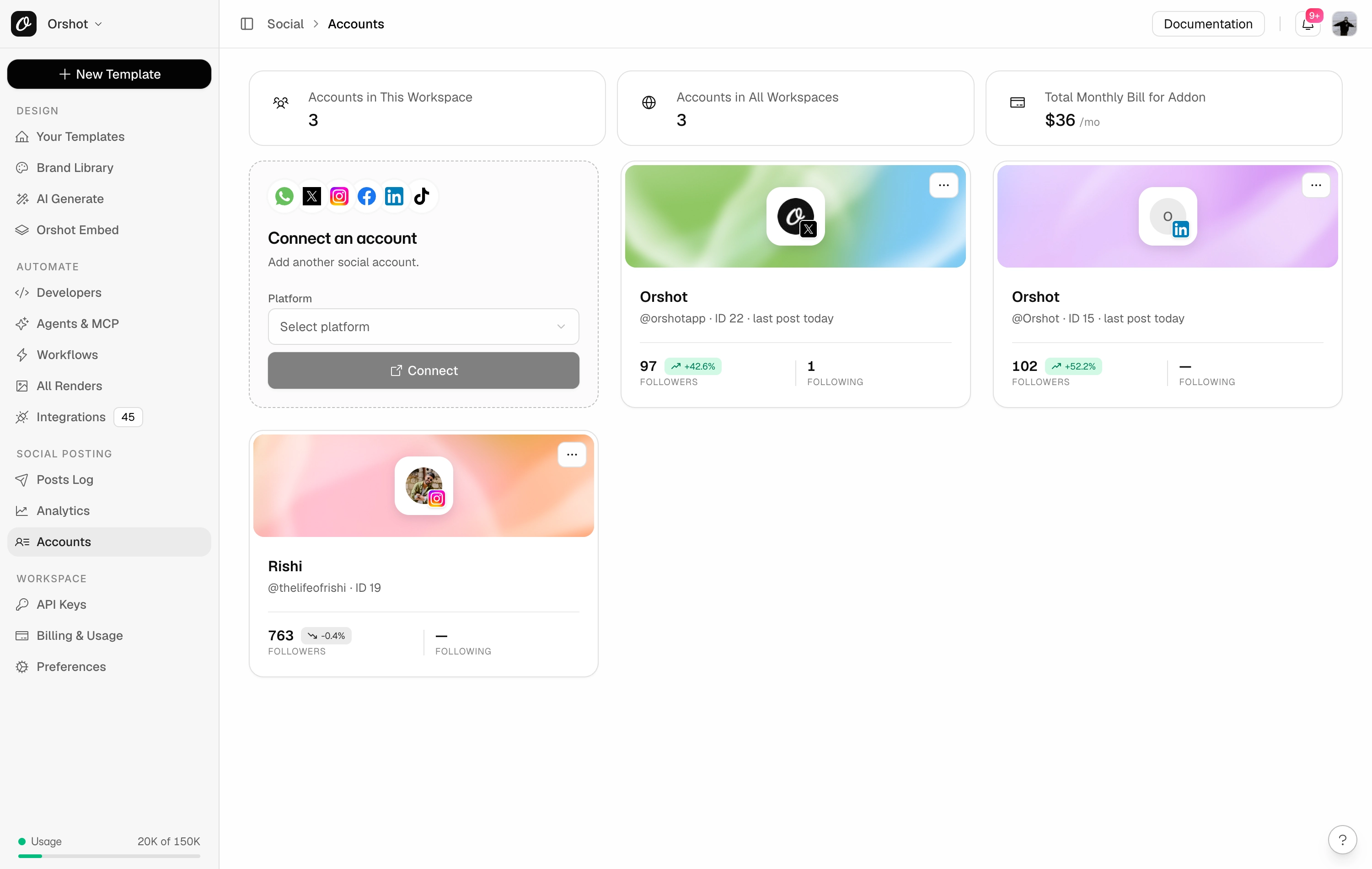
Connect an account under Social, then add a publish block to the same render call. The full request looks like this:
{
  "templateId": 19503,
  "response": { "type": "url", "format": "mp4" },
  "modifications": {
    "clip": "{{ $json.url }}",
    "topic": "{{ $('Today\\'s fact').item.json.topic }}",
    "hook": "{{ $('Today\\'s fact').item.json.hook }}",
    "stat_number": "{{ $('Today\\'s fact').item.json.stat_number }}",
    "stat_label": "{{ $('Today\\'s fact').item.json.stat_label }}",
    "handle": "{{ $('Today\\'s fact').item.json.handle }}"
  },
  "videoOptions": {
    "fps": 30,
    "subtitleSource": [{ "page": 1, "url": "{{ $json.url }}" }]
  },
  "publish": {
    "accounts": [15, 22],
    "content": "{{ $('Today\\'s fact').item.json.hook }} #facts"
  }
}
A note from experience, and from the threads: do not fully auto-post on day one. Platforms watch for automated spam, and a channel still needs a human eye. Render on a schedule, but review the first weeks before they go out, and space uploads instead of dumping ten at once. Orshot can post immediately, schedule, or save as a draft, so you keep a person in the loop while the making is automated.
Or just ask an agent
You do not have to build any of this by hand. Connect Claude, ChatGPT or Cursor through Orshot for agents and set the whole thing up in plain language:
"Make a faceless shorts template with a talking presenter, a hook and karaoke captions. Then render one short a day from my list of facts and post them to TikTok."
The agent creates the template, generates the clips, wires the render and handles posting. Same result, no nodes.
Faceless niches you can run with this
The template is just a shape. Change the script, the words and the schedule and the same workflow runs any of these:
- Daily facts (ocean, space, history, science) from a spreadsheet of one-liners.
- Motivation and quotes, one per day, spoken by your presenter.
- Product tips or feature highlights for a SaaS, rendered from your changelog.
- Book and article summaries, one short per entry in a reading list.
- Local or niche news pulled by an RSS trigger and narrated automatically.
Because the presenter, voice and captions are generated from a script, switching niche is a wording change, not a new tool stack.
What it costs
Orshot bills in credits and you only pay for what comes back. A short like this uses AI video credits for the presenter clip, billed per second, with captions generated from its audio at no extra service.
There is no separate voice bill, caption bill or stitching bill. The per-second rate is fixed, so the cost of a video is predictable before you make it, which is the opposite of stacking metered tools. See the full breakdown on the pricing page.
Wrapping up
A faceless channel does not need a rack of AI services glued together. It needs data and a renderer. n8n moves the data. Orshot turns each row into a finished, on-brand, captioned short with a lip-synced presenter, in two calls to one API, with no extra signups. Wire it once, point it at a list, and the hard part runs on its own.
Grab the workflow JSON, copy the template, and make your first short today.