The complete image, PDF and video automation toolkit.
Design a template, render images, PDFs and videos via API, and automate it all into scheduled workflows.
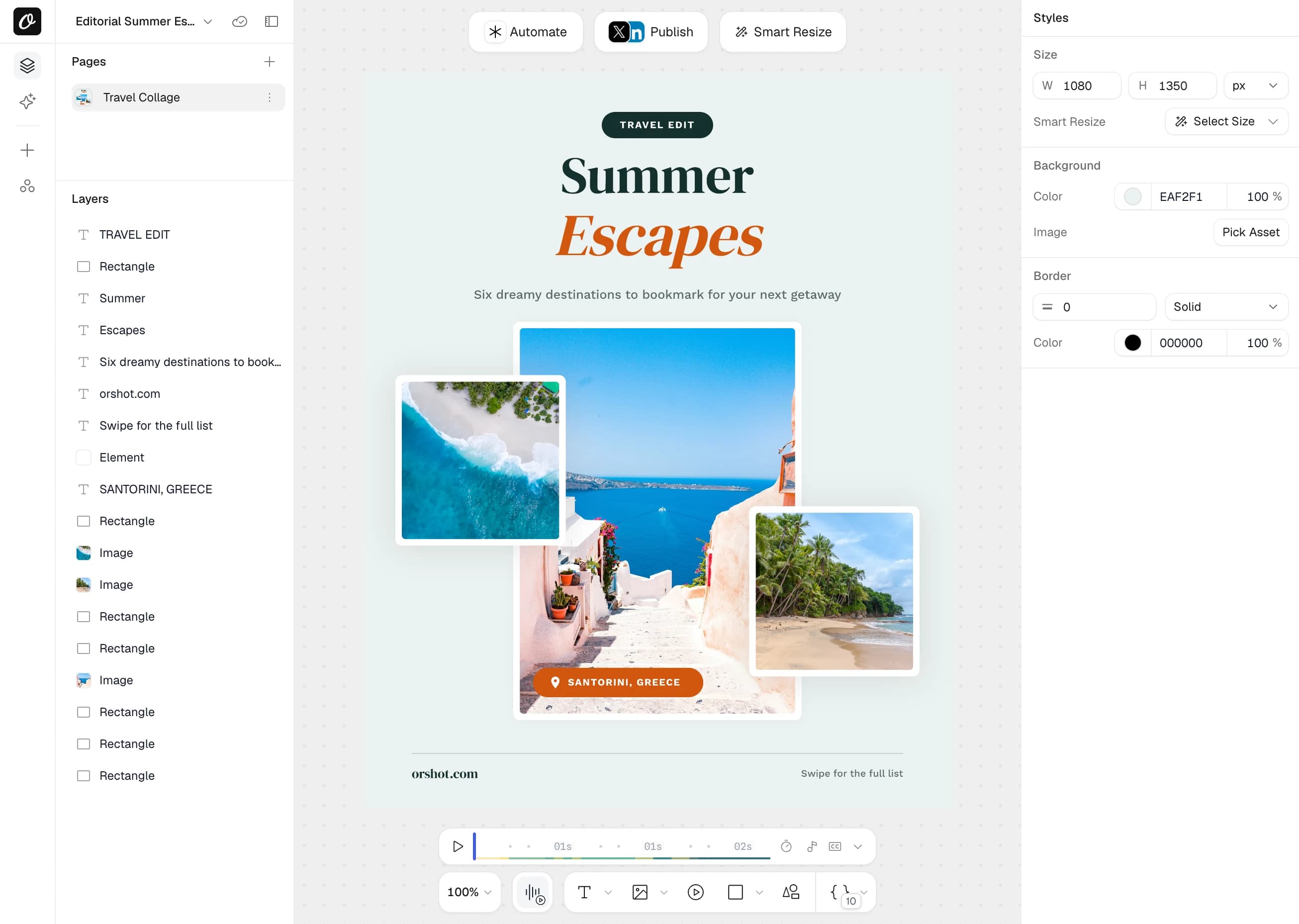
Orshot Studio editor
Visual editor for images, PDFs and videos with a fully parameterizable canvas.
Import from Canva
Bring a Canva design in and turn every layer into an API parameter.
Import from Figma
Turn any Figma frame into a parameterized render endpoint.
Import from HTML, URL, Polotno, Bannerbear or Templated
Start from existing designs instead of a blank canvas.
Dynamic inline parameters
Drop {{variables}} into any text and fill them at render time.
Inline text styles
Mix bold, italics and color inside a single text layer.
Text autofit
Long values shrink to fit; short ones grow, so text never overflows.
Flowing content & pagination
Text that spills over breaks onto new pages automatically.
Smart stacking
Pin elements to each other so layouts stay intact when content changes.
Layer groups
Group layers to move, style and reason about them together.
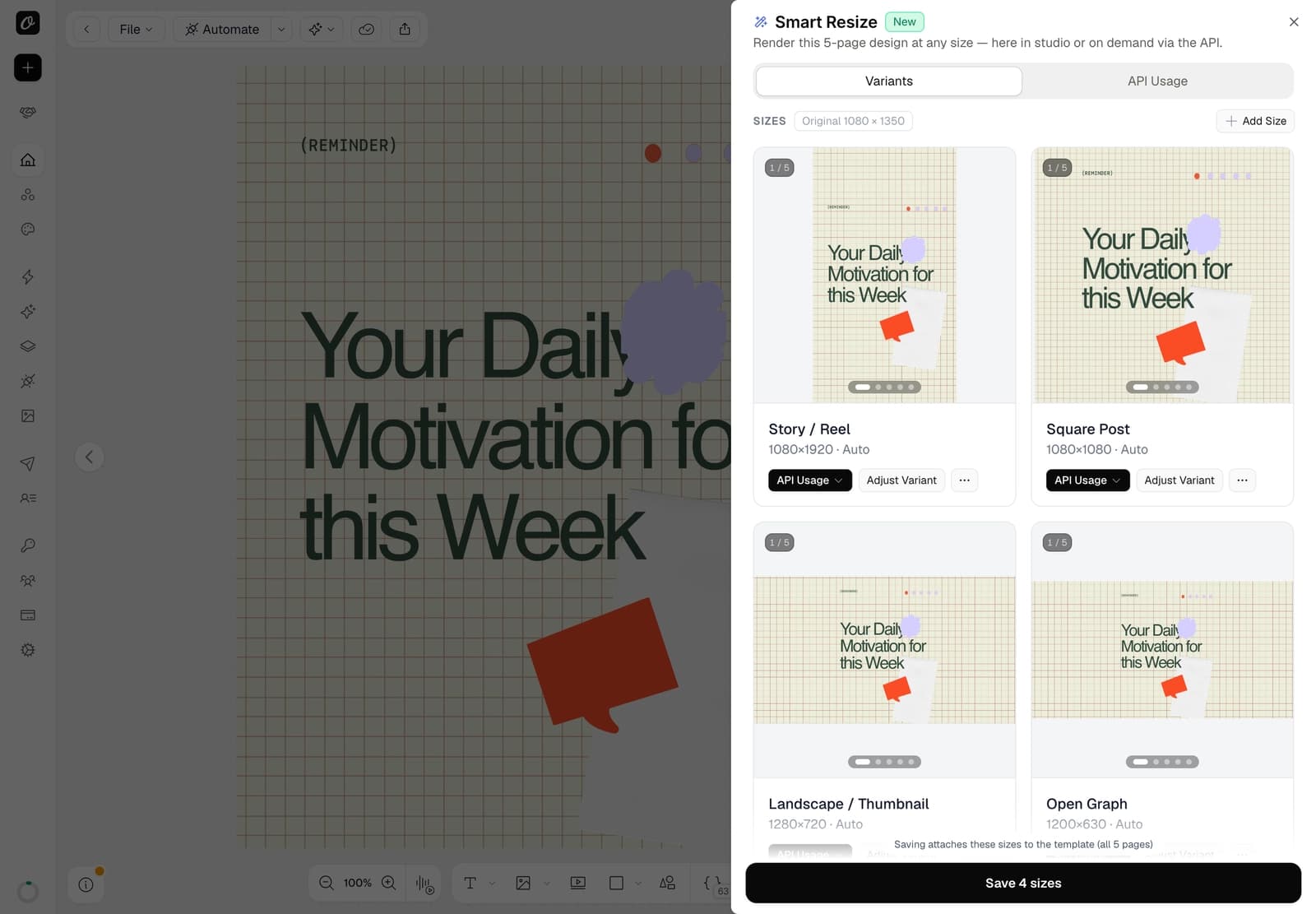
Smart Resize
Design once and render Story, Square, OG or any size, layout re-solved automatically.
Translate templates in the Studio
Right-click layers or translate a whole template, and set each layer's language.
Animations
25 enter/exit animations with spring, 3D and a timeline for video output.
Custom fonts & Google Fonts
Upload brand fonts or pick from ~1,500 Google Fonts, embedded in every render.
Brand assets library
Save logos, colors, fonts and videos once and pull them into any template.
Elements: text, image, shape, video, audio
Every layer type you need, including rectangles, circles, lines and arrows.
Effects & masking
Blur, shadow, crop, clip-path, SVG recolor and one-click background removal.
Template sharing & forms
Share a template or expose it as a fill-in form for non-designers.
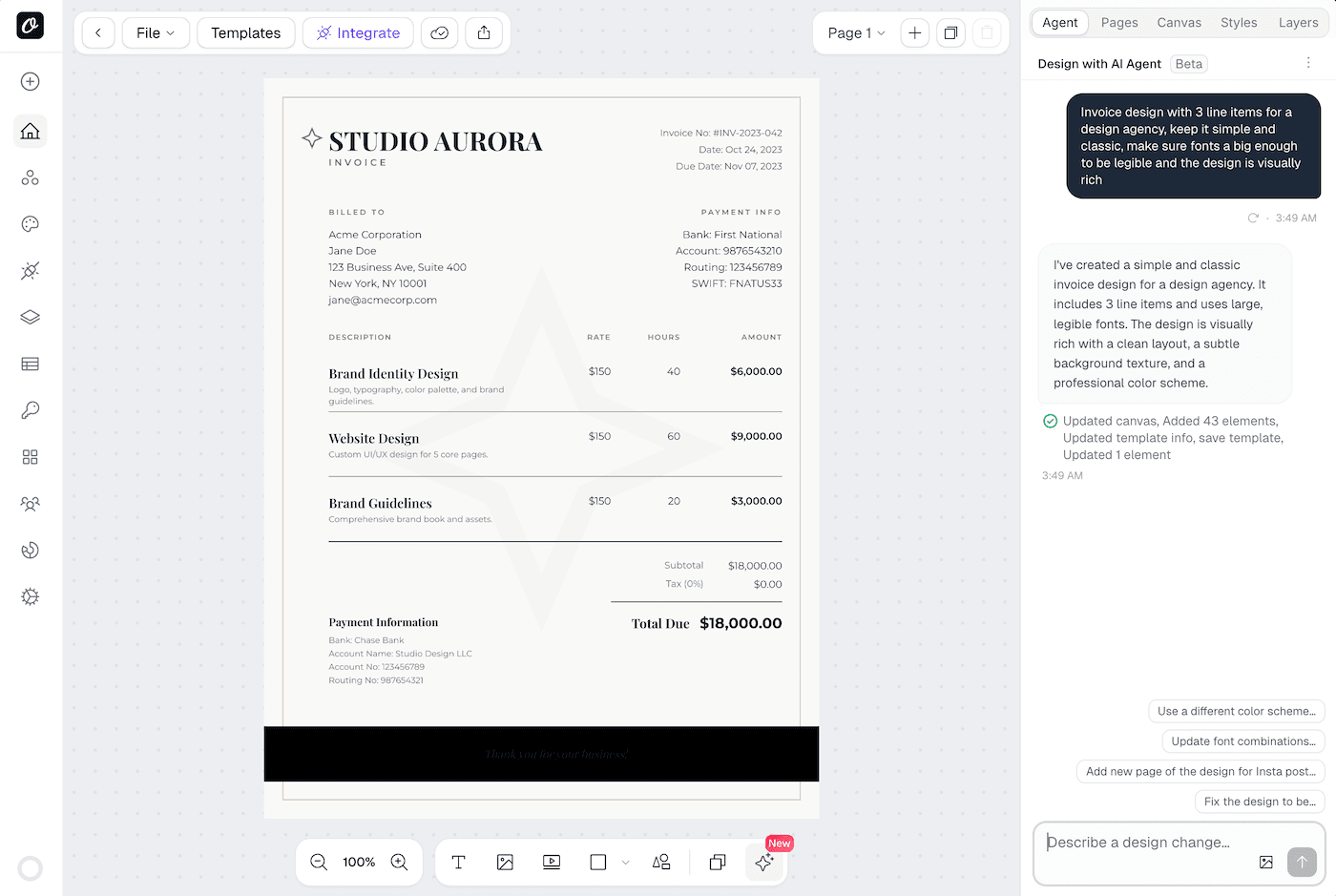
AI Design Agent
Describe the design you need and watch it build an API-ready template on the canvas.
AI video generation
Footage from a prompt, an animated image or a talking photo, placed in templates or generated per render.
AI voiceover and ambient audio
Narration and sound beds from text, with word-synced captions and per-render scripts.
Automated creative translation
Translate every text layer into any language on each render, 1 AI credit per 100 words.
Render-time AI generation (.prompt)
Generate text or image content from a prompt on each render.
Swap content type for AI (.contentType)
Have AI produce an image into a text slot, or vice versa.
AI content in image renders
Fill headlines and visuals with model output at render time.
Bring your own AI key
Use your own Gemini or Claude key with no markup on usage.
PNG, JPG, WebP & AVIF output
Pick the encoder per render with response.format.
Transparent backgrounds
PNG, WebP and AVIF render with alpha; JPG fills white.
Compression quality
Tune output quality 1–100 for JPG, WebP and AVIF (response.quality).
Retina / 2× scale
Multiply output resolution with response.scale for crisp high-DPI images.
Resize to any size
Replace the canvas size per render with response.size, width and height.
Extra sizes in one call
Render Story, Square and OG copies of one design in a single request.
Multi-page carousels
Return one image per page for Instagram and LinkedIn carousels.
Render specific pages
Output only the pages you need with response.includePages.
Dynamic styling overrides
Override fonts, colors, layout and shadows per render via dot-notation.
Custom filename
Set the output file name with response.fileName.
Multi-page PDFs
Compose multi-page documents with per-page modifications (page{N}@param).
Page ranges & selection
Output a contiguous range or a hand-picked set of pages.
CMYK color for print
Convert output to CMYK for print shops (pdfOptions.colorMode).
Scale up for print
Increase output resolution with pdfOptions.dpi and response.scale.
Shrink photo-heavy PDFs
Compress embedded photos to cut file size by 80 to 90% (pdfOptions.imageFormat).
Margins & per-side control
Set a global margin or override top, bottom, left and right.
Clickable links in the PDF
Attach real hyperlinks to text or image elements with .href.
Accessibility alt-text tags
Write image alt text into the PDF's accessibility tags with .alt.
Document title metadata
Set the PDF's title metadata with pdfOptions.title.
Custom & Google font embedding
Brand fonts and Google Fonts embed straight into the document.
MP4, WebM, MOV & GIF output
Choose the container and codec with response.format.
Frame rate control
Set fps or take the adaptive default (GIF runs at a fixed 15 fps).
Trim & duration
Trim the whole output or set an exact length (videoOptions.trimStart/trimEnd).
Combine pages + transitions
Stitch multi-page renders into one video with fade, wipe and slide transitions.
Audio tracks with fades
Add per-page music or voiceover with volume, offset, loop, fade and trim.
Audio source override
Swap in a single audio URL or target specific pages at render time.
Per-clip video controls
Swap a clip's source and set its trim, mute and loop per element.
Auto-transcribed subtitles
Generate captions from the audio or video automatically, or bring an .srt/.vtt.
Word-by-word karaoke captions
Reveal captions word by word for lyric and TikTok-style videos.
Full subtitle styling
Control font, size, weight, color, position, background pill, padding and shadow.
Modifications payload
Swap text, images and video and restyle elements in a single request.
URL, base64 or binary response
Get a hosted CDN link, a data URI or raw bytes back.
Signed URLs
Mint tamper-proof, time-limited render links without exposing your API key.
Dynamic URLs
Render an image on GET with parameters baked into the URL.
Batch render
Generate thousands of on-brand variations from one template in a run.
Webhook render trigger
Fire a render from an inbound webhook, no code required.
Render caching
Cache repeat render URLs so identical requests return instantly.
SDKs: Node, Python, PHP, Ruby
Official libraries for the languages your team already uses.
Orshot CLI
Render and manage templates straight from the terminal.
MCP server (90+ tools)
Let Claude, Cursor, ChatGPT and Codex render and manage Orshot over MCP.
OAuth apps & scopes
Build third-party apps against Orshot with scoped OAuth access.
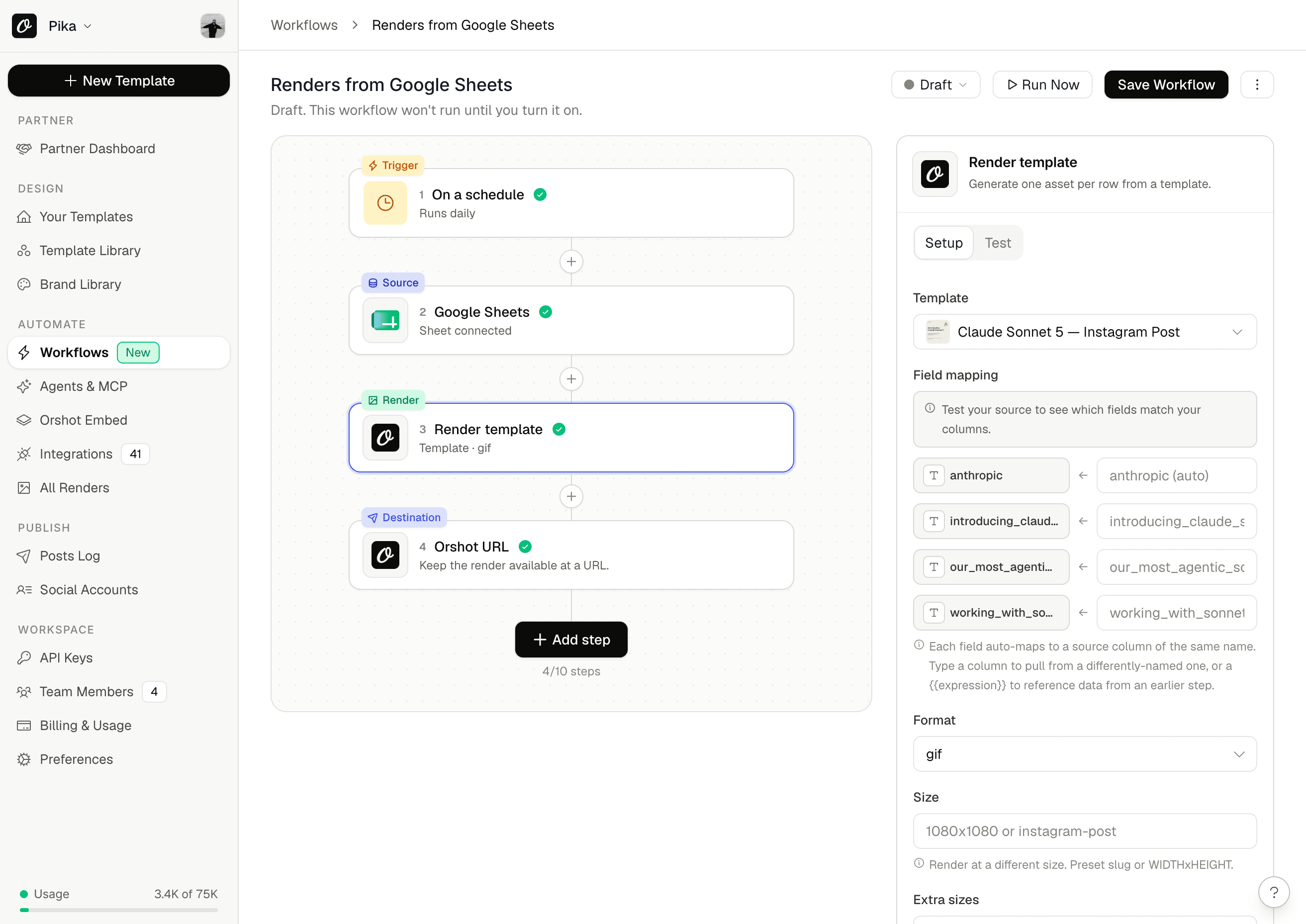
Workflow builder
A no-canvas builder: trigger, data source, template, destination.
Dozens of ready-made presets
Start from proven recipes like Sheets-to-carousel or bulk certificates.
Triggers: schedule, webhook, poll
Run on a schedule or when a Sheet, Airtable, Shopify, HubSpot, Drive or Notion record changes.
Data sources
Pull rows from Google Sheets, Airtable, Notion, CSV, Drive or a webhook payload.
Transforms
Filter, sort, limit, pick, dedupe and merge rows before rendering.
Render step
Render one asset per row, or fold all rows into a single carousel or video.
Destinations
Deliver to social, Slack, Drive, Dropbox, S3, Shopify, WordPress, HubSpot or a webhook.
Write-backs
Write the render URL back to the source row in Sheets, Airtable or Notion.
Social publishing (15+ platforms)
Add a publish object to a render and post to Instagram, TikTok, LinkedIn, X and more.
Social growth & analytics
Impressions, engagement, follower growth and best time to post for every connected account, plus a daily digest email.
Zapier
Render Orshot images inside any Zap.
Make
Add Orshot render steps to Make scenarios.
n8n
Generate images in n8n workflows.
Pipedream
Call Orshot from Pipedream workflows.
Airtable & Google Sheets
Turn spreadsheet rows into rendered assets.
Notion & Google Forms
Render from Notion pages or new form responses.
HubSpot, Shopify & WordPress
Generate and deliver assets across your CRM, store and CMS.
Slack
Drop finished renders into a Slack channel.
Bring your own storage
Send renders straight to your S3, Cloudflare R2, Dropbox or Google Drive.
Embed SDK (React & Vue)
Drop the white-label editor into your own app.
Workspaces per client
Isolate templates, keys and logs by client, project or brand.
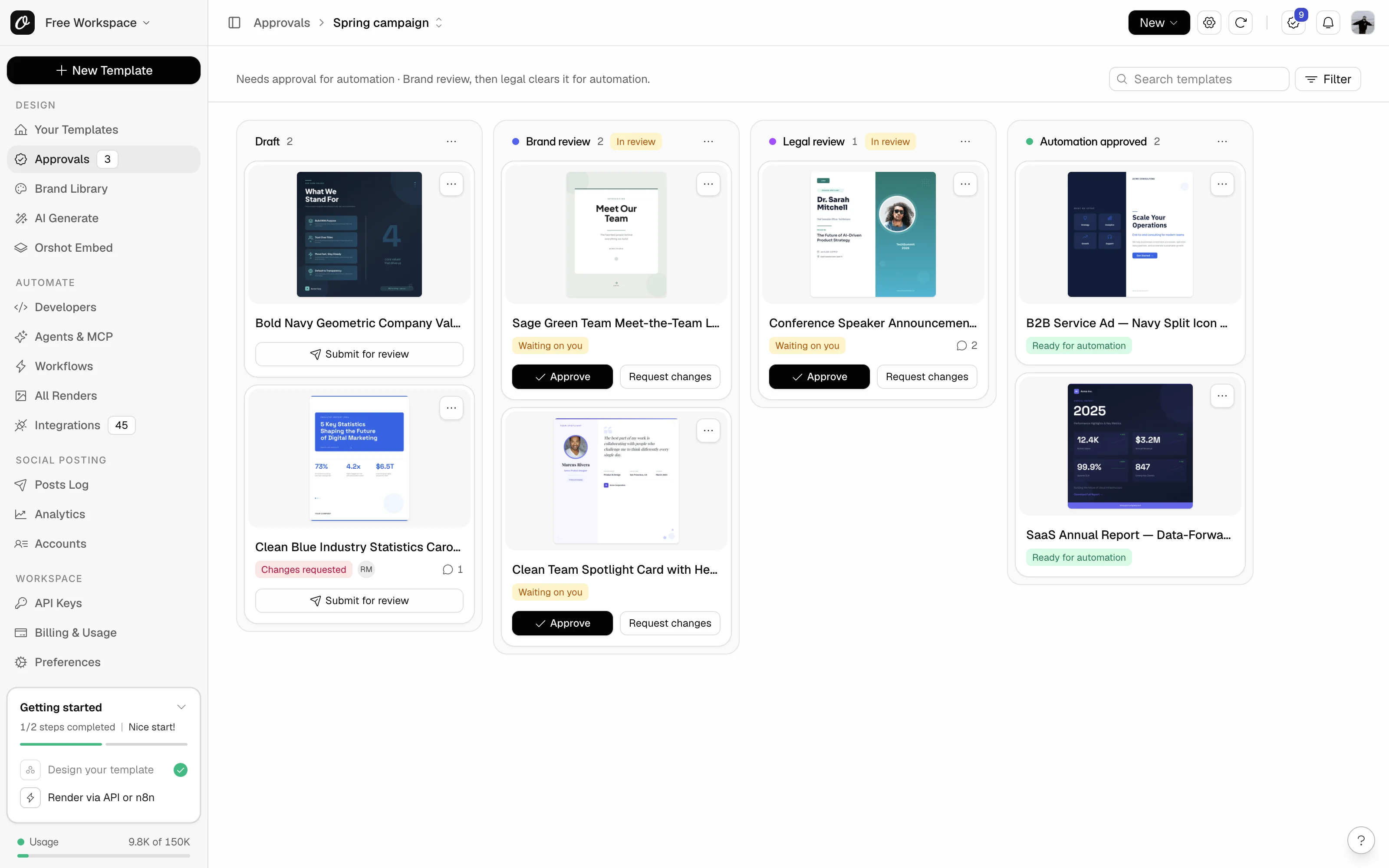
Approval flows
Brand, legal and client sign-off before the API renders a template.
Roles & permissions
Owner and member roles with shared assets across the team.
Per-workspace API keys & scopes
Scoped keys so each team owns its own pipeline.
Workspace & audit logs
See every render and API call with source, timing and credit usage.
SSO on enterprise
Single sign-on for enterprise workspaces.
White-label & multi-tenant embed
Remove Orshot branding and give each of your users their own editor session.
Own-storage privacy
Renders land in your bucket; no render data retained on Orshot.
Partner program
Resell and manage Orshot for your clients under one account.