Automated Creative Translation for Templates
Add a language code to your render request and Orshot translates every text layer before it generates the image, PDF or video. Prices, names and links stay as they are.
1 AI credit per 100 words · text translated before is free

Every market from the same templates
Render your Orshot templates in Greek, German or Japanese per request.
The design stays intact
Formatting, {{inline params}}, numbers, prices and URLs come back as sent.
Correct letters per language
Greek capitals drop accents and Turkish gets İ, at no cost.
Pay once per text
1 AI credit per 100 words. Text translated before is free.
Add one field to translate an API render
Send translate with POST /v1/studio/render. Orshot translates the template's text and your modifications, then renders.
- A language tag like el, de, ja, es-MX or pt-BR
- Add from, context, a glossary and strict when you need them
- Works for image, PDF and video renders
- The response shows words, cached words and AI credits used
curl -X POST https://api.orshot.com/v1/studio/render \
  -H "Authorization: Bearer $ORSHOT_API_KEY" \
  -H "Content-Type: application/json" \
  -d '{
    "templateId": 1234,
    "translate": "el",
    "modifications": {
      "headline": "Bright apartment with sea views",
      "price": "€245.000"
    },
    "response": { "type": "url", "format": "png" }
}'"translate": {
"to": "es-MX",
"from": "en",
"context": "real estate listing",
"glossary": { "walk-in shower": "regadera tipo walk-in" },
"strict": true
}"ai": { "type": "text:translate", "words": 142, "wordsCached": 30, "credits": 2 }Keep prices, names and addresses as they are
Control translation layer by layer with .translate on the parameter, on any page of the template.
- agent_name.translate: false keeps that layer as written
- subtitle.translate: "de" sends one layer to its own language
- page2@title.translate targets a layer on page 2
- Numbers, prices, URLs and brand names are kept anyway
{
  "templateId": 1234,
  "translate": "el",
  "modifications": {
    "headline": "Bright apartment with sea views",
    "agent_name": "Maria Papadopoulou",
    "agent_name.translate": false,
    "subtitle.translate": "de",
    "page2@title.translate": "hi"
  }
}Letters that look right in every language
lang tells Orshot what language the text is in, so capitals and characters follow that language. It never translates and costs nothing.
- Greek capitals drop their accents, the way Greek is written
- Turkish i becomes İ in capitals
- Chinese and Japanese use their own character shapes
- 33 languages in the Studio menu, any language tag in the API
{
  "templateId": 1234,
  "lang": "el",
  "modifications": {
    "headline": "Νέα συλλογή",
    "city": "istanbul",
    "city.lang": "tr"
  }
}Right-click to translate the layers you pick
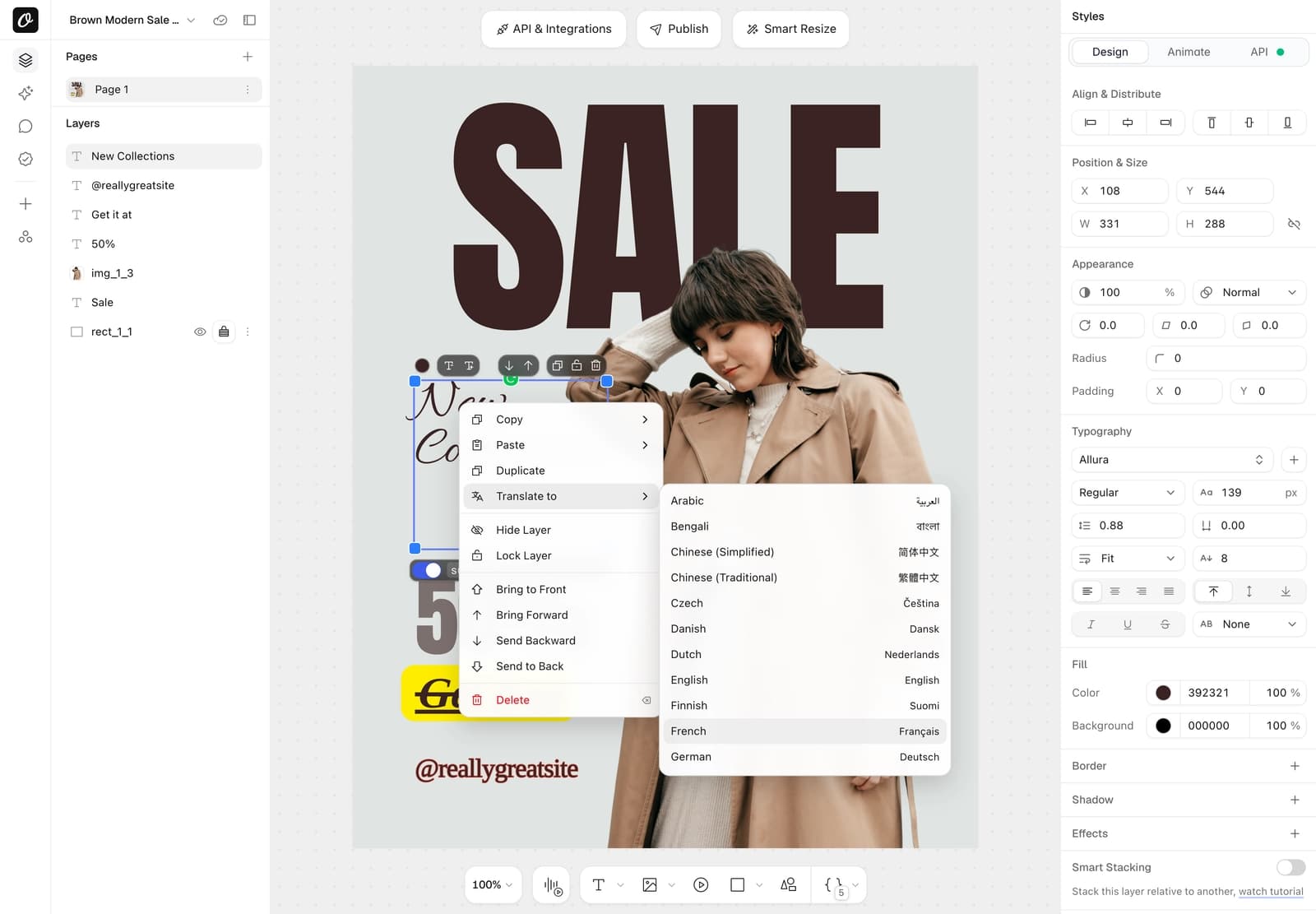
Select text layers, right-click and choose Translate to. You see the words and AI credits before anything is spent.
- Text is replaced in place, and one undo brings it back
- Leave a price or an address unselected to keep it
- Every translation is listed in AI History
Translate every page of a template at once
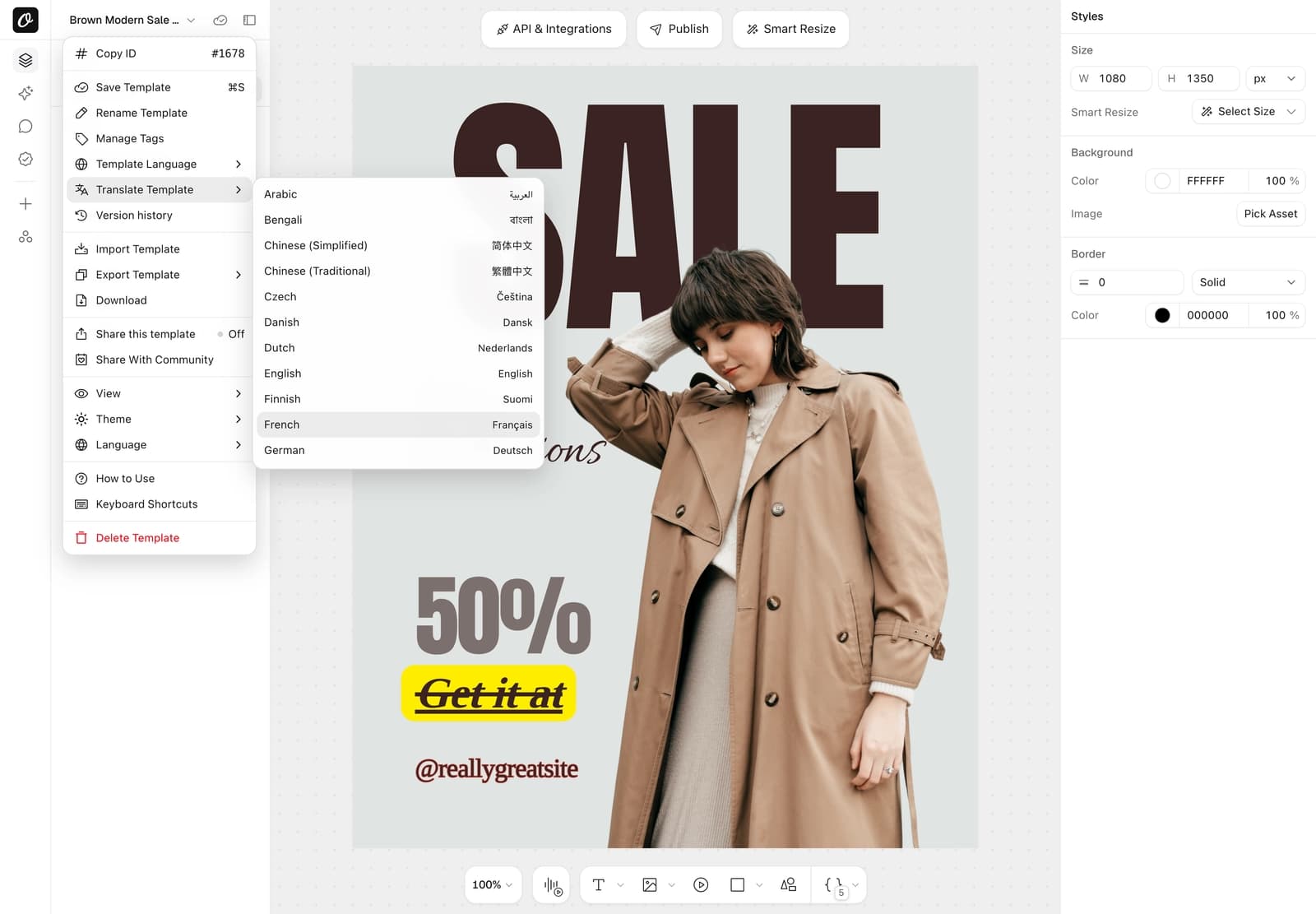
Open the template menu and choose Translate Template. Every text layer on every page is translated after you confirm.
- A confirm step shows the words and AI credits first
- One-step undo, and the last saved version stays in Version history
- Template Language sets the language without translating
- A text layer's API tab has its own Language setting
Translate inside the jobs you already run
Set the language per row in n8n or Make, and every render from your feed goes out in its market's language.
- Layer keys like headline.translate work as extra modifications in n8n and Make today
- Top-level translate and lang come with the next integration release
- The REST API takes every translation field now
- AI agents can pass the same layer keys through Orshot for agents
{
  "headline": "{{ $json.title }}",
  "headline.translate": "{{ $json.market_language }}",
  "price": "{{ $json.price }}",
  "price.translate": false
}Give your users Translate to inside your app
Your users get Translate to in the embedded editor, with the same confirm step. It spends your workspace's AI credits.
- On by default in every embed
- Switch it off per embed user or per session
- Users see the words and AI credits before they confirm
1 AI credit per 100 words, and repeats are free
Words are counted across every layer and page of one render. Text translated before comes from the cache at no cost.
- Chinese, Japanese and Thai count 2 characters as a word
- Plans include AI credits, like 300 a month on the $39 plan
- Need more? $11 adds 200 AI credits a month
Example: an 80-word ad rendered in 12 languages costs 12 AI credits the first time. Rendering the same text again costs 0.
Marketing translation for teams that render every week
Content localization for the jobs that already run on the Orshot API.
Multi-market ecommerce ads
Render each product ad from your feed in every country's language.
Real-estate listings in local languages
Listing cards and flyers in the buyer's language, prices and agent names kept.
Agency client campaigns
Ship a client's campaign in every market they sell in from the same templates.
SaaS platforms with Orshot Embed
Let your users translate designs in your embedded editor.
Multi-language carousels
Translate every slide of a carousel in one render request.
PDF brochures and catalogs
Generate the same brochure as a PDF in each language you sell in.
Built for creative translation at volume
Glossary and context
Fix how key terms translate, and describe the design for industry words.
Regional variants
es-MX, pt-BR, zh-Hans and more, each with its own conventions.
Overflow warnings
Renders warn when a translation may not fit. Fit text mode shrinks it.
Strict mode
Fail the render if any layer can't be translated, instead of a warning.
AI History
Every translation logged with its words, languages and AI credits.
Render from the API
The full render-from-studio-template reference, every option, all SDKs.
Frequently asked questions
How much does automated translation cost?
Which languages can Orshot translate into?
How accurate is the translation, and can I control terms?
What stays untouched in a translated template?
What if the translated text is longer than the original?
Do I pay again when I render the same text?
Does translation work on Dynamic URLs?
Can users of my embedded editor translate designs?
Does it work in n8n, Zapier and Make?
What is the difference between lang and translate?
Translate your next render with one field
Start free, then add translate to the render requests you already send. Text translated before is free.







