How to translate a template into another language
Translate a few text layers or a whole template with AI in Orshot Studio, see the cost before you confirm, and undo in one step
Published Oct 11, 2026
Orshot Studio translates the text in your template with AI. Pick a few layers or the whole template, check the word count and AI credits, and the text is replaced in place. It costs 1 AI credit per 100 words, and text translated before is free.
1. Translate a few layers#
Select one or more text layers (Shift-click to add more), right-click, and open Translate to. Pick a language.
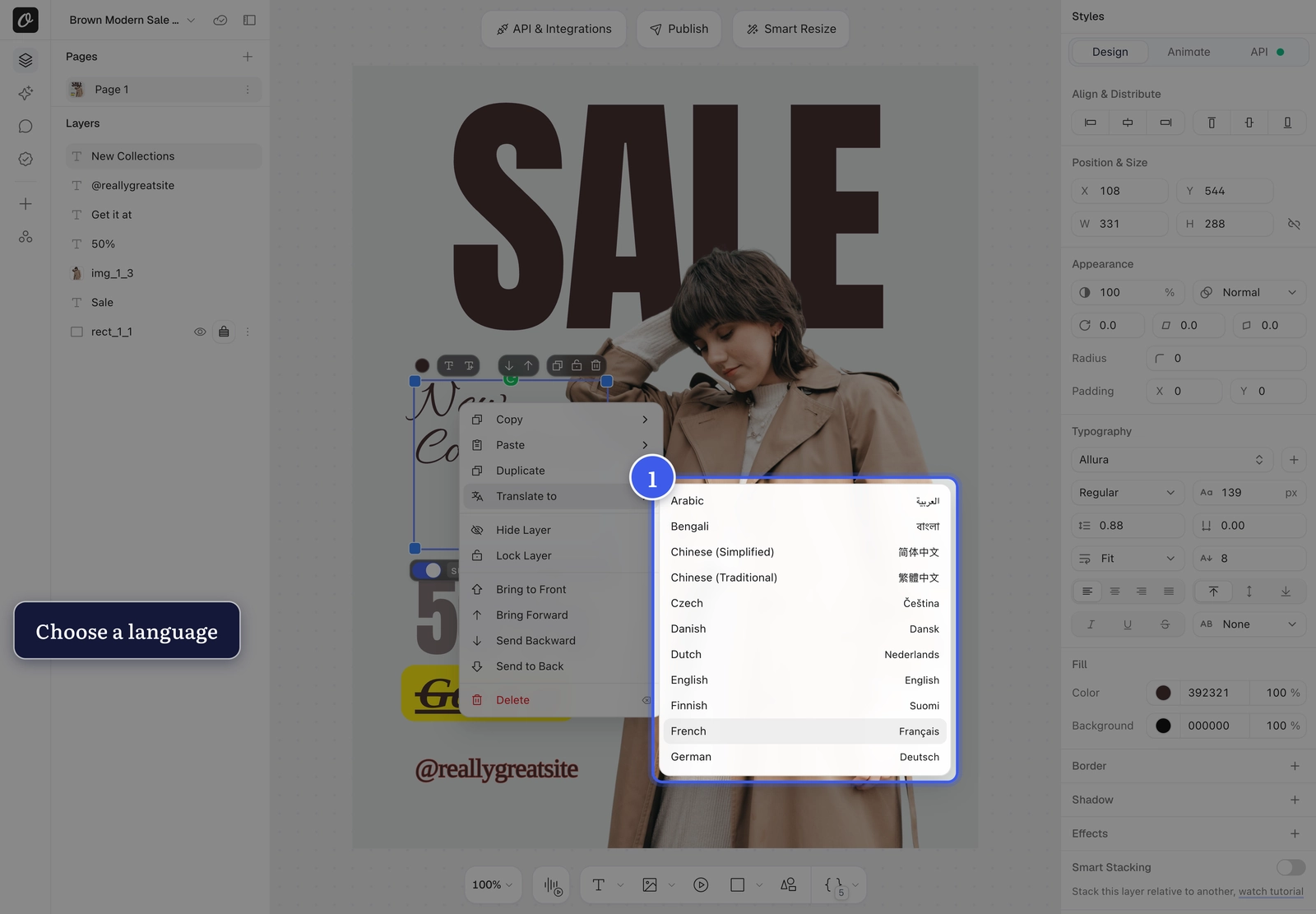
2. Check the cost and confirm#
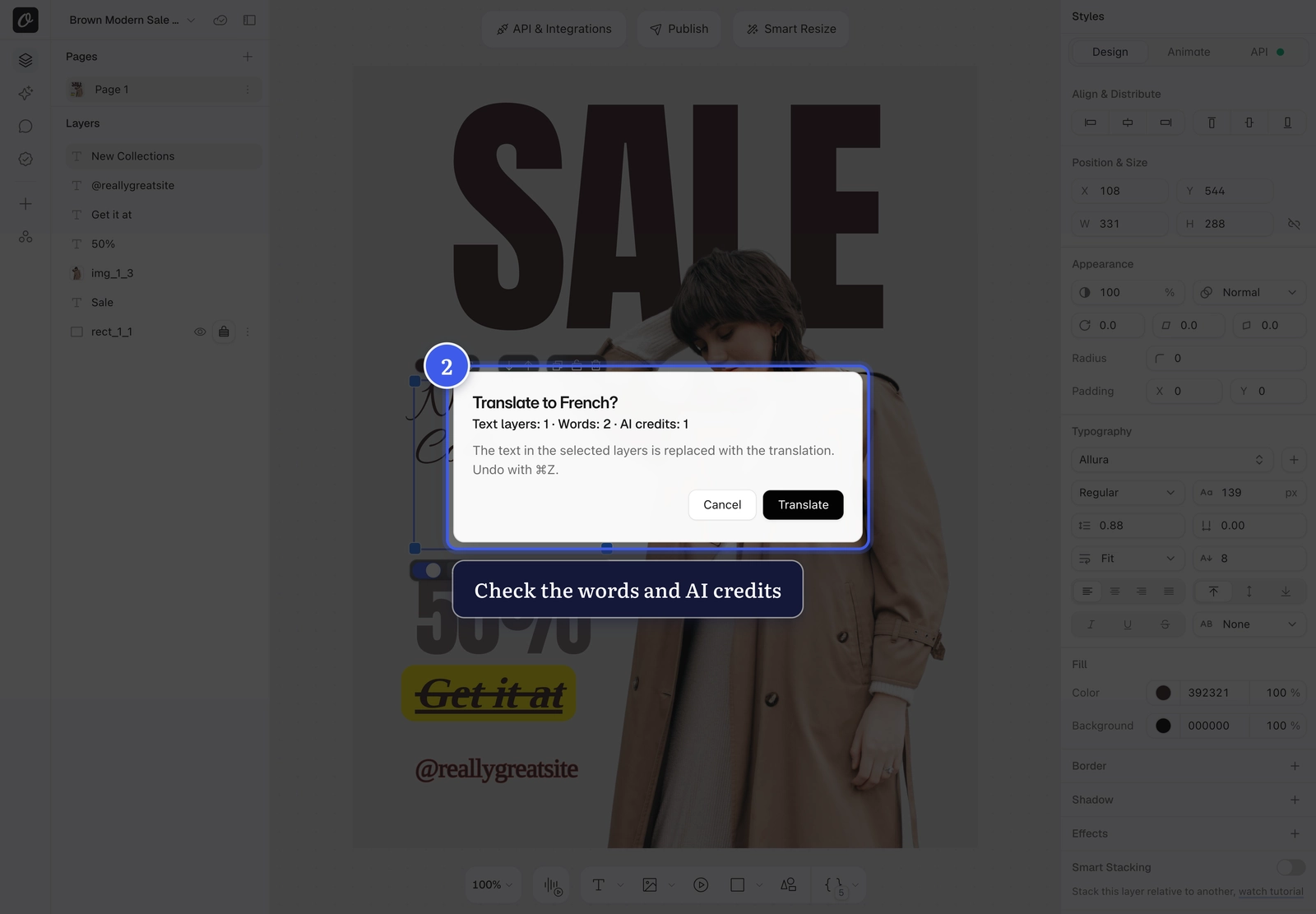
Before anything is spent you'll see the number of layers, the words and the AI credits. Click Translate.
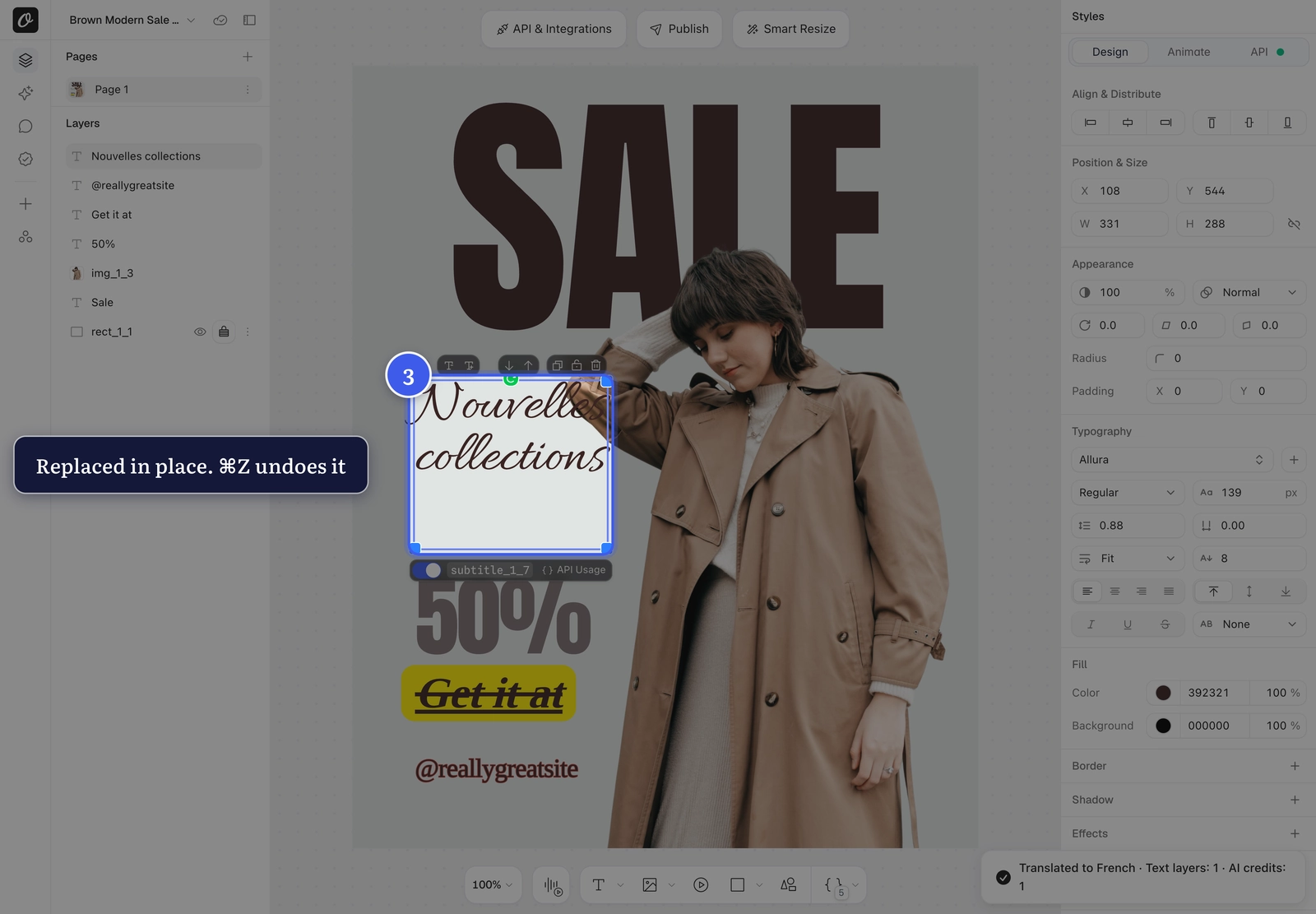
The text is replaced on the canvas. Press ⌘Z (Ctrl+Z on Windows) to undo the whole translation in one step.
Keep a layer as it is
To leave a price, a name or an address untouched, select only the other layers before you translate.
3. Set the language without translating#
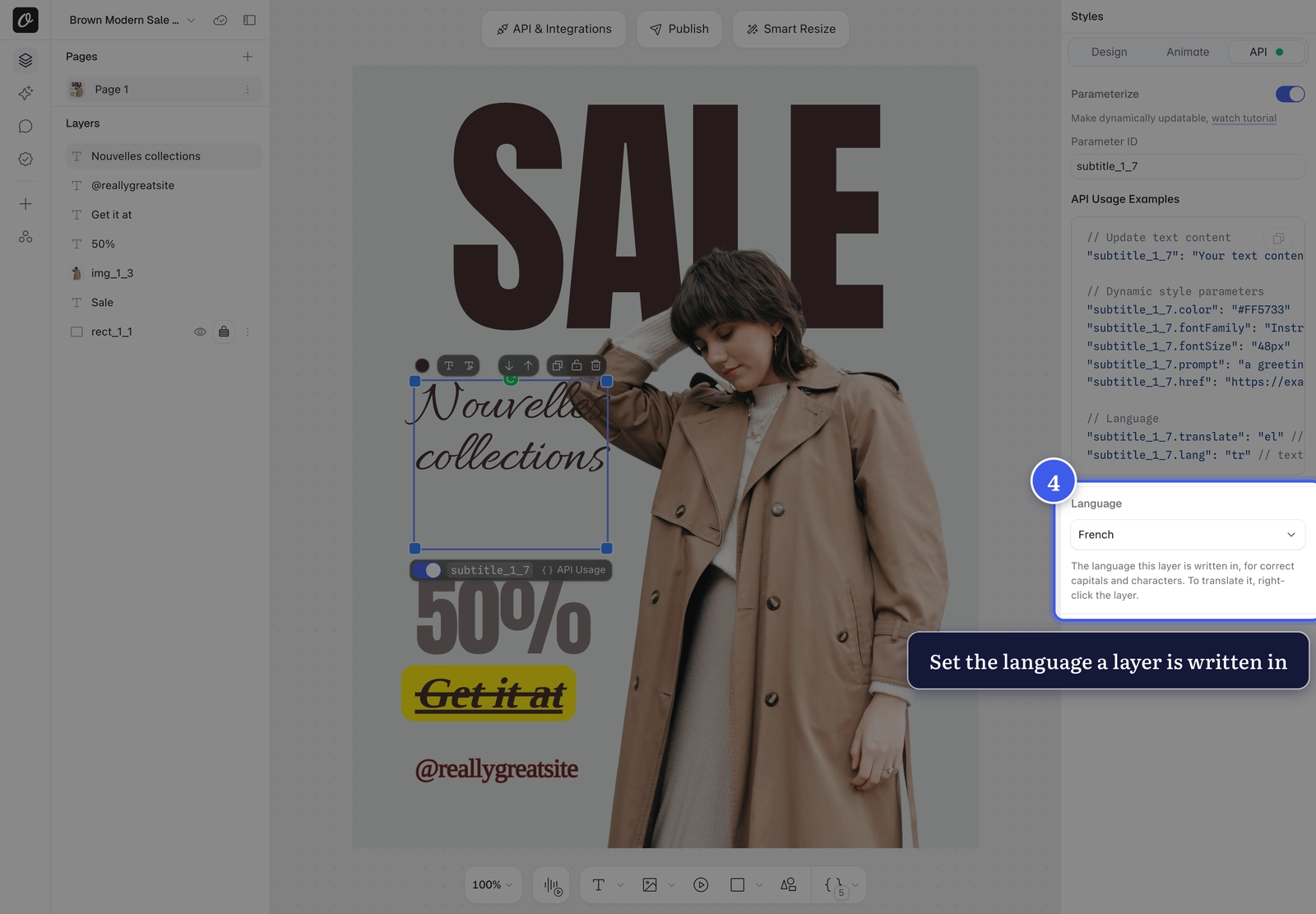
Select a text layer, open the API tab and pick a Language. This tells Orshot what language the text is in, so capitals and characters follow that language: Greek capitals drop their accents and Turkish i becomes İ. It's free, and the same tab shows the .translate and .lang keys for API renders.
To set it for every layer at once, open the template menu (the template name, top left) and choose Template Language.
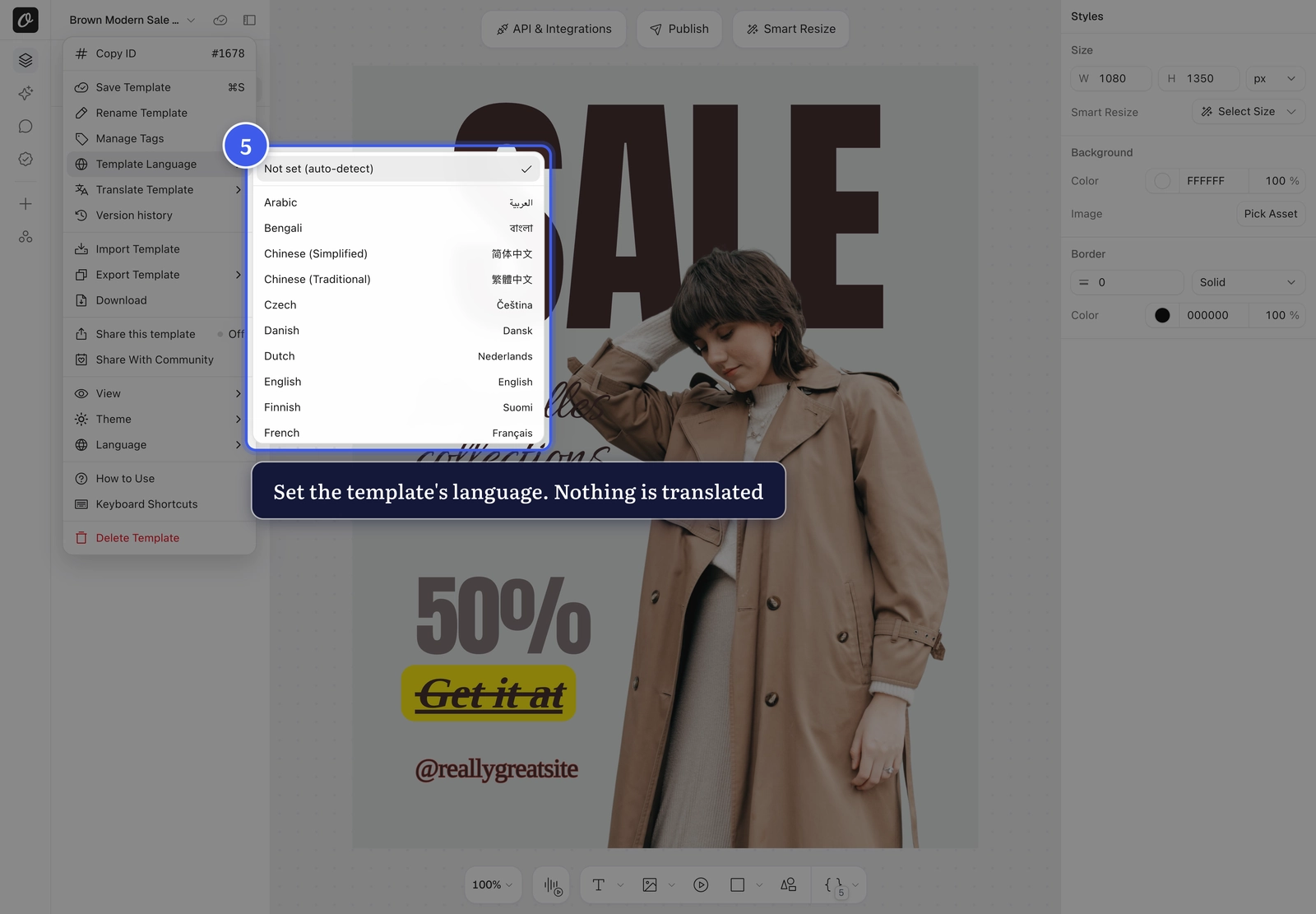
4. Translate the whole template#
In the same menu, choose Translate Template and a language.
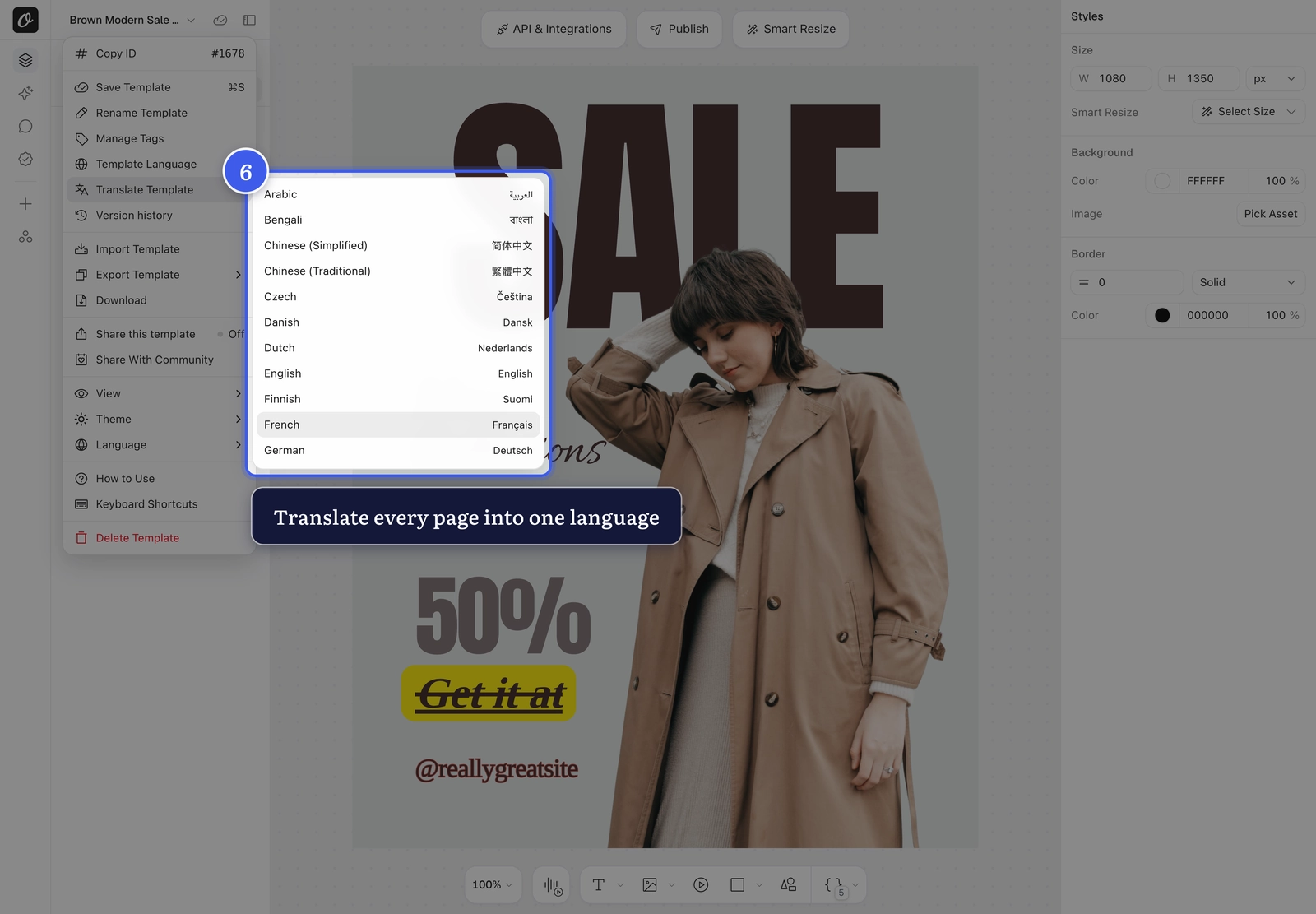
Check the words and AI credits, then click Translate. Text translated before is free, so translating the same original text again (after an undo, or on a copy of the template) costs nothing.
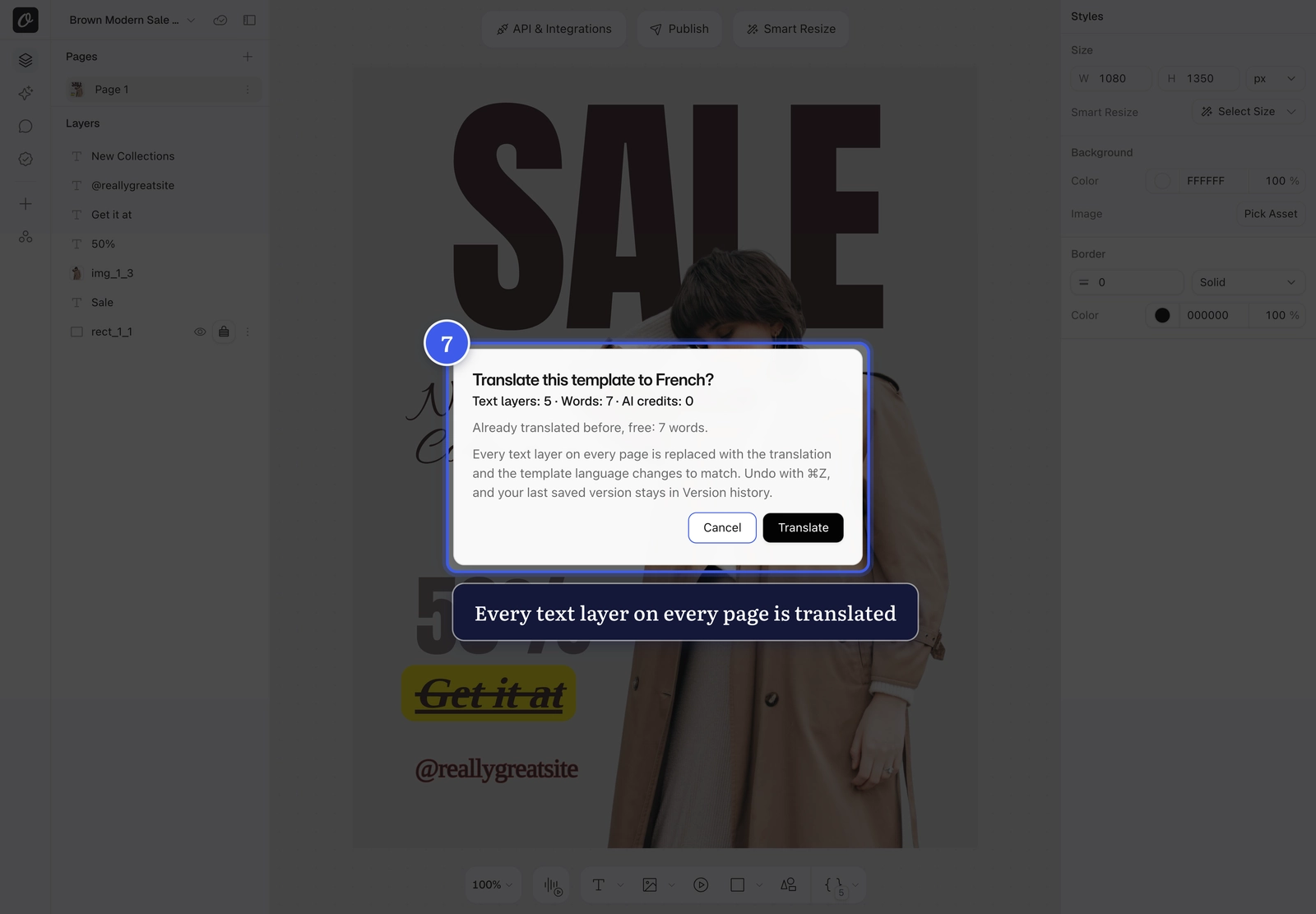
Every text layer on every page is replaced, and the template language changes to match. ⌘Z undoes it in one step, and your last saved version stays in Version history.
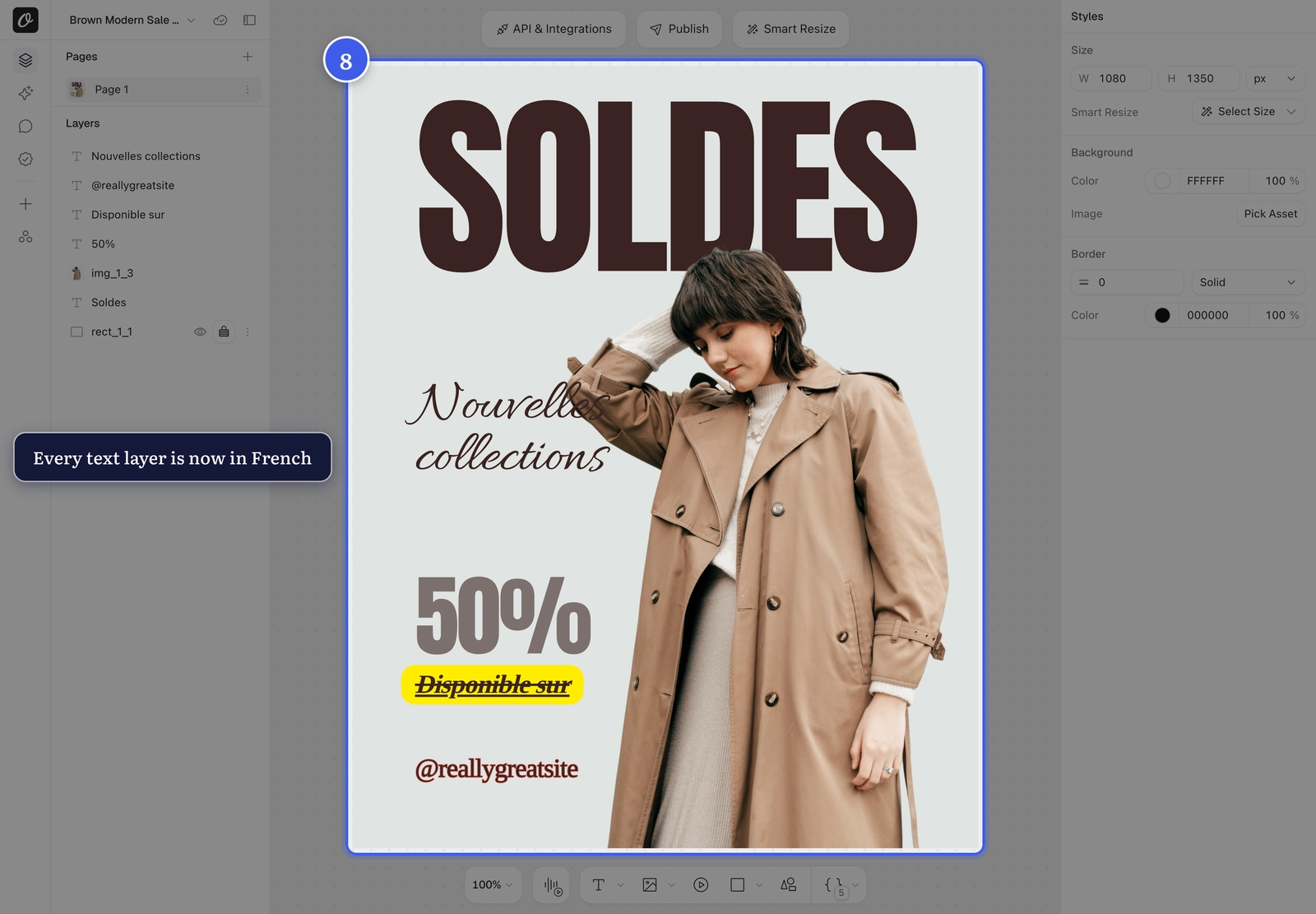
Translations run longer
German runs about 30% longer than English. Set long layers to Fit in Text Autofit so the text shrinks to its box.
Related#
More in Orshot Studio
Ready to automate?
Start rendering images, PDFs and videos from your templates in under 2 minutes. Free plan, no credit card.
Get your API key- Image, PDF and video generation via API
- Visual editor with AI and smart layouts
- Zapier, Make, MCP and 40+ integrations
- White-label embed for your own app
- 100 free credits a month, no credit card required