How to design with AI
Build, restyle and batch-create templates by describing what you want — in the editor or from your AI client via MCP
Published Jun 7, 2026
Two ways to let AI do the design work:
In the editor: the Agent tab#
Open any template and switch to the Agent tab in the right panel — describe a change in plain language ("make the headline red, add a second page with a CTA") and it's applied to your design.
From your AI client: Design via AI (MCP)#
The Design via AI button in the top bar connects your favorite AI client — Claude, Cursor, and others — to Orshot via MCP:
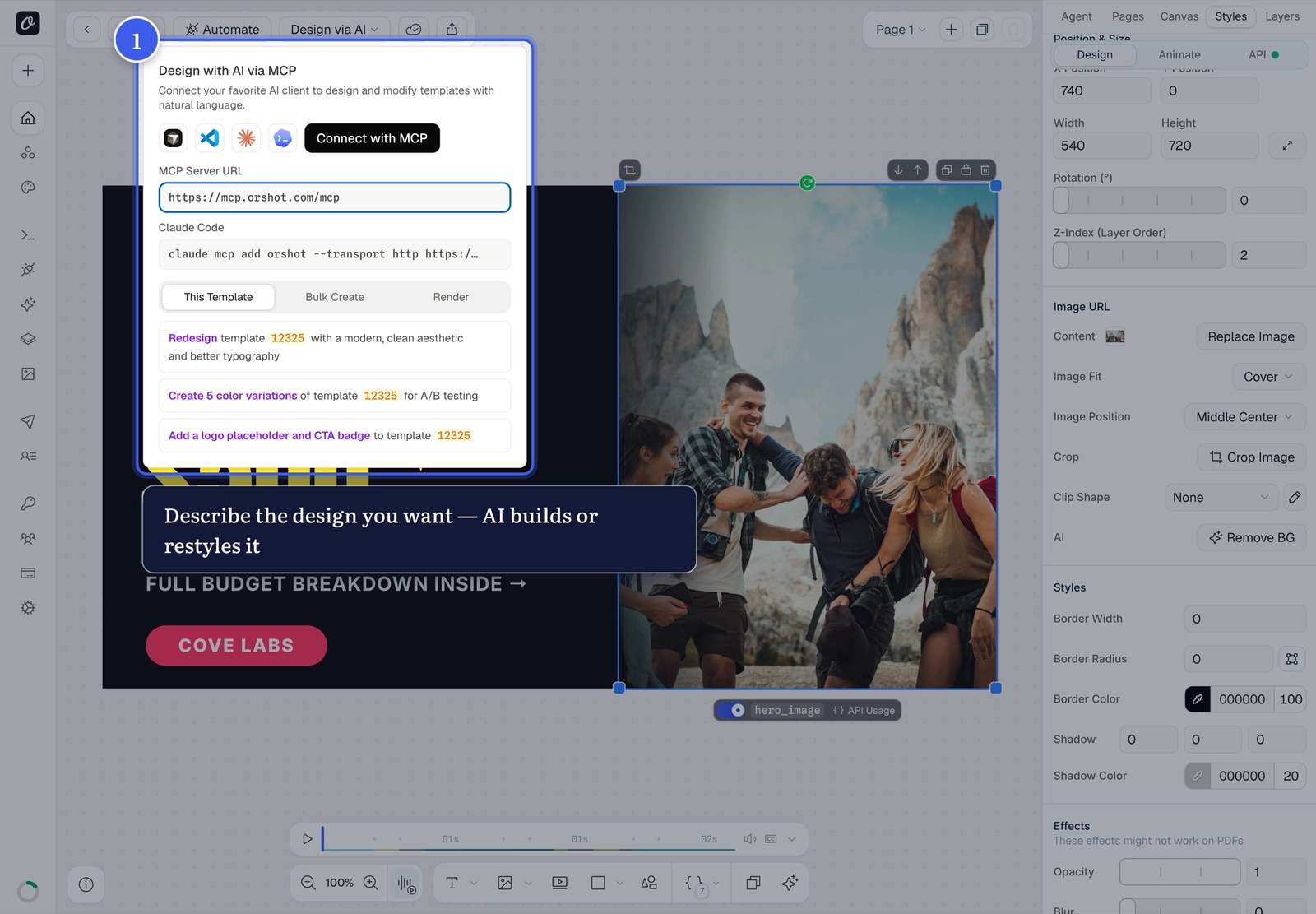
- Connect with MCP — one click for supported clients
- Or copy the MCP Server URL (
https://mcp.orshot.com/mcp) / CLI command into your client manually - Ready-made prompts get you started: redesign the template, create color variations for A/B testing, add placeholders
Once connected, your AI client can design templates, edit layers, and generate renders by chatting — see the Agents & MCP docs.
Creating from scratch?
The Create New Template dialog also has Create with AI — describe the design and a starting template is generated for you.
Related#

More in Orshot Studio
Ready to automate?
Start rendering images, PDFs and videos from your templates in under 2 minutes. Free plan, no credit card.
Get your API key- Image, PDF and video generation via API
- Visual editor with AI and smart layouts
- Zapier, Make, MCP and 40+ integrations
- White-label embed for your own app
- 100 free credits a month, no credit card required