How to stop users overwriting your templates
Override protection and template permissions — your originals stay yours, users work on their own copies
Published Jun 7, 2026
Your workspace templates are the masters — here's how to make sure embed users can't change them.
Turn on override protection#
In Orshot Embed settings, expand Templates and enable Prevent Workspace Template Overriding — it requires Per-User Data to be on first (user edits need somewhere of their own to go):
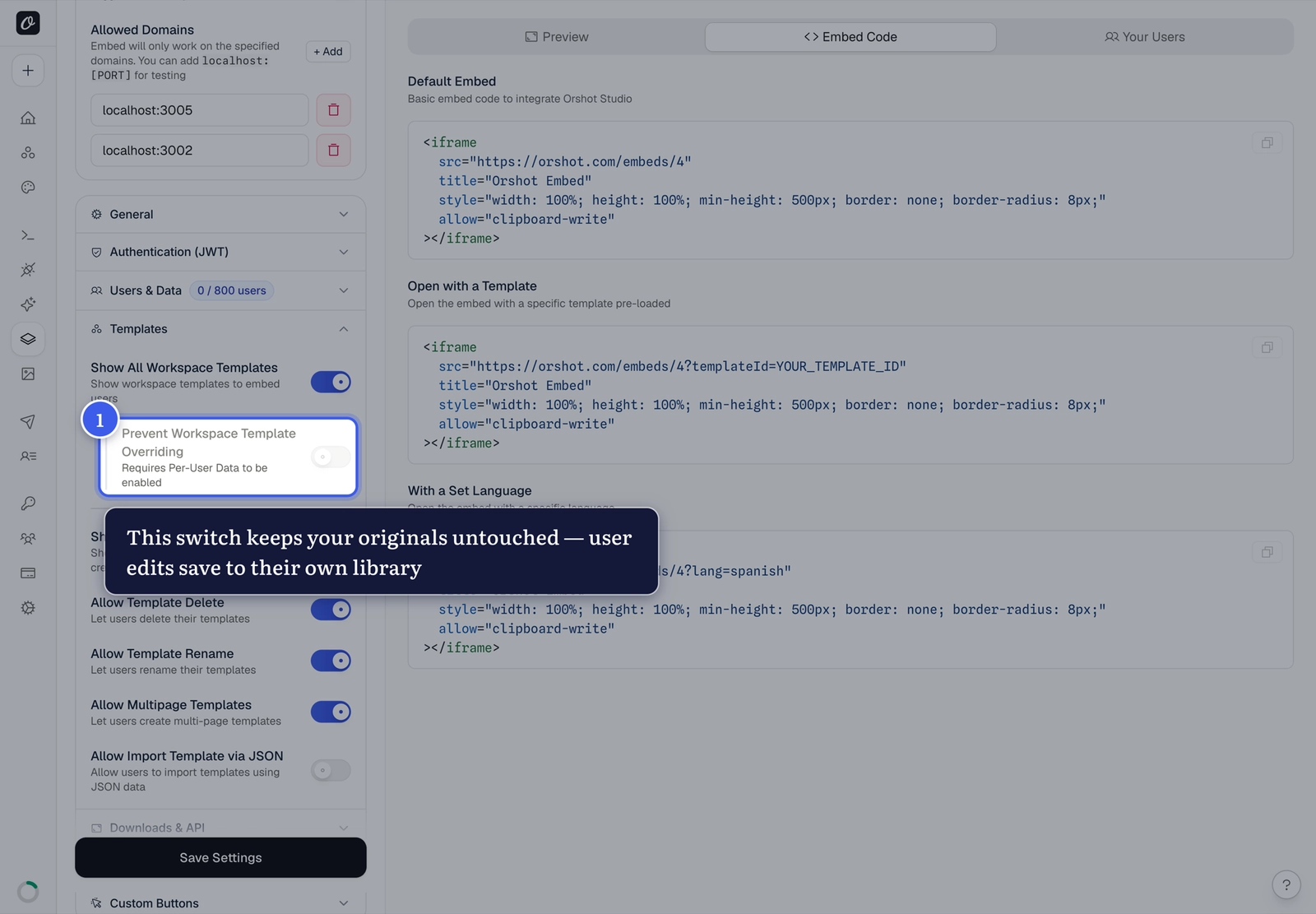
With both on, users who edit a workspace template save into their own library — your original never changes.
The other template permissions#
The rest of the Templates section controls what users can do day to day:
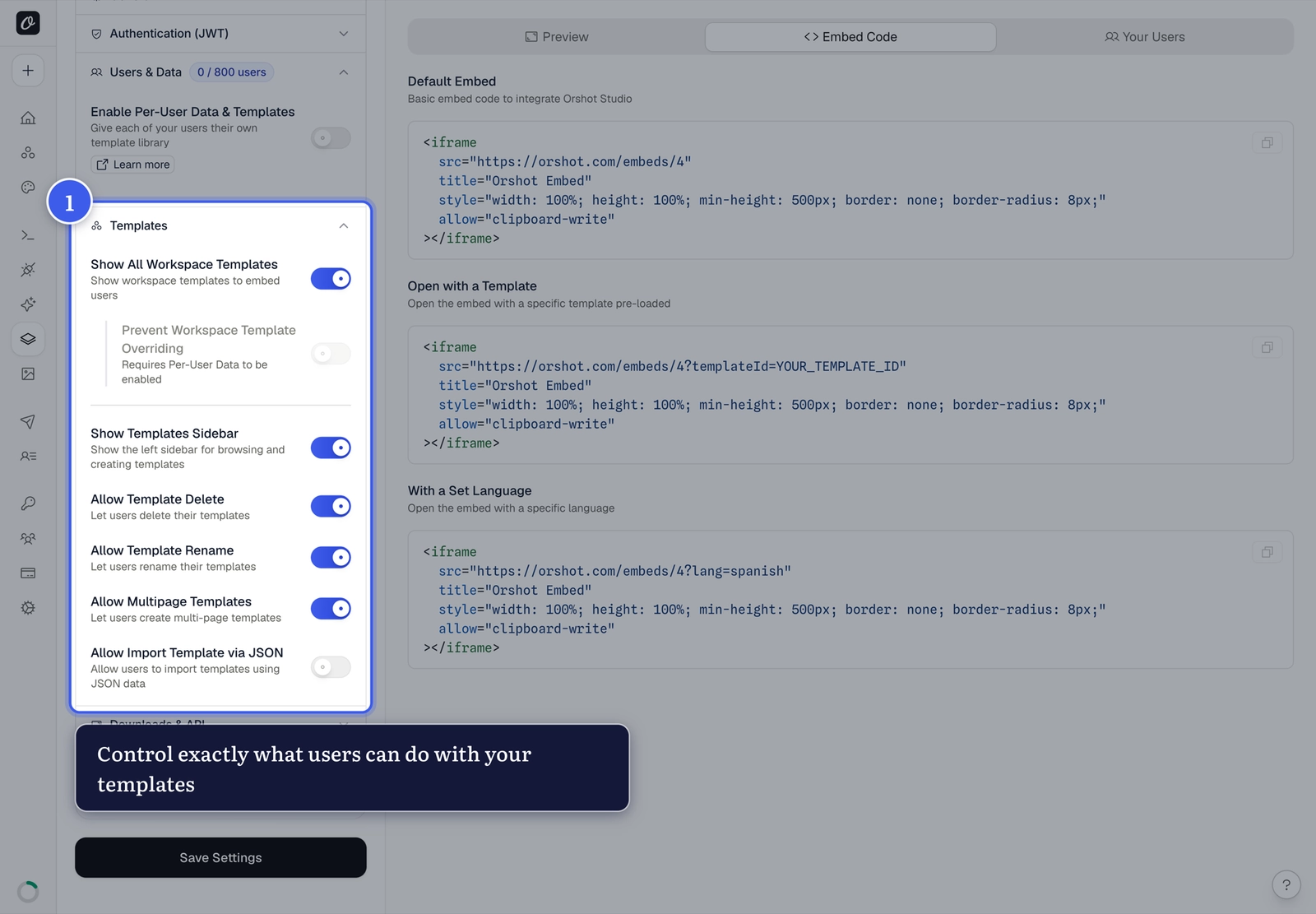
| Switch | What it controls |
|---|---|
| Show All Workspace Templates | Whether users see your shared templates at all — off means they start from scratch |
| Show Templates Sidebar | The left panel for browsing and creating templates |
| Allow Template Delete | Users can delete their own templates |
| Allow Template Rename | Users can rename their templates |
| Allow Multipage Templates | Carousel/multi-page creation |
| Allow Import Template via JSON | Importing template JSON (off by default) |
A common setup
Show workspace templates on + override protection on: users start from your branded masters, personalize freely, and every save lands in their own My Templates.
Related#
More in Orshot Embed
Ready to automate?
Start rendering images, PDFs and videos from your templates in under 2 minutes. Free plan, no credit card.
Get your API key- Image, PDF and video generation via API
- Visual editor with AI and smart layouts
- Zapier, Make, MCP and 40+ integrations
- White-label embed for your own app
- 100 free credits a month, no credit card required