How to download and export your renders
Get your generated images, PDFs, and videos out of Orshot — as files, URLs, or base64
Published Jun 7, 2026
There are a few ways to get renders out of Orshot, depending on whether you're in the Studio, the Playground, or the API.
From Orshot Studio#
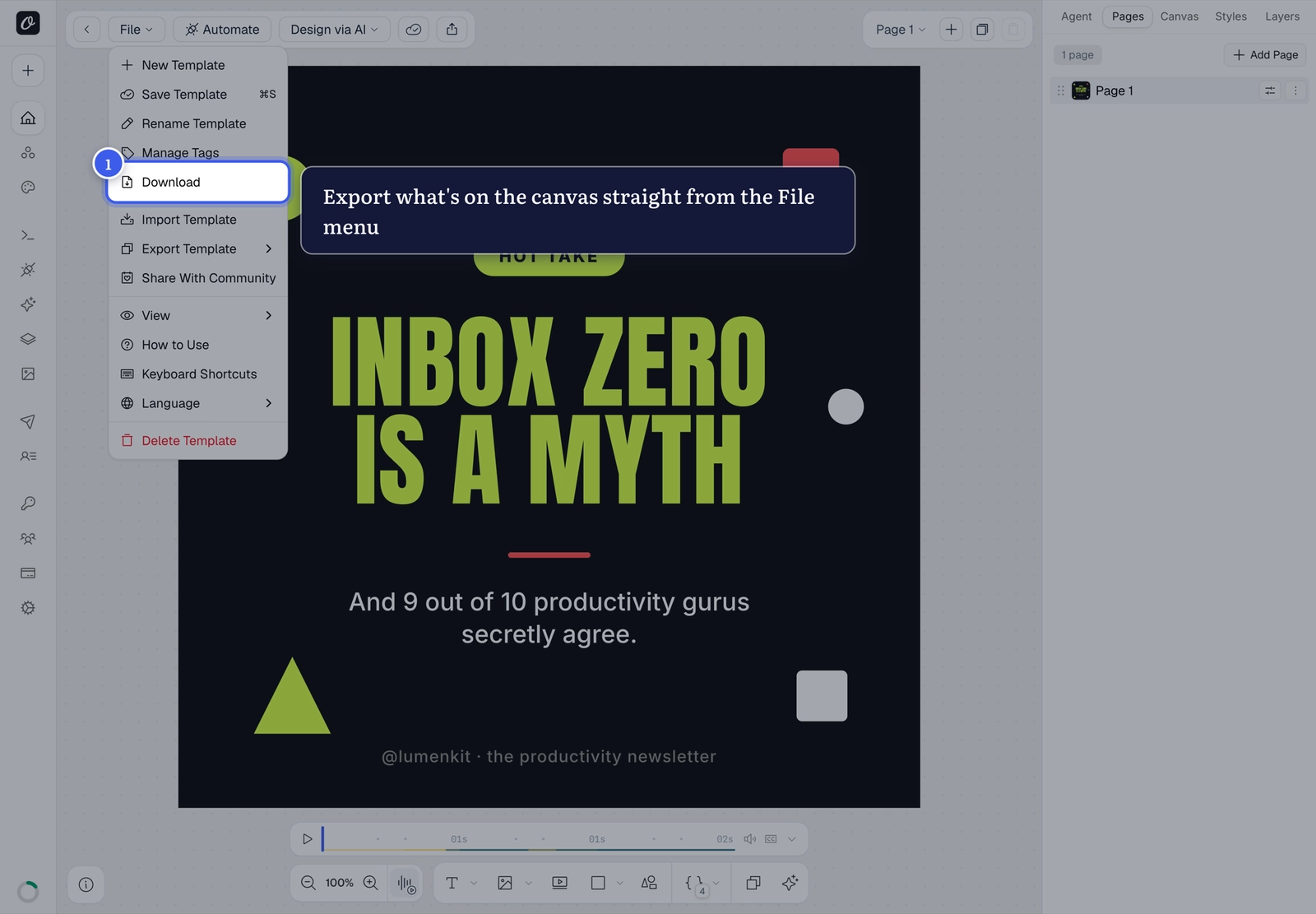
While designing, File → Download exports what's on your canvas — handy for quick one-off exports:
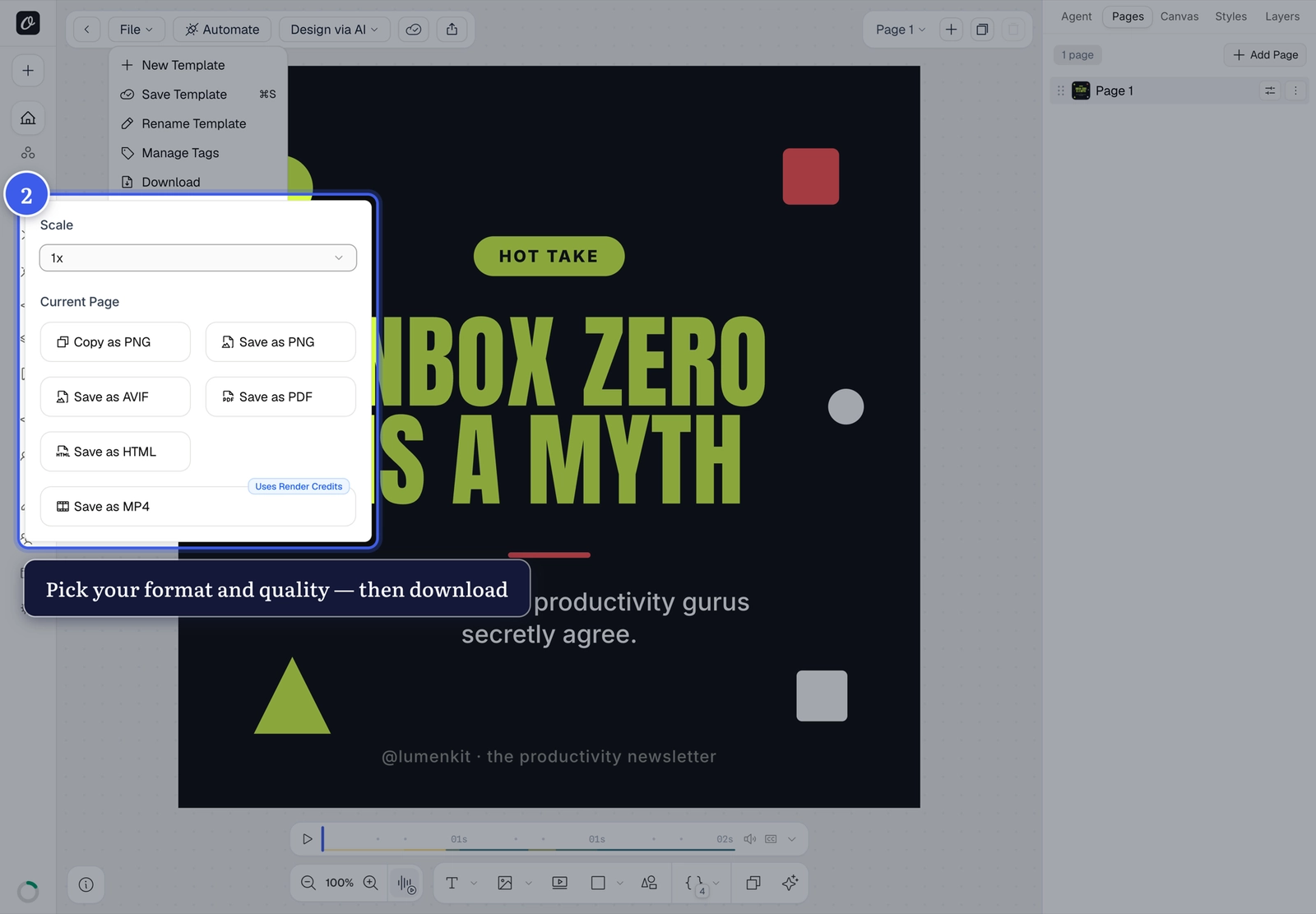
Clicking it opens the download options — copy to clipboard or save the current page as PNG, AVIF, PDF, HTML, even MP4 for animated templates:
From the Playground#
After generating a render, the Preview panel gives you the file directly — download it, or copy the render URL to use anywhere (the URL serves the generated file).
From the API#
Control the output with the response object in your render request:
{
  "templateId": "your-template-id",
  "modifications": { "title": "Hello" },
  "response": {
    "type": "url",
    "format": "png"
  }
}type—url(hosted link),base64(inline data), orbinary(raw file)format—png,jpg,webp,avif,pdf— plusmp4,webmandgiffor video templates
See the full options in the Image Generation, PDF Generation, and Video Generation docs.
Renders showing old content?#
Orshot caches renders so they load fast. If you're seeing an outdated render after changing your template, see Why are my renders not updating?
Related#
More in Orshot Studio
Ready to automate?
Start rendering images, PDFs and videos from your templates in under 2 minutes. Free plan, no credit card.
Get your API key- Image, PDF and video generation via API
- Visual editor with AI and smart layouts
- Zapier, Make, MCP and 40+ integrations
- White-label embed for your own app
- 100 free credits a month, no credit card required