How to use Orshot with AI agents (MCP)
Let Claude, ChatGPT, Cursor or any MCP client design, render and publish Orshot templates by chatting
Published Jun 7, 2026
Open Agents & MCP from your workspace sidebar — setup guides for every client:
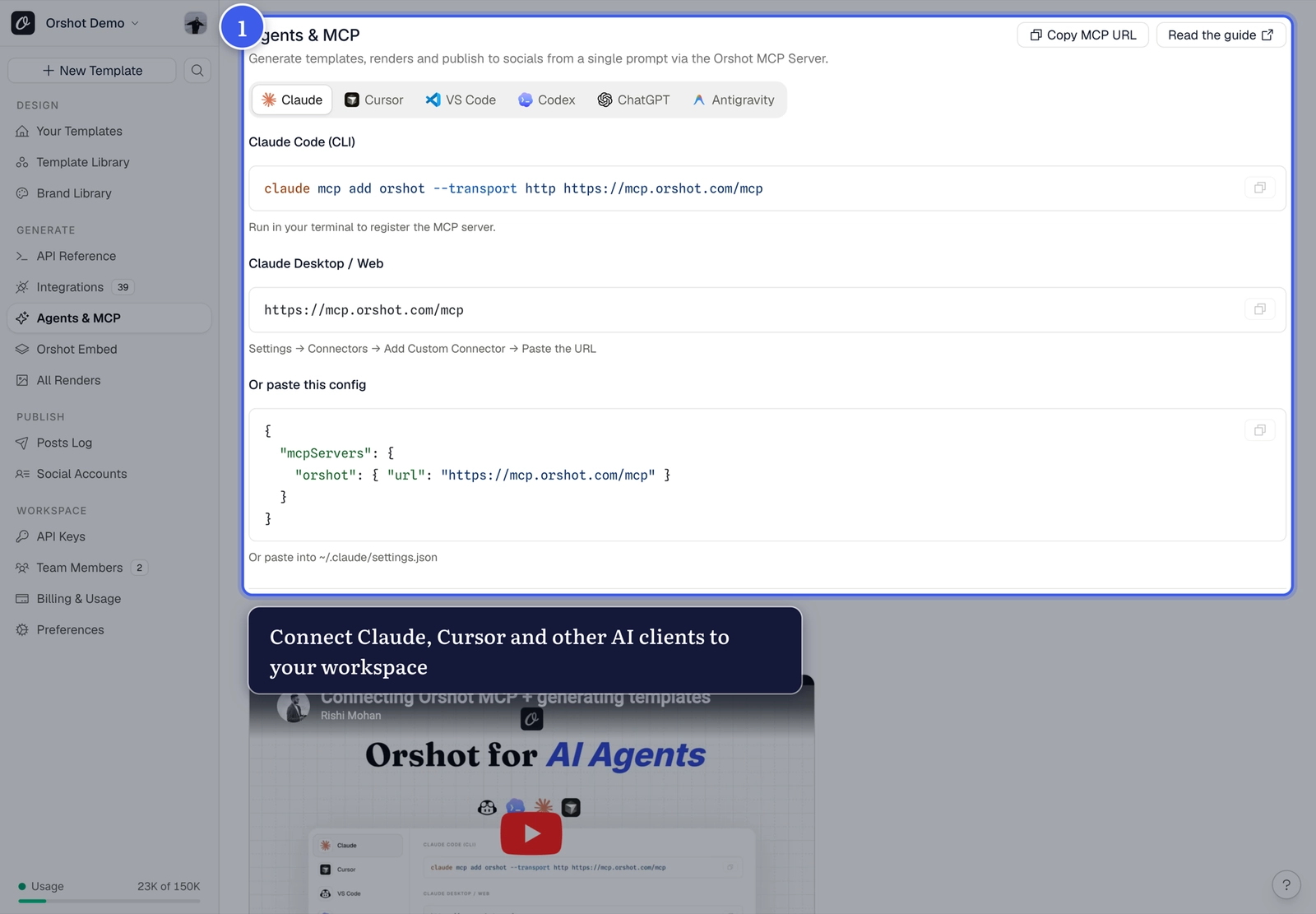
Connect your client#
The fastest path is from any template: Design via AI in the Orshot Studio top bar offers one-click Connect with MCP, the server URL, and a CLI command:
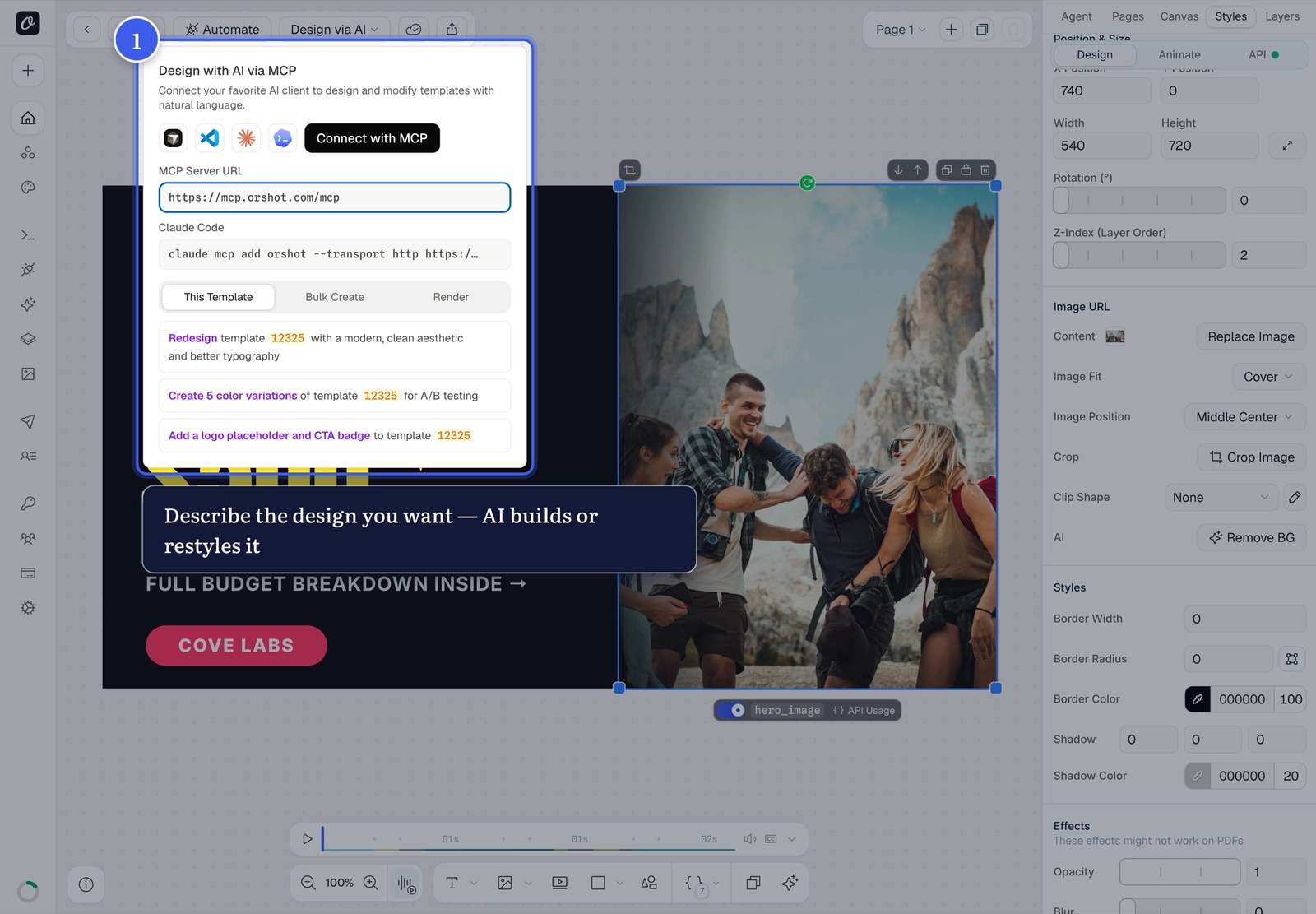
Once connected, your AI client can:
- Design — create and restyle templates from a prompt
- Add media — use stock images and video, voiceovers, ambient audio, captions and waveforms
- Render — generate images, PDFs and videos with specific parameter values
- Personalize — create batches with different visuals, text and spoken narration
- Publish — send finished renders to connected social accounts
Try it
"Create a 15-second launch reel with a voiceover and animated captions, then publish it to my connected social account" — that's a complete workflow in one message.
Related#

More in Generating Visuals
Was this page helpful?
Ready to automate?
Start rendering images, PDFs and videos from your templates in under 2 minutes. Free plan, no credit card.
Get your API key- Image, PDF and video generation via API
- Visual editor with AI and smart layouts
- Zapier, Make, MCP and 40+ integrations
- White-label embed for your own app
- 100 free credits a month, no credit card required