How render credits and usage work
What counts as a credit, where to track your balance, and what happens at the limit
Published Jun 7, 2026
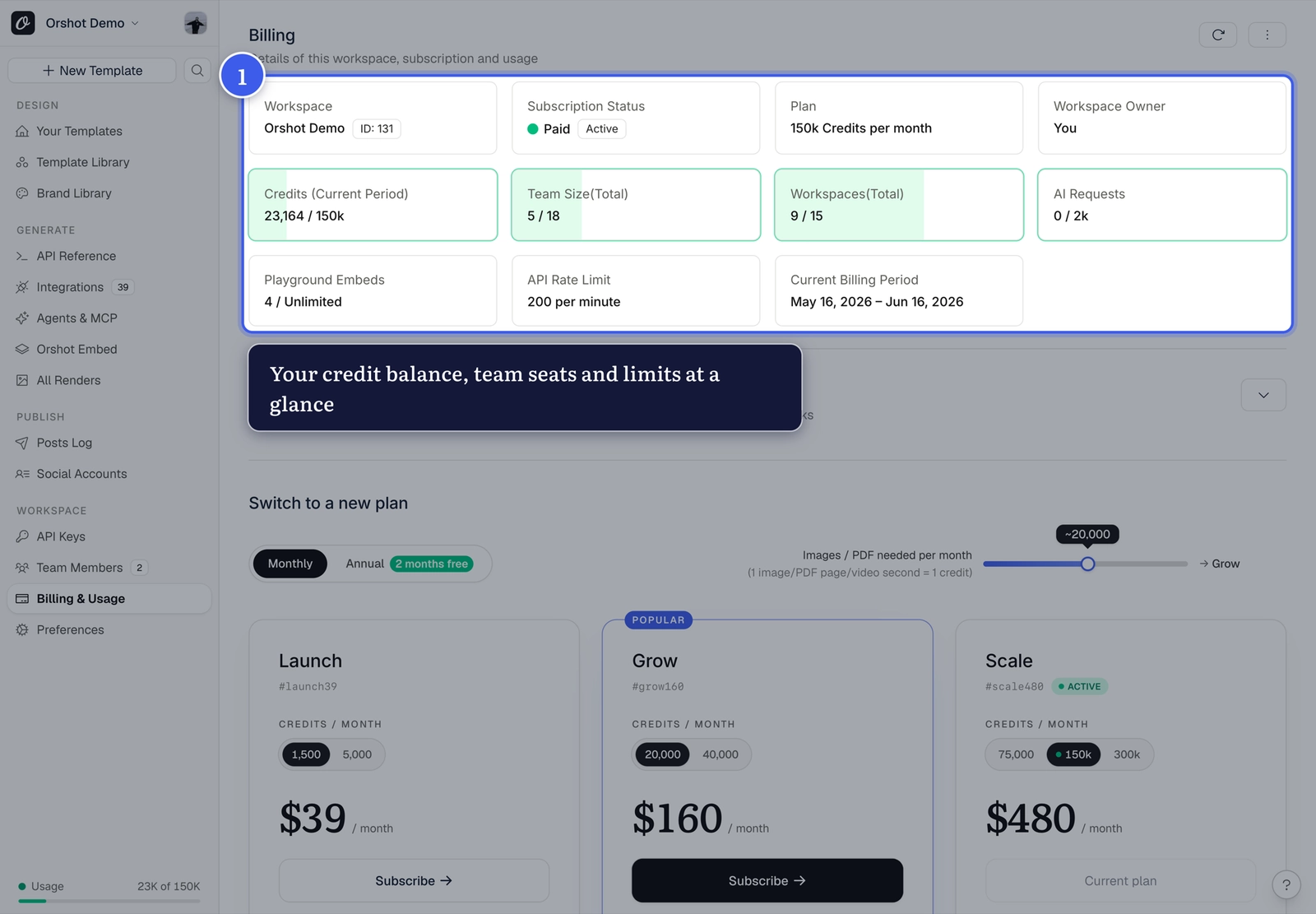
Open Billing & Usage from your workspace sidebar to see where you stand:
What uses credits#
- Image and PDF renders — every render request (API, Playground, or integrations), including repeat requests served from cache
- Video renders — these scale with length (roughly 1 credit per second of video), so a 10-second MP4 costs more than an image
- MP4 downloads from Orshot Studio (same per-second rule)
- Smart Resize sizes — each size in a render counts on its own:
response.sizeis one render at the new size, and every entry inresponse.extraSizesadds another. Saving sizes in Studio is free — you're only charged when you render them.
What doesn't#
- Editing and saving templates in Orshot Studio
- Image downloads of the current canvas (PNG, PDF, etc.)
- Serving an existing render URL — once rendered, the output URL is a hosted file; embedding or sharing it costs nothing
Voice usage#
AI voiceovers use a separate voice-minute allowance instead of render credits. The allowance is shared across all workspaces on the account and resets with the billing period.
Generating new spoken narration uses voice time. Rendering a template with narration that has already been generated does not use it again. Dynamic narration uses voice time when new spoken copy needs to be generated.
Your plan controls the included minutes, available voice models, and maximum script length. Open Voiceover in Studio to see current usage, or compare plans on the pricing page.
Stretch your credits
For high-traffic visuals like OG images, render once and reuse the output URL — serving the file again never triggers a new render.
At the limit#
Configure Overage Settings on the billing page to decide what happens past your plan's credits — see overage renders.
Related#
More in Account & Billing
Ready to automate?
Start rendering images, PDFs and videos from your templates in under 2 minutes. Free plan, no credit card.
Get your API key- Image, PDF and video generation via API
- Visual editor with AI and smart layouts
- Zapier, Make, MCP and 40+ integrations
- White-label embed for your own app
- 100 free credits a month, no credit card required