How to render images via the API
A complete worked example — from template to rendered image URL in one request
Published Jun 7, 2026
The fastest way to your first API render: open your template's Playground (via Quick Connect) and switch to the REST API tab — your exact render as a copy-paste request:
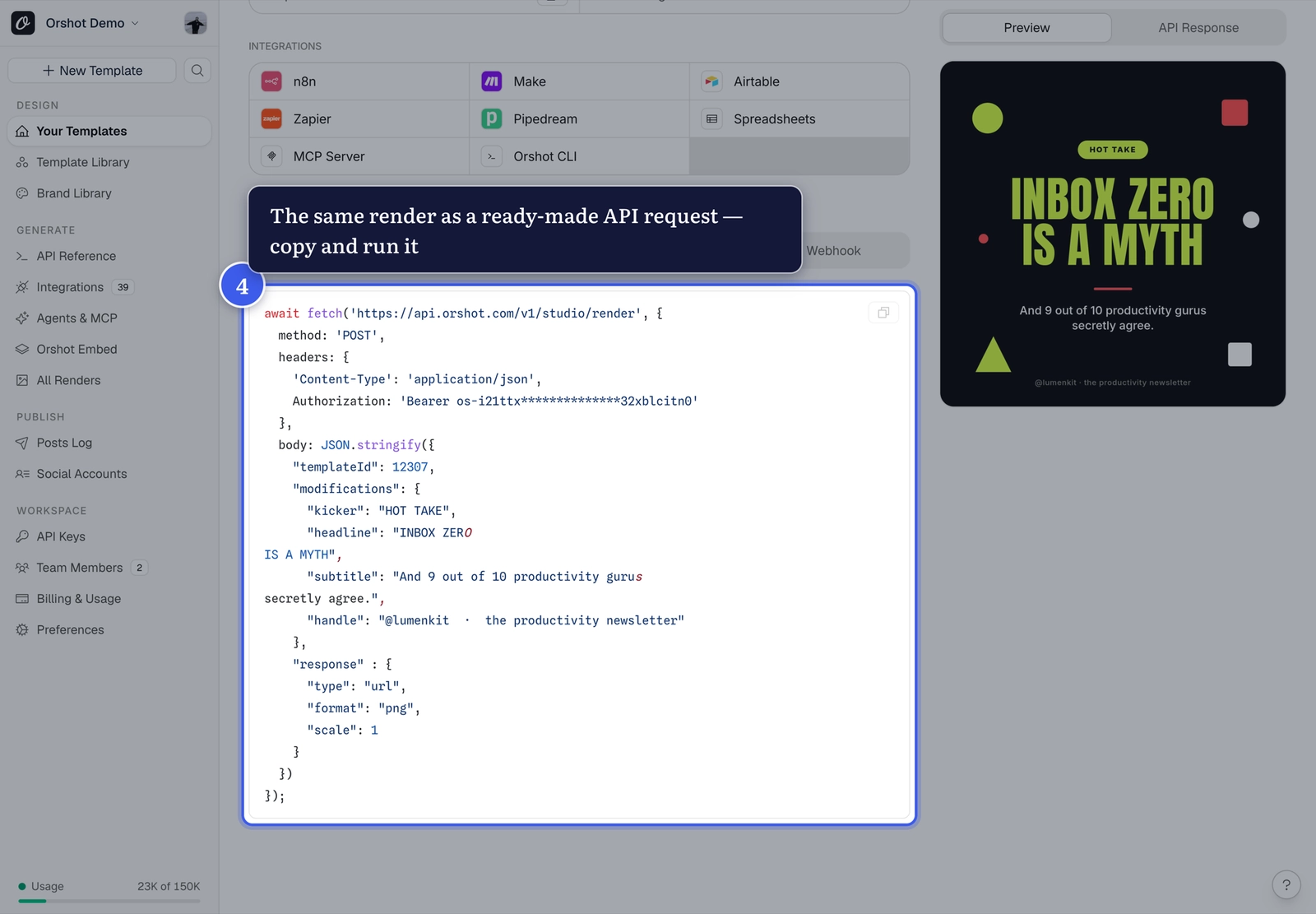
The anatomy of a render call#
curl -X POST "https://api.orshot.com/v1/studio/render" \
  -H "Authorization: Bearer YOUR_API_KEY" \
  -H "Content-Type: application/json" \
  -d '{
    "templateId": "12307",
    "modifications": {
      "headline": "INBOX ZERO IS A MYTH"
    },
    "response": { "type": "url", "format": "png" }
}'templateId+ API key — where to find bothmodifications— your template's dynamic parametersresponse—url,base64orbinary; formatspng,jpg,webp,avif,pdf(plusmp4,webm,giffor video templates)
The response contains a URL to your rendered image — cached for speed on repeat calls.
Style per render
Parameters accept style overrides too: "headline.color": "#FF5733" changes
the color for that render only.
Related#
More in Generating Visuals
←→
Previous
How to find your API key and template ID
Next
How to render a template at any size via the API
Was this page helpful?
Ready to automate?
Start rendering images, PDFs and videos from your templates in under 2 minutes. Free plan, no credit card.
Get your API key- Image, PDF and video generation via API
- Visual editor with AI and smart layouts
- Zapier, Make, MCP and 40+ integrations
- White-label embed for your own app
- 100 free credits a month, no credit card required