How to render a template at any size via the API
Use response.size to render a studio template at any size on demand: a preset slug or exact pixels.
Published Jun 14, 2026
Designed your template with Smart Resize? The API Usage tab shows the exact request to render it at any size. Open Smart Resize in Studio and switch to API Usage:
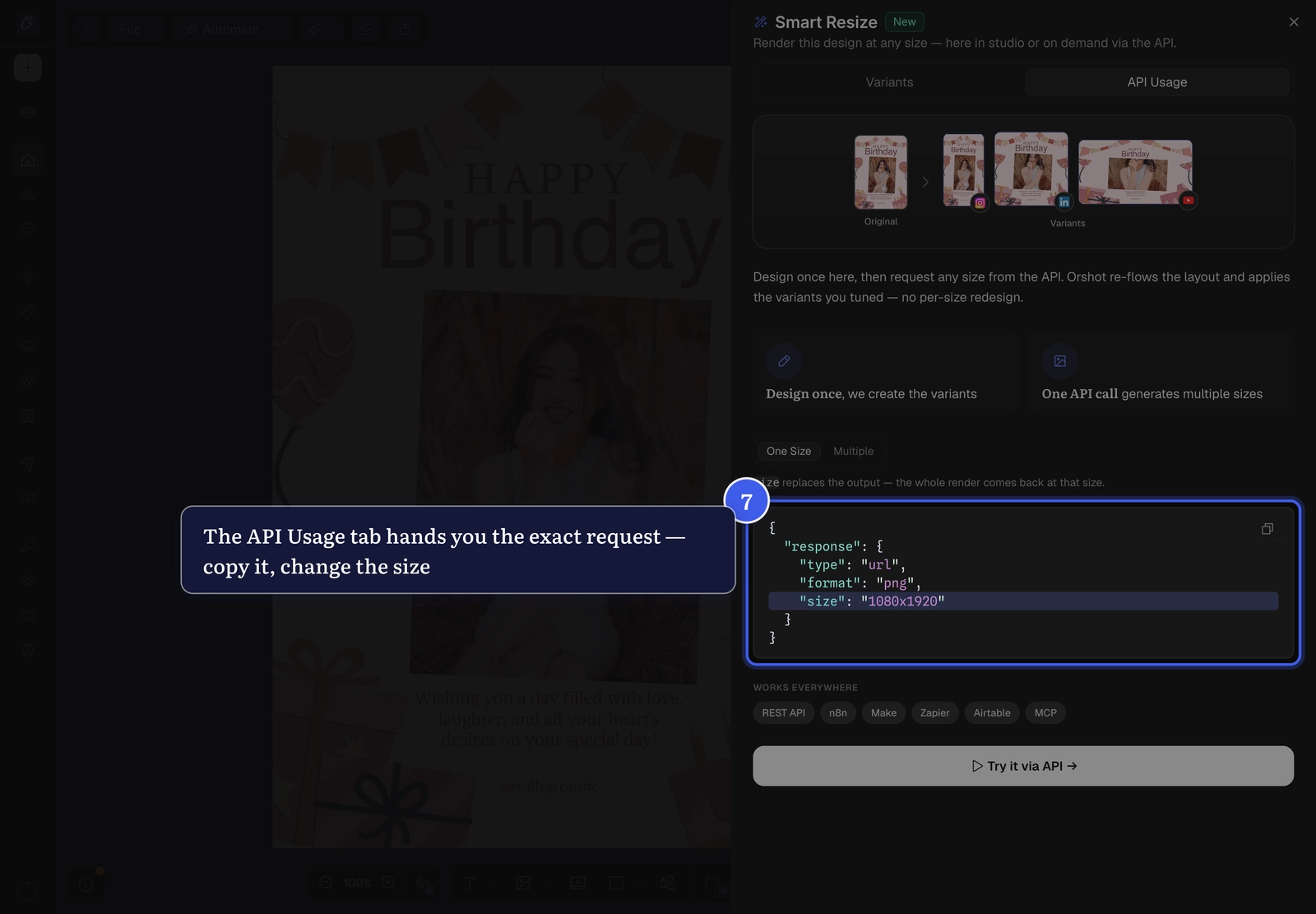
Add a size to your render's response object to replace the output size:
curl -X POST "https://api.orshot.com/v1/studio/render" \
  -H "Authorization: Bearer YOUR_API_KEY" \
  -H "Content-Type: application/json" \
  -d '{
    "templateId": "1227",
    "response": { "type": "url", "format": "png", "size": "instagram-story" }
  }'
size accepts a preset slug (instagram-story, og-image, youtube-thumbnail, …) or "WIDTHxHEIGHT" (e.g. "1080x1920"). One request returns one render at that size — and if you saved the size in Studio, it reproduces your tuned layout exactly.
Scale still applies
scale multiplies on top of the new size — "size": "1080x1920" with
"scale": 2 outputs 2160×3840.
Related#
More in Generating Visuals
Ready to automate?
Start rendering images, PDFs and videos from your templates in under 2 minutes. Free plan, no credit card.
Get your API key- Image, PDF and video generation via API
- Visual editor with AI and smart layouts
- Zapier, Make, MCP and 50+ integrations
- White-label embed for your own app
- 30 free credits — no credit card required