How to cancel or pause your subscription
Cancel — or temporarily pause — your Orshot subscription right from your billing page
Published Jun 7, 2026
You can cancel (or pause) your subscription at any time from your billing page. No emails, no calls needed.
Steps#
- Open Billing & Usage from your workspace sidebar
- Click the menu icon (⋮) in the top right of the Billing section
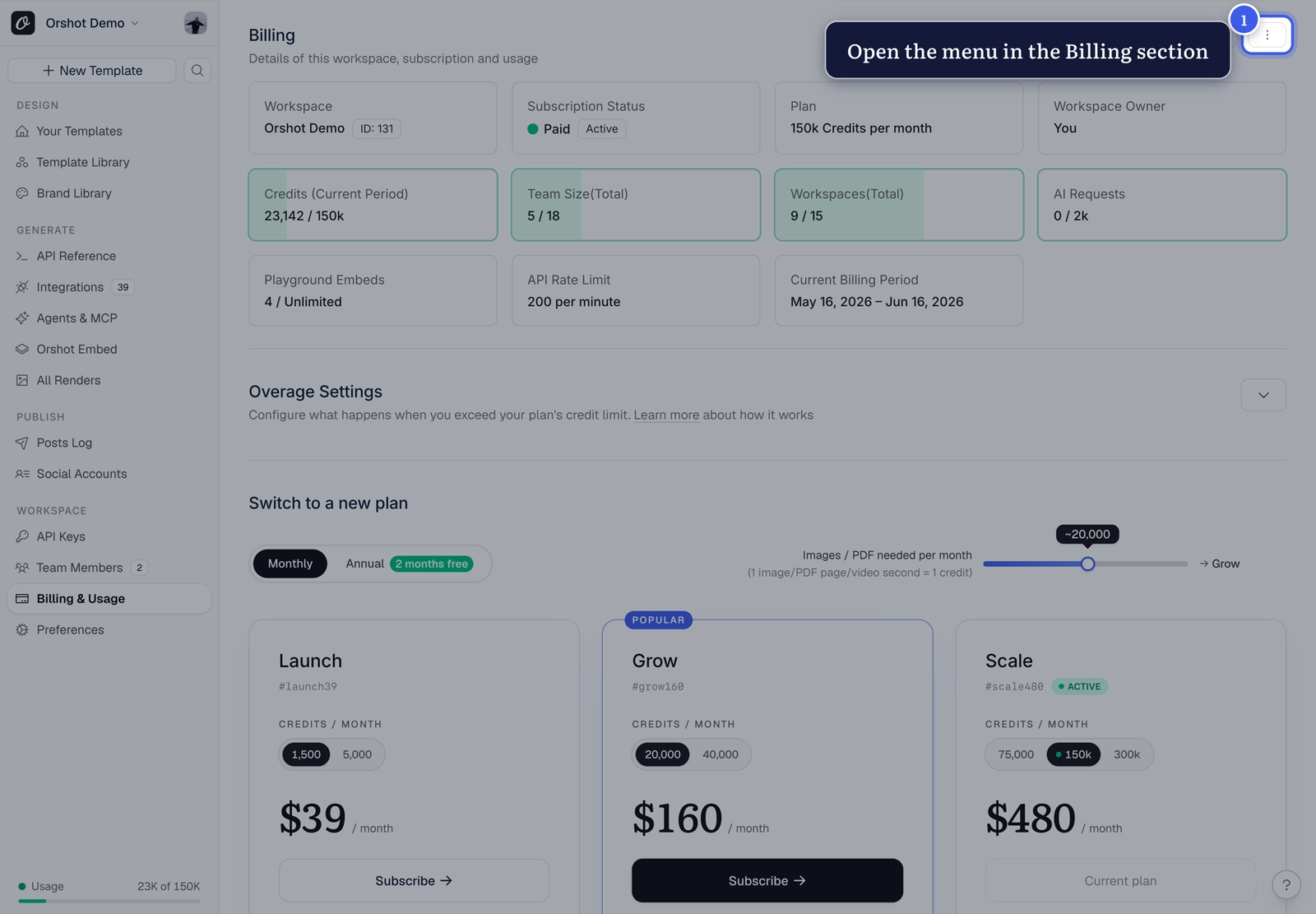
- Pick Cancel Subscription — or Pause Subscription if you just need a break
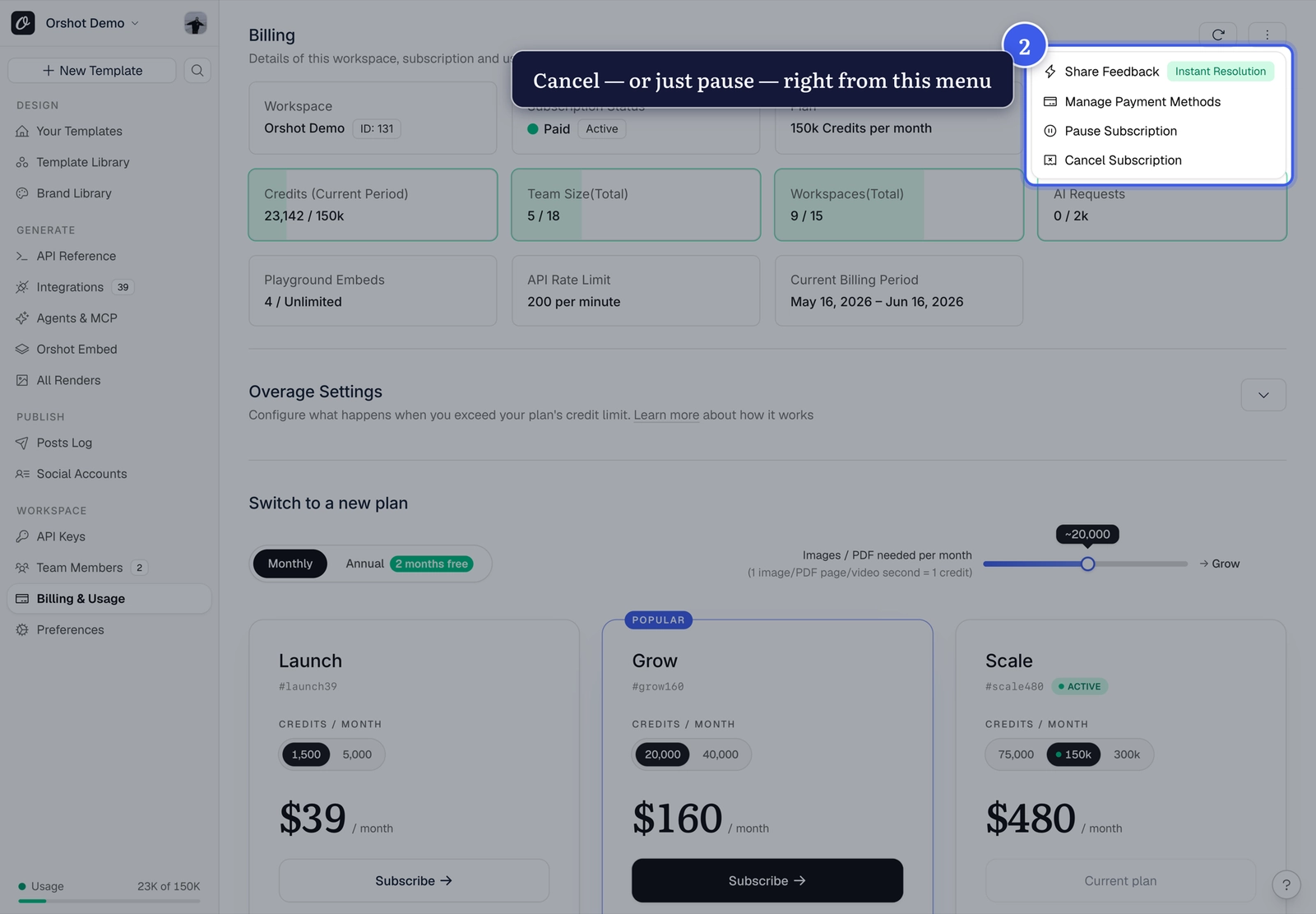
Pausing might fit better
Pausing keeps your templates, workspace and settings ready for when you're back — without the monthly charge while you're away.
What happens after you cancel#
- Your subscription stays active until the end of the current billing cycle
- You will not be charged again
- Your templates and workspace data remain intact — if you resubscribe later, you pick up where you left off
Before you go#
If something wasn't working for you, we'd genuinely like to know — reach out via the in-app support and we'll try to fix it.
Related#
More in Account & Billing
←→
Previous
What happens to approval flows after a downgrade
Next
How to invite your team to a workspace
Was this page helpful?
Ready to automate?
Start rendering images, PDFs and videos from your templates in under 2 minutes. Free plan, no credit card.
Get your API key- Image, PDF and video generation via API
- Visual editor with AI and smart layouts
- Zapier, Make, MCP and 40+ integrations
- White-label embed for your own app
- 100 free credits a month, no credit card required