How to make the embed match your brand
Your accent color, name, icon and language — plus URL parameters to hide any part of the editor
Published Jun 7, 2026
The embedded editor should feel like your product. Two layers of control:
Brand settings (General)#
In Orshot Embed settings, expand General:
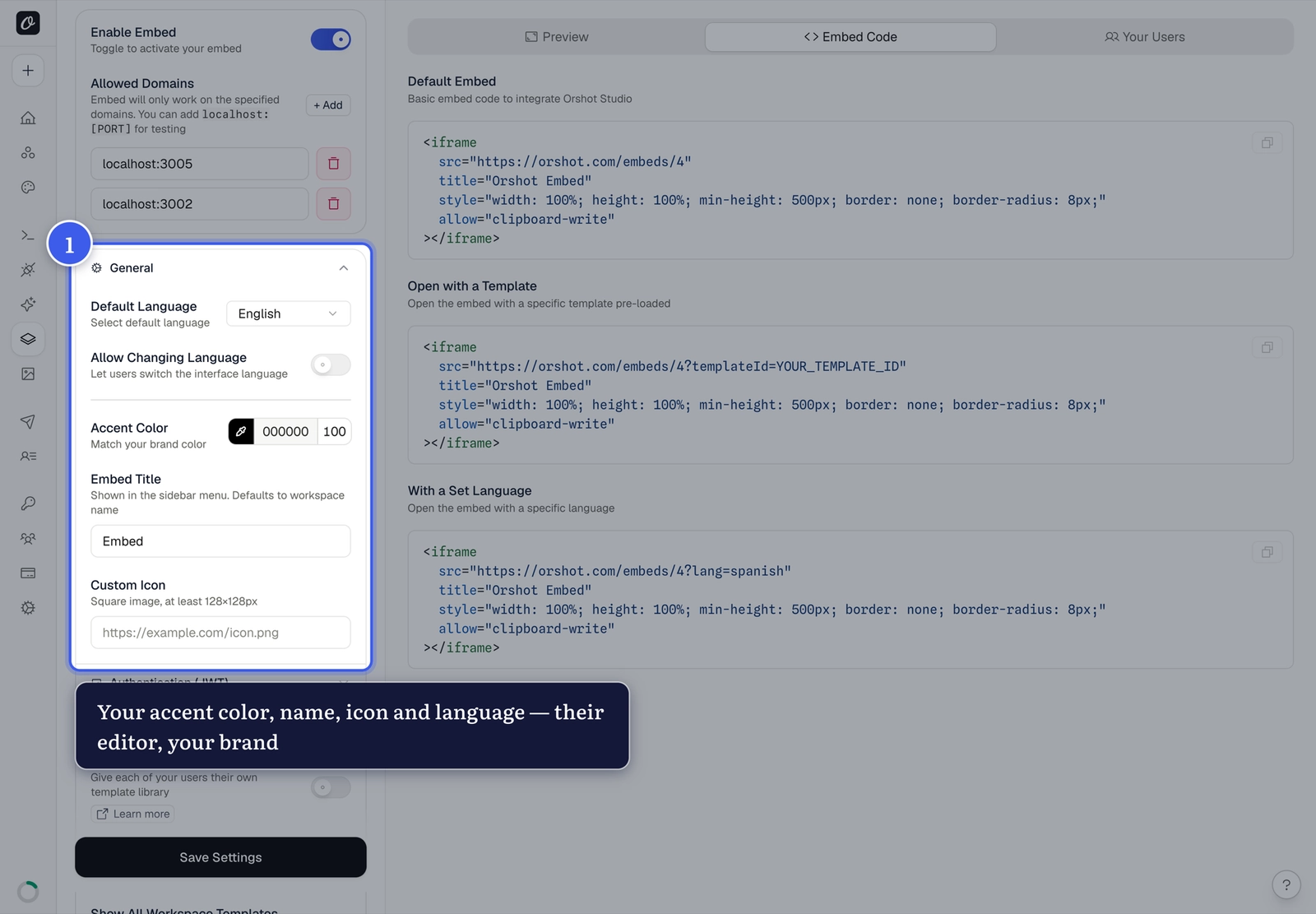
- Accent color — buttons, highlights and interactive elements match your brand
- Embed title — your product's name instead of the workspace name
- Custom icon — your square logo (min 128×128px) replaces the Orshot icon
- Default language — initial interface language (users can switch if you allow it)
Hide parts of the editor (URL parameters)#
Add hide= to the embed URL with any of these, comma-separated:
| Token | Hides |
|---|---|
templateBar | Top-left menu, save and template actions |
pagesBar | Page controls (add, duplicate, reorder) |
toolsBar | Bottom toolbar (zoom + insert tools) |
stylesSidebar | The styling sidebar |
videoBar | Video timeline/playback controls |
metaBar | The template-info button |
https://orshot.com/embeds/YOUR_ID?hide=templateBar,pagesBar,metaBarOne dependency to know
The styles sidebar opens from the Menu button inside templateBar —
hiding templateBar also removes the way to open the sidebar.
Related#
More in Orshot Embed
Was this page helpful?
Ready to automate?
Start rendering images, PDFs and videos from your templates in under 2 minutes. Free plan, no credit card.
Get your API key- Image, PDF and video generation via API
- Visual editor with AI and smart layouts
- Zapier, Make, MCP and 40+ integrations
- White-label embed for your own app
- 100 free credits a month, no credit card required