How to fix "Access Denied" in your embed (JWT)
Safari and privacy tools strip referrer headers — JWT authentication keeps your embed loading for everyone
Published Jun 7, 2026
Your embed validates domains using the browser's referrer header. Safari, privacy extensions and mobile webviews sometimes strip it — and those users see Access Denied even from an allowed domain. JWT authentication fixes this.
1. Generate a signing secret#
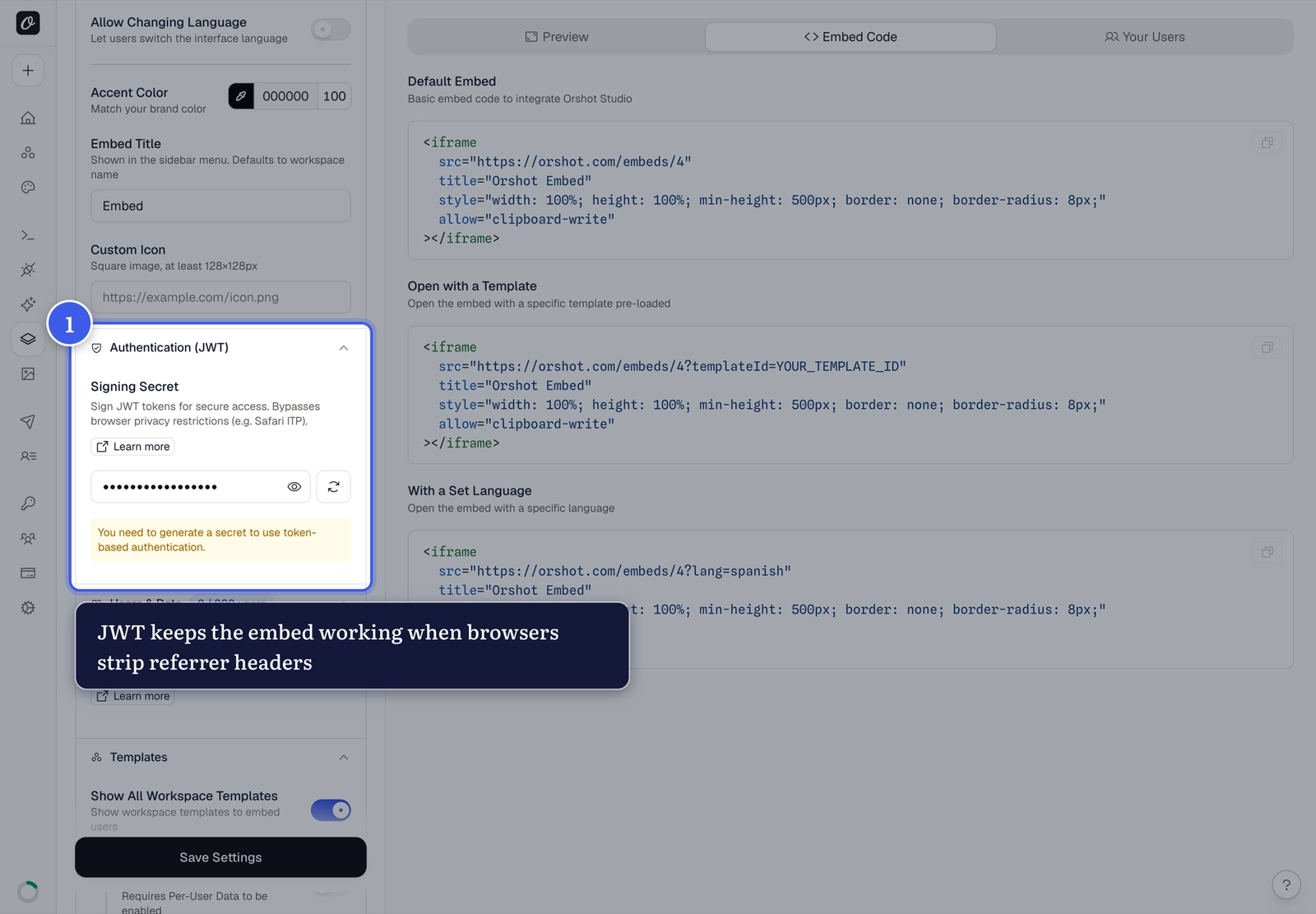
In Orshot Embed settings, expand Authentication (JWT) and generate your Signing Secret:
2. Sign a token on your server#
const jwt = require("jsonwebtoken");

const token = jwt.sign(
  { embedId: "YOUR_EMBED_ID", nonce: Math.random() },
  process.env.ORSHOT_SIGNING_SECRET,
  { expiresIn: "1h" }
);
3. Pass it in the embed URL#
https://orshot.com/embeds/YOUR_EMBED_ID?token=YOUR_JWTA valid token bypasses referrer validation entirely. Invalid or expired tokens fall back to standard domain checking — nothing breaks.
Keep the secret server-side
Sign tokens on your backend only — never expose the Signing Secret in client code. Short expiries (1h or less) keep tokens low-risk.
Related#
More in Orshot Embed
Ready to automate?
Start rendering images, PDFs and videos from your templates in under 2 minutes. Free plan, no credit card.
Get your API key- Image, PDF and video generation via API
- Visual editor with AI and smart layouts
- Zapier, Make, MCP and 40+ integrations
- White-label embed for your own app
- 100 free credits a month, no credit card required