How to replace an image
Swap any image in your design — from your library, stock photos, a URL, or AI-generated
Published Jun 7, 2026
Open your template in Studio, then:
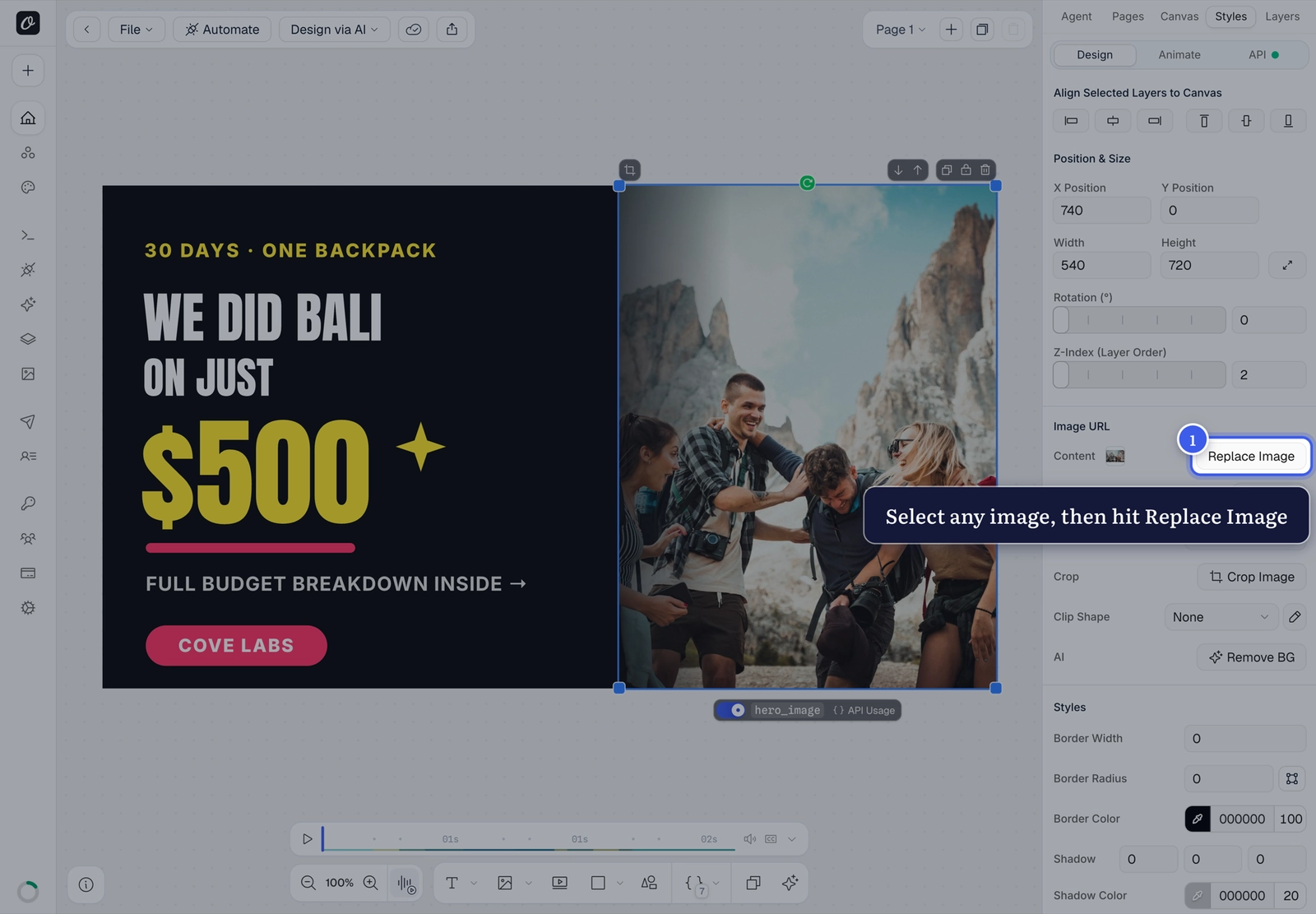
1. Select the image and hit Replace#
Click the image on the canvas — the Replace Image button appears in the Styles panel on the right:
2. Pick the new image#
The Use Asset picker opens with four sources:
- Assets — your uploaded library (reusable across all templates)
- AI Generator — generate an image from a prompt
- Stock — free stock photos and videos from Pixabay and Unsplash
- From URL — paste any image link
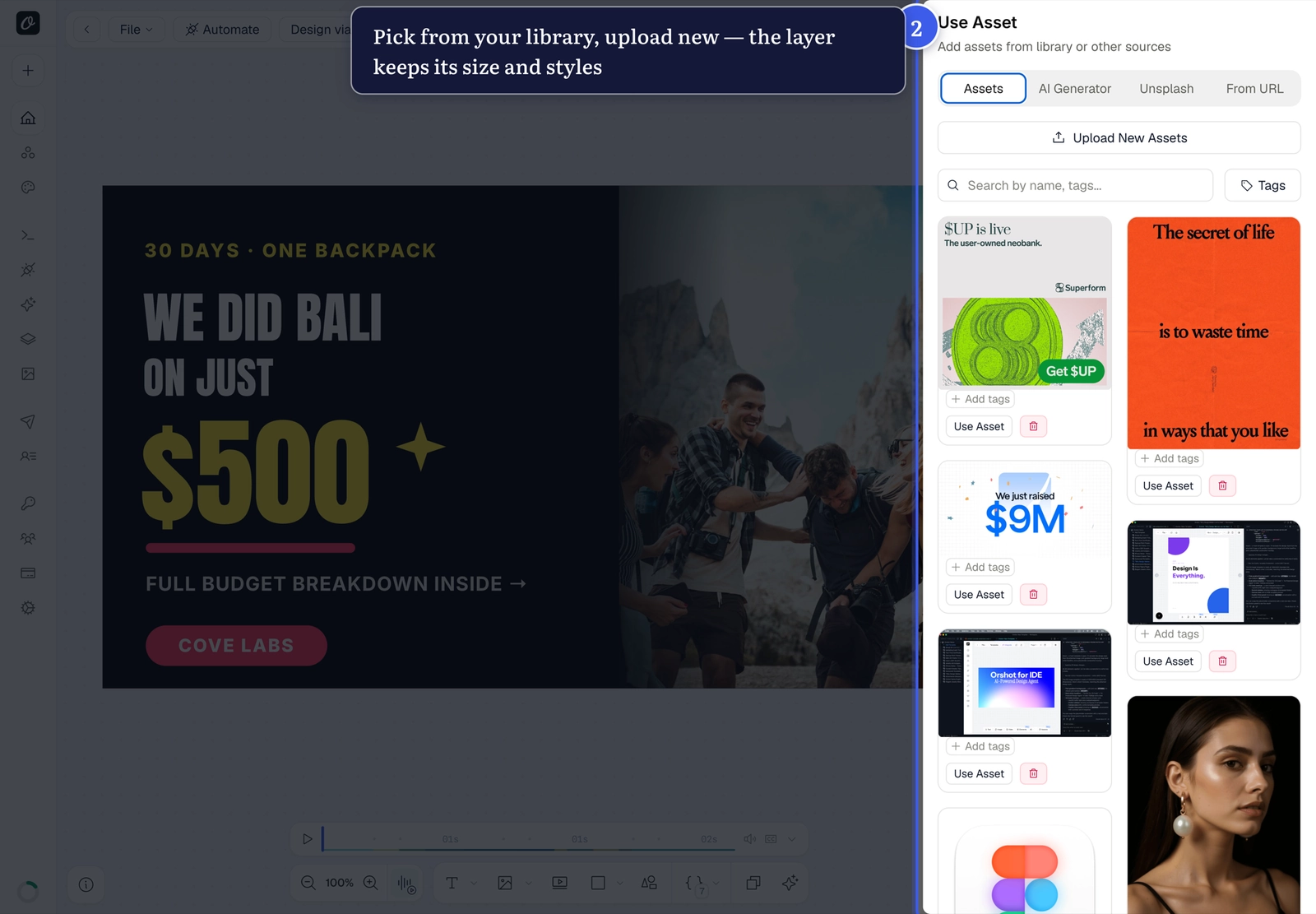
The layer keeps its size, position and styles — only the image swaps.
Changing images per render?
If the image should be different on every render, parameterize the layer instead and pass an image URL in your API call.
Related#
More in Orshot Studio
←→
Previous
How to work with multi-page templates
Next
How to resize elements, the canvas, and any design
Was this page helpful?
Ready to automate?
Start rendering images, PDFs and videos from your templates in under 2 minutes. Free plan, no credit card.
Get your API key- Image, PDF and video generation via API
- Visual editor with AI and smart layouts
- Zapier, Make, MCP and 40+ integrations
- White-label embed for your own app
- 100 free credits a month, no credit card required