How to let embed users resize a design
A no-API, in-editor Smart Resize for embed customers on Scale plans.
Published Jun 14, 2026
Inside the embedded studio, Smart Resize lets your customers take a design and render it at any size — then add it as a new page or update an existing one. It's the same adaptive engine as Smart Resize in Studio, tuned for a customer-facing surface: it works purely with pages, with no API-facing controls.
Available on Scale plans
When your plan includes it, the Smart Resize button appears in the embed toolbar automatically — there's nothing to toggle.
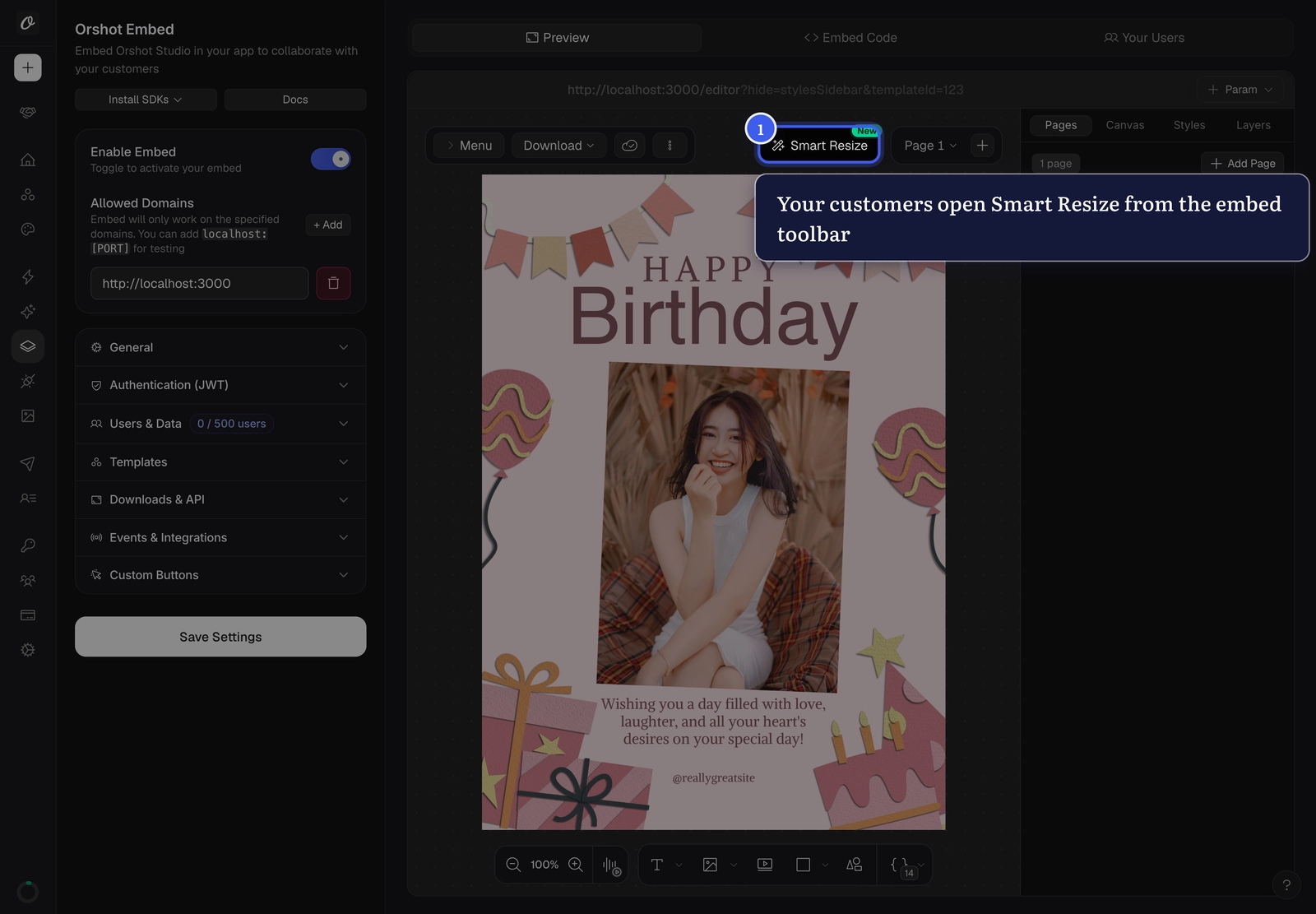
Your customers click Smart Resize in the embed toolbar:
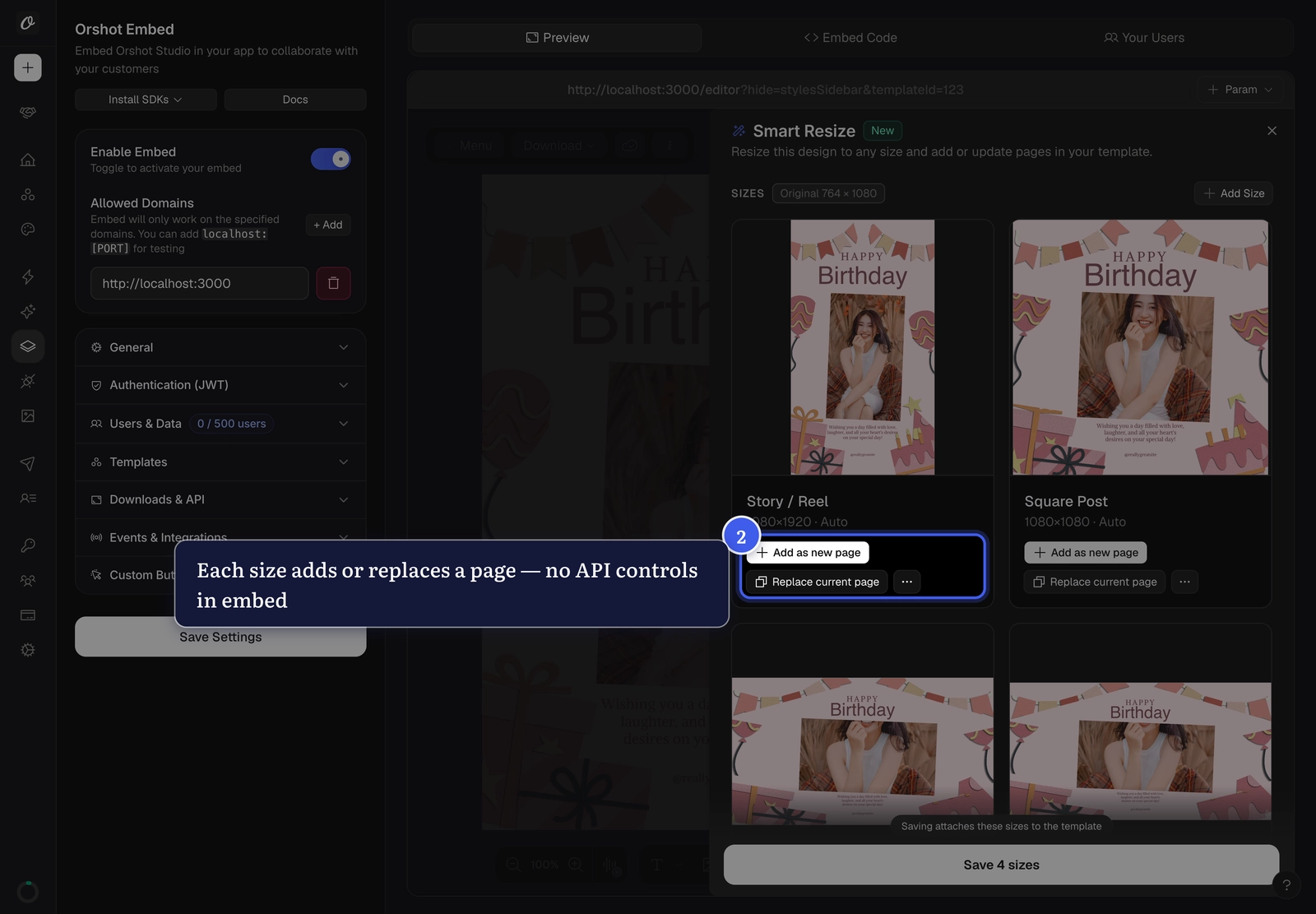
Each size card leads with Add as new page and Replace current page. There's no "API Usage" tab and no test-via-API — resizing here is only about producing pages:
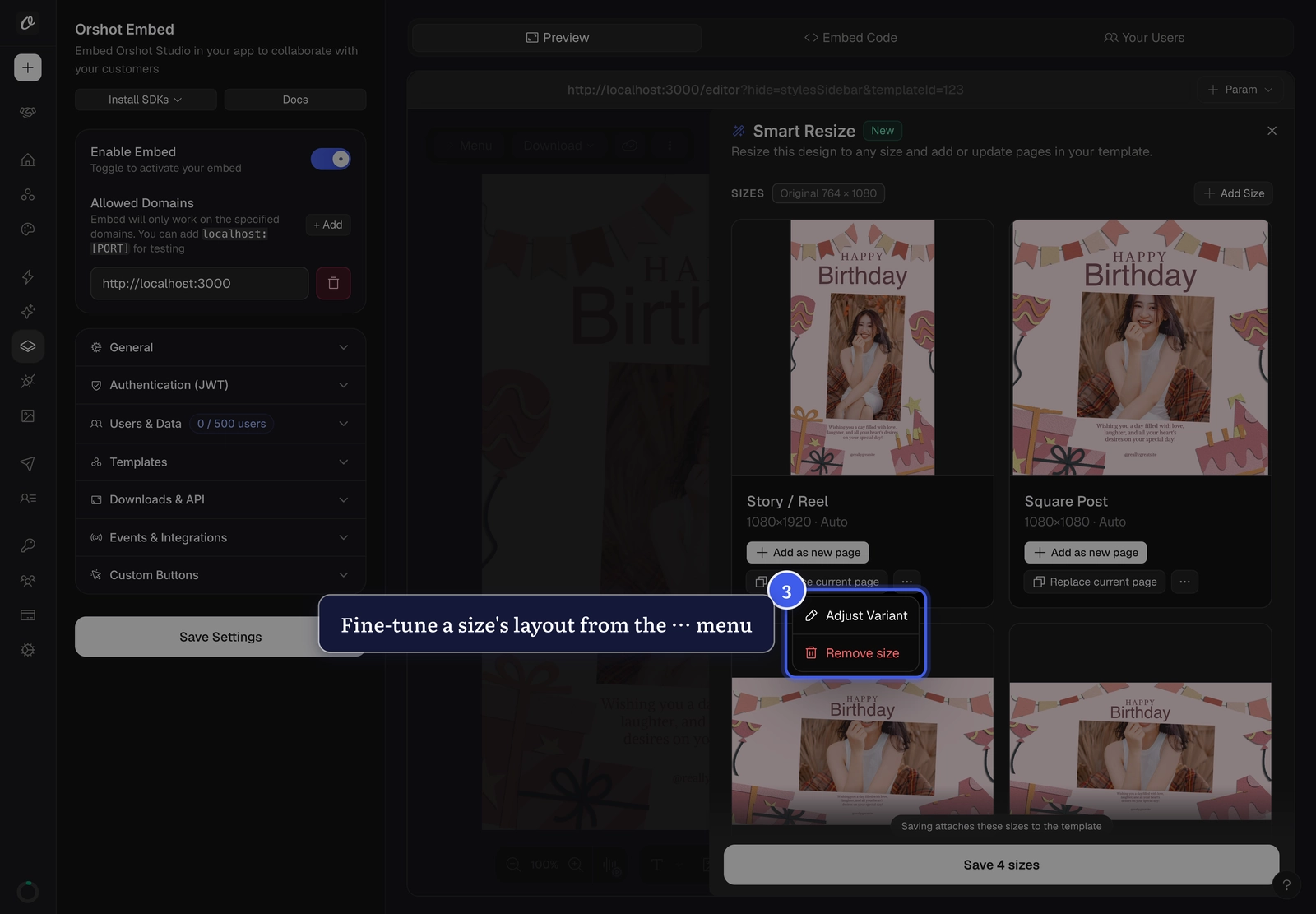
Adjust Variant (fine-tune a size's layout) lives in the card's ⋯ menu, and Recompose with AI is hidden:
Even though your customer never touches the API, the sizes they save are stored on the template — so you, the workspace owner, can render those exact sizes via the API.
Related#
More in Orshot Embed
Ready to automate?
Start rendering images, PDFs and videos from your templates in under 2 minutes. Free plan, no credit card.
Get your API key- Image, PDF and video generation via API
- Visual editor with AI and smart layouts
- Zapier, Make, MCP and 50+ integrations
- White-label embed for your own app
- 30 free credits — no credit card required