How to organize templates with tags
Tag templates by channel, client or campaign — then filter your dashboard and API calls by tag
Published Jun 7, 2026
Tags keep a growing template collection manageable — and they show up on every template card.
Add tags#
- Open the template in Studio
- File → Manage Tags — search existing tags or create new ones
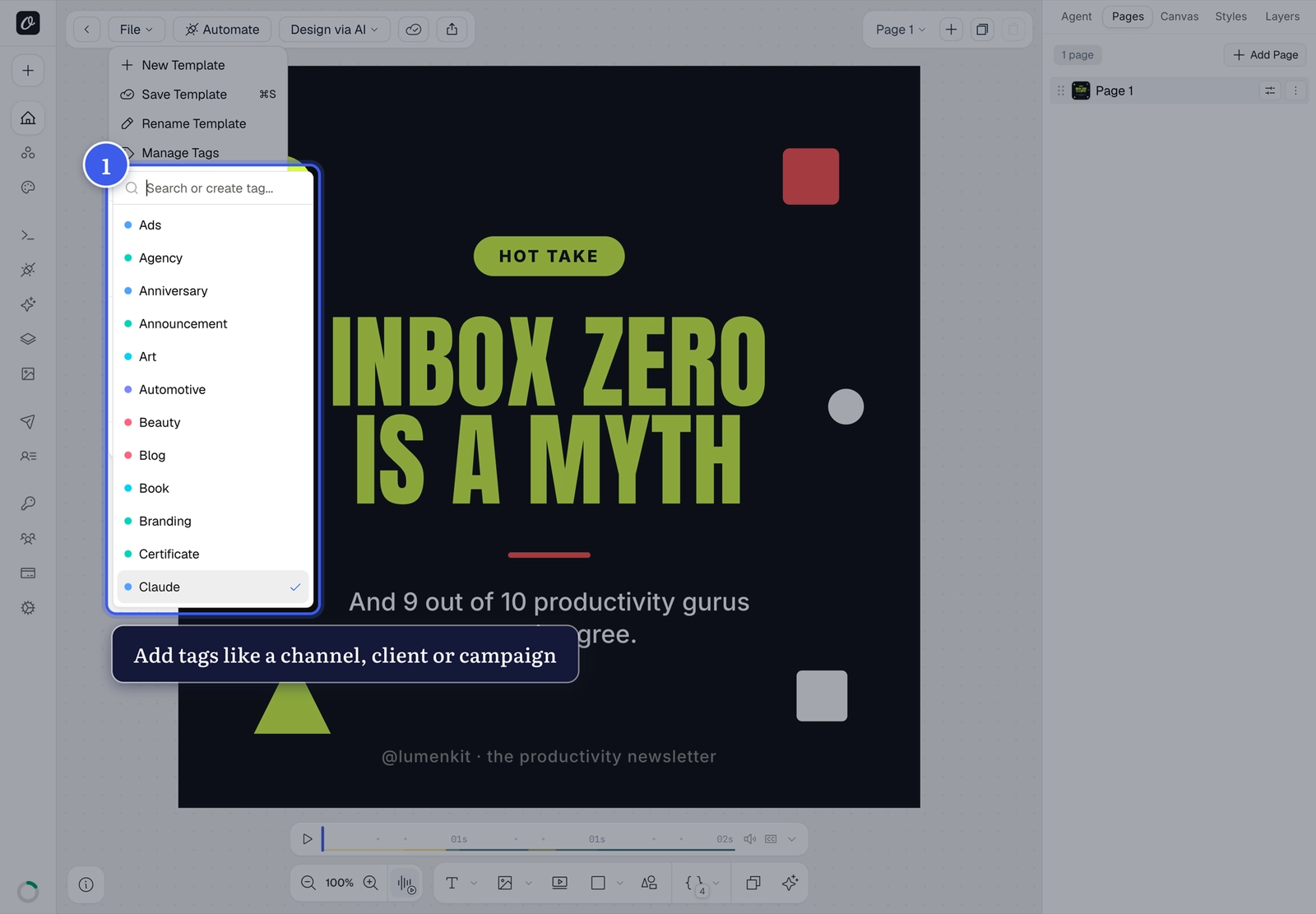
Use tags like instagram, client-acme, or q3-campaign.
Use tags#
On the dashboard, the Tags filter narrows Your Templates to one channel or client — and the API can list templates by tag to drive automations per campaign:
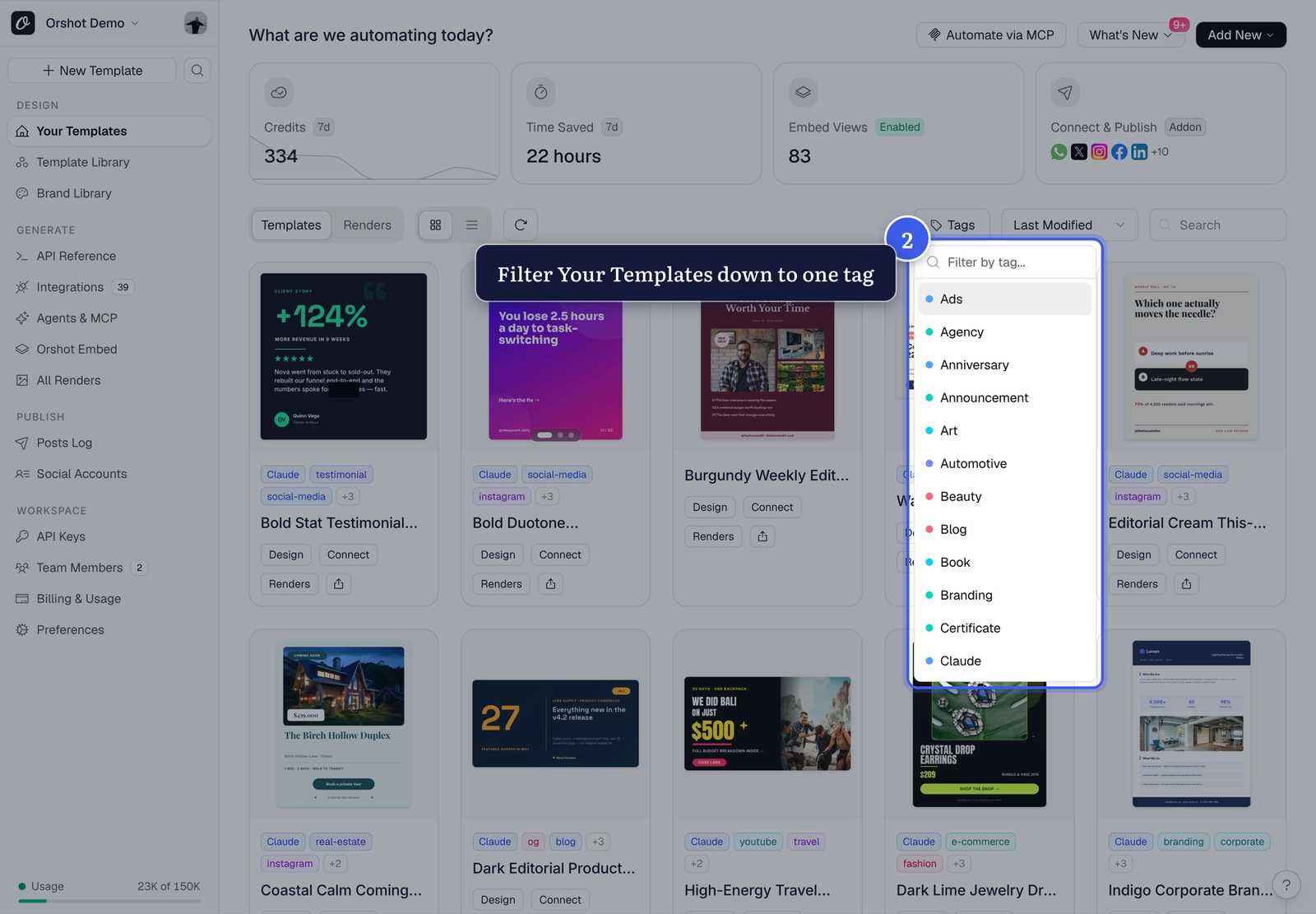
Tag conventions pay off
Pick one scheme (channel, client, or campaign) and stick to it — your future automations will thank you.
Related#
More in Templates
Was this page helpful?
Ready to automate?
Start rendering images, PDFs and videos from your templates in under 2 minutes. Free plan, no credit card.
Get your API key- Image, PDF and video generation via API
- Visual editor with AI and smart layouts
- Zapier, Make, MCP and 40+ integrations
- White-label embed for your own app
- 100 free credits a month, no credit card required