How to set up Orshot Embed
Put the full design editor inside your own product — enable, allowlist your domains, paste the embed code
Published Jun 7, 2026
Orshot Embed puts the design editor inside your app — your users design, your product stays in control. Open Orshot Embed from your workspace sidebar.
1. Enable and secure it#
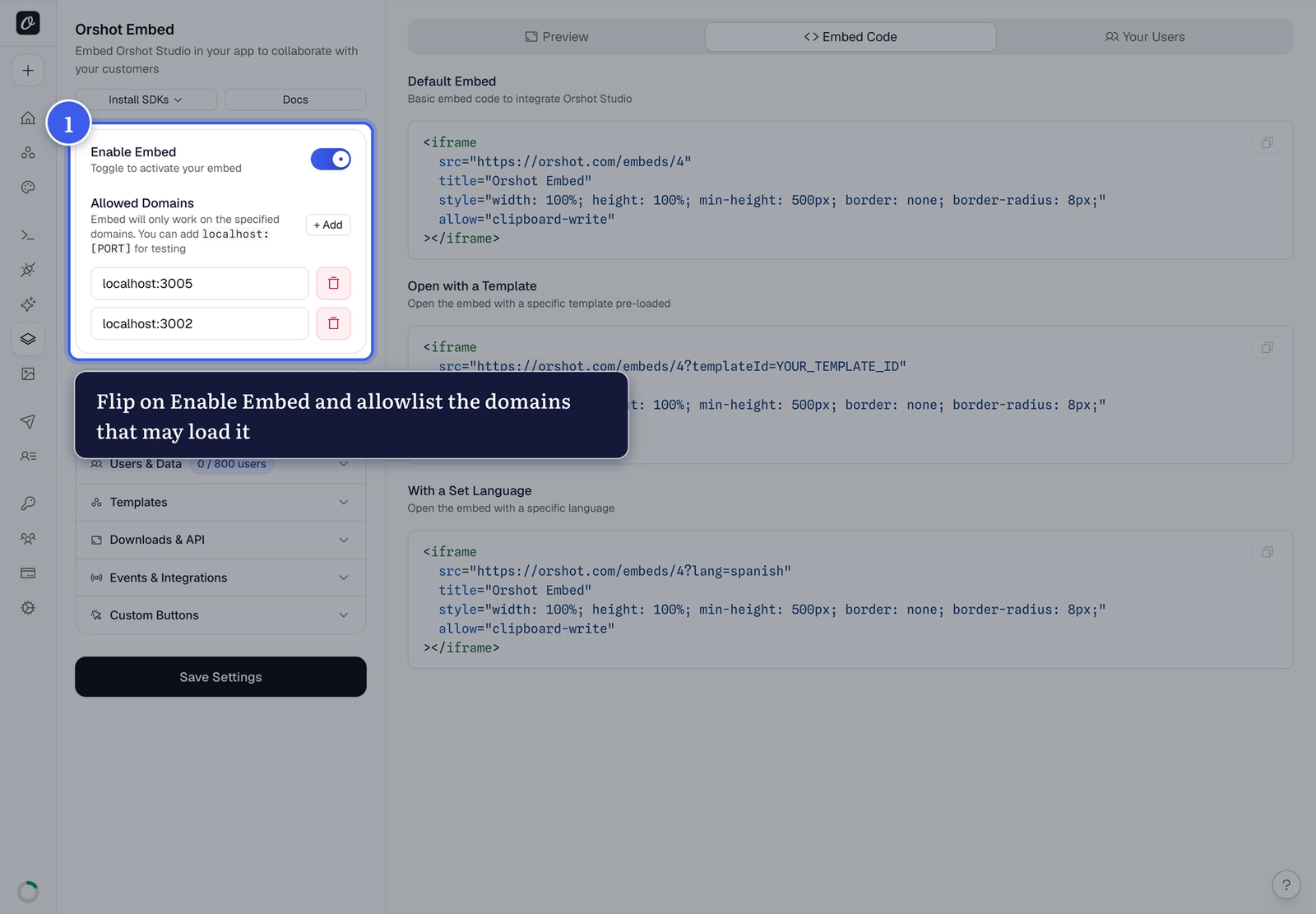
Flip on Enable Embed, then add the Allowed Domains that may load your embed (use localhost:PORT for testing). Only these domains can load it:
2. Add it to your app#
The Embed Code tab gives you the snippet:
<iframe
  src="https://orshot.com/embeds/your-embed-id"
  title="Orshot Embed"
  allow="clipboard-write"
  style="width: 100%; height: 100%; min-height: 500px; border: none;"
></iframe>
Add ?templateId=123 to open a specific template. Using React or Vue? The React SDK and Vue SDK wrap this in a component with events and methods.
3. Test in the live preview#
The Preview tab next to your settings shows exactly what your users will see — verify before going live.
Make it yours
Brand color, name, icon and language live in the General settings — and per-user data gives every user their own template library.
Related#
More in Orshot Embed
Ready to automate?
Start rendering images, PDFs and videos from your templates in under 2 minutes. Free plan, no credit card.
Get your API key- Image, PDF and video generation via API
- Visual editor with AI and smart layouts
- Zapier, Make, MCP and 40+ integrations
- White-label embed for your own app
- 100 free credits a month, no credit card required