How to know when users save or export
Events, webhooks and custom buttons — wire the embed into your product's workflows
Published Jun 7, 2026
When a user saves a design in your embed, your app probably wants to do something — store it, render it, move them to the next step. Three mechanisms, from light to heavy:
1. Events (in the browser)#
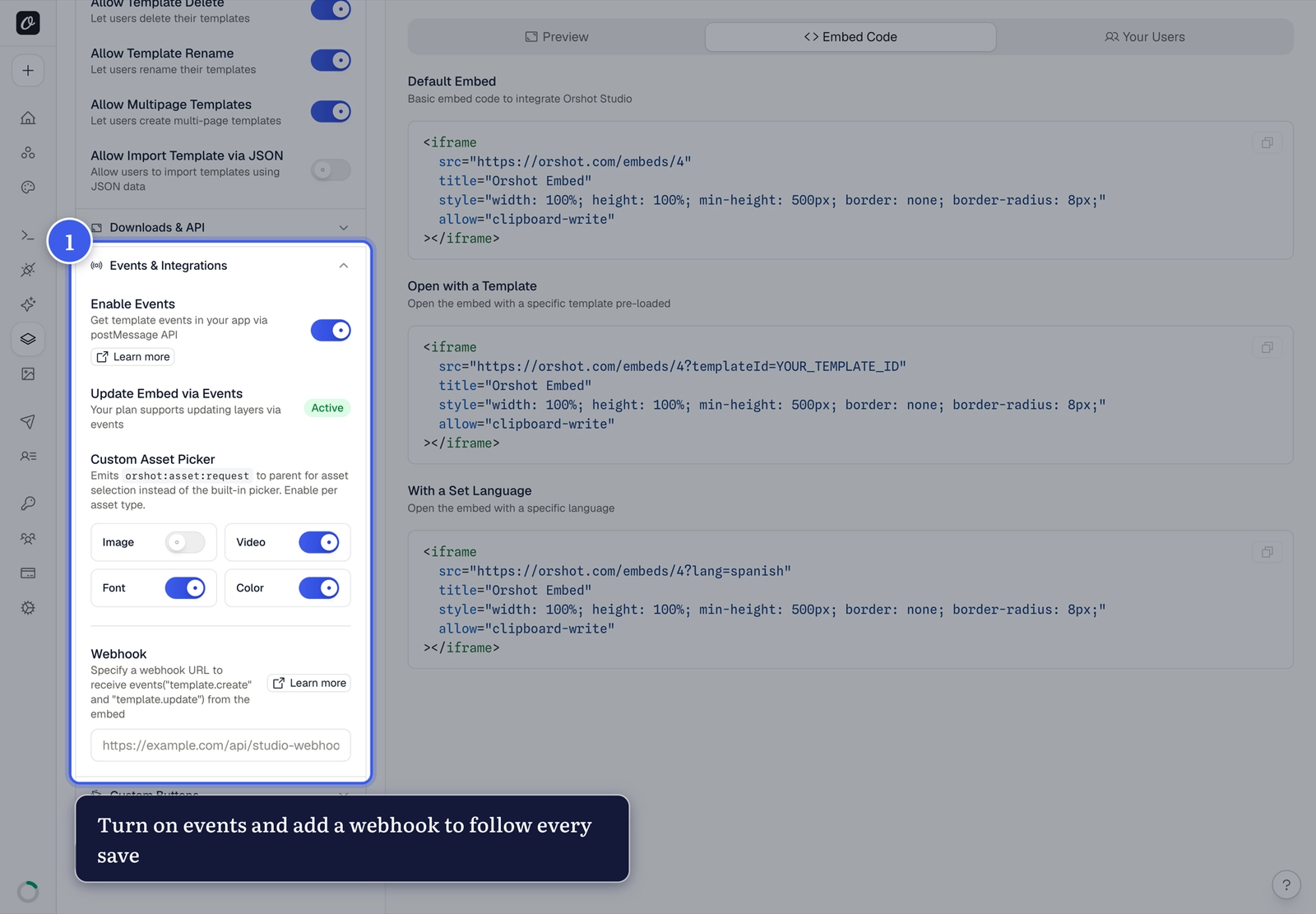
Expand Events & Integrations and turn on Enable Events — the embed then posts messages to your page:
window.addEventListener("message", (event) => {
  if (!event.origin.includes("orshot.com")) return;
  const { type, data } = event.data;
  if (type === "orshot:template:update") {
    // data.id, data.name — the user just saved
  }
});
Events fire for template create/update, every download format, and more — see the events reference. You can also request the current design as PNG, PDF or HTML at any moment.
2. Webhooks (on your server)#
Add a Webhook URL in the same section — Orshot POSTs template.create, template.update and template.delete to your endpoint with the template data. Best for syncing to your database; respond within 10 seconds.
3. Custom buttons (in the toolbar)#
Custom Buttons adds your own actions to the editor toolbar — like a Save to App button that emits the design as base64 PNG/PDF straight to your code, no download dialog. Configure label, colors and action type per button — see the custom buttons docs.
Which one?
In-page reactions → events. Database sync and deletes → webhooks. A branded "Save" flow → custom buttons. They compose — most products use two of the three.
Related#
More in Orshot Embed
Ready to automate?
Start rendering images, PDFs and videos from your templates in under 2 minutes. Free plan, no credit card.
Get your API key- Image, PDF and video generation via API
- Visual editor with AI and smart layouts
- Zapier, Make, MCP and 40+ integrations
- White-label embed for your own app
- 100 free credits a month, no credit card required