How to create your first template
Design a reusable template in Orshot Studio in a few minutes — add elements, make them dynamic, and save
Published Jun 7, 2026
Templates are reusable designs with dynamic parts. You design once, then generate thousands of variations by changing the text, images, or colors each time.
1. Create the template#
From your dashboard, click New Template — then start blank, pick a size preset, generate with AI, or import an existing design.
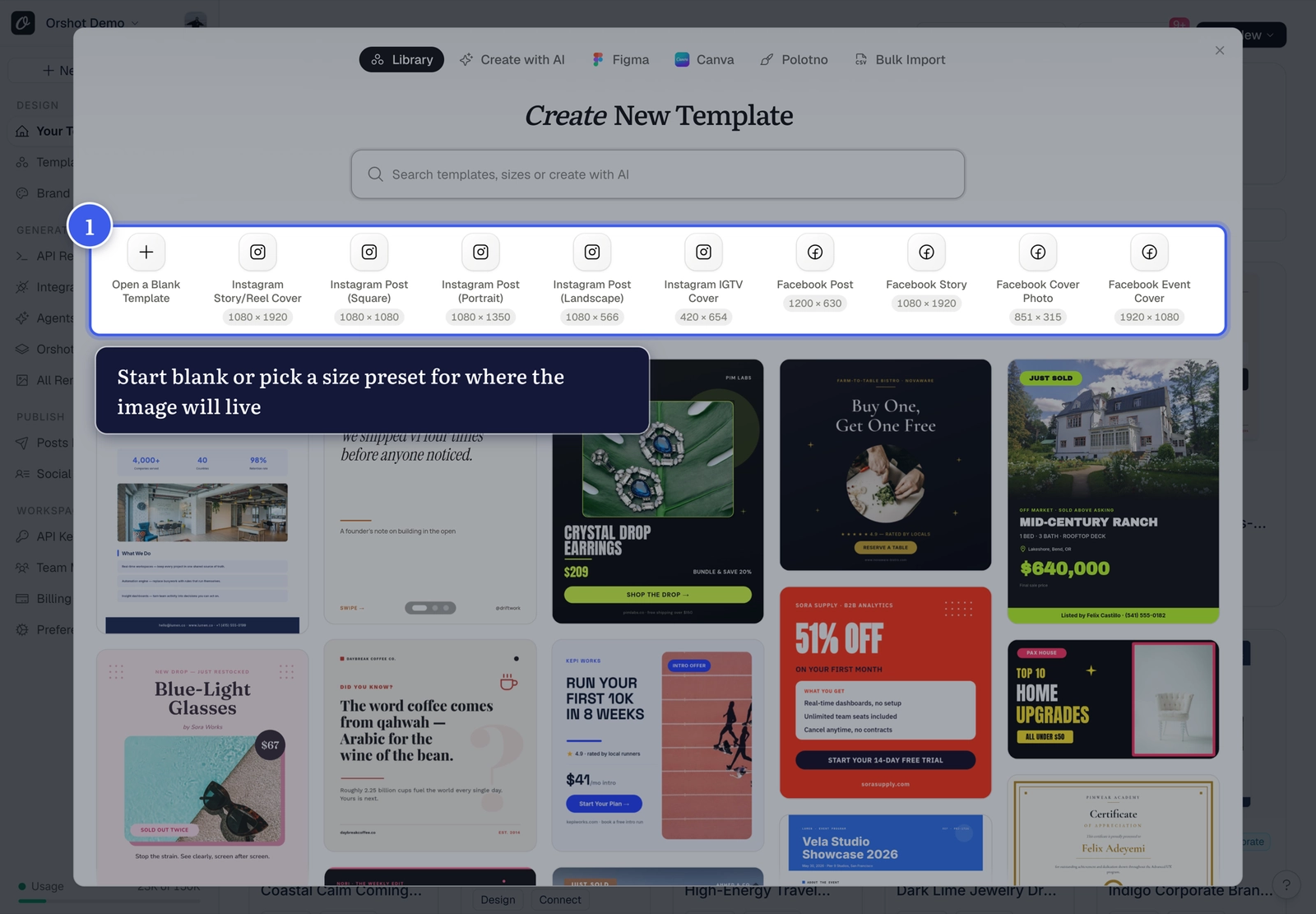
Common sizes if you go blank:
| Use case | Dimensions (px) |
|---|---|
| Social media post | 1200 × 630 |
| Instagram post | 1080 × 1080 |
| Twitter header | 1500 × 500 |
| Certificate | 1584 × 1224 |
2. Build your design#
- Add text, images and shapes from the bottom toolbar
- Style each layer from the Styles panel
- Parameterize the parts that should change via the API tab
3. Save#
Click Save Template in the File menu (or press ⌘S). The same menu handles renaming, tags, export and download.
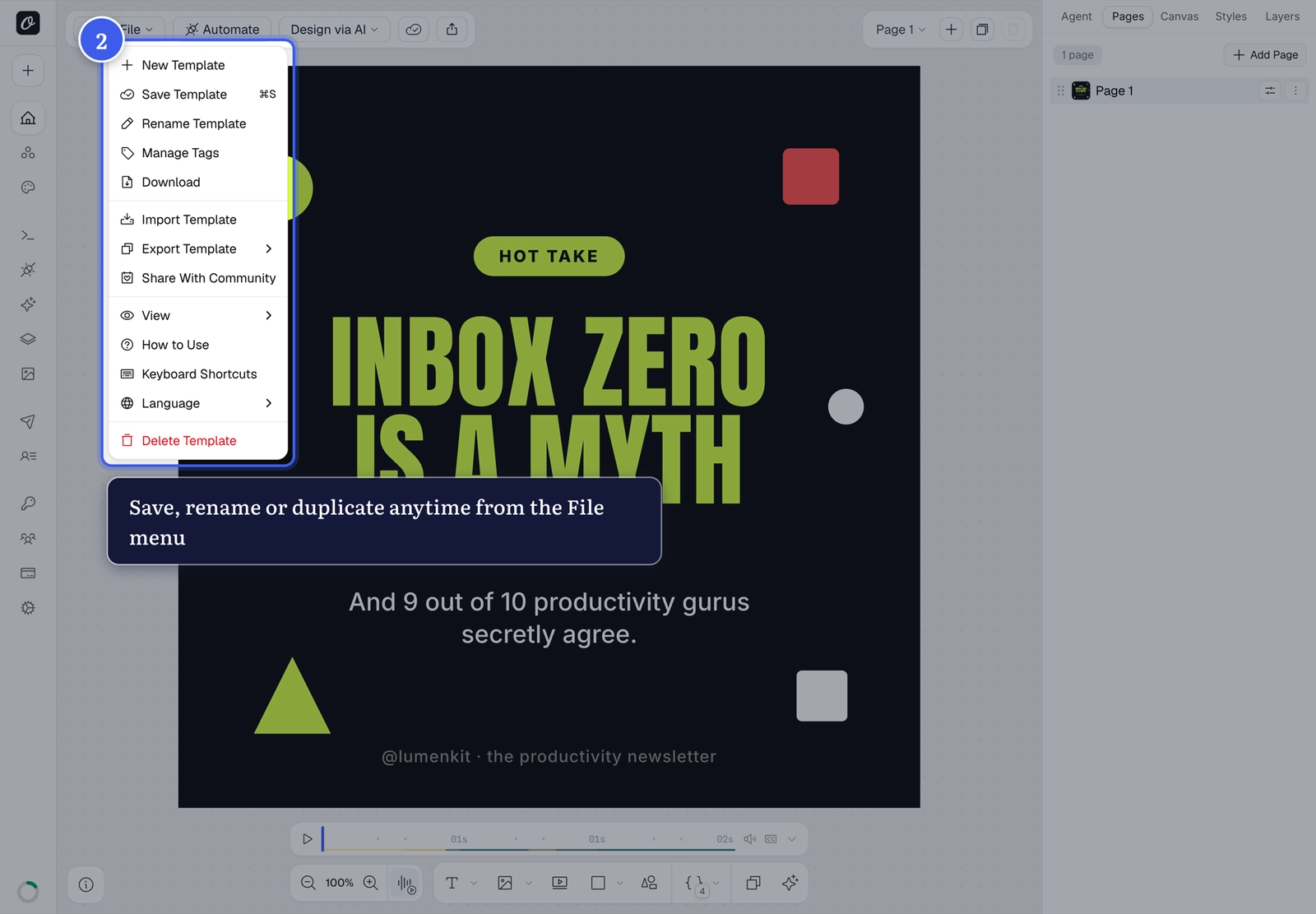
Your template is now ready to render via the Playground, API, or integrations.
Related#
More in Getting Started
Was this page helpful?
Ready to automate?
Start rendering images, PDFs and videos from your templates in under 2 minutes. Free plan, no credit card.
Get your API key- Image, PDF and video generation via API
- Visual editor with AI and smart layouts
- Zapier, Make, MCP and 40+ integrations
- White-label embed for your own app
- 100 free credits a month, no credit card required