How to see how your users use the embed
Open embed analytics, pick a period, get exact per-user numbers, group users by your own data and keep test accounts out.
Published Oct 4, 2026
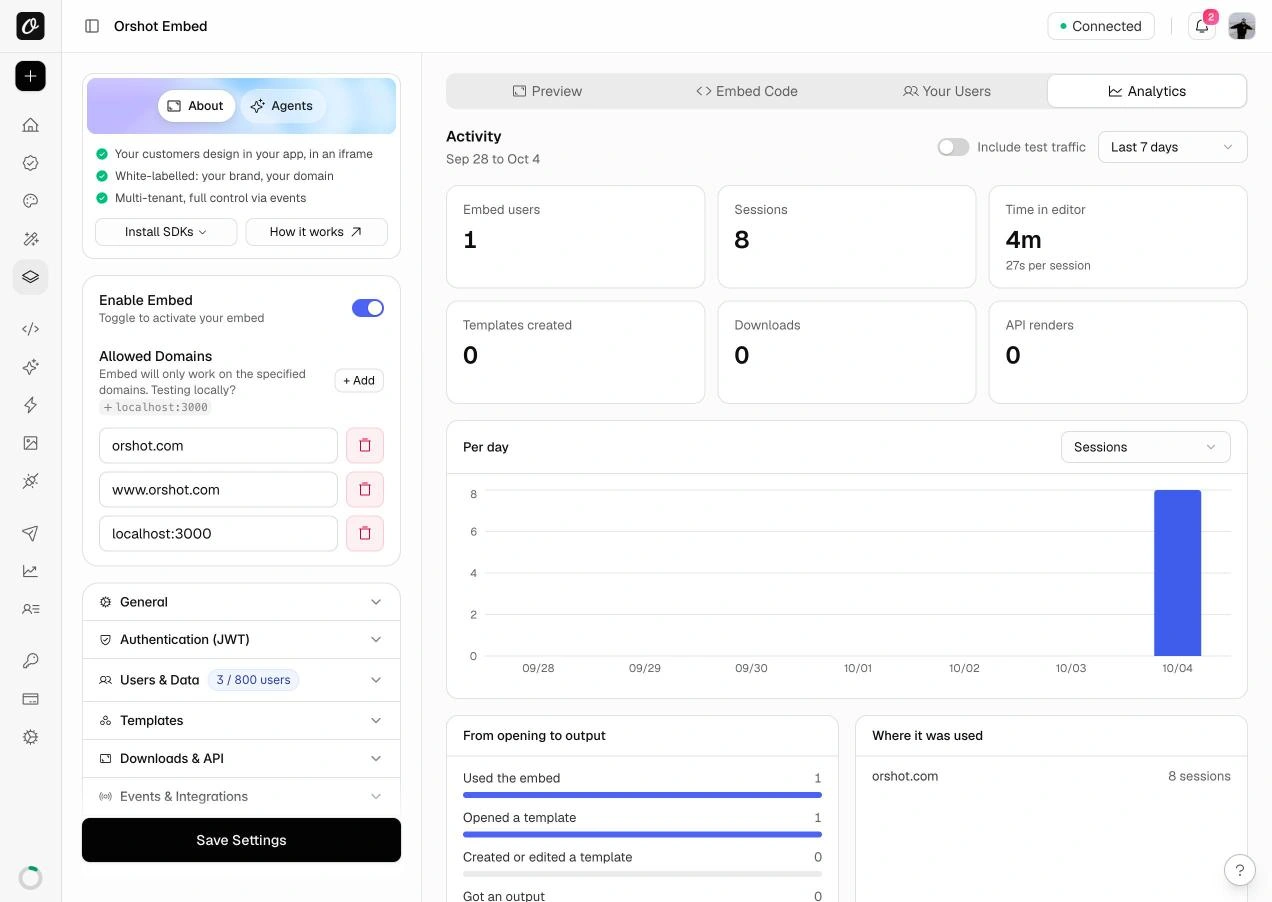
Renders alone do not tell you whether your users are getting value from the embed. The Analytics tab shows who opened the editor, how long they stayed, what they created and what they exported.
Analytics is included on Grow, Scale and Enterprise. There is nothing to install.
1. Open the Analytics tab#
Go to Orshot Embed in your workspace and open the Analytics tab.
2. Pick a period#
Use the menu at the top right: Today, Yesterday, Last 7 days, This month or Last month.
3. Change the chart#
Use the menu on the Per day chart to switch between sessions, embed users, templates created and downloads.
Get exact per-user numbers#
Pass your app's user identifier in the embed URL:
<iframe src="https://orshot.com/embeds/YOUR_EMBED_ID?userId=user_123"></iframe>Add userName or userEmail to see names instead of IDs. Without a userId, people appear as anonymous visitors and counts are approximate.
You don't need per-user data for this
A userId works for analytics even when Per-User Data & Templates is
off. Those people are labelled Tracking only and do not count toward
your embed user limit.
Compare groups of users#
Add metadata to the embed URL as URL-encoded JSON, for example {"plan":"pro"}. Then, in the Embed users section, open Group people by your metadata and choose the field. You get sessions, templates, downloads and renders per value.
Look at one person#
Click a person in the Embed users table. It opens them in the Your Users tab, where the Activity tab shows their last 30 days.
Keep your own team out of the numbers#
In the Your Users tab, click the person and turn on Test user. They are now left out of Analytics.
To see them again, turn on Include test traffic at the top of the Analytics tab.
Related#
More in Orshot Embed
Ready to automate?
Start rendering images, PDFs and videos from your templates in under 2 minutes. Free plan, no credit card.
Get your API key- Image, PDF and video generation via API
- Visual editor with AI and smart layouts
- Zapier, Make, MCP and 50+ integrations
- White-label embed for your own app
- 100 free credits a month, no credit card required