Why are my renders not updating?
Renders are cached for speed. Here is how to clear the cache and force a fresh render after editing a template.
Published Jun 7, 2026
If you've edited a template but the API or Playground still returns the old design, you're almost certainly seeing a cached render. The first render is generated fresh; repeat renders are served from cache for speed.
Fix: clear the image cache#
- Open Preferences from your workspace sidebar
- Find the Improve Render Speed by Caching section
- Click Clear Workspace Image Cache
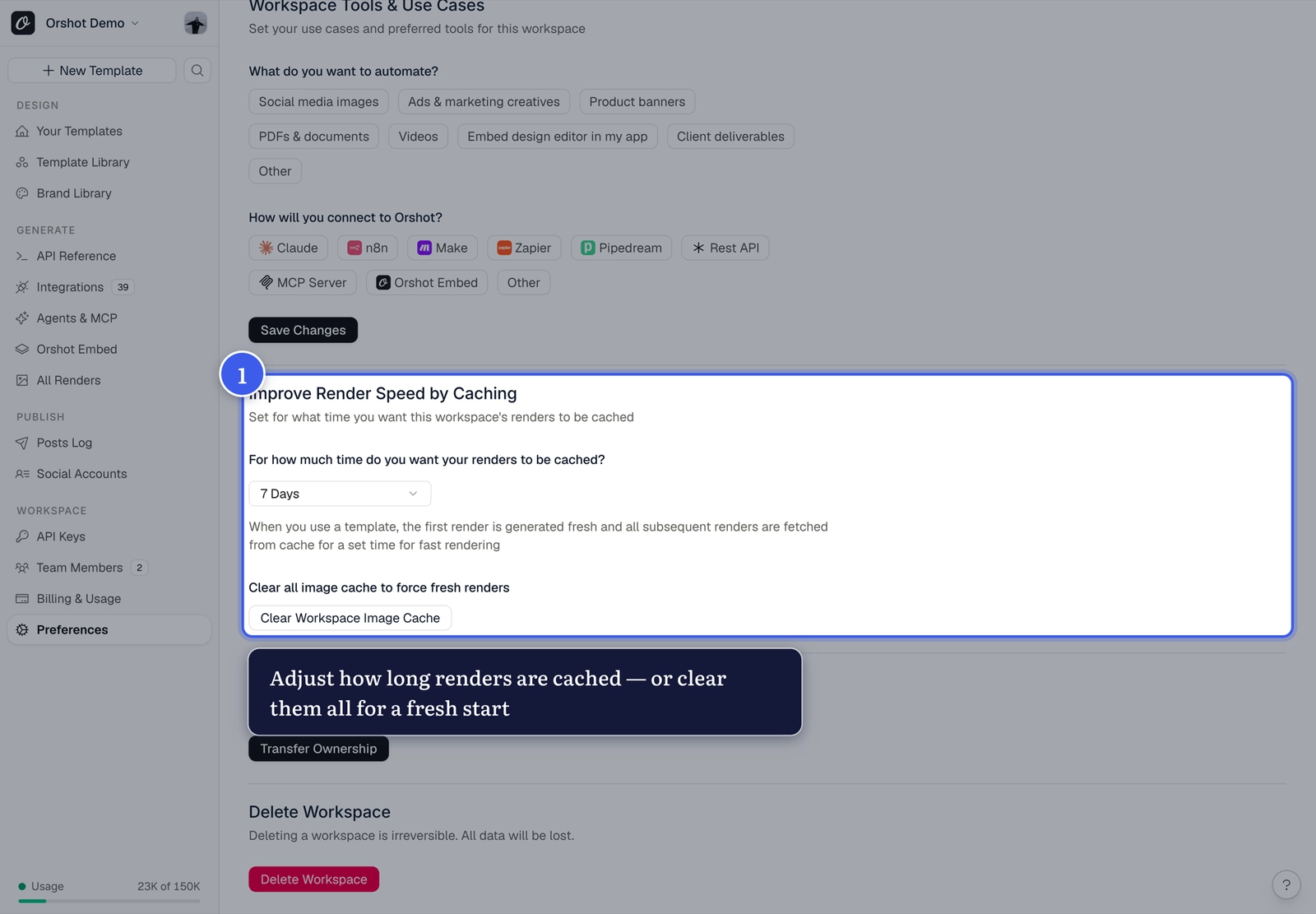
All renders are generated fresh from your template on the next request.
Adjust how long renders are cached#
The dropdown in the same section sets the cache duration — from 10 minutes up to 30 days, "Keep Cached Forever", or "Do Not Cache". Shorter durations mean fresher renders; longer durations mean faster repeat loads.
Still seeing old content?#
- Make sure you saved in Orshot Studio (File → Save Template or
⌘S) after editing - If you're displaying a render URL in a browser or behind a CDN, that layer may cache the old file too — a hard refresh (or a throwaway
?v=2on the displayed URL) bypasses that cache; it doesn't affect Orshot's render cache - If the issue persists, contact us via the in-app support with your template ID
Related#
More in Troubleshooting
Was this page helpful?
Ready to automate?
Start rendering images, PDFs and videos from your templates in under 2 minutes. Free plan, no credit card.
Get your API key- Image, PDF and video generation via API
- Visual editor with AI and smart layouts
- Zapier, Make, MCP and 40+ integrations
- White-label embed for your own app
- 100 free credits a month, no credit card required