How do I clear the render cache?
Renders are cached by template and modification set. Bust the cache or clear from Studio to force a fresh render.
Updated
By default, Orshot caches your images so they can load fast the next time
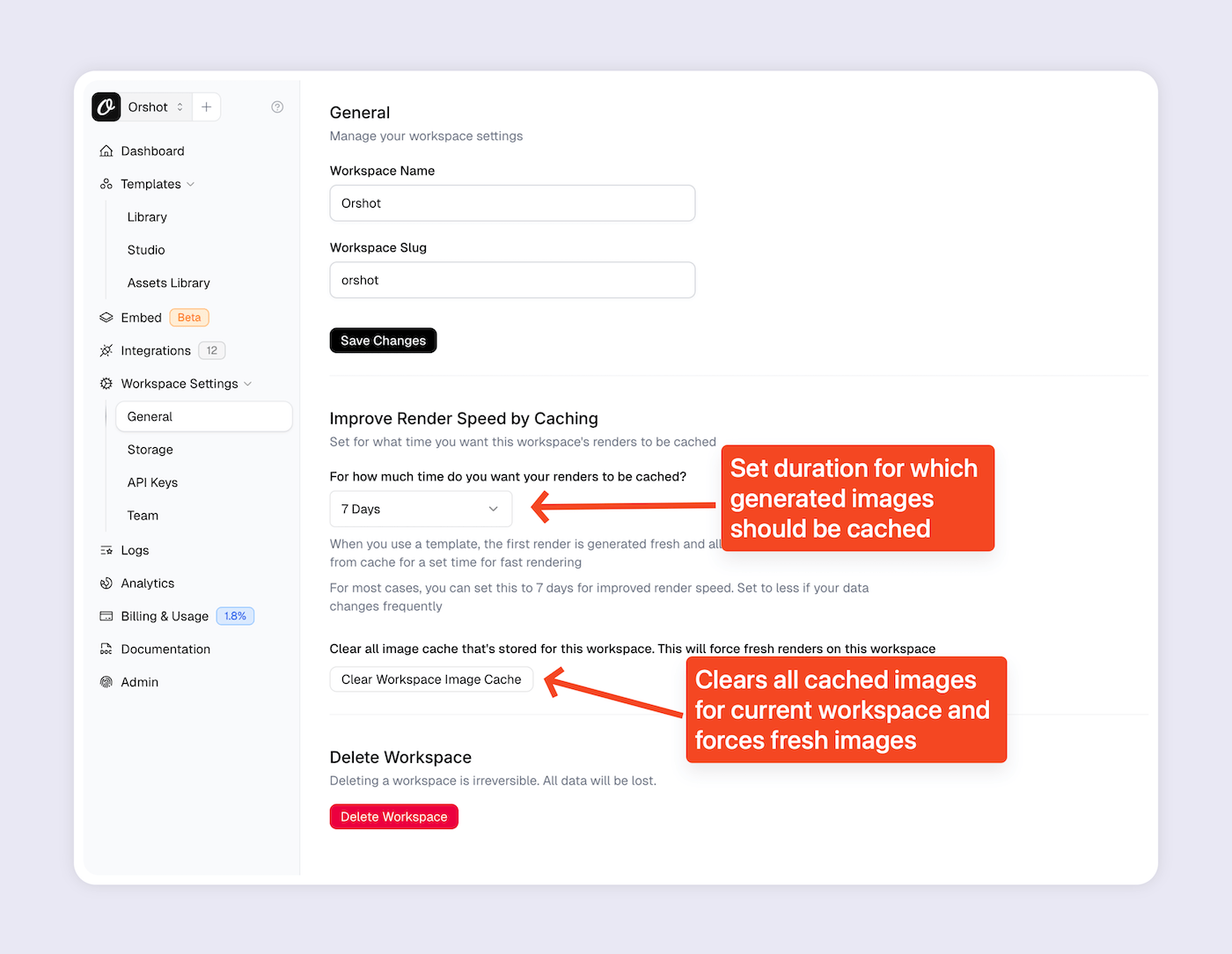
But if for some reason you want to force clear cache and generate fresh renders from your templates, then you can go to Workspace Settings > General
And in the Cache Settings section, change the duration for which the renders should be cached. There's a "Clear Cache" button to clear all current renders
Once cache is cleared, all the renders will be generated fresh from next time
Was this page helpful?
Ready to automate?
Start rendering images, PDFs and videos from your templates in under 2 minutes. Free plan, no credit card.
Get your API key- Image, PDF and video generation via API
- Visual editor with AI and smart layouts
- Zapier, Make, MCP and 40+ integrations
- White-label embed for your own app
- 100 free credits a month, no credit card required