What can each workspace role do?
Owner, admin and member permissions across templates, brand assets, billing and API keys.
Updated
Orshot allows you to invite team members to collaborate on templates and workspaces. Team members can work together on designing templates, managing brand assets, and generating content.
How to Invite Team Members#
You can invite team members from your workspace settings.
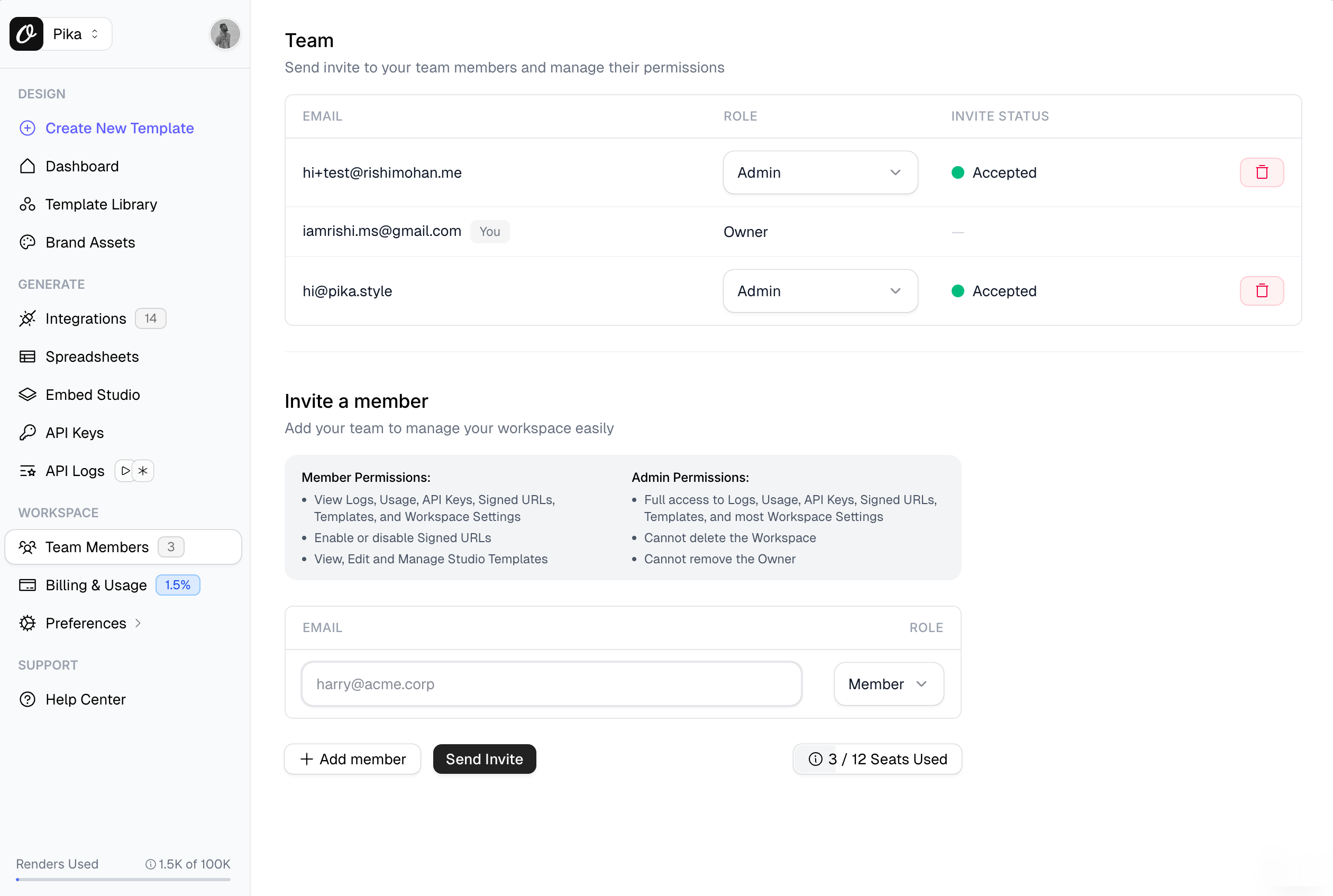
Steps to Invite#
- Go to your Workspace settings
- Navigate to Team Members section
- Click on Invite or add team member button
- Enter the email address of the person you want to invite
- Send the invitation
Once invited, team members will receive an email with instructions to join your workspace.
Team Member Access#
Team members you invite will have access to:
- All templates in the workspace
- Brand assets
- Template playground
- API keys (depending on permissions)
- Studio editor for creating and editing templates
Team collaboration is available on paid plans. Check your plan's team member limit in the workspace settings.
Managing Team Members#
You can manage your team members from the same Team Members section where you:
- View all current team members
- Remove team members if needed
- See pending invitations
Need More Help?#
- Overage Credits — Keep rendering beyond your plan limit
- Error Reference — Troubleshoot common API errors
- Contact Support — Get help from our team
Ready to automate?
Start rendering images, PDFs and videos from your templates in under 2 minutes. Free plan, no credit card.
Get your API key- Image, PDF and video generation via API
- Visual editor with AI and smart layouts
- Zapier, Make, MCP and 40+ integrations
- White-label embed for your own app
- 100 free credits a month, no credit card required