How to require approval for automation
Turn on Needs approval for automation in a flow. Its templates then render through the API, integrations and agents only once approved.
Published Sep 29, 2026
With Needs approval for automation on, a flow's templates render for automation only from a stage that allows it, usually Automation approved. Until then, each render is blocked: nothing renders, no credits are used and nothing is queued.
Automation is any render through the Orshot API: your API key and the SDKs, OAuth apps, Zapier, Make and n8n, automation workflows, the Orshot MCP server and AI agents, dynamic URLs and the Playground. Editing, previews and downloads are never blocked, including MP4 downloads from the studio and the embed editor. Key terms has the full list.
Approval flows are available on Scale and Enterprise plans.
Turn it on#
- 1
Open the flow settings
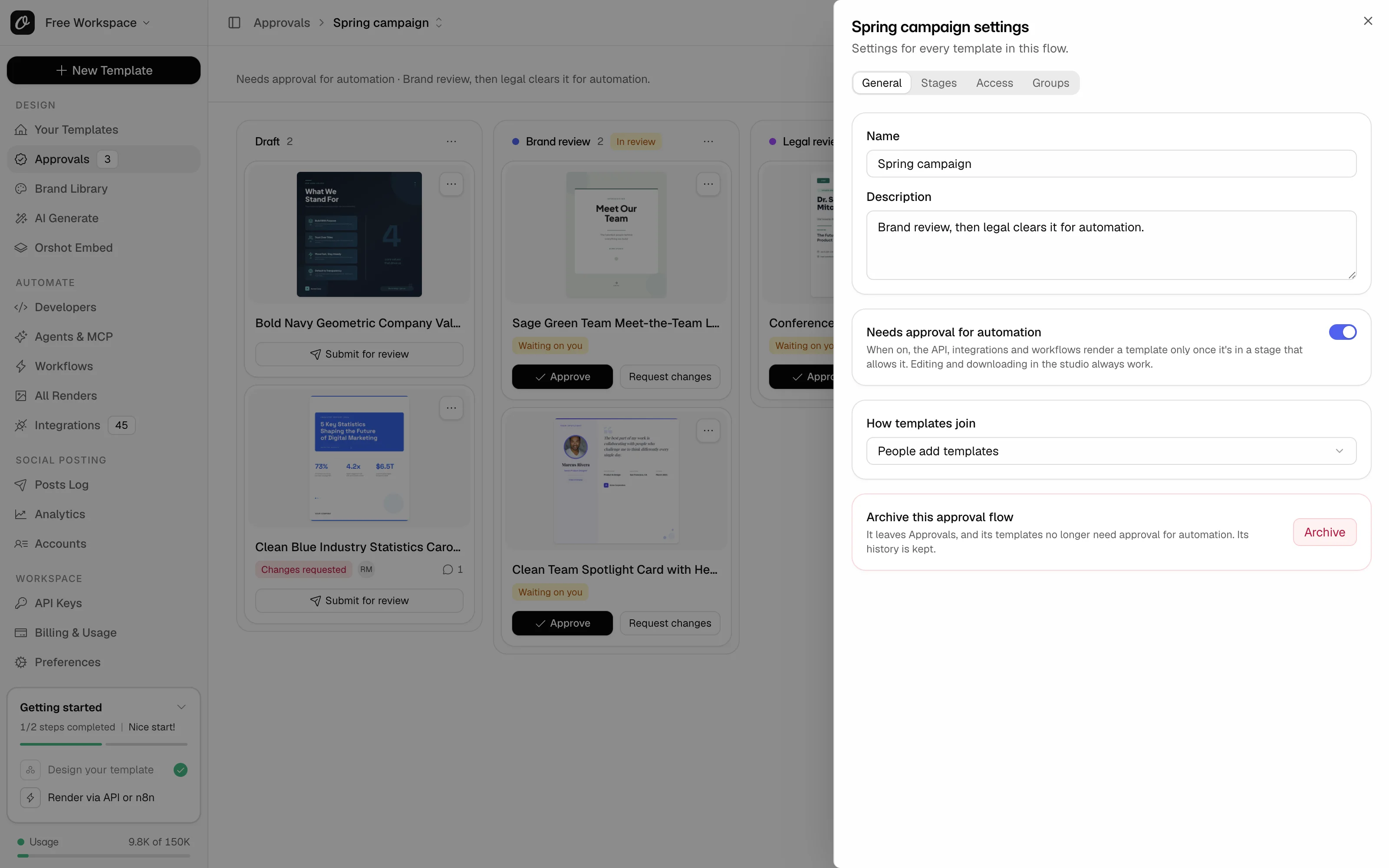
In Approvals, pick the flow at the top, click Flow settings (the gear) and stay on General.
- 2
Switch on Needs approval for automation
Click Turn on in the dialog. Every preset starts with it on, so it may be on already.
- 3
Check which stages can render
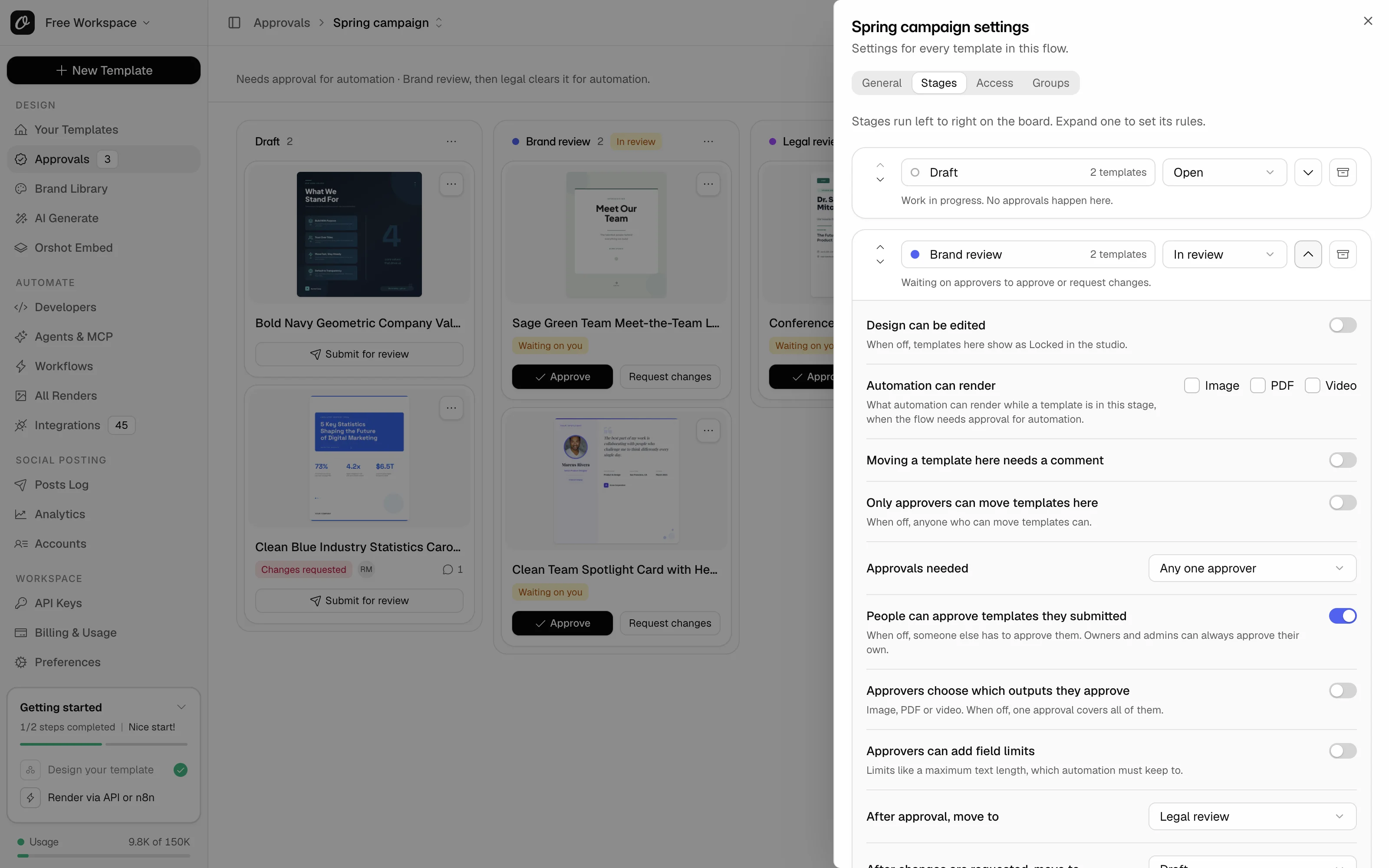
Open Stages and click the arrow on a stage. Automation can render shows what automation can render from it: Image, PDF and Video.
- 4
Get the templates approved
Once a template reaches a stage that can render, like Automation approved, send the render again. Blocked renders aren't queued.
This affects live automations that use these templates, so tell your team first. Only owners, admins and people with Manage access can change it, never reviewers. In every preset, only Automation approved renders. Review stages and Design approved render nothing.
What you'll see#
- The line under the flow name reads Needs approval for automation.
- Cards in approved stages show Ready for automation or Blocked for automation.
- In the studio, the Approvals icon on the left rail gets an amber dot, and its menu says why automation is blocked.
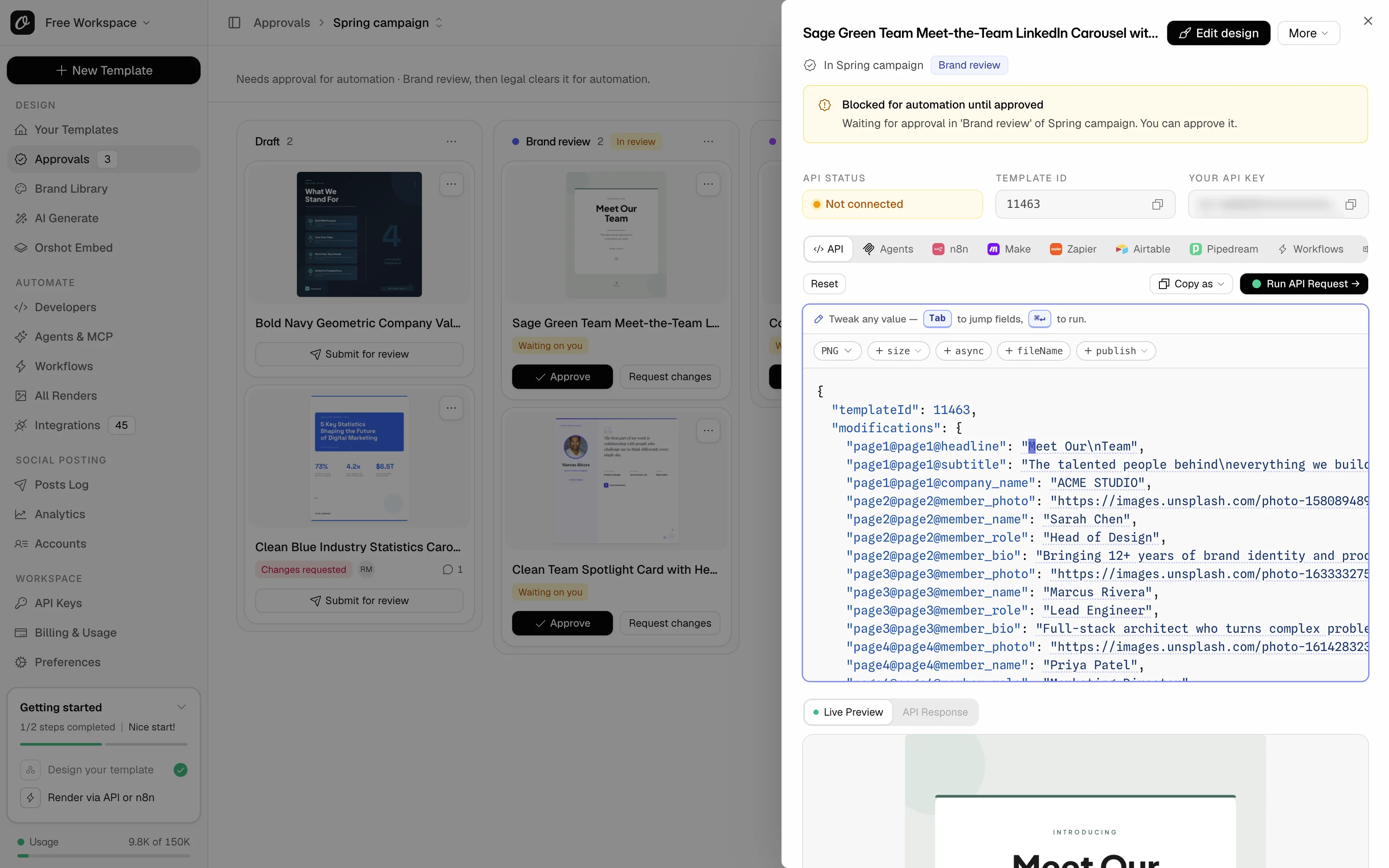
- The template's Connect sheet says Blocked for automation until approved, and names the stage it's waiting in.
- All Renders lists a blocked render as Blocked, with the reason.
- Whoever created the template and the approvers of its stage get a "Render blocked" email, at most once a day per template.
An automation gets a 403 with a plain message it can show as it is:
{
  "error": "This template is waiting for approval in 'Brand and legal' and can't be rendered through the API yet.",
  "code": "template_not_approved",
  "message": "This template is waiting for approval in 'Brand and legal' and can't be rendered through the API yet.",
  "helpUrl": "https://orshot.com/docs/error-reference#template-not-approved"
}
The full response also lists blockers: the flow, the stage, who it waits on and the stage that would render it. See Approval errors.
Turn it off, or free one template#
Switch Needs approval for automation off on the General tab. Templates in the flow render as they did before, and the flow keeps its stages and history.
To free one template instead, open its card menu, pick Take out of this flow and click Take it out. Admins get notified. Owners, admins and team members with Manage or Approve access in the flow can do this. Reviewers can't.
A flow over your plan's limit after a downgrade blocks nothing until it's active again. See what happens after a downgrade.
Common problems#
| You see | Why, and what to do |
|---|---|
| An automation fails with "template not approved" right after you turn it on | Expected. Get the template approved, or take it out of the flow. |
| "The design is approved, but not yet for automation." | It's in Design approved, which renders nothing. See brand, then legal approval. |
| "This template is approved for image, not for video." | The approval covers some outputs only. See how to approve images but not PDFs or videos. |
| "This template was edited after it was approved" | See how to edit a template after it's approved. |
| An approved template still can't render | Its stage has nothing ticked under Automation can render. Tick the outputs in that stage's rules. |
Related#
More in Approval flows
Ready to automate?
Start rendering images, PDFs and videos from your templates in under 2 minutes. Free plan, no credit card.
Get your API key- Image, PDF and video generation via API
- Visual editor with AI and smart layouts
- Zapier, Make, MCP and 50+ integrations
- White-label embed for your own app
- 100 free credits a month, no credit card required