How to add shadows, blur and effects
Adjust opacity, blur, blend mode and drop shadow for any layer from the Effects panel in Orshot Studio.
Published Jun 8, 2026
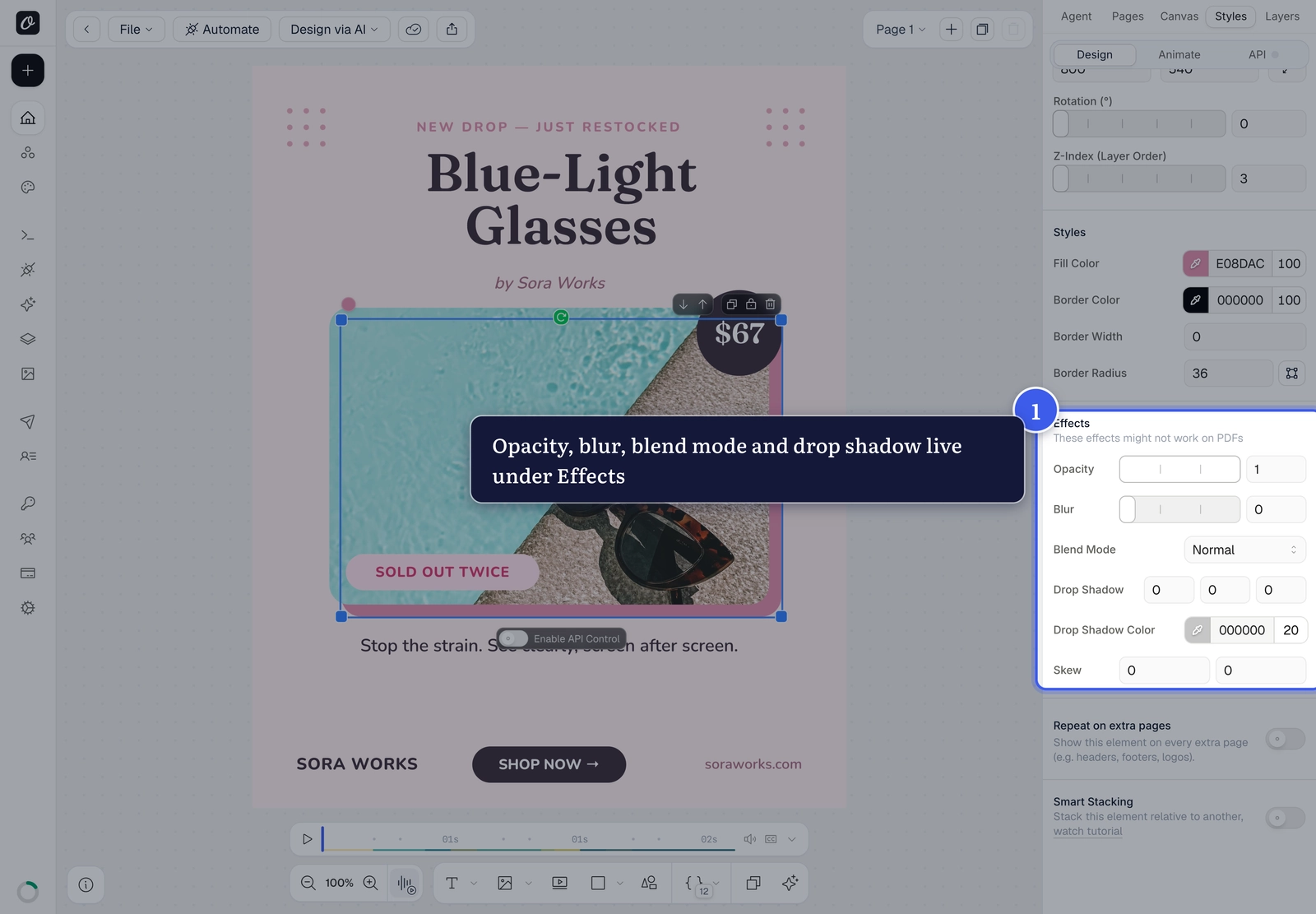
Every layer has an Effects section near the bottom of the Styles panel — opacity, blur, blend mode and a drop shadow. Select a layer to reveal it.
1. Opacity and blur#
Opacity fades a layer from solid to see-through; Blur softens it. Drag a slider or type an exact value.
2. Blend modes#
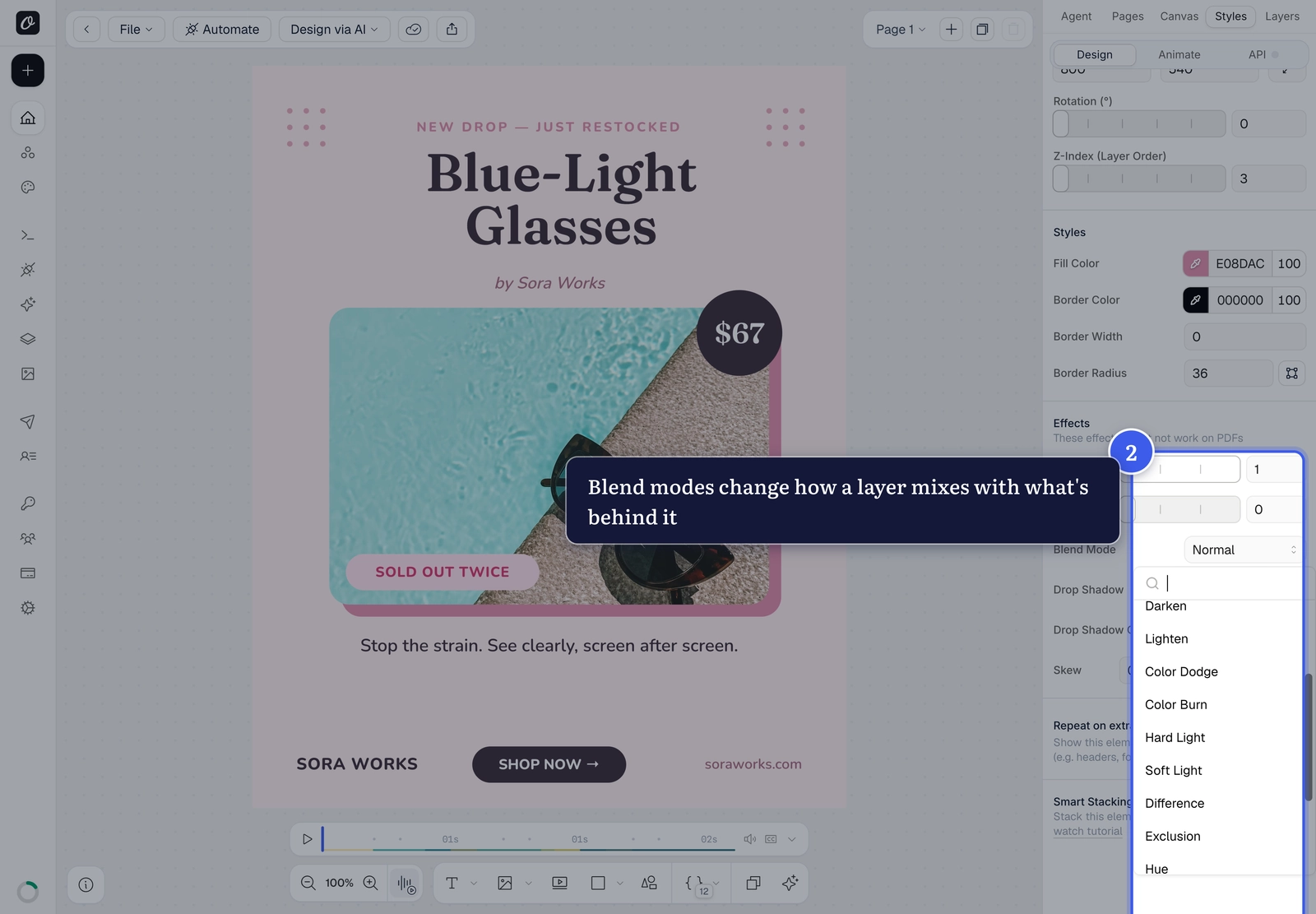
Blend Mode controls how a layer's colors mix with the layers behind it — Multiply to darken, Screen to lighten, Overlay for punchy contrast, and more.
3. Drop shadow#
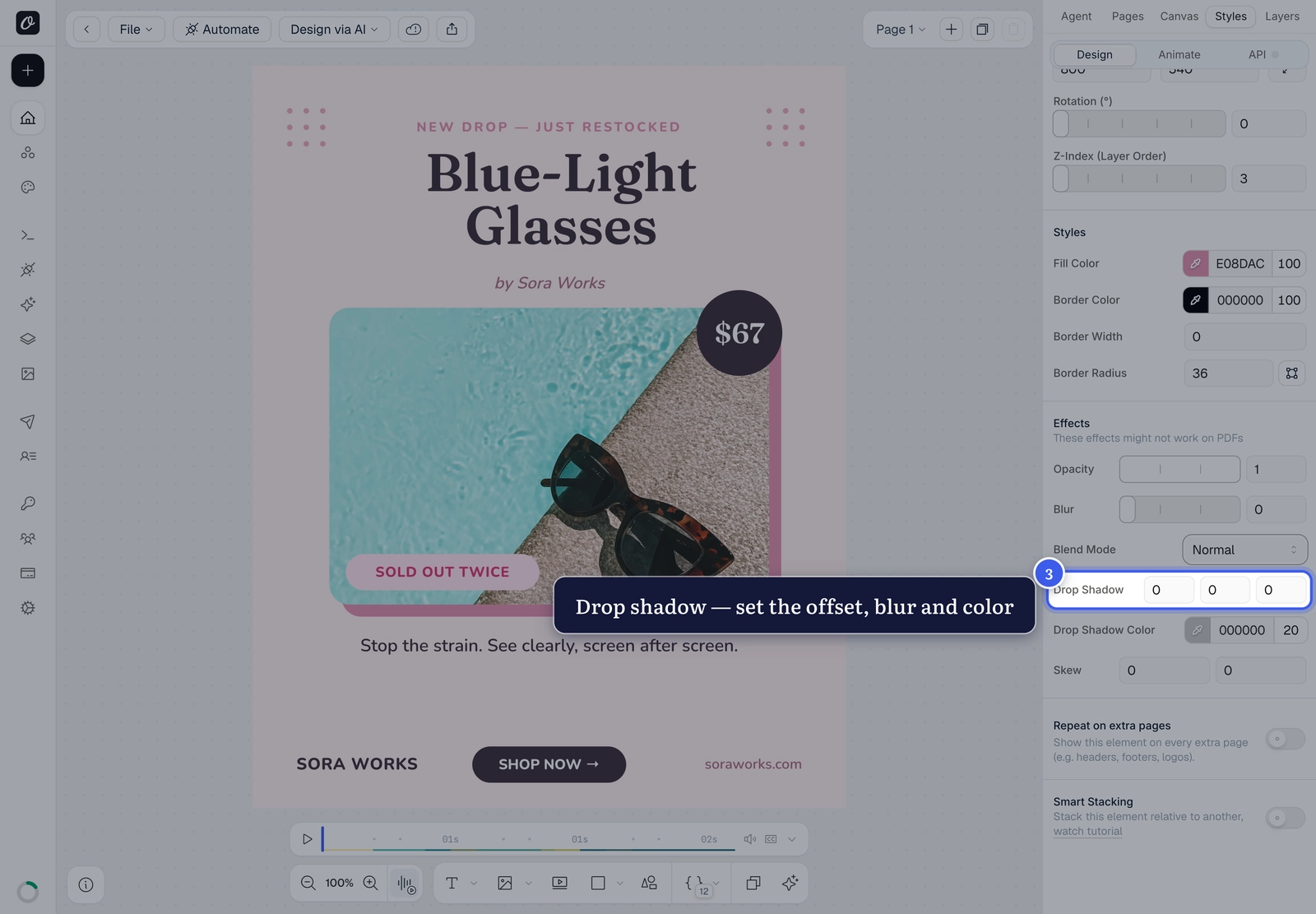
Drop Shadow lifts a layer off the canvas. Set the horizontal and vertical offset, the blur, and a Drop Shadow Color.
Effects and PDFs
Opacity, blur, blend modes and shadows are built for image and video renders. As the panel notes, they may not appear in PDF output — preview a PDF render before relying on them.
Related#
More in Orshot Studio
Ready to automate?
Start rendering images, PDFs and videos from your templates in under 2 minutes. Free plan, no credit card.
Get your API key- Image, PDF and video generation via API
- Visual editor with AI and smart layouts
- Zapier, Make, MCP and 40+ integrations
- White-label embed for your own app
- 100 free credits a month, no credit card required