How to find your API key and template ID
The two values every render call needs — and the two places to grab them
Published Jun 7, 2026
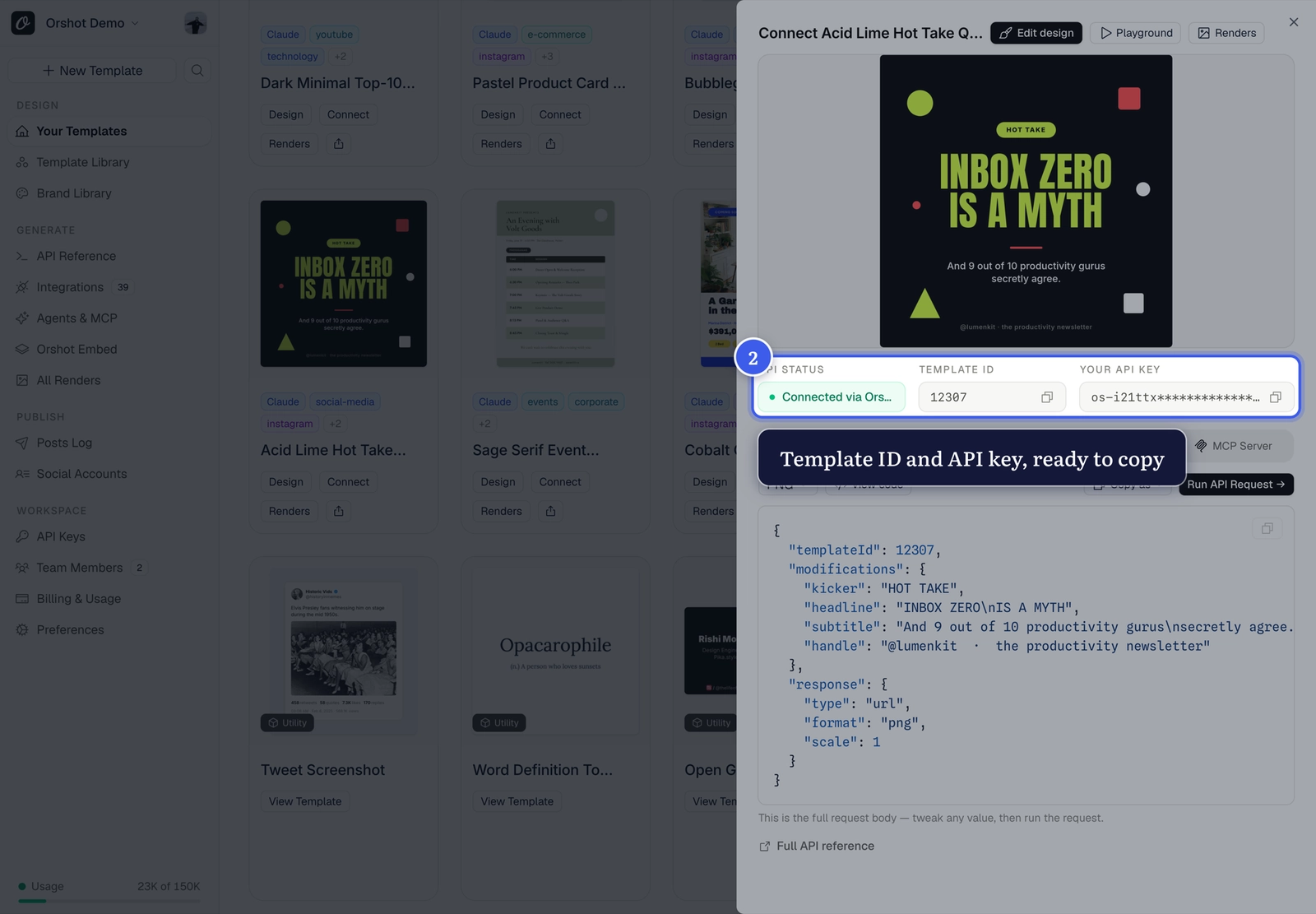
Every API render needs two values: your API key and the template ID.
The quick way: Quick Connect#
Click Connect on any template card — both values sit at the top of the sheet, ready to copy:
All your keys: the API Keys page#
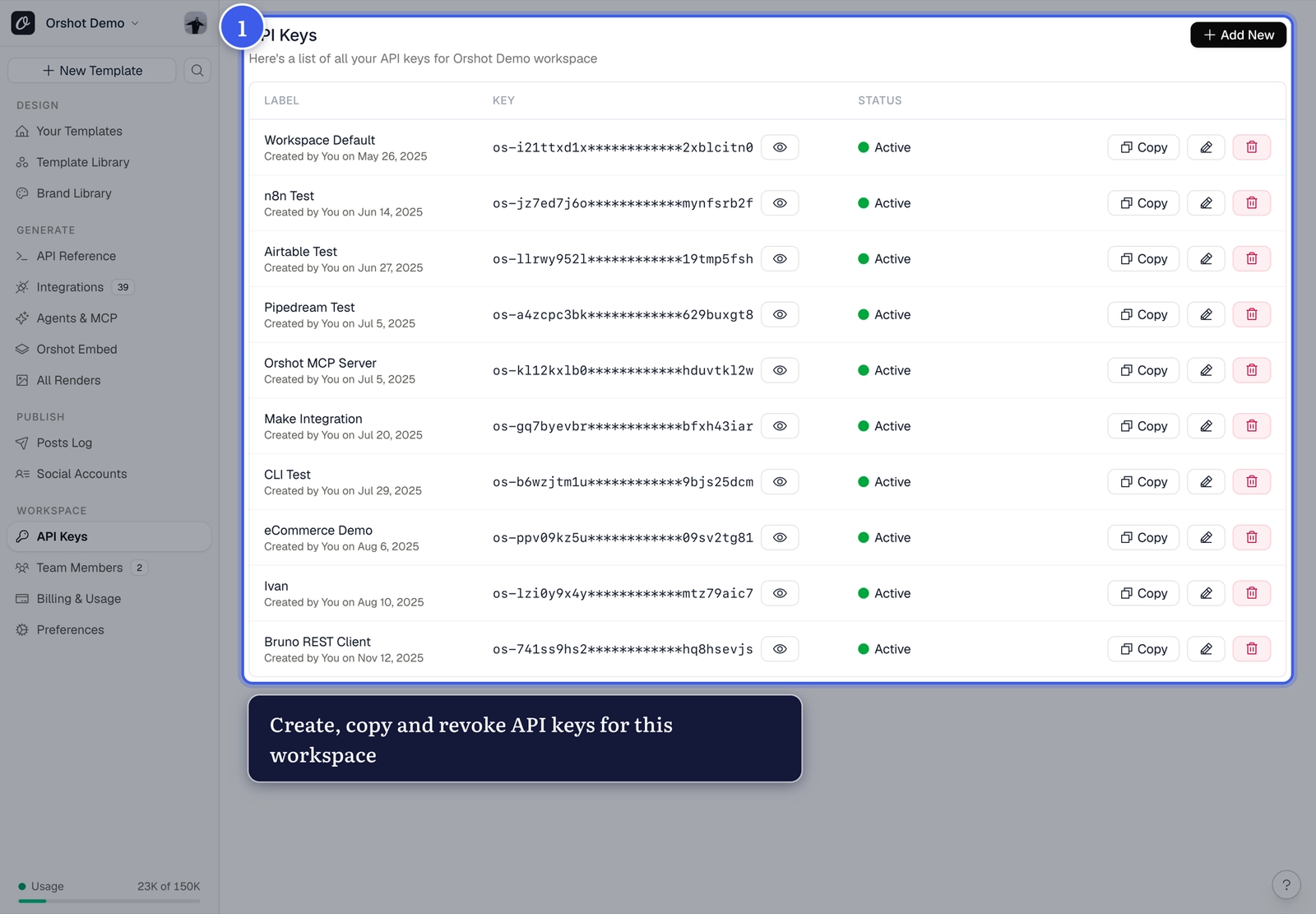
Open API Keys from your workspace sidebar to create, label, copy or revoke keys:
Keep keys secret
Anyone with your key can render on your credits. Use separate labeled keys per integration so you can revoke one without breaking the rest.
Related#
More in Generating Visuals
Was this page helpful?
Ready to automate?
Start rendering images, PDFs and videos from your templates in under 2 minutes. Free plan, no credit card.
Get your API key- Image, PDF and video generation via API
- Visual editor with AI and smart layouts
- Zapier, Make, MCP and 40+ integrations
- White-label embed for your own app
- 100 free credits a month, no credit card required