How to isolate templates and assets per user
Multi-tenancy in the embed: pass a userId and every user gets a private library of templates, images, videos, fonts, colors and audio.
Published Jun 7, 2026
By default, everyone using your embed shares the workspace's templates. Per-User Data & Templates isolates them: each user gets their own templates, images, videos, fonts and colors — User A can never see or modify User B's work.
1. Turn it on#
In Orshot Embed settings, expand Users & Data and enable Per-User Data & Templates:
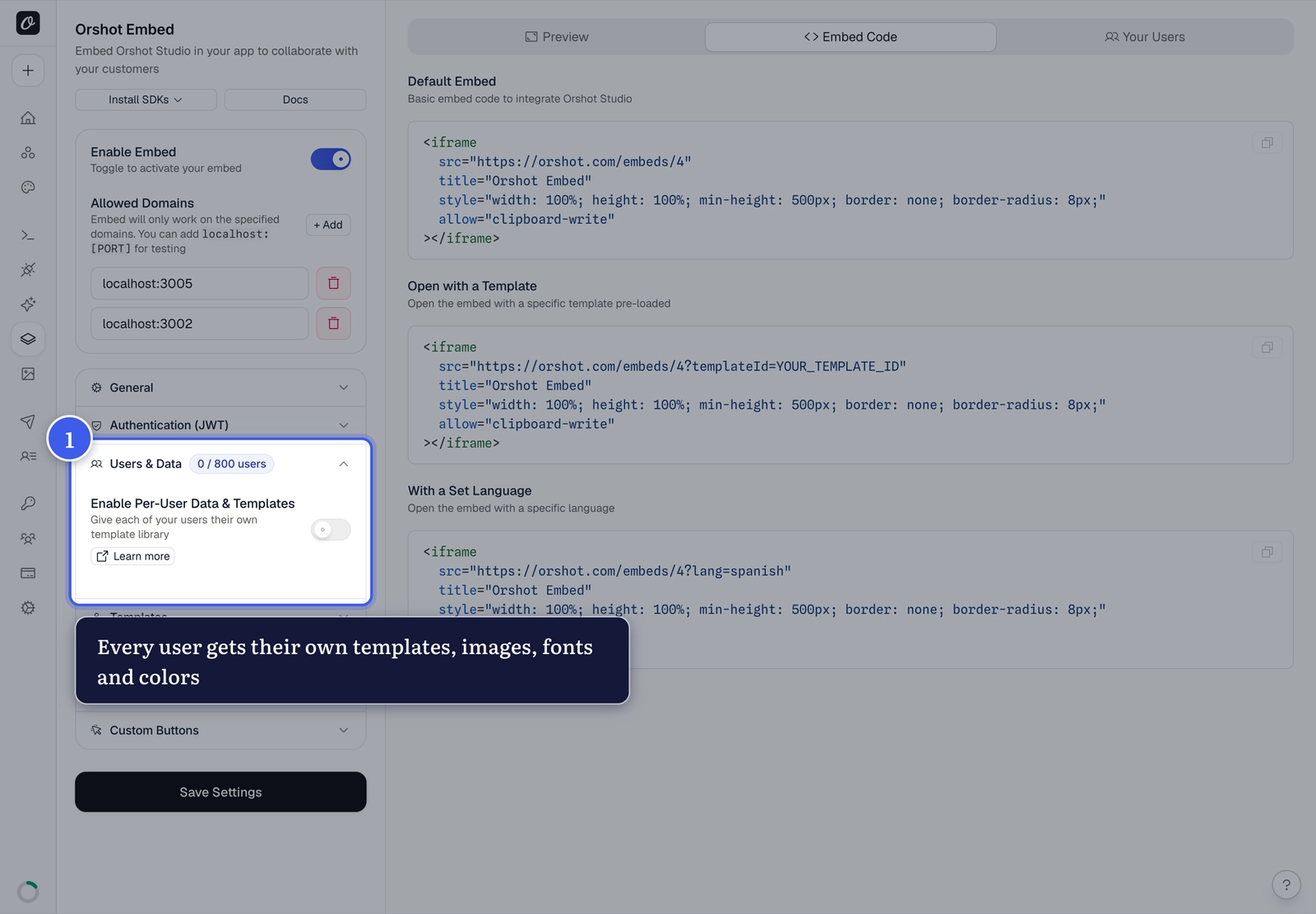
2. Pass a userId#
Add your app's user identifier to the embed URL — users are created automatically on first visit:
<iframe src="https://orshot.com/embeds/YOUR_EMBED_ID?userId=user_123"></iframe>Optional extras: userName, userEmail, and metadata (URL-encoded JSON for plan, company, role…).
No userId = shared workspace
Without a userId, saves go to the shared workspace. The userId must be
unique per user — it's securely hashed and never exposed.
What your users see#
Two template sections inside the editor: My Templates (theirs alone) and Workspace Templates (the ones you share). Pair this with override protection so your originals stay untouched.
User limits#
Each plan includes a maximum number of embed users (the counter shows yours, e.g. 0 / 800). At the limit, new users see a "User Limit Reached" message; existing users keep working.
Only users with a private library count. If per-user data is off and you still pass a userId, that person is recorded for analytics as Tracking only and does not use up a seat.
Fetch a user's templates via API#
curl "https://api.orshot.com/v1/studio/templates/all?embedId=YOUR_EMBED_ID&embedUserId=user_123" \
-H "Authorization: Bearer YOUR_API_KEY"Related#
More in Orshot Embed
Ready to automate?
Start rendering images, PDFs and videos from your templates in under 2 minutes. Free plan, no credit card.
Get your API key- Image, PDF and video generation via API
- Visual editor with AI and smart layouts
- Zapier, Make, MCP and 40+ integrations
- White-label embed for your own app
- 100 free credits a month, no credit card required