Keyboard shortcuts in Orshot Studio
Open the full shortcut list any time, plus the ones worth memorizing for faster editing
Published Jun 8, 2026
Orshot Studio has shortcuts for the things you do most — adding layers, nudging them, switching panels. You can open the complete list any time without leaving the editor.
1. Open the shortcut list#
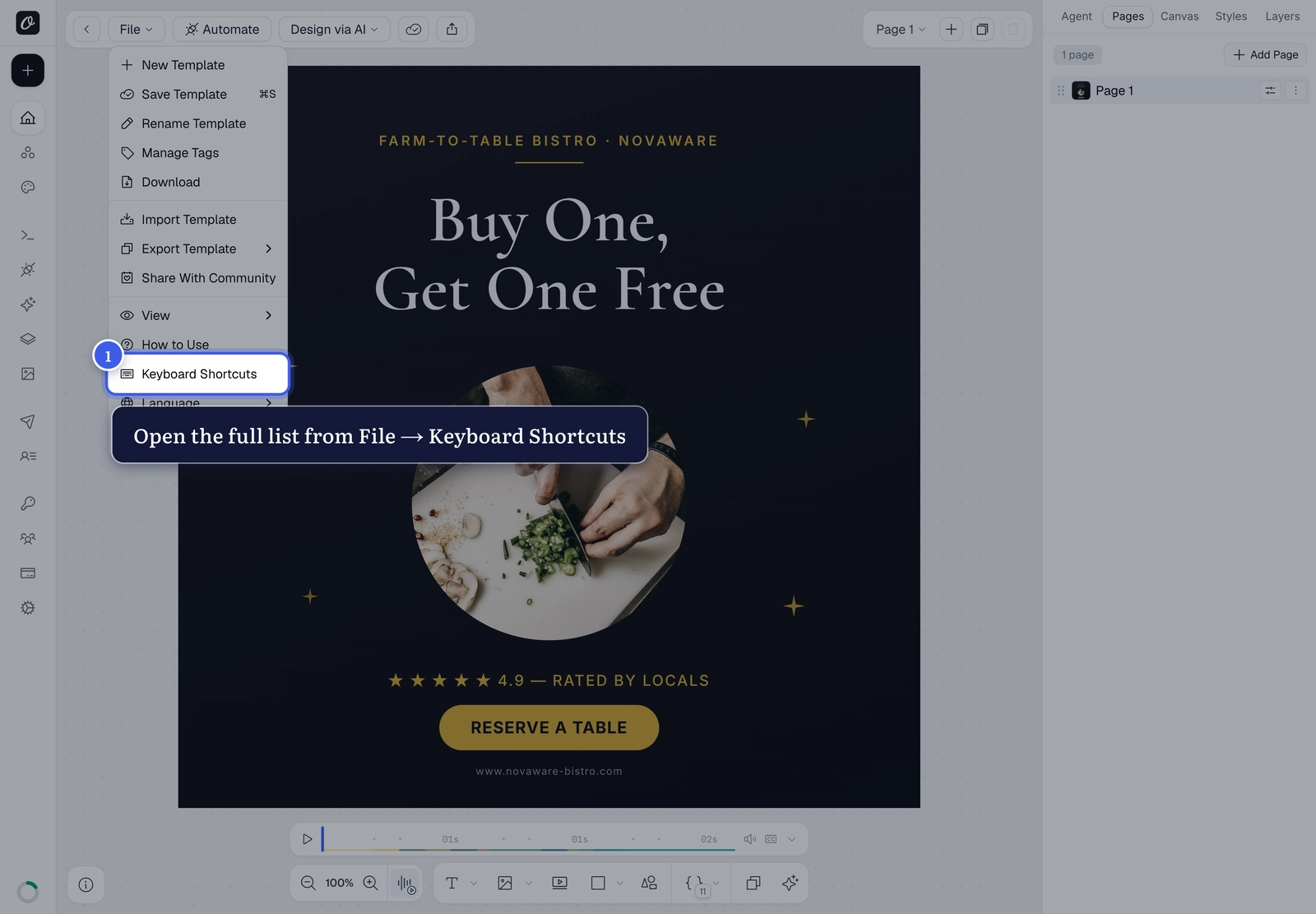
In the top toolbar, open the File menu and choose Keyboard Shortcuts.
2. The full reference#
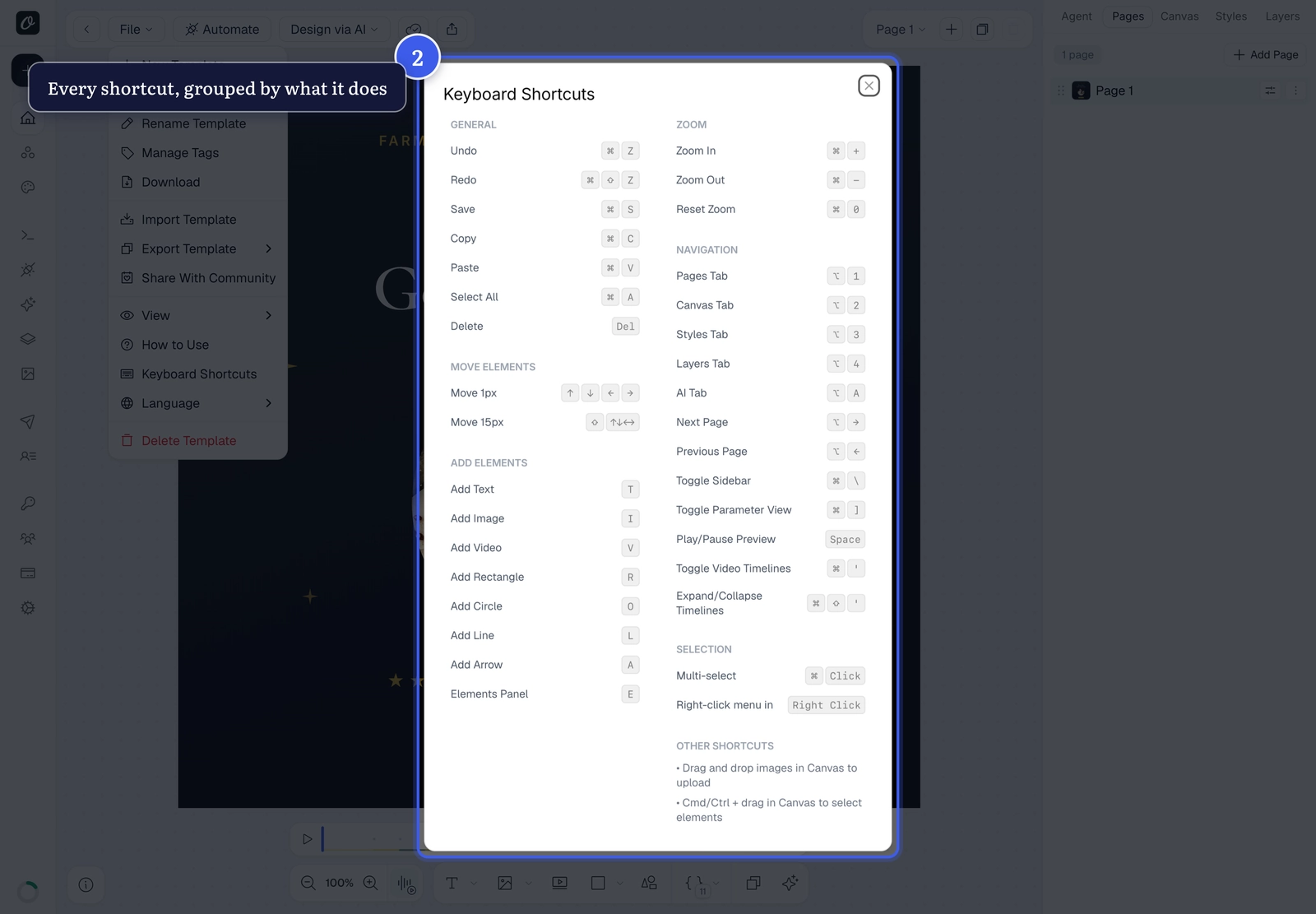
The dialog groups every shortcut by what it does — general actions, moving and adding layers, zoom, navigation and selection.
The ones worth memorizing#
| Action | Shortcut |
|---|---|
| Undo / Redo | ⌘Z / ⌘⇧Z |
| Save | ⌘S |
| Add text / image / rectangle | T / I / R |
| Add circle / line / arrow | O / L / A |
| Multi-select layers | ⌘-click |
| Nudge 1px / 15px | Arrow keys / ⇧+Arrow |
| Switch tabs — Pages / Canvas / Styles / Layers | ⌥1 – ⌥4 |
| Toggle the sidebar | ⌘\ |
On Windows
Use Ctrl wherever these show ⌘ — the dialog automatically shows the right modifier for your device.
Related#
More in Orshot Studio
←→
Previous
How to set a canvas background in Orshot Studio
Next
How to remove an image background in Orshot Studio
Was this page helpful?
Ready to automate?
Start rendering images, PDFs and videos from your templates in under 2 minutes. Free plan, no credit card.
Get your API key- Image, PDF and video generation via API
- Visual editor with AI and smart layouts
- Zapier, Make, MCP and 40+ integrations
- White-label embed for your own app
- 100 free credits a month, no credit card required