How do I stop text overflowing?
Four modes -- fit, truncate, overflow and flow -- control what happens when dynamic text is longer than its box.
Updated
Text Autofit in Orshot Studio controls how text behaves when it doesn't fit within its container dimensions. There are four modes available: Fit, Truncate, Overflow, and Flow.
Text Autofit Options#
Overflow Mode (Default)#
Text flows naturally and may extend beyond the container boundaries.
Use when:
- You want natural text wrapping
- Container size can accommodate all content
- Overflow is acceptable in your design
Fit Mode#
Automatically adjusts font size to fit text within the container while maintaining readability.
Use when:
- Text must fit within fixed container dimensions
- Font size can vary based on content length
- You want to maximize text size while preventing overflow
Configuration:
- Min Font Size: Set the minimum font size (default: 8px) to maintain readability
Truncate Mode#
Displays as many complete lines as possible within the container and adds ellipsis (...) to indicate truncated content.
Use when:
- Container dimensions are fixed
- Font size must remain consistent
- You want to show maximum content with clear truncation indication
Flow Mode#
Automatically splits text across multiple pages when it doesn't fit on one page. Overflow pages are generated as needed, and repeating elements (headers, footers, logos) appear on every page.
Use when:
- Content length is unpredictable (articles, reports, invoices)
- You want automatic page breaks without designing each page manually
- You need multi-page documents from a single template page
Configuration:
- Flow Zones — control where text appears on overflow pages
- Break at — split at line, word, or character level
- Min lines before/after break — prevent orphans and widows
See Flowing Content for the full guide.
Setting Text Autofit#
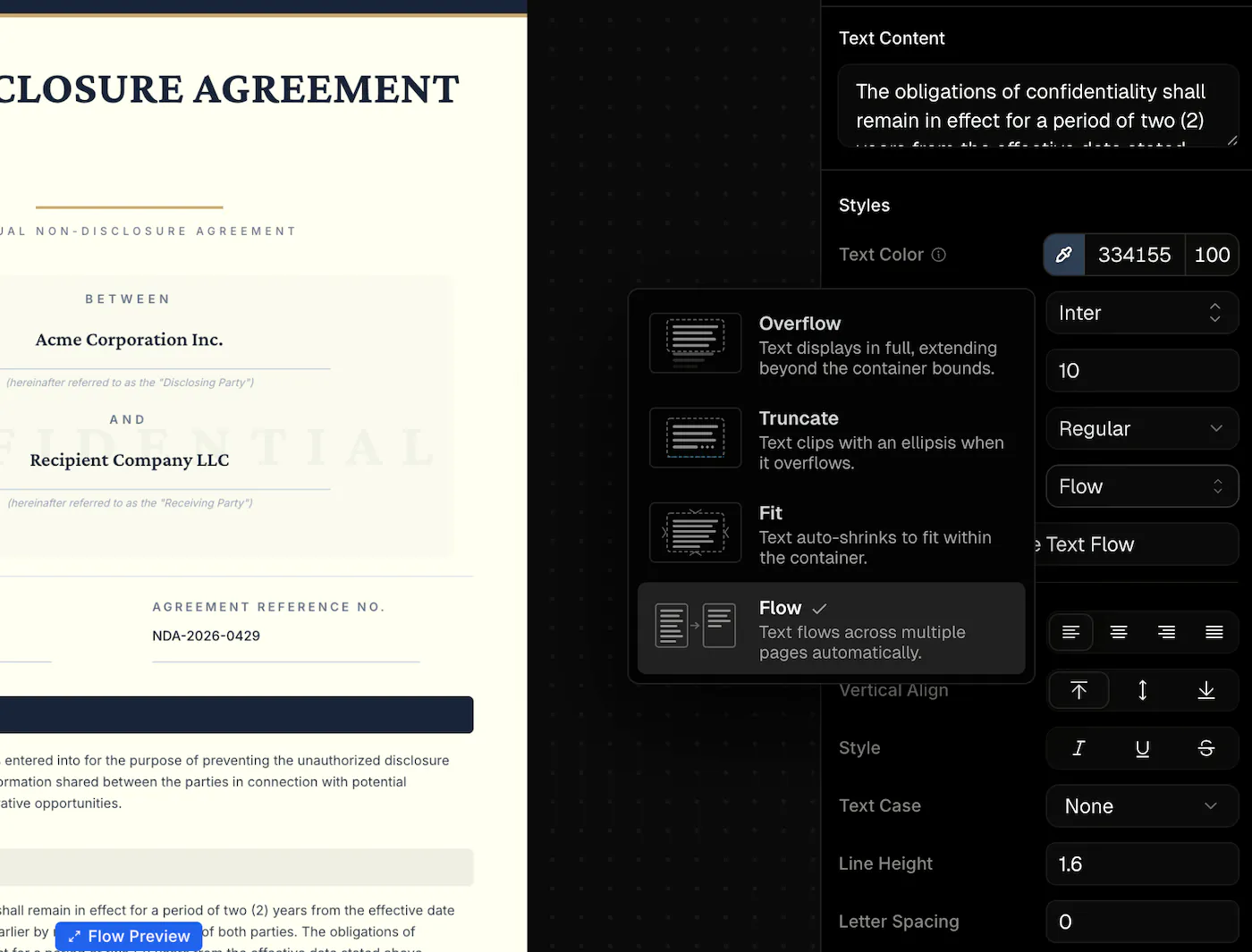
- Select a text element in your template
- In the Styles panel, find the Text Autofit dropdown
- Choose from: Overflow, Fit, Truncate, or Flow
- For Fit mode, optionally set the Min Font Size
- For Flow mode, see the Flowing Content guide for setup steps
API Usage#
When generating images via API, text modes are automatically applied based on your template configuration. No additional parameters required — the text processing happens during image generation.
{
  "templateId": "your-template-id",
  "modifications": {
    "title": "Your dynamic text content"
  }
}
The text will be processed according to the mode you configured in the Studio editor.
Flow mode may produce multiple pages from a single template page. See Flowing Content for details on the response structure.
Ready to automate?
Start rendering images, PDFs and videos from your templates in under 2 minutes. Free plan, no credit card.
Get your API key- Image, PDF and video generation via API
- Visual editor with AI and smart layouts
- Zapier, Make, MCP and 40+ integrations
- White-label embed for your own app
- 100 free credits a month, no credit card required