Approval Flows for Template Automation
Brand, legal and client sign-off happen in Orshot. Your API and n8n, Make or Zapier jobs render a template only once the right people approve it.
Included on Scale and Enterprise plans
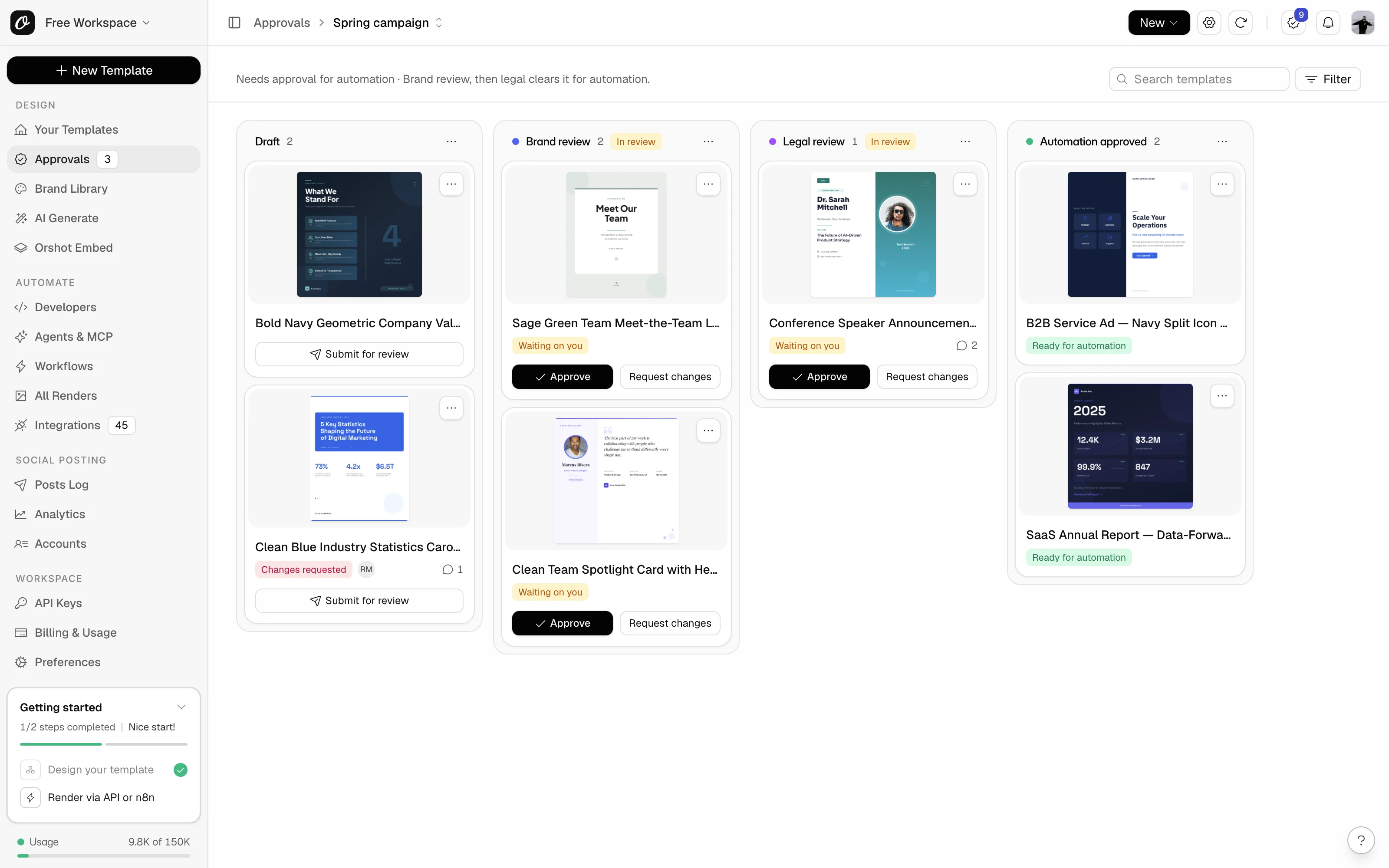
Nothing unapproved goes out
The API renders a template only after it's approved.
Your review process, as stages
Draft, brand, legal, approved. You set who moves what.
Clients and legal as reviewers
They approve in the flows you pick. No keys or billing.
Edit live templates safely
Automation renders the approved design until the edit is approved.
Start from the process you already run
Pick a preset that matches your team, then rename stages and change the rules.
Brand approves the design, then legal clears it before any market renders it.
- Draft
- Brand review
- Design approved
- Legal review
- Automation approved
- Legal can approve with field limits, like a maximum headline length
- Approve the image version first and the video later
- Every template in a folder or with a tag joins the flow by itself
Your team reviews first, then the client signs off before their campaign renders.
- Draft
- Internal review
- Client review
- Automation approved
- Invite the client as a reviewer who sees only their flow
- They comment on the design and approve or ask for changes
- Their automation renders only what they approved
A design review, then a check that the template holds up with real feed data.
- In design
- Design review
- Design approved
- Automation review
- Automation approved
- Lock fields that must never change, like the logo or legal line
- Allow images only from your own domains
- Fix a live template while production keeps the approved design
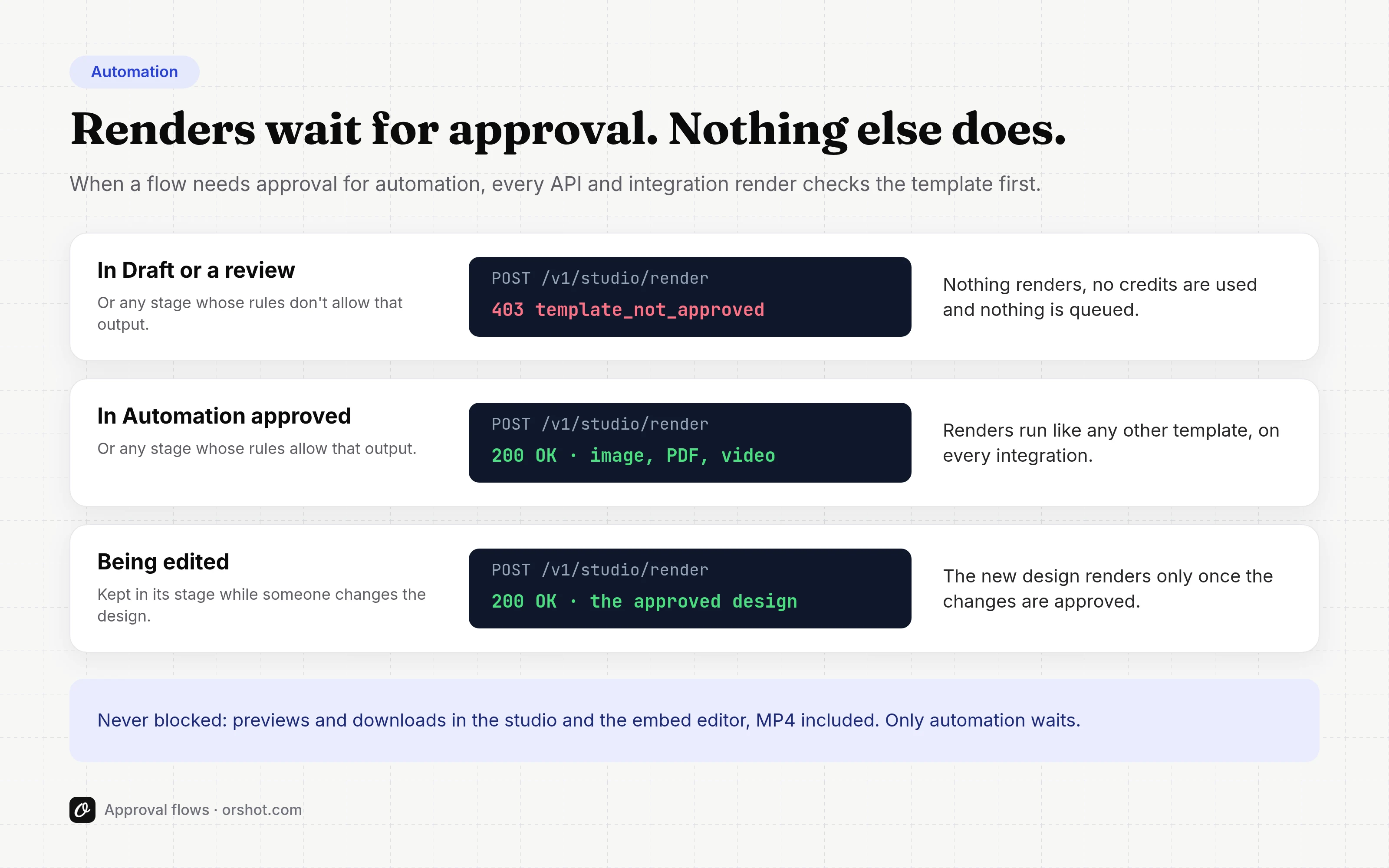
Automation waits for approval. Your team doesn't.
Every automated render checks the template first. Your team can still preview and download it.
- A clear 403 that names the stage and who can approve it
- Refused renders use no credits and queue nothing
- Covers the API, SDKs, Zapier, Make, n8n, Workflows and Dynamic URLs
- Agents get the same message and can tell you who to ask
POST /v1/studio/render{ "templateId": 11463, "modifications": { ... } }403 Forbidden{"error": "This template is waiting for approval in 'Spring campaign' and can't be rendered through the API yet.","code": "template_not_approved","blockers": [{"flow": { "name": "Spring campaign" },"stage": { "name": "Brand review" },"reason": "not_in_render_stage"}],"helpUrl": "https://orshot.com/docs/error-reference"}
Set the rules once. Every template follows them.
Each stage has its own rules. Start from a preset like Brand and legal, then change what you need.
- Lock the design while it's in review
- Choose which outputs automation can render in each stage
- Require a comment when a template moves into a stage
- Stop people approving templates they submitted
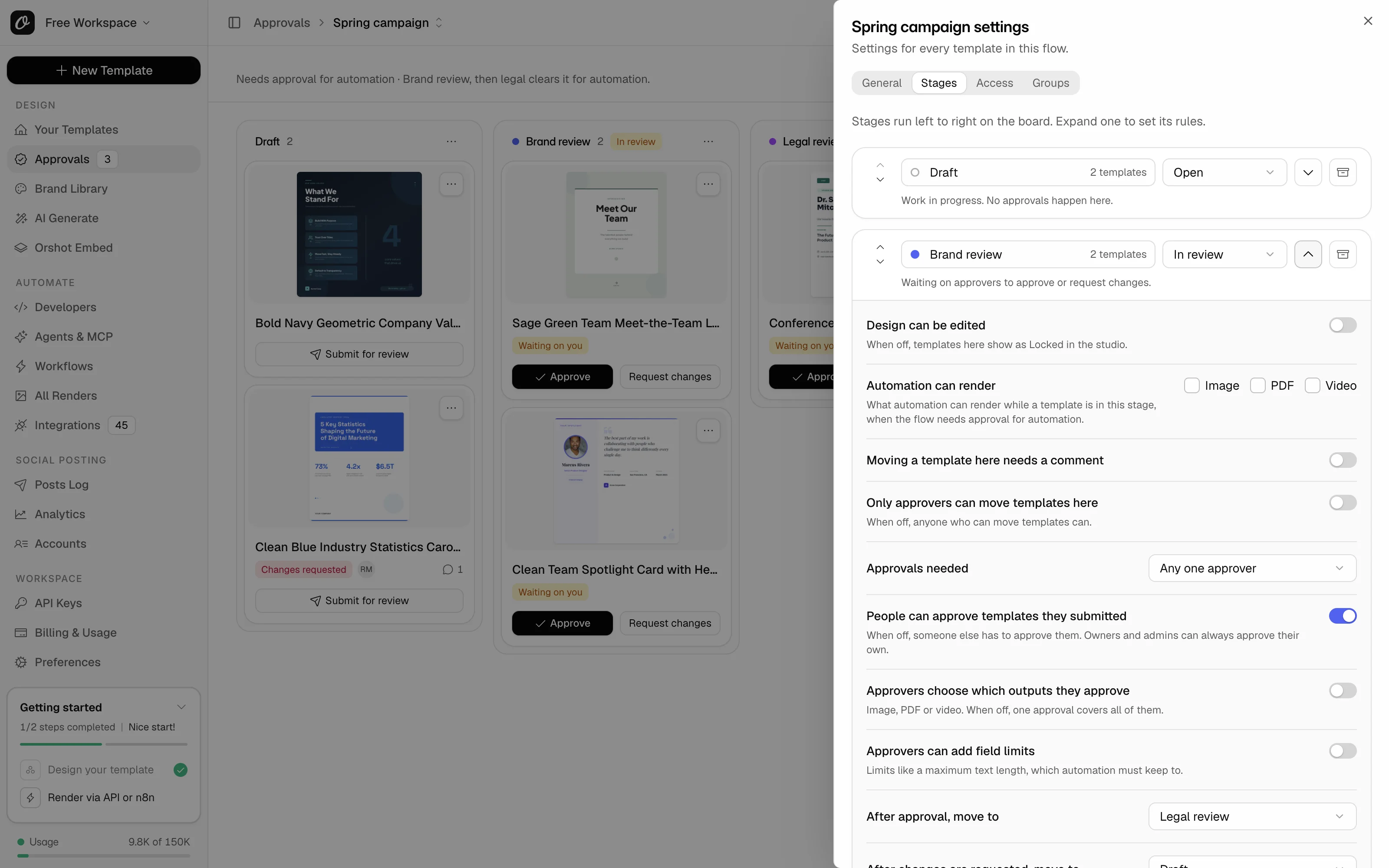
Invite clients and legal without handing over the keys.
Reviewers check, comment and approve where you allow it. Everything else stays with your team.
- Access to the whole workspace, or only the flows you pick
- Approve or ask for changes, with a comment
- No API keys, renders, billing or workspace settings
- Each reviewer takes a seat on the plan
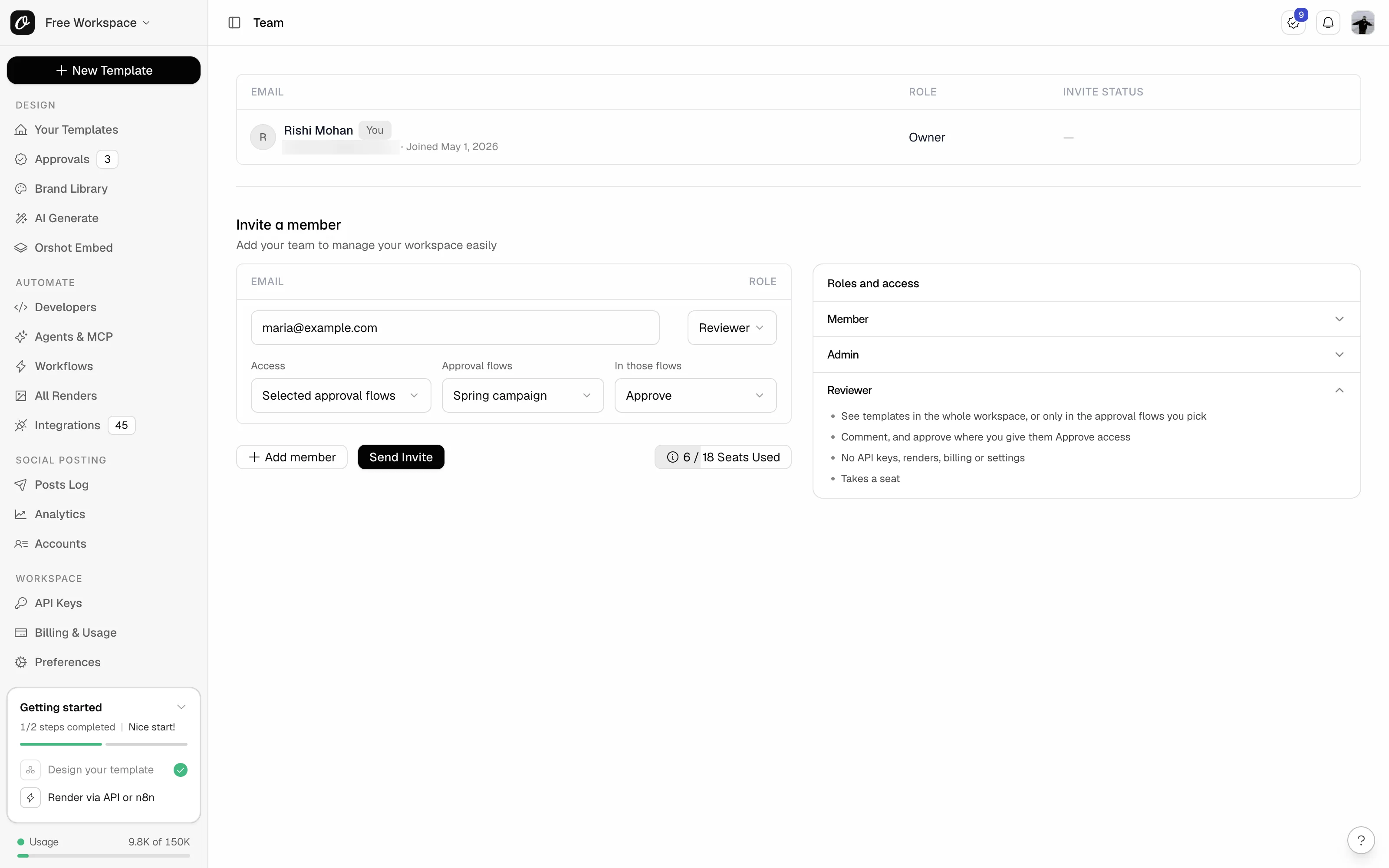
Review the design where it's made.
Approvers check every page, comment and decide from the same screen in the studio.
- Comments with @mentions, next to the design
- The template's activity: every move, approval and change request
- Approve, request changes or move the template from the studio
Fix a live template without stopping production.
Editing a live template starts with a choice: keep it approved, send it to review or move it to Draft.
- Automation renders the approved design during the edit
- The new design goes live only when it's approved
- Only that stage's approvers, owners and admins can keep it approved
What your security and brand teams will ask
Reviewer access, scoped
Reviewers see all templates or chosen flows only. No keys or billing.
No self-approval
Members can't approve what they submitted. Owners and admins can.
Permissions per stage
Choose who adds, moves and approves templates in each stage.
Activity history
Every move, approval and comment, with who and when. Up to a year.
Scoped API keys per workspace
Separate keys per workspace, and every render logged with its source.
Enforced on every automated render
The API, SDKs, integrations and agents all get the same refusal.
Built for teams that render at volume
Per-output approval
Approve the image now and the video later. Only approved outputs render.
Field limits on approval
Approve with text length limits, locked fields or allowed image domains.
New templates join automatically
Every new template enters a flow, or only those in a folder or with a tag.
Several approvers per stage
Two sign-offs or a whole group per stage, on the higher Scale tiers.
Inbox and email
An in-app inbox, and email right away or as one daily summary.
Approvals API
Add, move and approve templates from your own systems, on Enterprise.
Frequently asked questions
What is Orshot?
What happens to API renders while a template is in review?
Does it cover n8n, Make, Zapier and AI agents?
Can clients or legal approve without full access?
Can we fix a typo in a template that's already live?
Is there a record of who approved what?
Which plans include approval flows?
Put sign-off in front of your automation
Book a demo and we'll set up a flow on your own templates, with your reviewers and your automation.