Type the script. Every render speaks.
Voiceovers and sound beds for any video template. Editable on the page, synced to captions, and swappable per render.
1 AI credit per 10 seconds of speech on the Fast model · repeats are cached for free
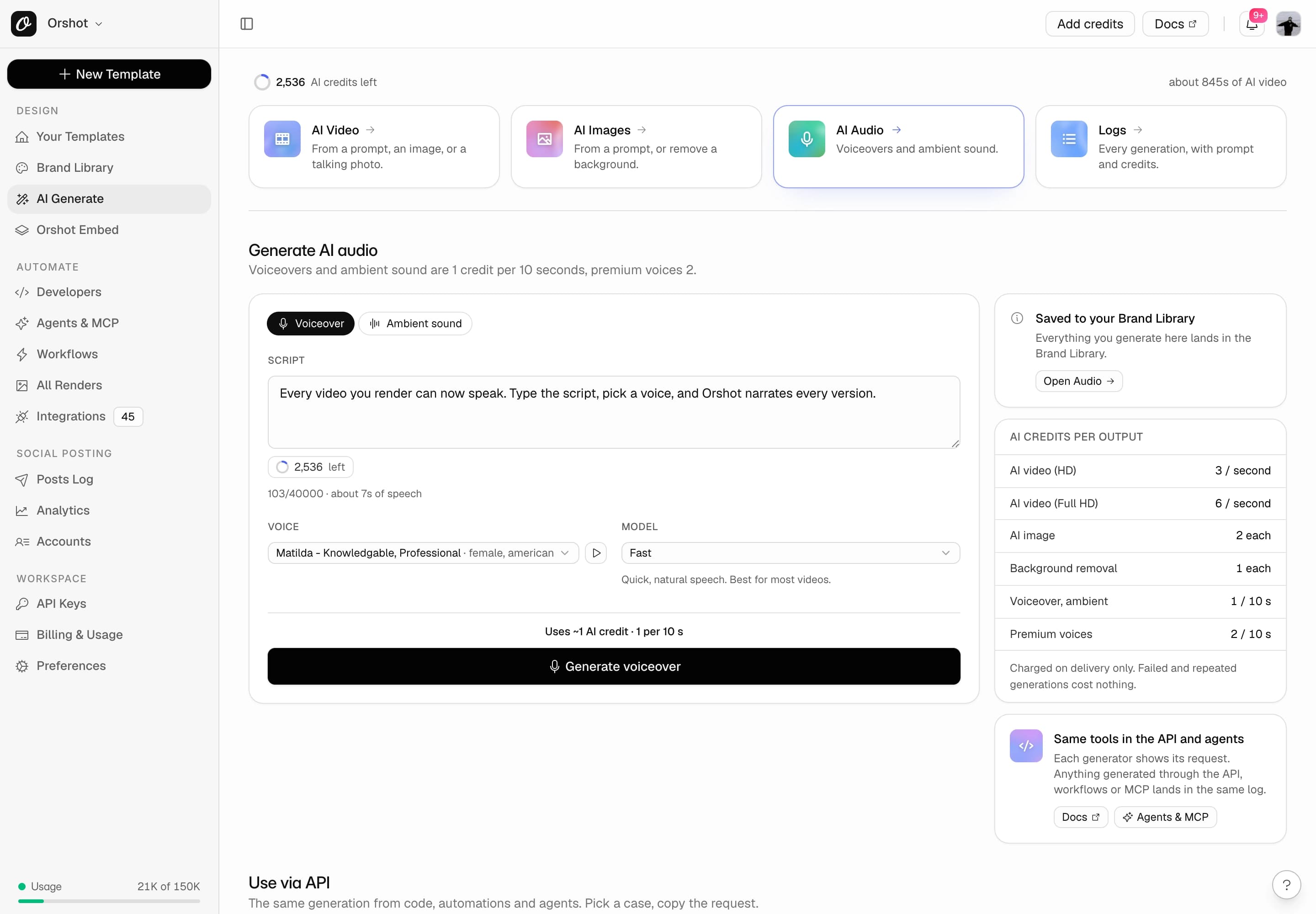
21 voices, 3 speech models
Preview any voice free. Fast, Expressive, or Multilingual across 29 languages.
Ambient sound from a prompt
Describe a bed or an effect, set 1 to 22 seconds, loop it across the page.
Captions that follow the voice
Every voiceover ships with word timings, so captions sync without a transcript.
Narration as a parameter
Mark the script dynamic and send new spoken copy with each render.
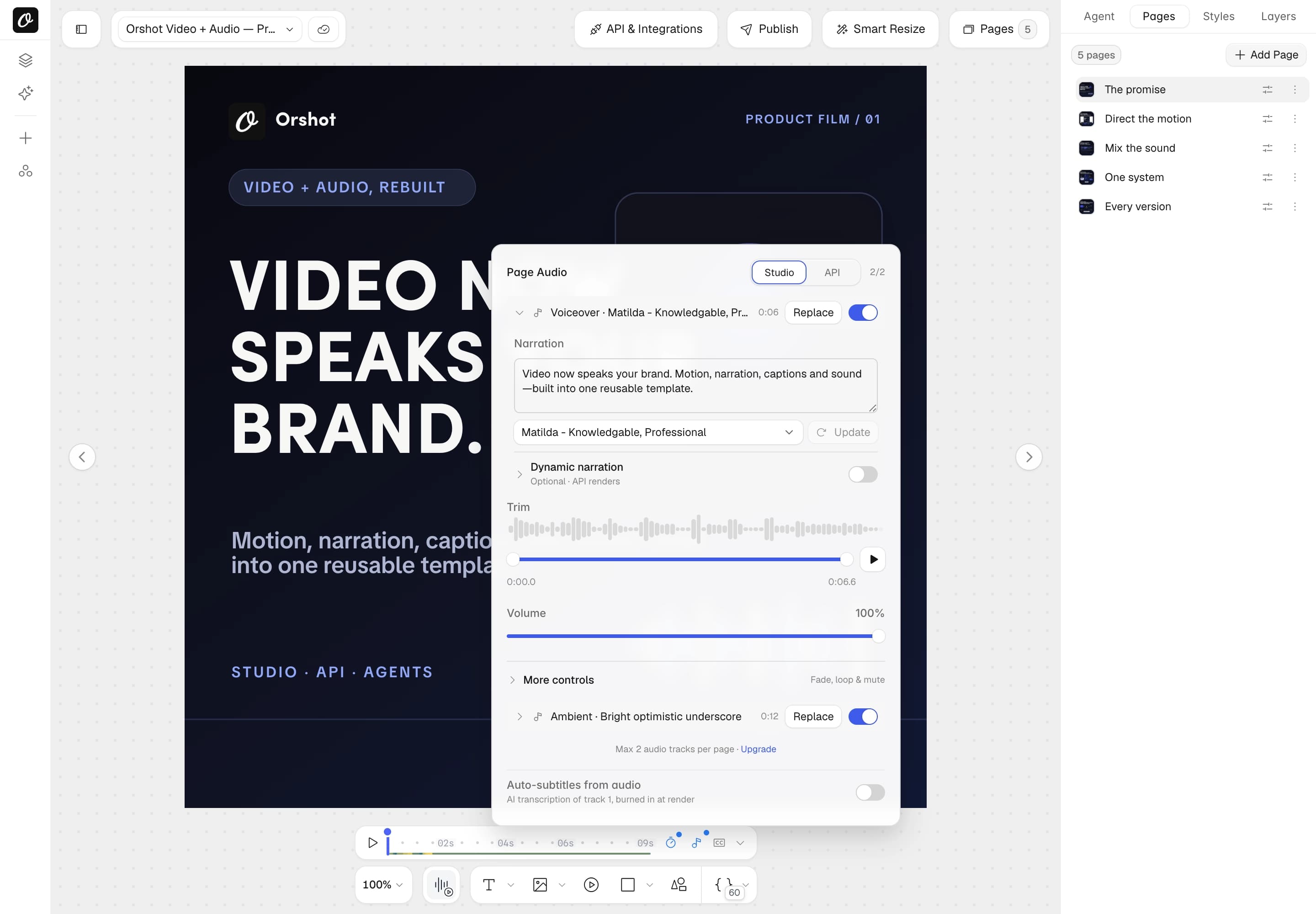
Page Audio, then AI voiceover.
Page Audio, AI voiceover, paste the script, pick a voice. The track lands on the page with its words still editable.
- Voiceover and Ambient sound generators live inside the same popover
- Narration stays editable on the track. Change a word, press Update
- Volume, trim, fade, loop and mute per track
This is what one credit sounds like.
Generated for this page, no edits. George, the Fast model, seven seconds, one AI credit.
- Fast: quick, natural speech, the default
- Expressive: emotionally rich delivery for dramatic reads
- Multilingual: stable long-form quality across 29 languages
“Every video you render can now speak. Type the script, pick a voice, and Orshot narrates every version.”
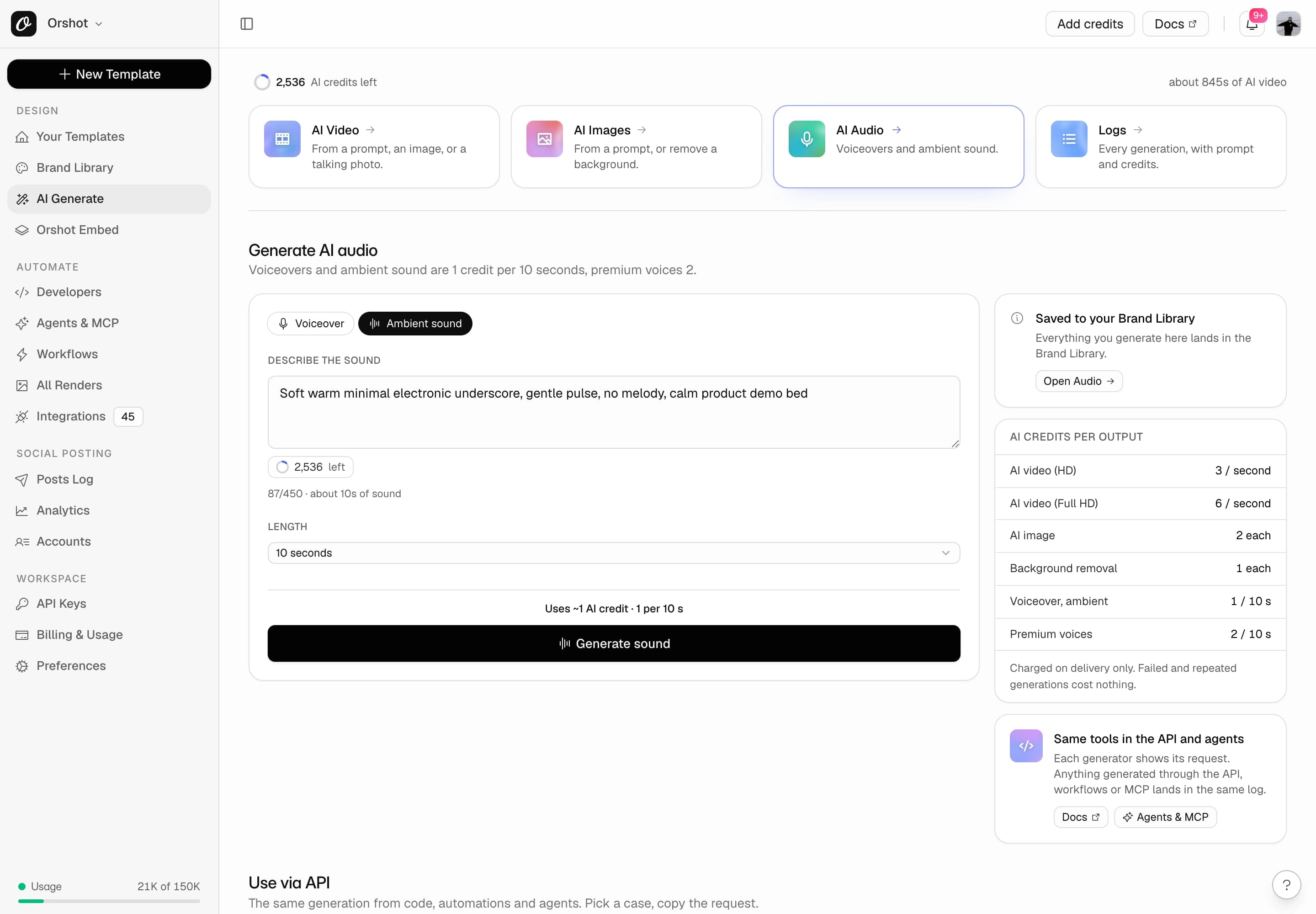
A music bed from one sentence.
Describe the sound, set the length, generate. A 10 second bed loops under a 30 second reel.
- 1 AI credit per started 10 seconds, same as a voiceover
- Loop, trim, fade and volume per track in Studio
- Runs under a voiceover on plans with two tracks per page
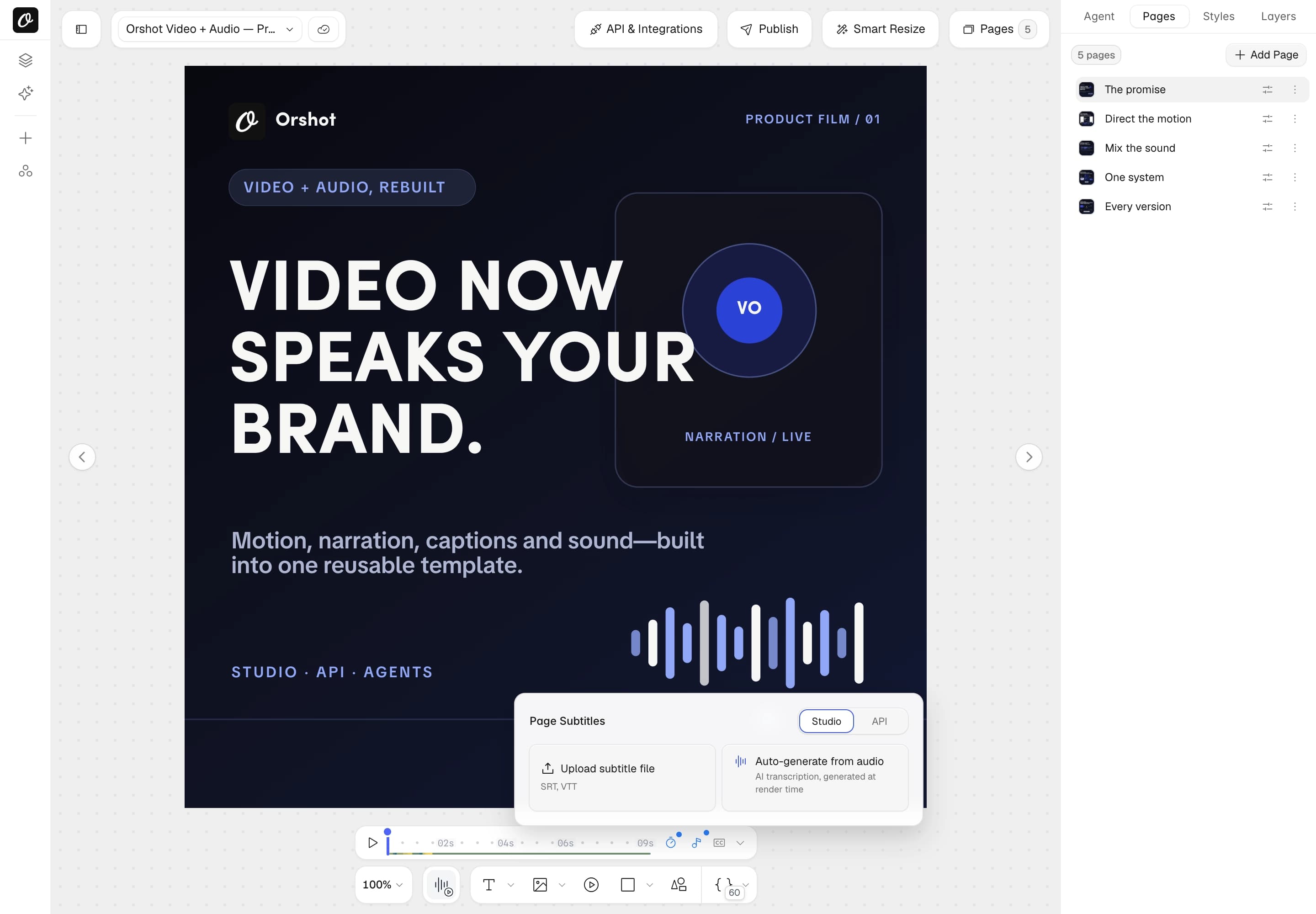
Subtitles without a transcript.
Switch subtitles to auto-audio and captions render in sync with the voiceover, phrase by phrase or word by word.
- Phrase or word-by-word mode, TikTok-style word highlight
- Caption presets, font size, colour, background and position
- Captions are burned into the rendered MP4, WebM, MOV or GIF
Two endpoints, one MP3 back.
A voiceover from text or a bed from a prompt, returned as a hosted MP3 with word timings.
- GET /v1/audio/voices lists the catalog, models and defaults
- GET /v1/audio/usage shows credits used and remaining
- Voiceovers return url, wordsUrl, seconds and cached
curl -X POST https://api.orshot.com/v1/audio/generate \
  -H "Authorization: Bearer $ORSHOT_API_KEY" \
  -H "Content-Type: application/json" \
  -d '{
    "text": "Every video you render can now speak.",
    "voiceId": "XrExE9yKIg1WjnnlVkGX",
    "modelId": "flash"
}'curl -X POST https://api.orshot.com/v1/audio/ambient \
-H "Authorization: Bearer $ORSHOT_API_KEY" \
-H "Content-Type: application/json" \
-d '{
"prompt": "soft warm underscore, gentle pulse",
"seconds": 12
}'A template that says something new every time.
Turn on Dynamic narration and the script becomes a template parameter. Each render can pass its own spoken copy.
- Personalised onboarding, sales and recap videos from a spreadsheet
- The voice, model and mix stay as designed. Only the words change
- Studio shows the estimated speech length as you type
curl -X POST https://api.orshot.com/v1/studio/render \
  -H "Authorization: Bearer $ORSHOT_API_KEY" \
  -H "Content-Type: application/json" \
  -d '{
    "templateId": 18261,
    "modifications": {
      "headline": "Welcome aboard, Priya",
      "voiceover": "Hi Priya, here is your new plan."
    },
    "response": { "format": "mp4", "mode": "async" }
}'The requests people actually send.
Complete requests for the most common jobs, from a first voiceover to captioned, personalised renders.
Generate a voiceover
Text to speech in any catalog voice. Identical text, voice and model is served from cache for free.
curl -X POST https://api.orshot.com/v1/audio/generate \
  -H "Authorization: Bearer $ORSHOT_API_KEY" \
  -H "Content-Type: application/json" \
  -d '{
  "text": "Every video you render can now speak.",
  "voiceId": "XrExE9yKIg1WjnnlVkGX",
  "modelId": "flash"
}'
Same request shape from n8n, Zapier, Make and the agent tools.
Generate ambient sound
A sound effect or music bed from a description, 1 to 22 seconds. Loop it on the page for longer.
curl -X POST https://api.orshot.com/v1/audio/ambient \
  -H "Authorization: Bearer $ORSHOT_API_KEY" \
  -H "Content-Type: application/json" \
  -d '{
  "prompt": "soft rain on a window with distant thunder",
  "seconds": 10
}'
Same request shape from n8n, Zapier, Make and the agent tools.
Narration inside a template render
A voiceover track with a parameter id becomes a render parameter: new spoken copy on every render, cached per script.
curl -X POST https://api.orshot.com/v1/studio/render \
  -H "Authorization: Bearer $ORSHOT_API_KEY" \
  -H "Content-Type: application/json" \
  -d '{
  "templateId": 18261,
  "modifications": {
    "headline": "Welcome aboard, Priya",
    "voiceover": "Hi Priya, here is your new plan."
  },
  "response": {
    "format": "mp4",
    "mode": "async"
  }
}'
Same request shape from n8n, Zapier, Make and the agent tools.
Add a voiceover file to a render
Put a generated MP3, or any audio URL, on a page at render time with videoOptions.audioSource.
curl -X POST https://api.orshot.com/v1/studio/render \
  -H "Authorization: Bearer $ORSHOT_API_KEY" \
  -H "Content-Type: application/json" \
  -d '{
  "templateId": 1234,
  "videoOptions": {
    "audioSource": [
      {
        "page": 1,
        "url": "https://storage.orshot.com/tts/0e8adfa2.mp3"
      }
    ]
  },
  "response": {
    "format": "mp4",
    "mode": "async"
  }
}'
Same request shape from n8n, Zapier, Make and the agent tools.
Burn captions from a voiceover
Point subtitleSource at the voiceover and Orshot transcribes and times the captions. Word-by-word mode highlights the spoken word.
curl -X POST https://api.orshot.com/v1/studio/render \
  -H "Authorization: Bearer $ORSHOT_API_KEY" \
  -H "Content-Type: application/json" \
  -d '{
  "templateId": 1234,
  "videoOptions": {
    "subtitleSource": "https://storage.orshot.com/tts/0e8adfa2.mp3",
    "captionPreset": "karaoke"
  },
  "response": {
    "format": "mp4",
    "mode": "async"
  }
}'
Same request shape from n8n, Zapier, Make and the agent tools.
Make a photo speak the script
The same voices drive talking presenters. Send a portrait and a script to the AI video endpoint.
curl -X POST https://api.orshot.com/v1/ai/video \
  -H "Authorization: Bearer $ORSHOT_API_KEY" \
  -H "Content-Type: application/json" \
  -d '{
  "imageRef": "brand:image:123",
  "script": "Three reasons this launch matters.",
  "voice": "XrExE9yKIg1WjnnlVkGX",
  "consent": true,
  "preset": "ugc-selfie-talk"
}'
Same request shape from n8n, Zapier, Make and the agent tools.
List voices and models
The public voice catalog with preview clips, plus the speech models and their limits.
curl https://api.orshot.com/v1/audio/voices \
  -H "Authorization: Bearer $ORSHOT_API_KEY"
Same request shape from n8n, Zapier, Make and the agent tools.
Check AI credit usage
Credits used and remaining for the billing period, and whether premium voices are on the plan.
curl https://api.orshot.com/v1/audio/usage \
  -H "Authorization: Bearer $ORSHOT_API_KEY"
Same request shape from n8n, Zapier, Make and the agent tools.
Ask for narration. Get a finished video.
With Orshot for agents connected, Claude, Cursor or ChatGPT pick a voice, write the narration, add a bed and captions, and render.
- Tools: orshot_get_audio_authoring_options, orshot_generate_ai_audio
- Template narration is authored as audio tracks in the design itself
- Agents check the credit position before they synthesise
“Add narration to the product film: warm British storyteller voice, one line per page, an ambient bed under it, and captions.”
orshot_get_audio_authoring_optionsorshot_update_template_designorshot_render_template“Video now speaks your brand. Motion, narration, captions and sound, built into one reusable template.”
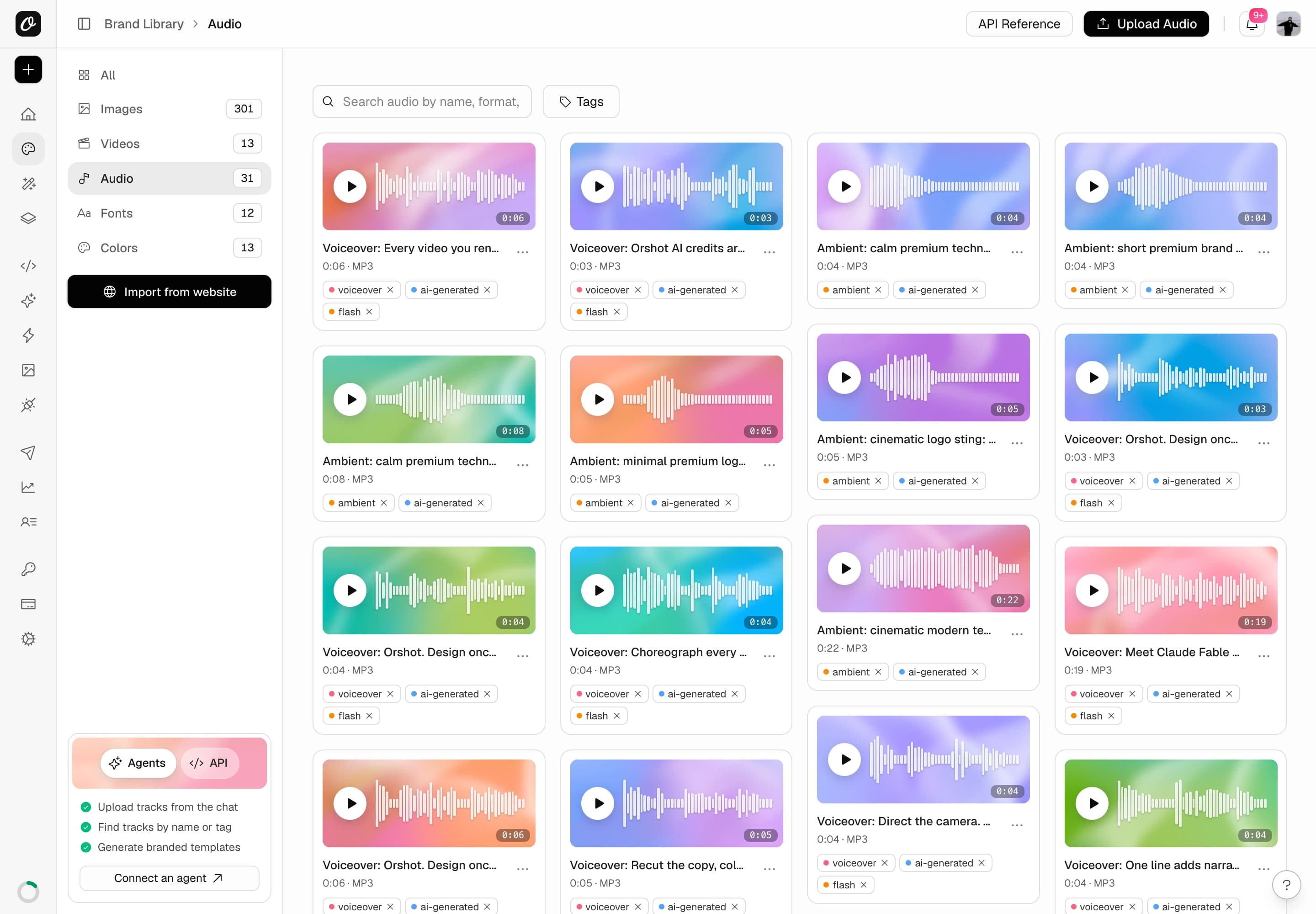
Every track kept, tagged and reusable.
Every generated track lands in the Brand Library, tagged and previewable, ready to reuse from Studio or the API.
- Search by name, format or tag
- AI usage logs list every generation with its script and credits
- Voice generation is included on every paid plan
Three speech models, one credit meter.
Voice shares the AI credit pool with video and images. Billed per started 10 seconds, on delivery. Repeats are free.
Fast
1 credit per 10 s
Quick, natural speech. The default for most videos, and the cheapest.
Expressive
2 credits per 10 s
Emotionally rich delivery for dramatic reads, ads and hooks.
Multilingual
2 credits per 10 s
Stable long-form quality across 29 languages, one narration up to 5,000 characters.
Questions about AI voiceovers.
What people ask before they add a generated voice to a video.
How do I add an AI voiceover to a video?
How do I generate an AI voiceover for a video through the API?
Is there a free AI voiceover generator in Orshot?
Which voices and languages are available?
How much does an AI voiceover cost?
Can captions be generated from the voiceover automatically?
Can every render have different narration?
Can I use my own recording instead of an AI voice?
Does Orshot have a text to speech API?
Script in. Spoken video out.
Voice is included on every paid plan and shares your AI credits. Pick the plan that matches your render volume.







