Footage from a prompt. Rendered into your templates.
Clips from a prompt, an image or a talking portrait, rendered inside your templates from Studio, the API or an agent.
On every paid plan · 3 AI credits per second of HD footage
The footage is one AI clip layer. Wordmark, headline, price and CTA are template layers on top, rendered as one MP4 by the Orshot API.
Prompt, image or portrait
A prompt for footage, an image to animate, or a photo plus a script to speak.
11 clip types, 37 looks
Pick what the clip does and how it looks. The prompt only describes the subject.
Generate per render
Any video layer accepts a prompt on the render. Repeats come from cache, free.
Studio, API and agents
One generator in Studio, one API endpoint, one tool for Claude, Cursor and ChatGPT.
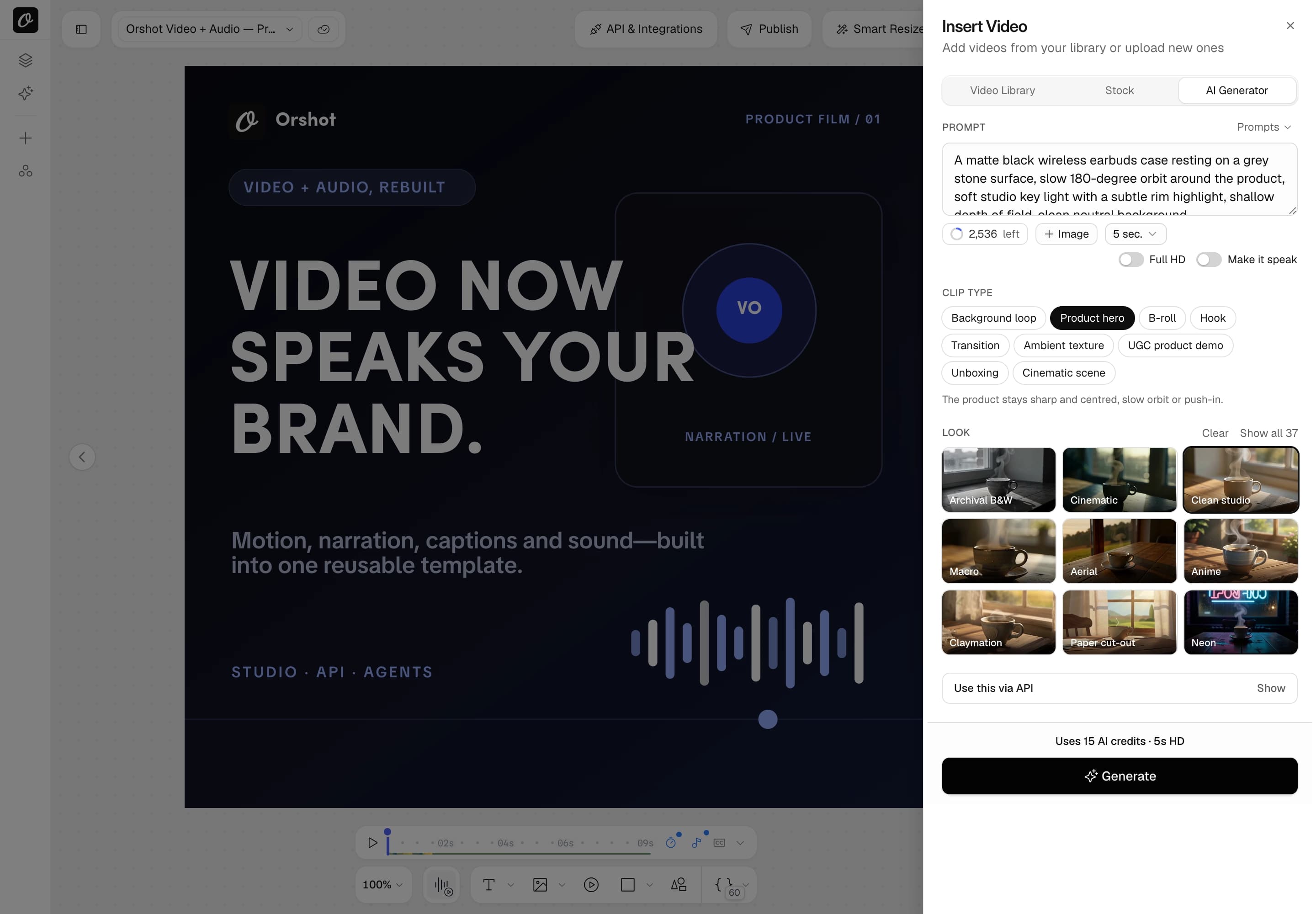
Insert Video, then AI Generator.
Insert Video, AI Generator tab, a prompt, a clip type and a look. The clip lands on the canvas as a normal video layer.
- 4 to 15 seconds. HD or Full HD
- Aspect ratio follows the canvas
- Regenerate for a fresh take
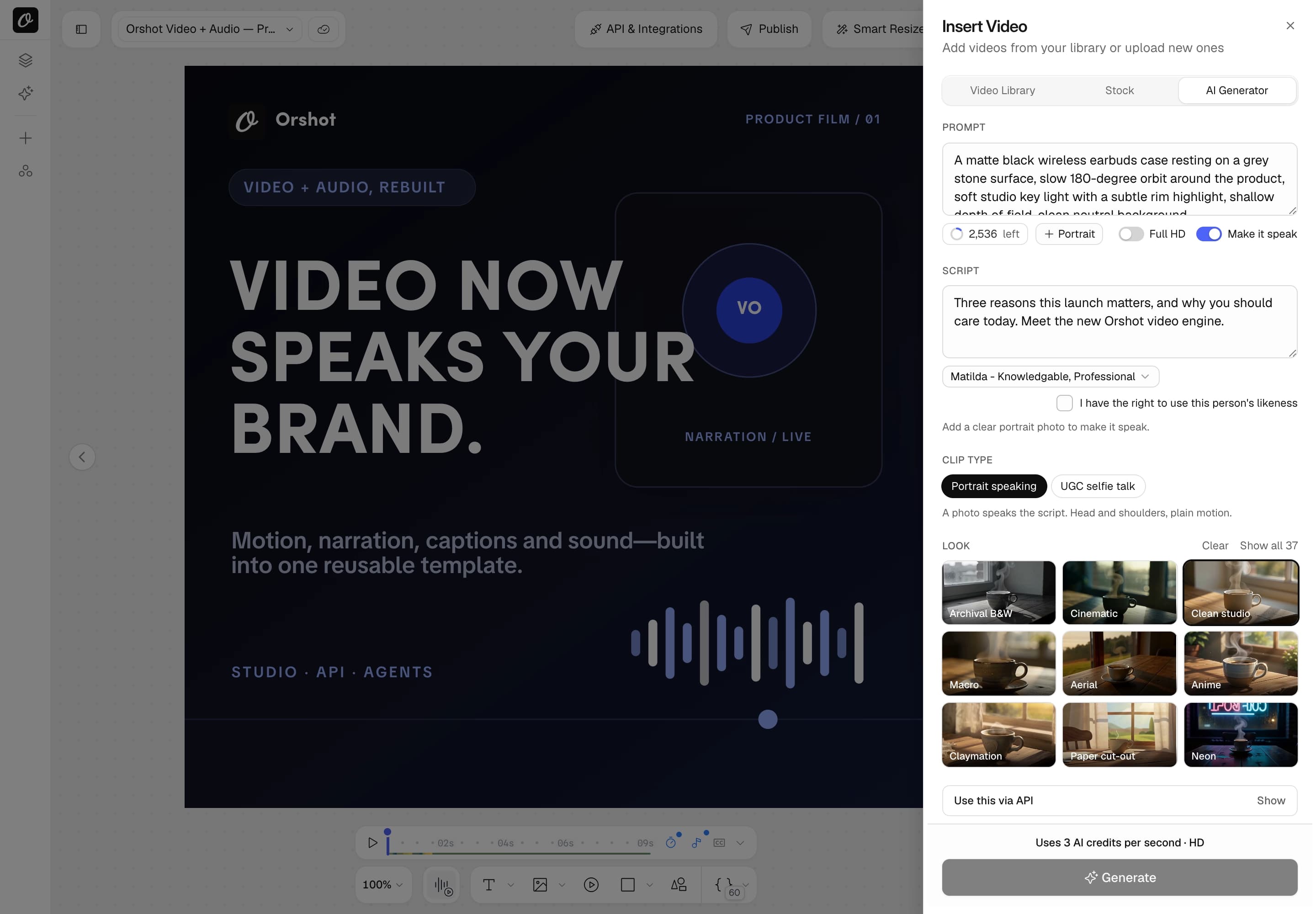
A portrait, a script, a presenter.
Turn on Make it speak, add a portrait and type the script. Orshot voices it and animates the face to match.
- Script plus voice, or your own audio
- Word timings come back, so captions sync
- 60 to 180 seconds of speech depending on plan. Paid plans, with consent
One endpoint, no mode to pick.
What you send decides what you get: a prompt, an image to animate, two frames to bridge, or a portrait plus a script.
- URLs, data URIs, brand:image:<id> or gen://<hash> as inputs
- Estimate first with /v1/ai/video/estimate, free
- Poll the job, pass sync, or set a webhook
curl -X POST https://api.orshot.com/v1/ai/video \
  -H "Authorization: Bearer $ORSHOT_API_KEY" \
  -H "Content-Type: application/json" \
  -d '{
    "prompt": "black earbuds case on stone, slow orbit",
    "preset": "product-hero",
    "look": "clean-studio",
    "aspect": "16:9",
    "duration": 5
}'{
"imageRef": "brand:image:34523",
"script": "Three reasons this launch matters.",
"voice": "XrExE9yKIg1WjnnlVkGX",
"consent": true,
"preset": "ugc-selfie-talk"
}Add .prompt to a video layer. Done.
Pass the prompt on the render itself. The clip is generated, cached and composited into the template in one call.
- Same prompt, same clip: it generates once, then caches
- Reuse any clip with gen://<hash>, no credits spent
- Add .prompt to text and image layers too
curl -X POST https://api.orshot.com/v1/studio/render \
  -H "Authorization: Bearer $ORSHOT_API_KEY" \
  -H "Content-Type: application/json" \
  -d '{
    "templateId": 18917,
    "modifications": {
      "headline": "Meet the new case",
      "hero_clip.prompt": "black earbuds case, slow orbit",
      "hero_clip.preset": "product-hero",
      "hero_clip.look": "clean-studio"
    },
    "response": { "format": "mp4", "mode": "async" }
}'The requests people actually send.
Complete requests for the most common jobs, from a first text to video call to reusing a cached clip inside a render.
Text to video
Footage from a prompt. Returns a job; poll it, then use the clip URL anywhere.
curl -X POST https://api.orshot.com/v1/ai/video \
  -H "Authorization: Bearer $ORSHOT_API_KEY" \
  -H "Content-Type: application/json" \
  -d '{
  "prompt": "a ceramic coffee cup on a wooden table by a window, morning light",
  "duration": 5,
  "preset": "product-hero",
  "look": "clean-studio",
  "aspect": "9:16"
}'
Same request shape from n8n, Zapier, Make and the agent tools.
Image to video
Animate a still. imageRef is the first frame; references guide style or product.
curl -X POST https://api.orshot.com/v1/ai/video \
  -H "Authorization: Bearer $ORSHOT_API_KEY" \
  -H "Content-Type: application/json" \
  -d '{
  "prompt": "slow push-in, steam rising",
  "imageRef": "brand:image:123",
  "references": [
    "brand:image:124"
  ],
  "duration": 5,
  "preset": "cinematic-scene"
}'
Same request shape from n8n, Zapier, Make and the agent tools.
Transition between two frames
Give a first and a last frame and the model fills the motion between them.
curl -X POST https://api.orshot.com/v1/ai/video \
  -H "Authorization: Bearer $ORSHOT_API_KEY" \
  -H "Content-Type: application/json" \
  -d '{
  "prompt": "the morning street becomes the same street at night",
  "imageRef": "brand:image:123",
  "lastImageRef": "brand:image:125",
  "duration": 5,
  "preset": "transition"
}'
Same request shape from n8n, Zapier, Make and the agent tools.
Talking photo
A portrait speaks a script. The script runs through text to speech first, then the face is animated.
curl -X POST https://api.orshot.com/v1/ai/video \
  -H "Authorization: Bearer $ORSHOT_API_KEY" \
  -H "Content-Type: application/json" \
  -d '{
  "imageRef": "brand:image:123",
  "script": "Three reasons this launch matters.",
  "voice": "XrExE9yKIg1WjnnlVkGX",
  "consent": true,
  "preset": "ugc-selfie-talk"
}'
Same request shape from n8n, Zapier, Make and the agent tools.
Generate inside a template render
Dotted keys on any video layer of your template. The clip is generated, cached and rendered into the design in one call.
curl -X POST https://api.orshot.com/v1/studio/render \
  -H "Authorization: Bearer $ORSHOT_API_KEY" \
  -H "Content-Type: application/json" \
  -d '{
  "templateId": 1234,
  "modifications": {
    "headline": "Meet the new case",
    "hero_clip.prompt": "black earbuds case on stone, slow orbit",
    "hero_clip.preset": "product-hero",
    "hero_clip.look": "clean-studio"
  },
  "response": {
    "format": "mp4",
    "mode": "async"
  }
}'
Same request shape from n8n, Zapier, Make and the agent tools.
Reuse a generated clip for free
Pass the gen:// reference of an earlier clip as the layer value. No credits are spent.
curl -X POST https://api.orshot.com/v1/studio/render \
  -H "Authorization: Bearer $ORSHOT_API_KEY" \
  -H "Content-Type: application/json" \
  -d '{
  "templateId": 1234,
  "modifications": {
    "headline": "Back in stock",
    "hero_clip": "gen://7e8977b9911eaaefe2e23a25dec53cbf45136178"
  },
  "response": {
    "format": "mp4",
    "mode": "async"
  }
}'
Same request shape from n8n, Zapier, Make and the agent tools.
Estimate credits before generating
Same body as a generation. Returns the credits it would cost without spending any.
curl -X POST https://api.orshot.com/v1/ai/video/estimate \
  -H "Authorization: Bearer $ORSHOT_API_KEY" \
  -H "Content-Type: application/json" \
  -d '{
  "prompt": "a sneaker drops onto wet asphalt at night",
  "duration": 10,
  "fullHd": true
}'
Same request shape from n8n, Zapier, Make and the agent tools.
List clip types and looks
Every role and look preset with preview clips, plus the credit rate card.
curl https://api.orshot.com/v1/ai/presets \
  -H "Authorization: Bearer $ORSHOT_API_KEY"
Same request shape from n8n, Zapier, Make and the agent tools.
Poll a generation job
Generation returns a job. Poll it until finished is true, or pass sync or webhook_url on the request instead.
curl https://api.orshot.com/v1/studio/render-jobs/89 \
  -H "Authorization: Bearer $ORSHOT_API_KEY"
Same request shape from n8n, Zapier, Make and the agent tools.
Ask Claude for a clip. Get it in the template.
Connect Orshot for agents and Claude, Cursor or ChatGPT list the presets, generate the clip, place it and render.
- Tools: orshot_get_ai_video_presets, orshot_generate_ai_video
- The agent reads the rate card before it spends
- OAuth sign-in, no keys to wire
“Generate a 5 second product hero clip of the matte black earbuds case, clean studio look, and put it behind the headline in the launch template.”
orshot_get_ai_video_presetsorshot_generate_ai_videoorshot_patch_template_elements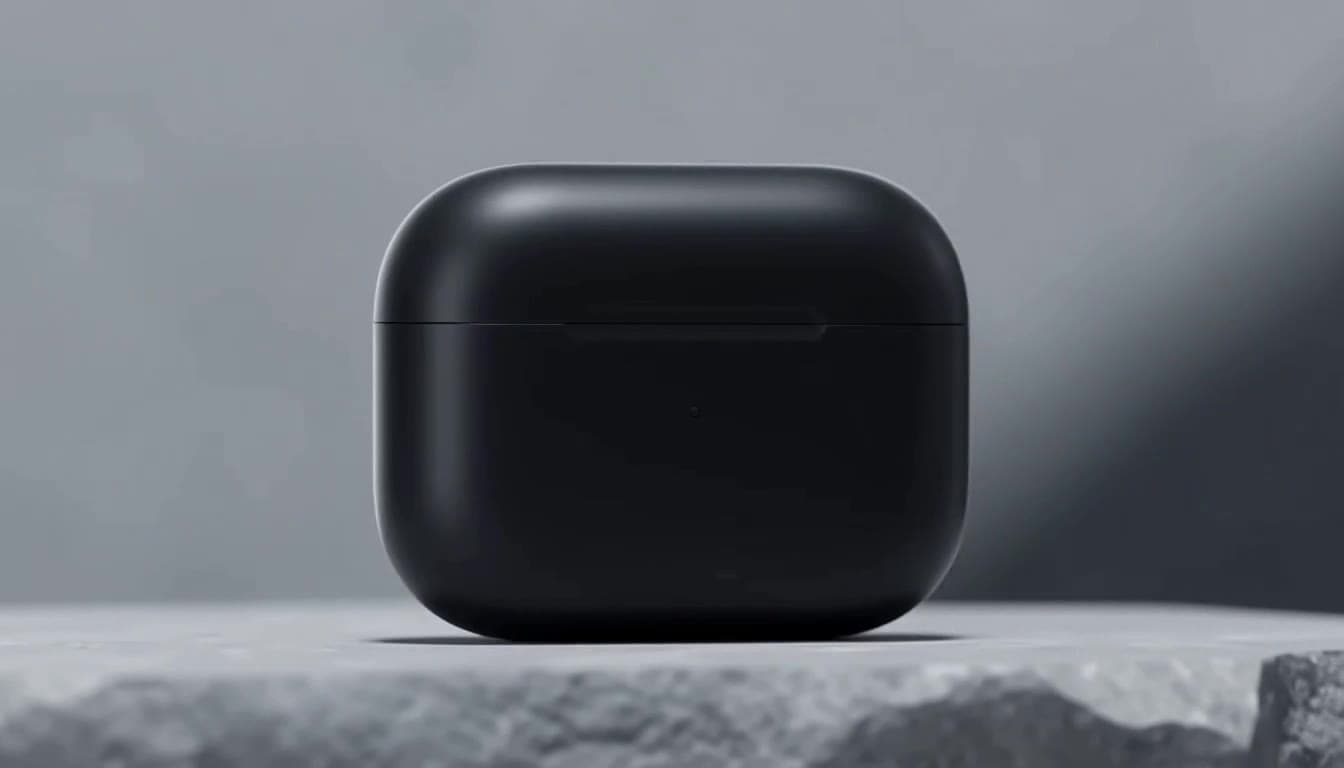
37 looks, one word each.
A look sets the style, so the prompt only describes subject and motion. Every look ships with a preview clip; here are 18 of them.


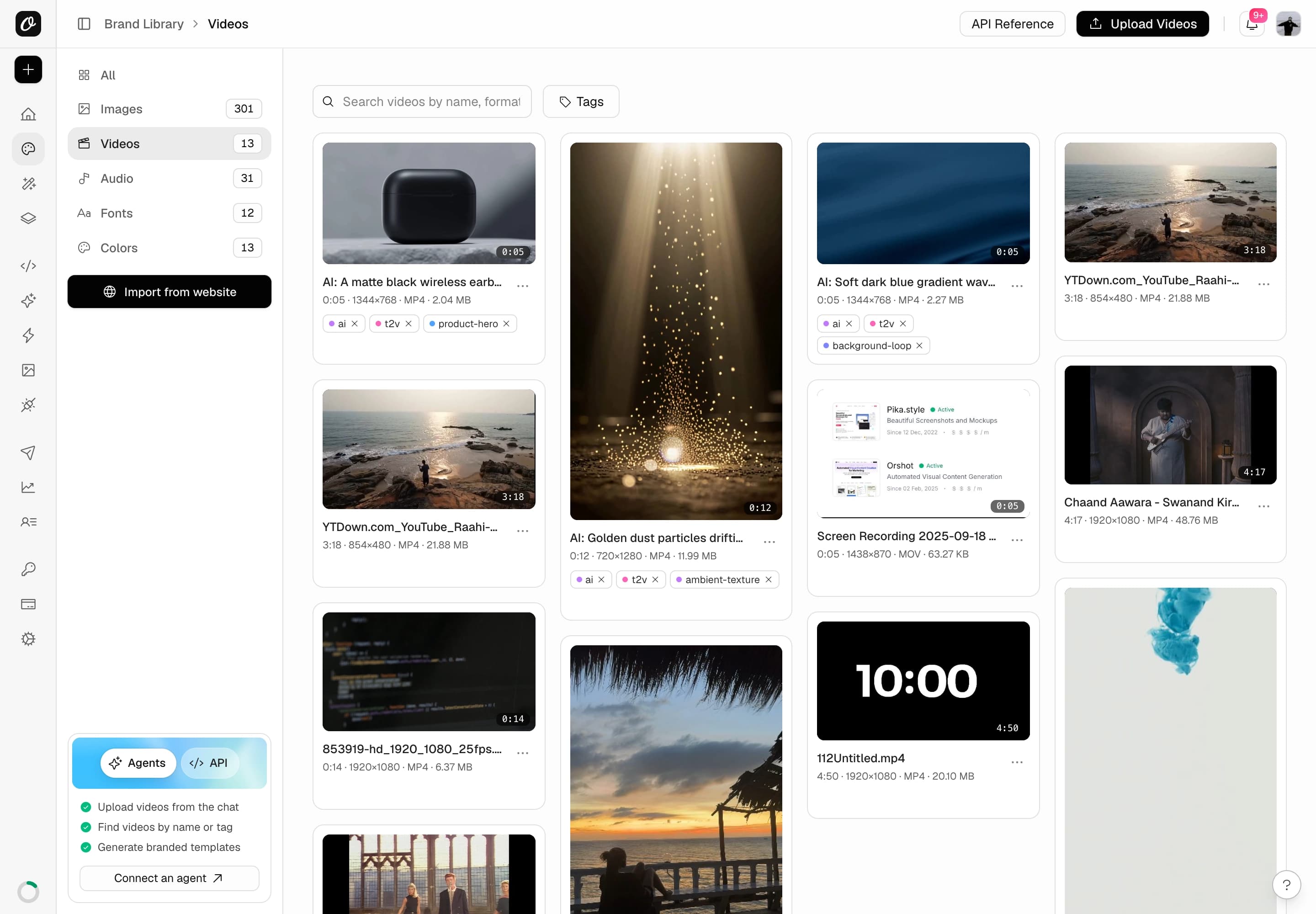
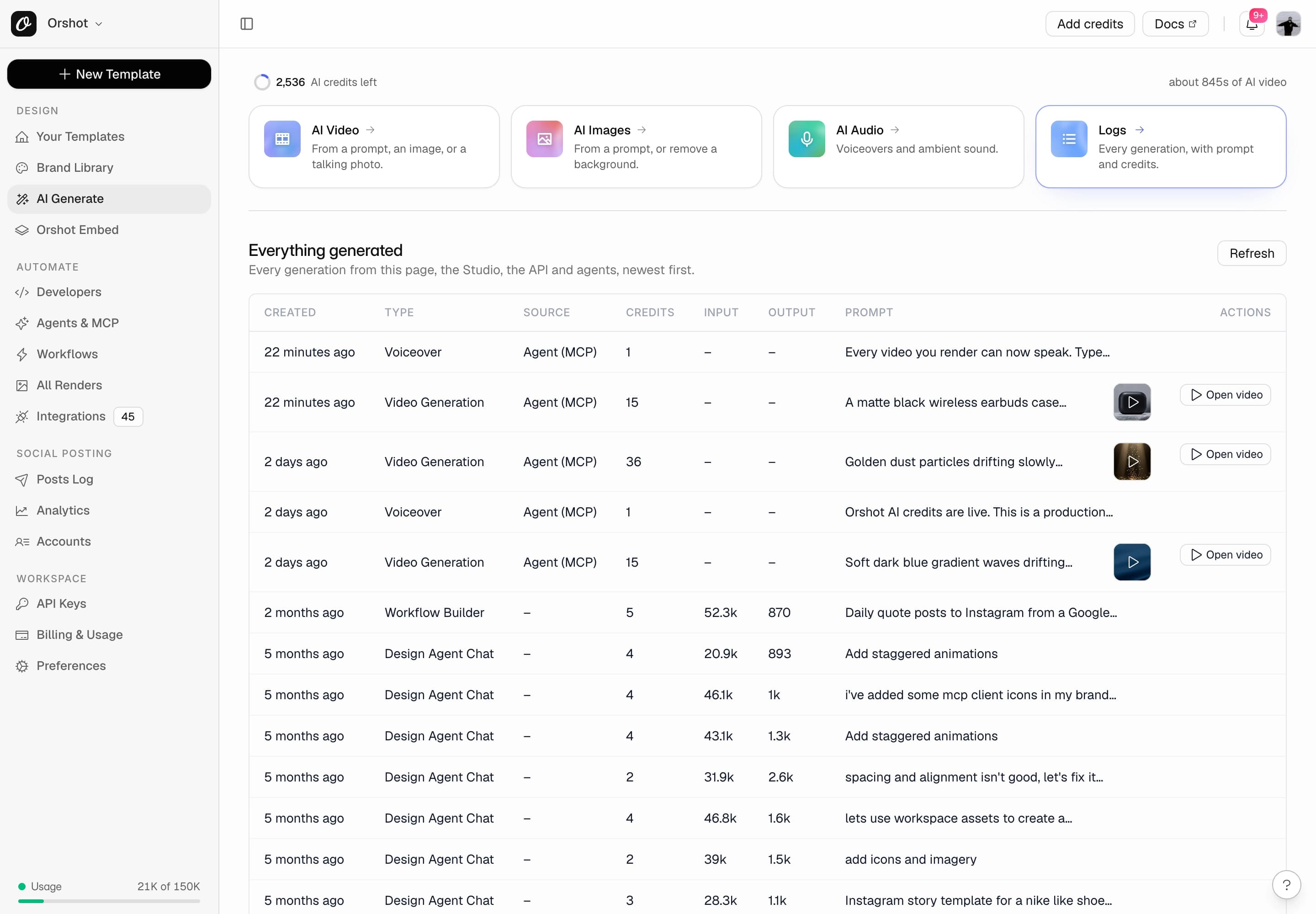
Every clip is kept, every credit is listed.
New clips are saved to the Brand Library with their tags. Every generation is logged with its source and credits.
- Filter the library by the ai tag or clip type
- Logs show the source: Studio, API, render or agent
- A daily cap per workspace stops a runaway automation
Billed per second, on delivery.
AI video, images, voice and the design agent share one credit pool. Every plan includes credits. Top up 200 for $11.
- Paid plans include 300 to 3,600 AI credits a month. AI video is not on the free plan
- Charged on delivery. Failed and cached generations are free
- AI video, HD (up to 768p)
- 3 credits / second
- AI video, Full HD (1080p)
- 6 credits / second
- Talking photo
- 3 credits / second + 1 or 2 per 10 s of speech
- Voiceover or ambient audio
- 1 credit per started 10 s
- Premium voices
- 2 credits per started 10 s
- AI image
- 2 credits
- Background removal
- 1 credit
What 50 free credits buy
- Three 5 second HD clips
- Or one 6 second clip plus 16 AI images
- Or 25 AI images
A 5 second HD clip is 15 credits. Free clips run up to 6 seconds; voiceovers and talking presenters start on paid plans. Top up 200 credits for $11 on any paid plan. Charged only when a clip is delivered.
Questions about AI video generation.
What people ask before they generate their first clip through Orshot.
What is an AI video generation API?
How does AI video generation work in Orshot?
Can I generate an AI video from text only?
Is there a free AI video generator API?
How much does AI video generation cost?
How long can an AI generated clip be?
Which AI video models does Orshot use?
Can AI agents like Claude or ChatGPT generate videos with Orshot?
How is this different from an AI video generator like Runway or Canva?
Prompt in. Rendered video out.
AI credits are included on every plan. Pick the one that matches your render volume.







