Build workflow automations that generate your visuals for you.
Build your creative and social media automation in a no-code visual builder. Connect a sheet or webhook and Orshot renders an on-brand image or PDF for every row, then delivers it.
15 free automation runs, one time · no credit card · no code




Turn spreadsheet rows into Instagram carousels
Fill a row, get a finished multi-slide carousel ready to post. No design step.
Create product marketing images from your catalog
Every product gets a polished, shoppable social image without waiting on a designer.

Generate an invoice PDF for every order
Turn a spreadsheet of orders into clean invoice PDFs, one per row, filed automatically.

Give every blog post an on-brand share image
New posts get a matching Open Graph image so links look great everywhere they're shared.
Return a dynamic OG image from a webhook
Fire a webhook with a title and description, get back a social card URL for any page.
Turn a speaker list into a matching lineup
One row per speaker becomes a set of on-brand promo graphics for the whole event.
No code, no canvas
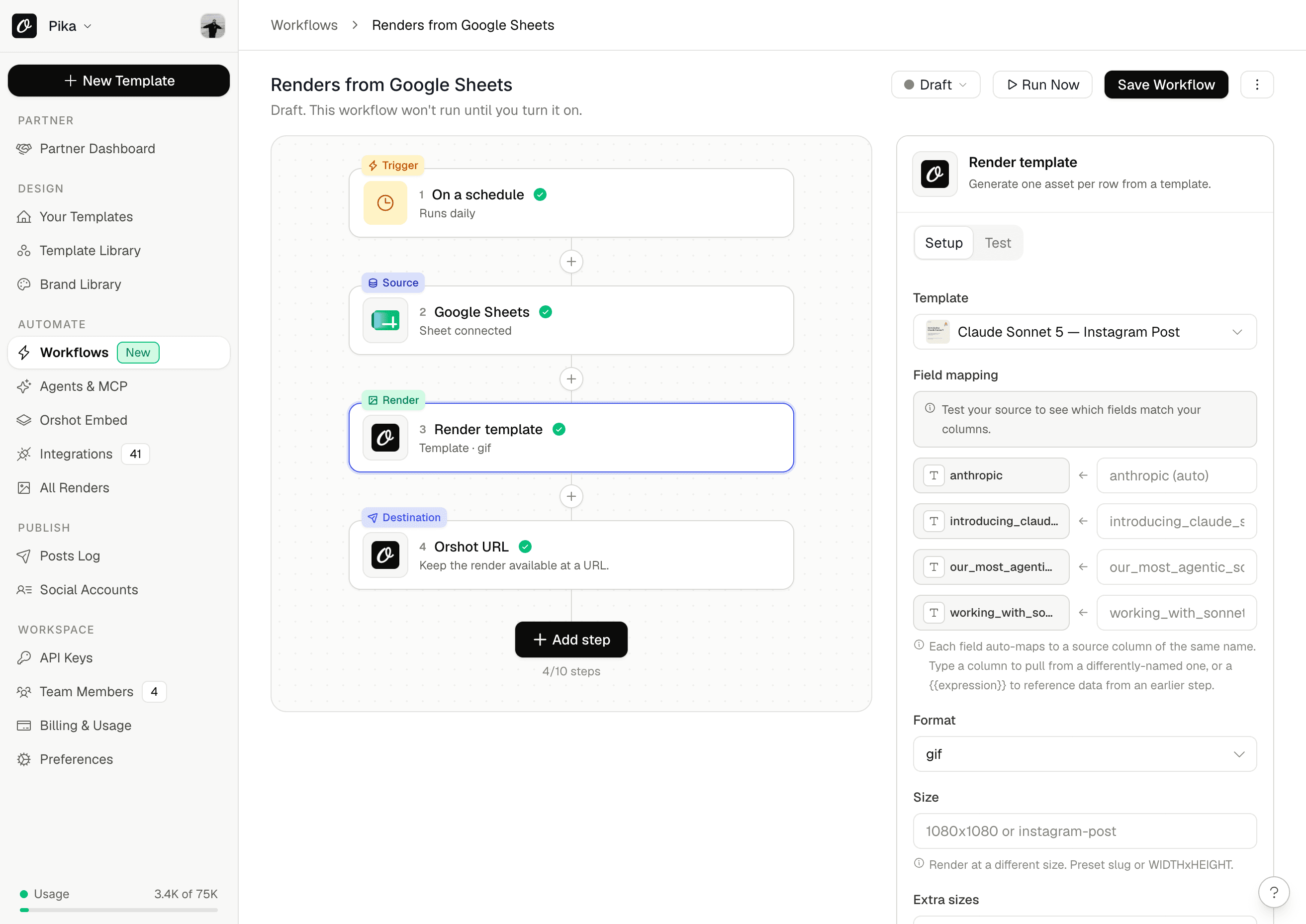
Build the automation as a form: a trigger, a data source, a template, a destination. No timeline to wire up.
On-brand every time
Every render pulls from your Studio template and brand kit, so 500 graphics look as considered as one.
Runs on your schedule
Fire daily, on a new spreadsheet row, or on a webhook. Set it once and stop touching it.
Delivered where you work
Post to social, drop in Slack, save to Drive, or write back to your sheet. The finished asset arrives on its own.
Four steps from data to delivered.
A workflow automation is a short recipe you build as a form, not a canvas. Point it at your data, choose what to make, and Orshot runs it for every row. This is content automation you can set up in an afternoon.
Trigger
On a schedule, when a new row appears, or on a webhook.
Data
Read from Google Sheets, Airtable, a CSV, or the webhook payload.
Render
Generate one image or PDF per row from your Studio template.
Deliver
Post to social, drop in Slack, save to Drive, or write back to your sheet.
Social media automation that posts for you.
Keep a sheet of captions and quotes, set a daily schedule, and Orshot renders each one as an on-brand graphic, then publishes it to your channels. It is how to automate social media posts without a separate scheduler or a designer in the loop.
- Publish to Instagram, LinkedIn, Facebook, X, Pinterest, Threads, and Bluesky
- Turn one spreadsheet into weeks of scheduled, on-brand posts
- Repurpose tweets, quotes, and blog posts into image and carousel posts
- Every post stays locked to your brand fonts, colors, and layout
InstagramLinkedIn Facebook
 X
X Pinterest
 Threads
 TikTok
 YouTube
 Bluesky
Not just social. Every graphic and document you repeat.
The same engine renders whatever you design once and reuse. If it changes row by row, it can be automated.
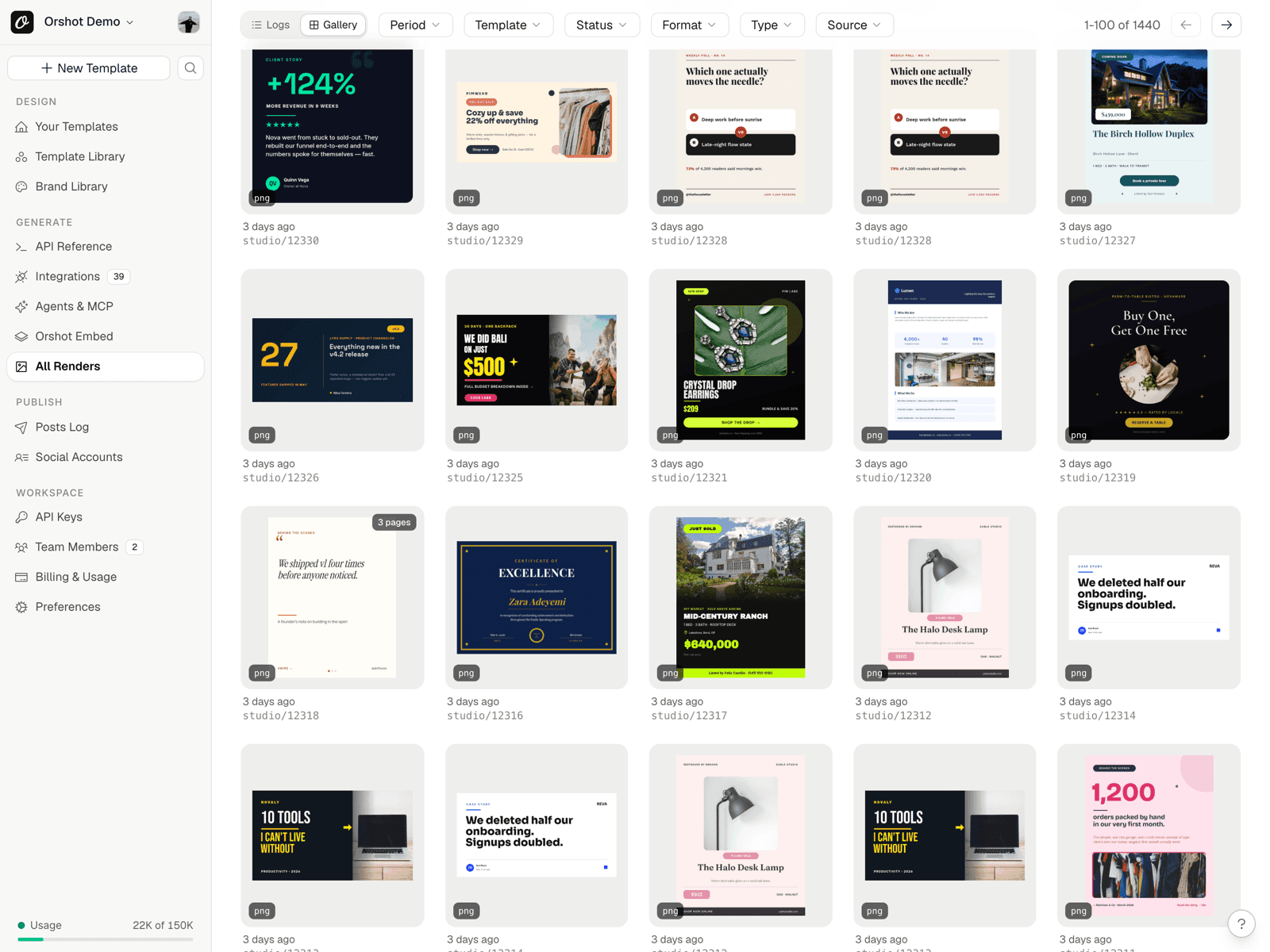
- Documents: invoices, certificates, tickets, name badges, and reports as PDF
- Marketing: OG images, ad banners, sale graphics, and email header images
- Developers: dynamic OG images and badges returned straight from a webhook
- Bulk image generation: hundreds of variations from one template in a single run
Built for the people who ship visuals on repeat.
Social on autopilot
Fill a content sheet once and a week of on-brand posts publishes itself. No design queue, no manual exports.
Every client, on brand
Weekly report cards, client social, and campaign creatives generated from a sheet and delivered to Slack.
Catalog to content
Every product becomes a shoppable social image and a sale banner, straight from your pricing sheet.
Automate with a webhook
Fire a webhook or call the API and get back a rendered image URL. Dynamic OG images and badges with no render service to run.
Questions about workflow automations
What is a workflow automation in Orshot?
How do I automate social media posts?
Do I need to know how to code?
What can I generate?
Which apps can I connect?
How does billing work?
Set up your first automation in an afternoon.
Every plan starts free with 15 automation runs. No credit card, no code, and no designer in the loop.




