Most JSON2Video setups I see are part of a bigger machine. An n8n or Make workflow writes a script, JSON2Video turns it into an MP4, and a few more nodes try to get it onto TikTok, Instagram and YouTube.
The render is rarely the problem. Everything after it is:
- a posting node per platform, each with tokens that expire
- captions rewritten per network
- no idea which videos actually did well
I built Orshot so the render and the post are the same call. You design the template in a Figma-like editor, render it from the API, n8n, Make or an AI agent, and add a publish block to post it to 15+ platforms. Then you see how each post did in the same dashboard.
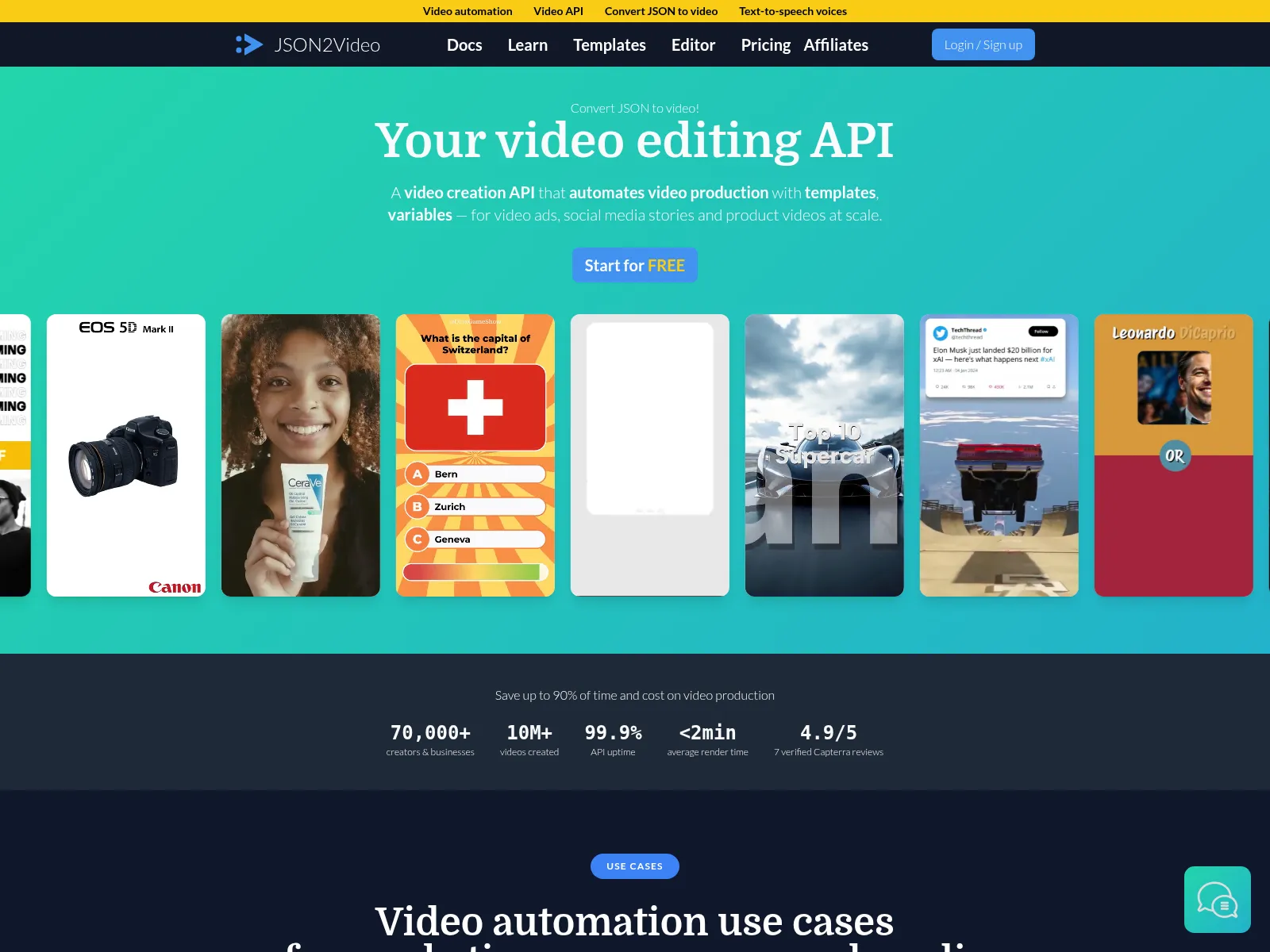
JSON2Video vs Orshot: What's Different
| Feature | Orshot | JSON2Video |
|---|---|---|
| Posting to socials | Built in: 15+ platforms from the render call, now, scheduled or as a draft | Render only. Posting is a separate step in Make, n8n or Zapier |
| Post analytics | Impressions, engagement and follower growth per account | Not included |
| How templates are built | Designed in Orshot Studio, a Figma-like editor with a video timeline | A JSON movie of scenes and elements, plus a visual editor |
| Output formats | MP4, MOV, WebM, MKV, GIF, PNG, JPG, WebP, AVIF and PDF from the same template | MP4 only |
| Rendered files | A file URL kept for at least a year, or pushed to your Drive, Dropbox, S3 or R2 | Deleted 7 days after the render, on every plan |
| AI presenter | A lip-synced presenter from a photo and a script | Not supported natively |
| Built-in workflows | Trigger, render and post on a schedule | Via Make, n8n or Zapier |
JSON2Video details checked against json2video.com in September 2026.
Orshot vs JSON2Video in Numbers
Three numbers you can check yourself, from public pricing pages, docs and n8n templates.
- Video stays available for
- Orshot1 yr+JSON2Video7 days
- Social platforms to post to
- Orshot15JSON2Video0
- n8n nodes from render to post
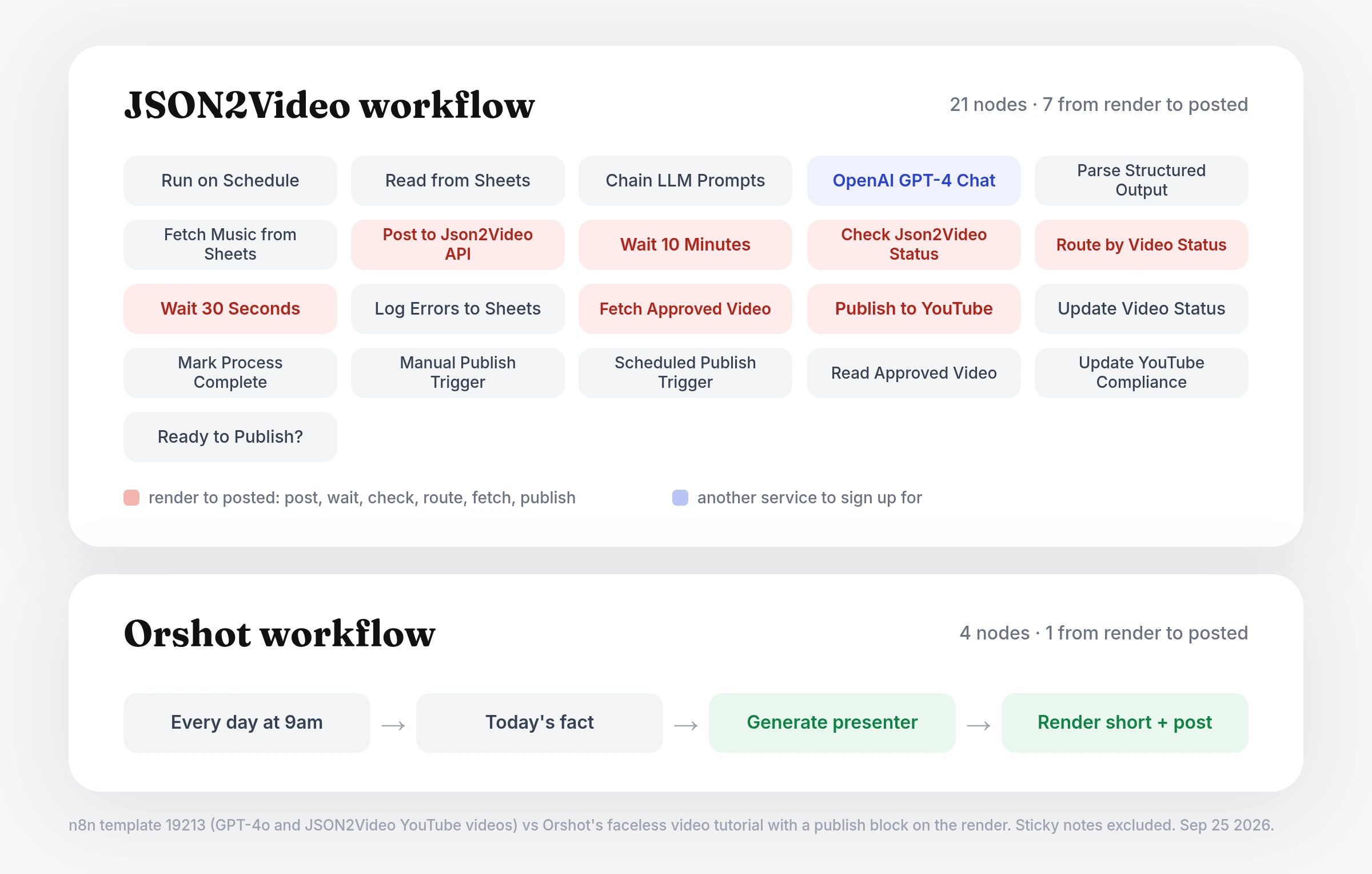
- Orshot1JSON2Video7
Where JSON2Video Workflows Get Long
JSON2Video shows up in a lot of n8n and Make faceless video builds. In those builds the render node is usually the simple part. The work sits around it:
- Posting is its own project. Each platform needs its own node, login and token refresh, and one expired token quietly breaks the run.
- No feedback loop. Once it's posted, the workflow ends. Seeing which hooks worked means opening every platform's analytics.
- The movie is code. A JSON2Video movie is scenes and elements in JSON. The editor helps, but a developer usually owns the template.
- Files that expire in a week. Renders are kept for 7 days on every plan, so anything you schedule or review later needs a copy step first.
- Wait and poll loops. A public n8n template spends seven nodes between render and upload: post, wait 10 minutes, check, route, wait, fetch, publish.
- Video only. A designed thumbnail, carousel or quote card needs a second tool and a second template.
Render and Post in One Call
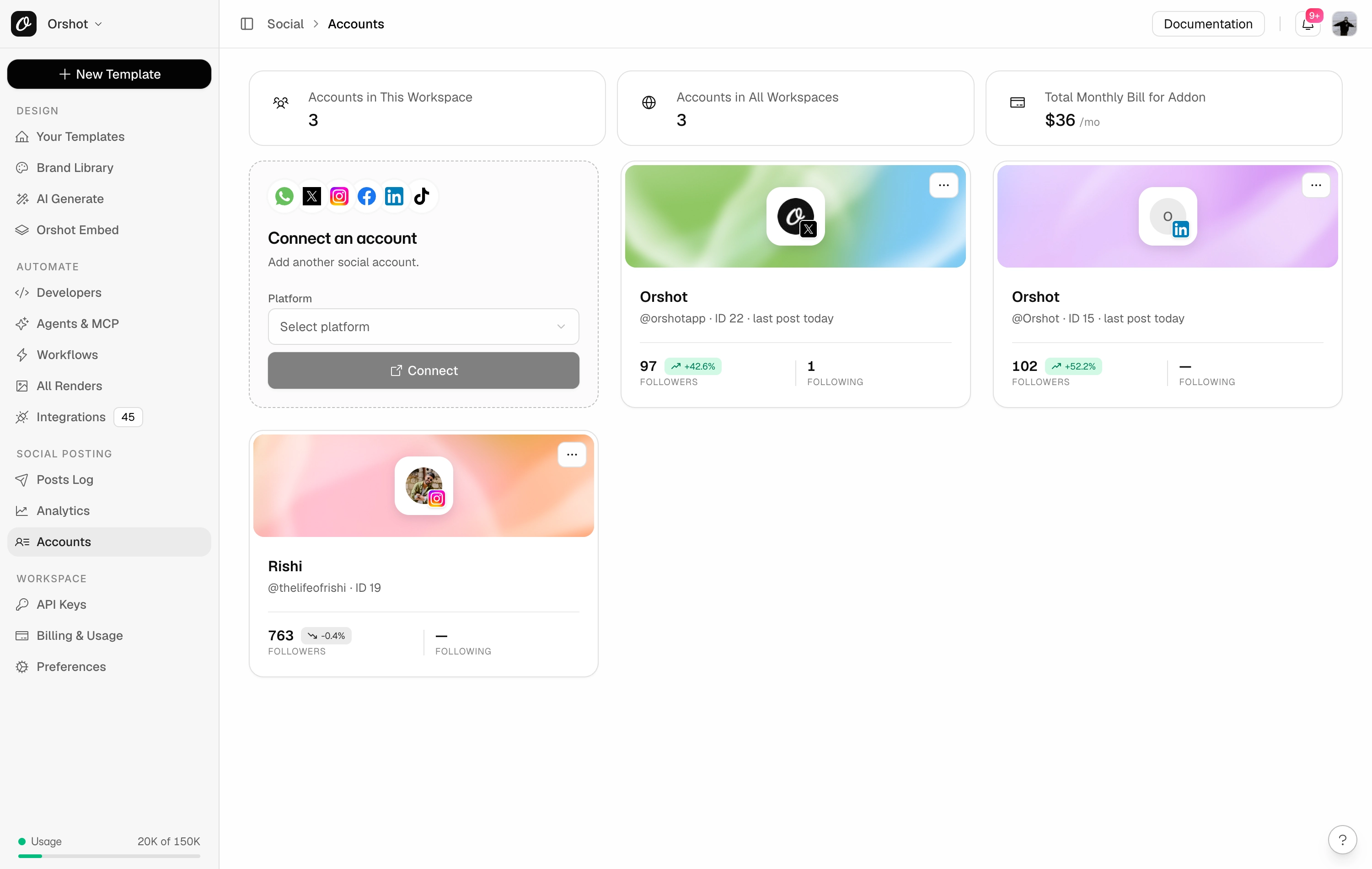
This is the main reason people move to Orshot from a render-only API. Connect your social accounts once under Social, then add a publish block to any render:
- 15+ platforms: TikTok, Instagram, YouTube, LinkedIn, X, Facebook, Pinterest, Threads, Bluesky, Reddit and more
- Three modes: post now, schedule for a date and time in your timezone, or save as a draft for a human to review
- Per platform text: a default caption, plus per account options like a LinkedIn first comment or a Pinterest title and link
- One response: the render URL and a status per account (
published,scheduledordrafted), so your workflow knows what happened
A tip from people running faceless channels: don't fully auto-post from day one. Platforms watch for automated spam.
- Render on a schedule
- Save the first few weeks as drafts and review them
- Space the uploads out
See What Worked
Posting without feedback means guessing which videos to make next. Orshot's social analytics track, for every connected account:
- impressions, engagement and posts published
- follower growth
- a best time to post heatmap, plus a daily digest email
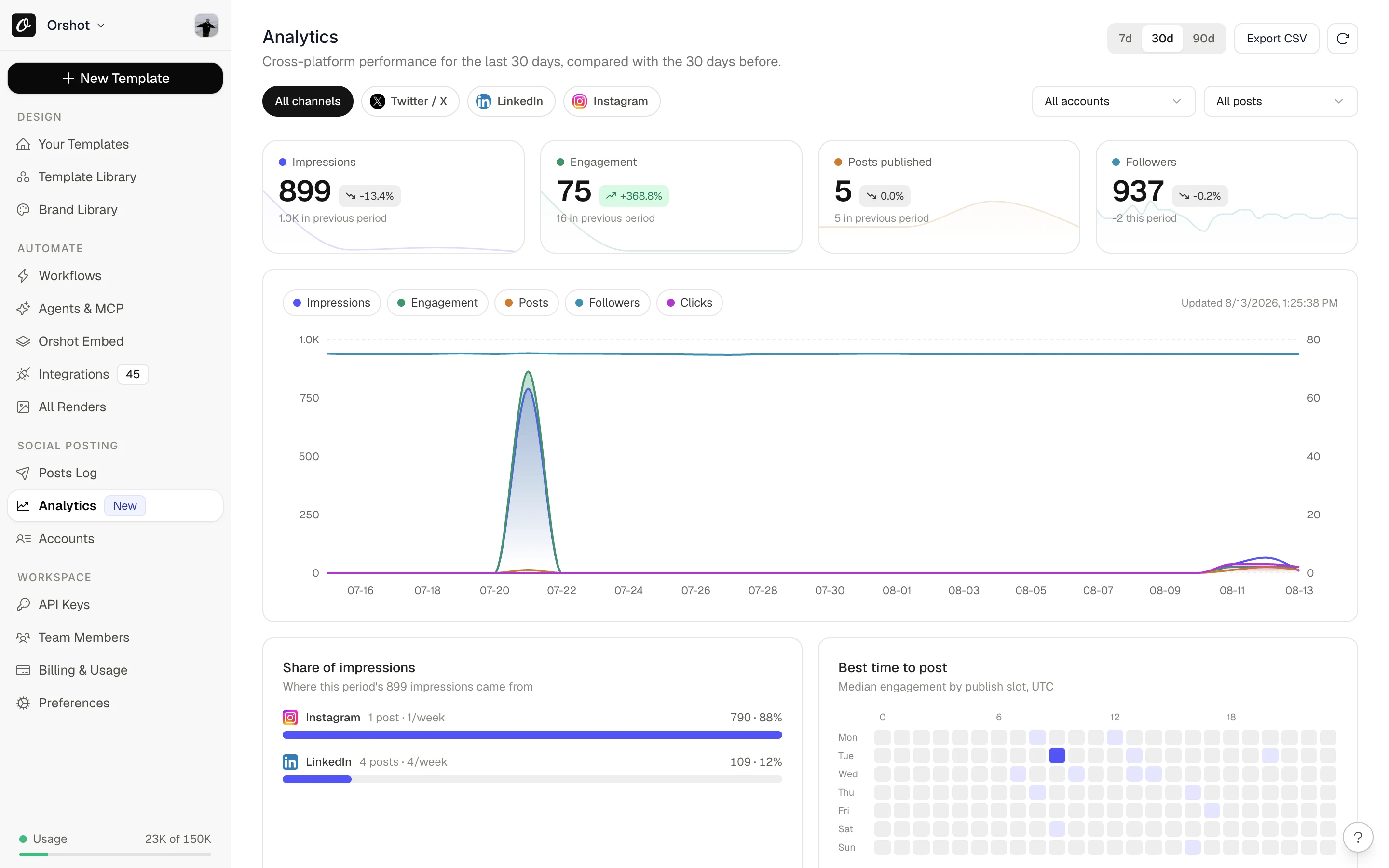
That closes the loop a render API can't: render, post, measure, then change the template or the topic list and render again.
Faceless Videos From Two API Calls
The most common JSON2Video workflow is a faceless short: a script, a voice, captions and some footage. On Orshot, the presenter, the voice and the captions all come from the same API.
- Generate the presenter. Send a script and a reference photo to the AI video endpoint and get back a lip-synced clip of that person speaking it.
- Render the short. Drop the clip into your template. Captions are transcribed from the clip's own audio, so they always match the voice. Add
publishand it posts.
JSON2Video can add a voice and captions, but it can't make the presenter: its pricing FAQ says it doesn't support AI video or avatar generation. Orshot makes the talking presenter from a photo and a script, then renders and posts the short.
The full n8n build, with a workflow file you can import, is in How to Automate Faceless Videos with n8n.
Here's what the calls look like:
Render the short and post it to TikTok and Instagram in the same request.
const res = await fetch("https://api.orshot.com/v1/studio/render", {
  method: "POST",
  headers: {
    Authorization: "Bearer YOUR_ORSHOT_API_KEY",
    "Content-Type": "application/json",
  },
  body: JSON.stringify({
    templateId: "YOUR_TEMPLATE_ID",
    modifications: {
      clip: "https://cdn.example.com/presenter.mp4",
      hook: "Octopuses have 3 hearts",
      handle: "@dailyfacts",
    },
    response: { type: "url", format: "mp4" },
    videoOptions: {
      subtitleSource: "https://cdn.example.com/presenter.mp4",
    },
    publish: {
      accounts: [15, 22], // your TikTok and Instagram accounts
      content: "Octopuses have 3 hearts #facts",
    },
  }),
});
Post later in your timezone, or save as a draft to review first.
publish: {
  accounts: [15, 22, 31],
  content: "Octopuses have 3 hearts #facts",
  schedule: { scheduledFor: "2026-10-01T14:00:00Z" },
  timezone: "America/New_York",
}

// Or keep a human in the loop:
publish: {
  accounts: [15, 22, 31],
  content: "Octopuses have 3 hearts #facts",
  isDraft: true,
}
Turn a script into a lip-synced presenter clip. Use the same photo every day for a consistent creator.
const res = await fetch("https://api.orshot.com/v1/ai/video", {
  method: "POST",
  headers: {
    Authorization: "Bearer YOUR_ORSHOT_API_KEY",
    "Content-Type": "application/json",
  },
  body: JSON.stringify({
    imageRef: "https://cdn.example.com/presenter.jpg",
    script: "Octopuses have three hearts. Two pump blood to the gills...",
    voice: "YOUR_VOICE_ID",
    consent: true,
    aspect: "9:16",
    sync: true,
  }),
});
// Returns the clip's url, ready to pass to the render as "clip"
The same data rendered as an image carousel for Instagram or LinkedIn. Only the format changes.
body: JSON.stringify({
  templateId: "YOUR_CAROUSEL_TEMPLATE_ID",
  modifications: {
    "page1@hook": "Octopuses have 3 hearts",
    "page2@fact": "Two pump blood to the gills",
    "page3@fact": "One pumps it to the rest of the body",
  },
  response: { type: "url", format: "png" },
  publish: { accounts: [22], content: "3 facts about octopus hearts" },
}),
For comparison, rendering a JSON2Video template with variables. Posting it is a separate step after the render finishes.
const res = await fetch("https://api.json2video.com/v2/movies", {
  method: "POST",
  headers: {
    "x-api-key": "YOUR_JSON2VIDEO_API_KEY",
    "Content-Type": "application/json",
  },
  body: JSON.stringify({
    template: "YOUR_JSON2VIDEO_TEMPLATE_ID",
    variables: { headline: "Octopuses have 3 hearts" },
  }),
});
// Then poll GET /v2/movies?project={id} until status is "done"
// and pass the URL to a TikTok, Instagram or YouTube node
Full references: publishing from the API, AI video, subtitles and dynamic parameters.
Design Once in Studio, Keep Every Video on Brand
Instead of a movie definition, an Orshot template is a design. You build it in Orshot Studio, a Figma-like editor with layers, a video timeline, animations and your brand kit. Mark a layer as dynamic and it becomes an API parameter.
Press play on the timeline below. This vertical reel is a real Studio template, and every layer on it can be swapped per render.
What that changes day to day:
- Brand changes happen once. Update a font or color in the brand kit and every template that uses it follows.
- Voiceover and captions live in the template. Generate a voiceover in Studio and captions from its word timings, or pass your own per render.
- Import instead of rebuilding. Bring designs in from Canva, Figma or HTML.
- One template, many formats. The same design renders as a TikTok MP4, a PNG thumbnail and a carousel. Smart Resize re-fits each size.
Skip the Automation Tool if You Want
JSON2Video needs Make, n8n or Zapier to run on a schedule and to post. Orshot works with all three: a first-party n8n node, plus Make and Zapier apps.
You can also skip them. Orshot Workflows trigger from Google Sheets, Airtable, Notion, a schedule or a webhook, then render and post, all inside Orshot.
This one reads a quote from a Google Sheet on a schedule, renders a short video and posts it to TikTok:
Prefer to ask an AI agent? With Orshot for agents, Claude, ChatGPT or Cursor can, from a plain prompt:
- build the template and render it
- post or schedule the result
- read back which posts did best and when to post next
JSON2Video Pricing, and How Orshot Bills
JSON2Video bills 1 credit per second of video:
- Hobby: $16.95 a month billed yearly ($203.40) for 3,000 credits, about 50 minutes, with videos up to 1 minute
- Professional: $49.95 a month for 12,000 credits, about 200 minutes, with videos up to 10 minutes
- Startup: $99.95 a month for 30,000 credits, about 500 minutes, with videos up to 30 minutes
- Prepaid: $49.95 for 7,200 credits or $99.95 for 15,600 credits, which don't expire. 4K renders use 4x the credits
Prices checked against json2video.com/pricing in September 2026.
How Orshot bills:
- Credits: 1 per second of video, and 1 per image or PDF page, at any resolution
- Free plan: 100 credits every month for images and PDFs
- Video: on paid plans from $39 a month for 1,500 credits
- Social publishing: an add-on at $12 a month per connected account, with unlimited posts
Other JSON2Video Alternatives
If you're comparing JSON2Video, these are the other video APIs that usually come up.
| Tool | How templates are built | How it bills | Posts to socials |
|---|---|---|---|
| Orshot | Figma-like editor with a timeline | 1 credit per second, from $39 a month | Yes, 15+ platforms |
| Shotstack | JSON timeline, plus a studio editor | Per rendered minute, from $0.20 | No |
| Creatomate | JSON templates, plus an editor | Credits that scale with resolution and frames | No |
| Plainly | After Effects projects | Render minutes, from $69 a month for 50 | No |
| Remotion | React components you host yourself | Free for small teams, then $0.01 a render | No |
Shotstack
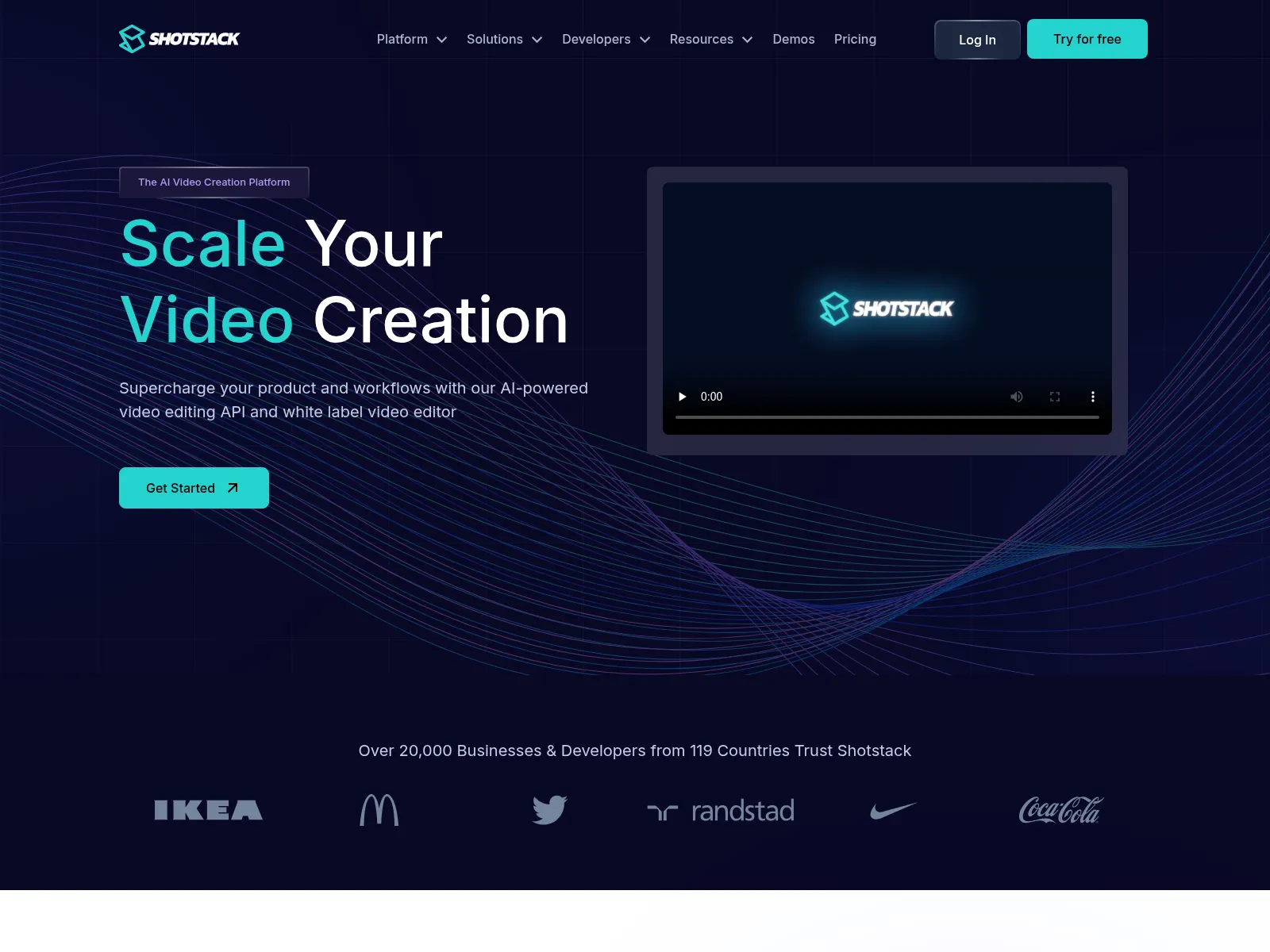
Shotstack is a video editing API built on a JSON timeline. It bills per rendered minute, from $0.20 a minute on a subscription, and has a verified n8n node. Like JSON2Video, it renders and hands the file back; posting is up to you.
Read the full Shotstack comparison →
Creatomate
Creatomate renders video and images from JSON templates, with credits that scale with resolution and frame rate. It works with Make, n8n and Zapier, and rendered files are deleted after 30 days.
Read the full Creatomate comparison →
Plainly
Plainly renders videos from After Effects projects, so it suits teams that already have a motion designer and want exact AE output. You need an After Effects license to build templates.
It bills by render minutes, from $69 a month for 50 minutes, and keeps files for 24 hours to 7 days depending on the plan. There's a 14-day trial instead of a free plan.
Remotion
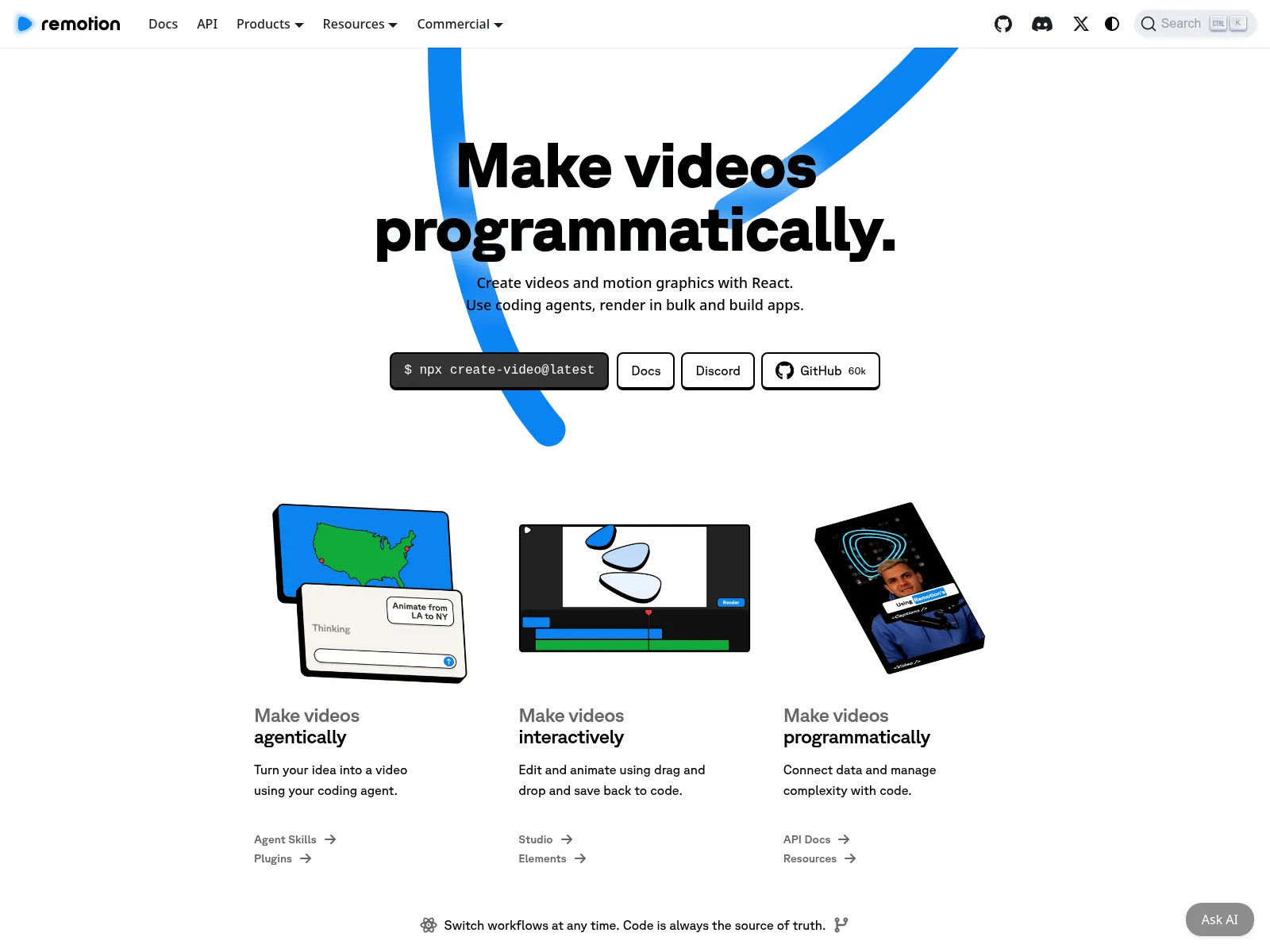
Remotion is a React library rather than a hosted API. You write videos as components and render them on your own servers or AWS Lambda.
It's free for individuals and companies of up to 3 people. Larger companies pay $0.01 a render with a $100 monthly minimum for automated rendering.
More tools with verified pricing are in our video generation API comparison.
When JSON2Video Fits Better
A render-only API like JSON2Video covers it when:
- you only need the MP4
- your workflow already posts and tracks the videos
- you download each file within the week
Its prepaid credits also don't expire, which suits bursty volume.
Orshot fits when you want the render, the post and the results in one place, when templates need to stay on brand across a team, or when the same content also needs images, carousels or PDFs.
Switching From JSON2Video
- Rebuild the template visually. Recreate it in Studio, import it from Canva or Figma, or describe it to the AI Design Agent. Name each dynamic layer after your JSON2Video variable, so your data mapping doesn't change.
- Swap the render step. Replace the JSON2Video call with the Orshot one from the tabs above, or swap the node in n8n, Make or Zapier.
- Replace the posting nodes. Connect your accounts under Social and add a
publishblock to the render. Start withisDraft: truefor the first week.
Stuck on a template? Hit the chat button and I'll help you move it over.
Common Questions
What is JSON2Video?
How much does JSON2Video cost?
Does JSON2Video have a free plan?
Is there a free JSON2Video alternative?
How long can a video be on JSON2Video and Orshot?
Can JSON2Video post videos to TikTok or YouTube?
publish object and the video goes to 15+ platforms, now, on a schedule or as a draft.Can I use Orshot in n8n instead of JSON2Video?
Can Orshot make faceless videos with a voiceover and captions?
Do I need to write JSON to use Orshot?
How long does JSON2Video keep rendered videos?
Can I schedule videos to TikTok, Instagram and YouTube with Orshot?
publish status to scheduled with a date and time, and Orshot posts the rendered video to the connected accounts then. You can also save it as a draft to review first. See social publishing.Does Orshot work with Make and Zapier too?
How do I move my templates from JSON2Video to Orshot?
Can an AI agent render and post my videos?
Try It
Sign up, rebuild one JSON2Video template in Studio, and connect one social account. Render a video with a publish block set to draft and see it land in your queue.
If something doesn't work the way you expect, hit the chat button. I'm usually the one on the other end.