How to import a Polotno design
Paste Polotno Studio JSON into Orshot Studio to convert it into an API-renderable template.
Updated
If you've been using Polotno Studio for design work, you can import your templates directly into Orshot Studio. This allows you to migrate existing Polotno projects to take advantage of Orshot's API-driven image generation.
Ownership Notice: By importing a design, you confirm that you have the rights to use it and accept responsibility for any copyright issues.
How to Import#
1. Open your design in Polotno Studio#
Go to Polotno Studio and open the design you want to export.
2. Export as JSON#
- Click on the File menu (or the menu icon)
- Select Save as JSON or Export JSON
- Copy the entire JSON content
Alternatively, if you have the Polotno JSON stored locally, open the .json file and copy its contents.
3. Open Orshot Studio#
Go to Orshot Studio and click + New Template.
4. Choose "Import from Polotno"#
In the new template dialog, select the Import from Polotno option.
5. Paste the JSON#
Paste your Polotno JSON into the text area. The importer will validate the JSON and show you:
- Template name
- Number of pages
- Any missing fonts that need to be uploaded
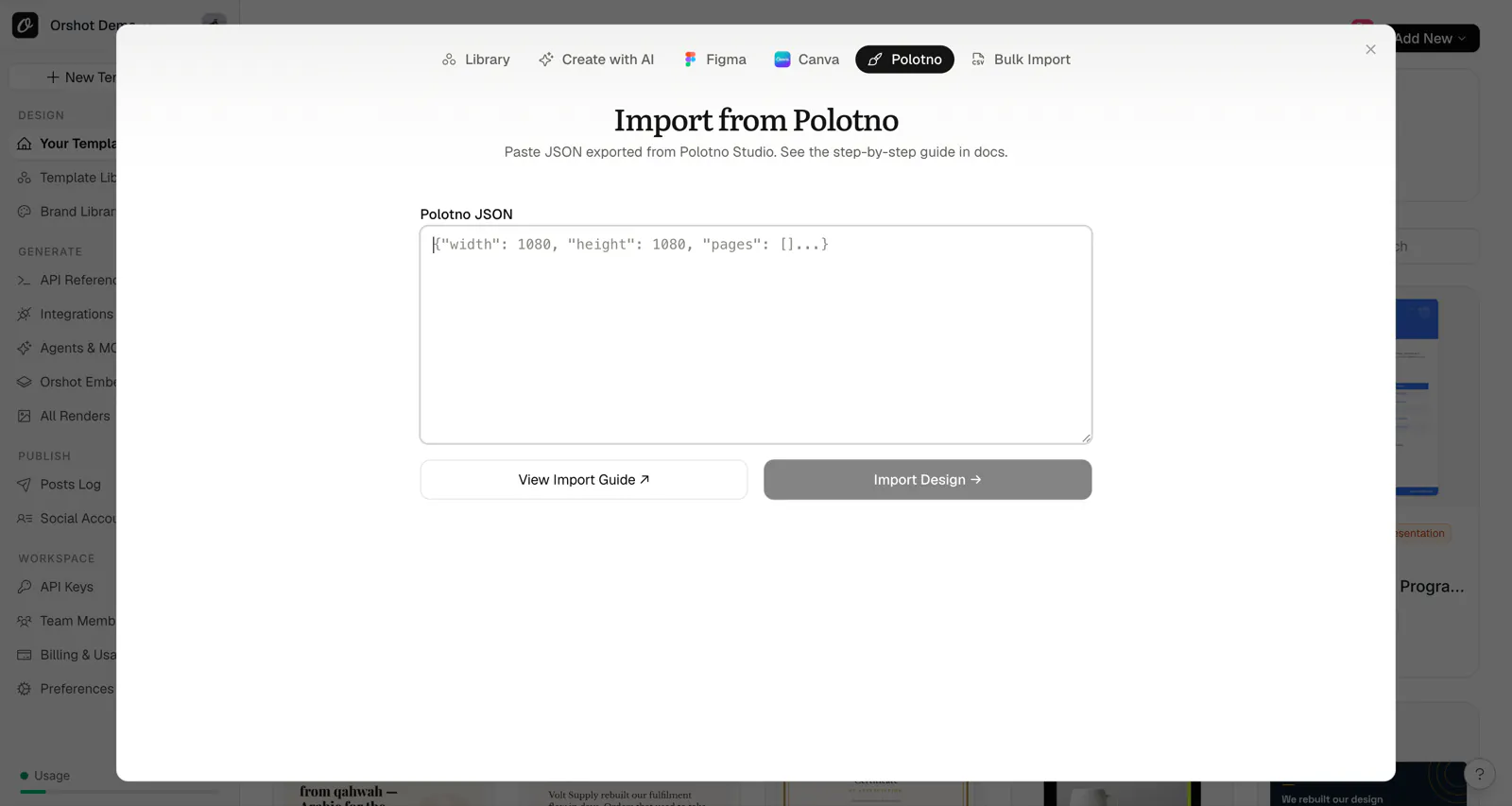
6. Import the template#
Review the validation results and click Import Template to create your Orshot template.
What Gets Imported#
The Polotno importer translates:
- Text elements — with font family, size, weight, color, alignment, line height, and letter spacing
- Images — including photos and uploaded images
- SVG elements — converted to images with color replacements applied
- Shapes — rectangles, circles, and other basic shapes
- Lines — with stroke color and width
- Background colors — page backgrounds are preserved
- Multi-page designs — all pages are imported
Element Translation#
Polotno elements are automatically mapped to Orshot's element structure:
| Polotno Type | Orshot Type |
|---|---|
text | text |
image | image |
svg | image (with SVG data) |
figure (rect) | rectangle |
figure (circle) | circle |
line | line |
Automatic Parameterization#
All text and image layers are automatically configured for API use:
- Each text element gets a
parameterIdliketext_1_1,text_1_2, etc. - Each image element gets a
parameterIdlikeimg_1_1,img_1_2, etc. - All parameterized elements are added to the page's modifications list
- You can immediately use the API to dynamically change content
SVG Color Handling#
If your Polotno design uses SVGs with custom colors (via colorsReplace), Orshot will:
- Apply the color replacements to the SVG
- Convert the colored SVG to an image element
- Preserve the visual appearance of your design
Limitations#
Some Polotno features may require adjustment after import:
- Polotno-specific elements — Some specialized Polotno elements may not have direct equivalents
- Complex SVG paths — Very complex SVGs may be simplified
- Custom fonts — Fonts not available in Google Fonts need to be uploaded to Orshot
- Effects and filters — Advanced effects may not translate
- Animations — Not supported in Orshot
Tips for Best Results#
- Use Google Fonts — These work seamlessly in both platforms
- Simplify complex designs — Break down very complex layouts if needed
- Upload missing fonts — Check the validation warnings and upload any missing fonts to Brand Assets
- Review after import — Check element positioning and make minor adjustments as needed
Troubleshooting#
Invalid JSON Error#
If you see an "Invalid Polotno JSON" error:
- Ensure you copied the complete JSON (not truncated)
- Verify the JSON has a
pagesarray at the root level - Check that the JSON is properly formatted
Missing Fonts#
If fonts appear incorrect after import:
- Note the missing fonts listed in the validation warning
- Go to Brand Assets in Orshot
- Upload the font files (.ttf, .otf, or .woff2)
- Re-import or manually update the font in the template
Images Not Loading#
If images appear broken:
- Ensure the original images are still accessible at their URLs
- For base64 images, the importer will attempt to upload them to your Brand Assets
- Large designs may take a moment to process all images
Ready to automate?
Start rendering images, PDFs and videos from your templates in under 2 minutes. Free plan, no credit card.
Get your API key- Image, PDF and video generation via API
- Visual editor with AI and smart layouts
- Zapier, Make, MCP and 50+ integrations
- White-label embed for your own app
- 100 free credits a month, no credit card required